
Tapo 2K+ Indoor/Outdoor Wired Security Camera, Baby Monitoring, C120
4.4Editor score
2K QHD 4MP Resolution
Starlight Color Night Vision
No-Cost AI Detection
IP66 Weatherproof Rating
This guide compares the top indoor wireless IP cameras for home security, focusing on video quality, smart detection, storage options, and ease of use for
Indoor wireless IP cameras have become essential tools for modern home security and peace of mind. They allow you to monitor rooms, pets, and loved ones remotely without complex wiring. Choosing the right model depends on your specific needs like resolution, smart features, and storage preferences.
We compared ten top-rated models based on video clarity, connectivity stability, and intelligent detection capabilities. Our analysis focuses on real-world performance factors including night vision quality, two-way audio clarity, and app usability. Each product was evaluated for its value and reliability in daily home use scenarios.
Each pick in this list highlights unique strengths tailored to different user priorities and budget considerations. You will find options ranging from budget-friendly single units to premium dual-camera systems. Please note that product availability and terms may change, so verify details before purchasing.
4.4Editor score

4.7Editor score

4.4Editor score
The following table provides a side-by-side comparison of all ten products reviewed in this guide. It highlights key specifications and capabilities to help you quickly identify which model aligns best with your specific monitoring requirements and home environment needs.




The Ring Indoor Cam stands out as a top choice for reliable home monitoring. It offers crisp 1080p HD video and color night vision for clear images day or night. Its user-friendly design and strong ecosystem integration make it a favorite for many households.
We may earn a commission when you buy through this link, at no additional cost to you.
One of its most compelling features is Advanced Pre-Roll, which captures seconds before motion events. This ensures you never miss the context of an alert. The manual privacy cover allows you to physically disable the camera, adding a layer of trust and security when you are home.
While it requires a Ring Protect subscription for cloud storage and advanced features, the device itself delivers consistent performance. Some users may find the reliance on an external service costly over time. However, the integration with Alexa devices enhances its utility significantly.
This camera is ideal for homeowners who value ecosystem integration and reliability. If you already use Ring or Amazon devices, this camera fits perfectly into your setup. It balances ease of use with robust security features effectively.
The manual privacy cover physically blocks the lens and disables the microphone. This provides tangible peace of mind that the camera is not recording when you do not want it to.
Works seamlessly with Alexa for voice control and announcements. You can view live feeds on Echo Show devices, making it easy to check in hands-free.
We may earn a commission when you buy through this link, at no additional cost to you.
The Amcrest 4MP ProHD offers high-resolution monitoring ideal for detailed indoor surveillance. Its 4MP sensor captures sharp images at 30fps, ensuring smooth video playback. The wide 90-degree field of view allows you to cover more ground without moving the camera.
We may earn a commission when you buy through this link, at no additional cost to you.
This model supports H.265 video compression, which reduces bandwidth consumption while maintaining quality. You can store footage locally on a MicroSD card or connect it to NAS systems for professional-grade recording. This flexibility is great for users who want to avoid monthly fees.
While the camera supports remote pan and tilt, digital zoom is only available on the Amcrest View Pro App. Additionally, it operates only on 2.4GHz WiFi networks which may limit performance in crowded networks. Overall, it offers robust features for the price point.
Choose this camera if you need high resolution and local storage options. It is well-suited for users who prioritize image detail and technical control over cloud convenience. The build quality and security features are reliable for long-term use.
The 4MP sensor delivers clearer images than standard 1080p cameras. This helps in identifying small details like text or objects from a distance.
Supports MicroSD cards and NAS connections for recording. This ensures you have access to footage even if internet service is interrupted.
We may earn a commission when you buy through this link, at no additional cost to you.
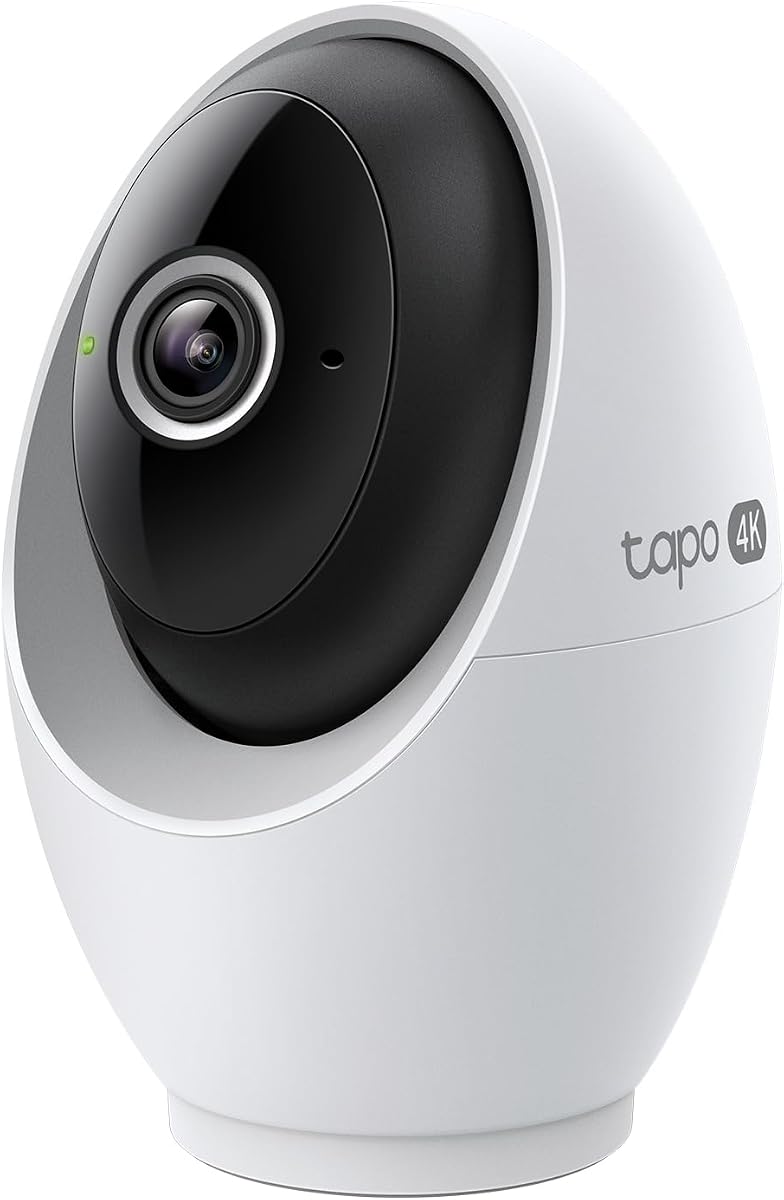
The Tapo C260 brings 4K clarity to indoor monitoring at an affordable price. It offers a full 360-degree horizontal pan and 116-degree vertical tilt, covering almost every angle in a room. AI detection runs locally on the device, keeping data private and responses fast.
We may earn a commission when you buy through this link, at no additional cost to you.
Motion tracking automatically follows subjects across the field of view, ensuring continuous monitoring. You can set privacy zones to exclude specific areas from recording. This level of customization is rare for cameras in this price range.
The camera relies on a wired connection for power, which limits placement options compared to battery models. Some users might find the app setup requires careful configuration. However, the image quality and detection accuracy are impressive.
This camera is best for those who want 4K resolution without paying for a subscription. It fits well in living rooms or offices where constant monitoring is needed. The privacy features make it suitable for families concerned about data security.
On-device AI ensures facial recognition and detection data stay off the cloud. This enhances privacy while still providing accurate alerts for people and pets.
With 360-degree pan and 116-degree tilt, you can monitor the entire room from a single spot. The motion tracking feature keeps moving subjects in frame automatically.
We may earn a commission when you buy through this link, at no additional cost to you.
The Amcrest ProHD 1080P delivers solid performance for standard indoor surveillance. It provides full HD video with a wide 90-degree angle, covering large areas like living rooms. The night vision reaches up to 32 feet, ensuring clear views even in total darkness.
We may earn a commission when you buy through this link, at no additional cost to you.
You can store video on a MicroSD card or connect it to an NVR or NAS. This local storage option avoids monthly subscription fees for recording. The camera integrates with Alexa through the cloud for voice control and streaming.
It only supports 2.4GHz WiFi, which can be slower than 5GHz in congested areas. The app interface is functional but not as polished as newer models. Despite these limitations, the hardware remains robust and reliable.
This camera is a good choice for budget-conscious users needing wide coverage. It suits environments where night vision is critical. The multiple storage options provide flexibility for different technical preferences.
Built-in IR LEDs provide clear black-and-white video up to 32 feet away. This ensures no blind spots during nighttime monitoring.
Supports MicroSD cards and NVR systems for flexible storage. This avoids reliance on cloud subscriptions for basic recording features.
We may earn a commission when you buy through this link, at no additional cost to you.
The eufy Security E30 combines high resolution with advanced home automation features. Its 4K recording captures incredibly detailed images. You can switch between color and infrared night vision using the built-in spotlight, providing clear visibility in low light.
We may earn a commission when you buy through this link, at no additional cost to you.
The camera offers a 360-degree panoramic view with app features like Quick Focus Tap. This allows instant switching to any point in the room. It works with HomeKit, Alexa, and Google Assistant, offering broad compatibility for smart homes.
While it supports local storage without a subscription, you may need to buy an SD card separately. HomeKit support is limited to 1080p resolution, which is a slight constraint. Overall, it offers high performance and privacy-focused design.
This camera is ideal for users who want detailed monitoring and smart home integration. It is especially useful for families wanting to track children or pets. The privacy features and local storage make it a secure choice.
The integrated spotlight enables color video at night. This helps distinguish objects better than standard black-and-white infrared.
Works with HomeKit, Alexa, and Google Assistant. This flexibility ensures it fits into most existing smart home setups.
We may earn a commission when you buy through this link, at no additional cost to you.
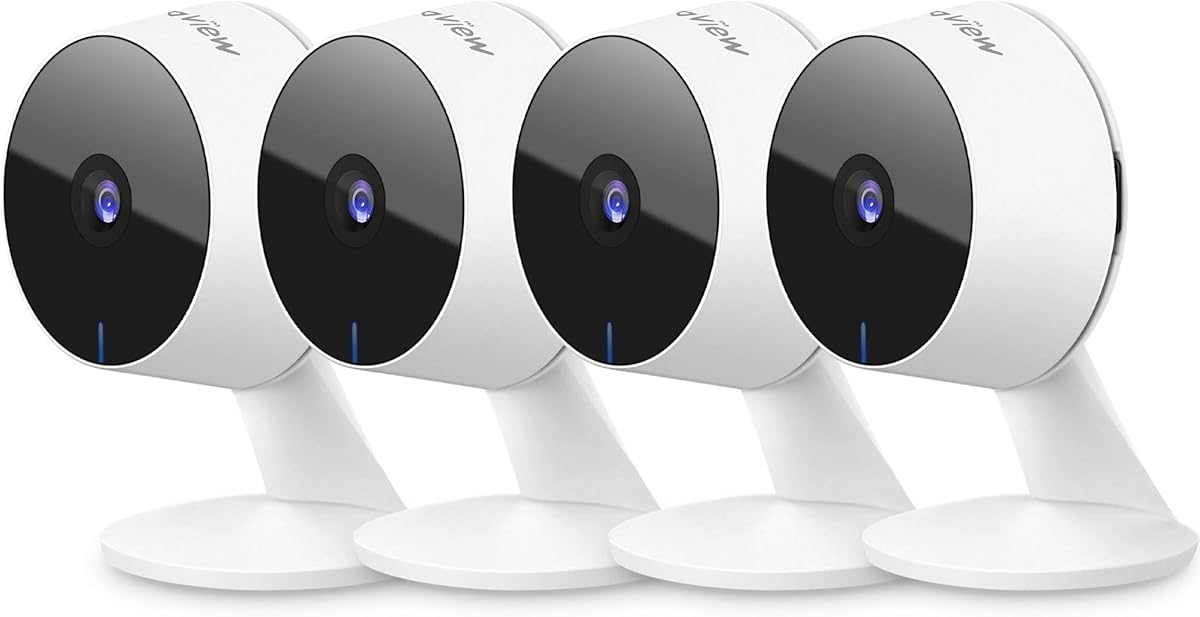
This four-pack offers an affordable way to cover multiple rooms at once. Each camera delivers 1080p video quality. The bundle is particularly useful for monitoring pets or children across different areas. You get a siren feature to deter intruders remotely.
We may earn a commission when you buy through this link, at no additional cost to you.
Detection includes motion, person, and baby cries, reducing false alarms. You can store video on a MicroSD card to avoid fees. The cameras are simple to set up and connect via 2.4GHz WiFi.
These cameras lack pan and tilt functions, so placement matters. The night vision is functional but not color-enhanced. Despite this, the value for money is significant for whole-home coverage.
This bundle is best for those needing coverage in several spots quickly. It is suitable for pet owners or parents wanting to keep tabs on children. The siren adds an extra layer of security for the price.
Getting four cameras in one package saves money compared to buying individually. It allows comprehensive coverage for living areas and bedrooms.
Specialized detection for baby cries helps parents sleep easier. The two-way audio allows you to comfort pets or children from anywhere.
We may earn a commission when you buy through this link, at no additional cost to you.
The eufy S350 introduces dual-camera technology for simultaneous wide and telephoto views. This allows you to see the whole room and zoom in on details without switching views. It supports 8× hybrid zoom for precise monitoring of specific areas.
We may earn a commission when you buy through this link, at no additional cost to you.
Auto-zoom presets let you jump to frequently checked spots like cribs with a tap. Sound detection alerts you to barks or cries. The camera stores footage locally to keep data private and save on subscription costs.
It requires HomeBase 3 to function fully, which adds to the cost. It does not support HomeKit, limiting integration for Apple users. However, the zoom capabilities and dual lenses offer unique advantages.
This camera is best for detailed monitoring of high-interest areas. It suits households needing to check on elderly parents or pets in specific spots. The dual lenses provide a flexible way to view activities without physical movement.
Combines a wide-angle and telephoto lens in one device. You can see both the room context and fine details simultaneously.
Alerts trigger based on specific sounds like crying or barking. This helps focus attention on relevant events rather than movement alone.
We may earn a commission when you buy through this link, at no additional cost to you.
The Tapo C120 is a versatile camera suitable for indoor and covered outdoor use. It delivers sharp 2K resolution for clear images. The magnetic base allows easy mounting on metal surfaces without tools. You can adjust it to get the perfect angle quickly.
We may earn a commission when you buy through this link, at no additional cost to you.
AI detection for people, pets, and vehicles is free without subscriptions. The camera supports local storage via MicroSD cards. It offers full duplex two-way audio for smooth communication with family or delivery personnel.
It requires a wired power connection, so placement is limited to outlets. The IP66 rating handles rain, but it is best for sheltered areas. The color night vision ensures visibility even in low light.
This camera is ideal for users who want flexibility and sharp resolution. It works well for entryways or garages where indoor-outdoor transitions occur. The magnetic base simplifies installation significantly.
The magnetic base allows tool-free installation on metal surfaces. This makes setup quick and damage-free for renters.
Detects people, pets, and vehicles without extra fees. This reduces false alarms from leaves or passing shadows.
We may earn a commission when you buy through this link, at no additional cost to you.
LaView offers a reliable four-camera set for home monitoring. It supports up to nine simultaneous live feeds and shares access with up to twenty users. This makes it easy for families to monitor different areas remotely.
We may earn a commission when you buy through this link, at no additional cost to you.
Footage can be stored in the cloud or on a MicroSD card. The app works on mobile and web browsers for flexible access. It integrates with Alexa for voice commands and streaming.
The night vision reaches about 33 feet, which is adequate for most rooms. The app interface is basic but functional for viewing streams. Setup is straightforward for those with 2.4GHz WiFi networks.
This bundle suits multi-camera households looking for simplicity. It is good for monitoring pets or checking rooms frequently. The sharing features allow multiple family members to stay connected.
Share access with up to twenty people. This allows everyone in the family to monitor the home together.
Store video on the cloud via AWS or locally on SD cards. This flexibility ensures footage is safe even if one server fails.
We may earn a commission when you buy through this link, at no additional cost to you.
This wireless camera offers maximum flexibility for renters and temporary setups. It runs on a battery with a smart wake-up feature that lasts months on a charge. The strong magnet base allows instant mounting anywhere without tools.
We may earn a commission when you buy through this link, at no additional cost to you.
It includes built-in 8GB storage, so you do not need to buy an SD card. The AI distinguishes between people and pets to reduce alerts. You can stream live to Echo Show or Google Display for easy viewing.
Battery life is good but requires periodic recharging. The built-in storage is limited compared to SD cards, but it is sufficient for short clips. The privacy switch is a thoughtful addition for daily use.
This camera is perfect for renters who cannot install wired systems. It is easy to move room to room as needs change. The convenience of wire-free operation makes it stand out.
The battery and magnetic base allow tool-free installation. This avoids drilling holes and makes relocation simple.
Includes 8GB of memory to store footage. You can view playback in the app without needing extra accessories.
We may earn a commission when you buy through this link, at no additional cost to you.
Selecting the right indoor wireless IP camera involves balancing features, quality, and privacy needs. This guide breaks down the most important factors to help you make an informed decision for your home.
Video resolution determines how clear your footage is. Higher resolutions like 4K or 2K capture more detail than standard 1080p. Look for cameras with good sensors to ensure sharp images even in low light.
Choose at least 1080p for general use. Higher resolution helps if you need to identify faces or read text from a distance.
Night vision is critical for 24/7 monitoring. Look for cameras that offer infrared or color night vision. Color vision requires a spotlight or ambient light, while infrared works in total darkness.
Check the range of night vision coverage. A range of 30 feet or more ensures you can monitor entire rooms at night.
Modern cameras use AI to distinguish between people, pets, and motion. This reduces false alarms from shadows or insects. Look for models that allow custom detection zones and specific alert settings.
AI detection features are valuable for reducing unnecessary notifications. Ensure the camera supports pet and person detection.
Storage determines how you keep footage. Options include cloud storage, MicroSD cards, or local hard drives. Some models support both for redundancy and flexibility.
Local storage avoids monthly fees and keeps data private. Cloud storage provides off-site access. Choose what fits your budget and security needs.
Most indoor cameras support 2.4GHz WiFi. Some newer models also support 5GHz for faster speeds. Stable network support ensures smooth streaming without buffering.
Ensure your home network can support the camera's requirements. Dual-band support helps reduce interference in crowded networks.
Compatibility with Alexa, Google Assistant, or Apple HomeKit is important for automation. This allows voice control and integration with other smart devices like locks and lights.
Check the ecosystem you use. Seamless integration makes daily usage more convenient and secure.
Installation should be simple. Look for cameras with magnetic bases, mounts, or plug-in power. Battery-operated models offer the most flexibility for placement.
Consider where you want to mount the camera. If you need frequent movement, battery or magnetic options are best.
Privacy features include physical covers, privacy modes, and encryption. These ensure you have control over when the camera is recording.
Prioritize models with physical shutters or easy privacy switches. This protects your privacy when you are home.
Begin by downloading the companion app and creating an account. Connect the camera to your WiFi network following the on-screen instructions. Place the camera where it has a clear view and stable connection.
Adjust the field of view to focus on important areas. Set up motion detection zones to avoid unnecessary alerts. Test the two-way audio to ensure it works properly.
Regularly update the camera firmware to maintain security. Check lens cleanliness to ensure image quality. If using battery power, monitor charge levels and recharge as needed.
Most indoor wireless cameras require an internet connection for remote viewing and alerts. However, some models allow local storage and viewing within your home network even if the internet is down. Check the specific model's offline capabilities if this is important.
Yes, most modern cameras allow remote access via their app from anywhere. This requires the camera to be connected to your home internet. Ensure your network is secure to prevent unauthorized access.
You can store footage on MicroSD cards, external hard drives, or cloud services. Cloud services often require subscriptions, while local storage avoids monthly fees. Some models support both options for flexibility.
To improve night vision, remove any curtains or blinds that might reflect light. Ensure the room is not too bright at night if using infrared. Position the camera away from reflective surfaces like mirrors.
Many indoor cameras work with Amazon Alexa, Google Assistant, or Apple HomeKit. Check the product details for specific compatibility. Some features like live streaming on Echo Show require specific setups.
You should update firmware whenever a new version is available. Updates often fix security vulnerabilities and add new features. Enable automatic updates in the app if available.
Yes, many indoor cameras are excellent for pet monitoring. Look for models with two-way audio to talk to your pets. Some have pet-specific detection to alert you when they move or cry.
Place cameras where they have a clear view of entrances or activity areas. Avoid pointing at reflective surfaces or direct sunlight. Ensure the camera has access to power or battery recharging locations.
Choosing the best indoor wireless IP camera depends on your specific needs like resolution, smart features, and storage. The Ring Indoor Cam offers a balanced experience with strong privacy features, while the Tapo 4K provides exceptional resolution and flexibility.
Prioritize features like night vision quality and smart detection to ensure reliable monitoring. If you need multiple units, bundles like the Tapo 4-pack provide great value. Consider how much storage you need before committing to cloud or local options.
Remember to check current product availability and terms before purchasing. Technology evolves quickly, so staying informed on the latest models ensures you get the best performance for your home security needs.