
LG 27UP850K-W 27-inch Ultrafine 4K UHD IPS DisplayHDR 400 Computer Monitor
4.5Editor score
90W USB C delivery
4K HDR 400 support
Built-in stereo speakers
Finding the right computer monitors for MacBook Pro is essential for maximizing productivity and visual clarity. A good external display enhances your workflow by providing more screen real estate and sharper images.
We evaluated top models based on resolution color accuracy connectivity options and ergonomic design. Each pick was chosen to complement Mac hardware with features like USB C power delivery and wide color gamuts.
Each entry below details key specs pros and cons to help you decide. Note that prices and availability change frequently so check current listings before making your final purchase decision.
4.5Editor score
5.0Editor score

4.3Editor score
As an Amazon Associate we earn from qualifying purchases.
The following table offers a side by side comparison of all ten monitors listed in this guide. Use this to quickly identify which model best fits your specific workflow requirements and budget constraints.




The Dell S2725QC stands out as an accessible entry point for MacBook Pro users seeking a 4K display. With a rating of 4.4 stars it delivers sharp visuals and smooth performance at a competitive price point.
We may earn a commission when you buy through this link, at no additional cost to you.
Its 4K UHD resolution combined with 99% sRGB coverage ensures content looks crisp and accurate. The 120Hz refresh rate provides fluid motion which is particularly beneficial for creative workflows or casual multitasking.
While it lacks the high wattage USB C delivery found on premium models the 65W power delivery still handles most MacBook models effectively. The ComfortView Plus feature reduces blue light which helps during long work sessions.
This monitor is ideal for users who prioritize visual quality without breaking the bank. It offers a reliable and comfortable viewing experience that complements the macOS ecosystem well.
The IPS panel ensures consistent colors across wide viewing angles which is essential for shared workspaces or detailed editing tasks.
ComfortView Plus technology reduces harmful blue light emissions without altering color accuracy to help prevent eye fatigue over time.
We may earn a commission when you buy through this link, at no additional cost to you.
The BenQ MA270UP is explicitly designed to pair with Mac devices offering specialized features that enhance usability. It holds a rating of 4.3 stars and focuses heavily on color accuracy and seamless integration.
We may earn a commission when you buy through this link, at no additional cost to you.
Its Mac Color Match feature ensures the display matches the colors on your MacBook screen which is critical for designers and photographers. The dual USB C ports allow you to connect multiple devices simultaneously.
The inclusion of volume and brightness controls directly from your Mac keyboard adds a layer of convenience rarely found on standard monitors. The 90W power delivery ensures your laptop stays charged while you work.
This is the perfect choice for professionals who need precise color consistency and want a unified control experience. It eliminates the guesswork in display calibration when using a MacBook.
Exclusive tuning ensures the P3 color gamut is accurately represented to match the native MacBook display output.
Adjusting settings using your Mac keyboard removes the need for on-screen menus or physical buttons on the monitor bezel.
We may earn a commission when you buy through this link, at no additional cost to you.
LG's 27UP850K-W offers a robust package with a high rating of 4.5 stars making it a top contender for general productivity. The 4K resolution is paired with HDR 400 support for enhanced dynamic range.
We may earn a commission when you buy through this link, at no additional cost to you.
With 90W USB C power delivery this monitor can fully power and charge most modern MacBook Pro models through a single connection. It also includes a variety of ports to avoid adapter clutter.
The built-in stereo speakers with Waves MaxxAudio provide decent sound quality for video calls or casual media consumption. The ergonomic stand allows for height and tilt adjustments to suit your posture.
This monitor is an excellent all-rounder for users who need a reliable 4K display without specific high-end color requirements. It handles daily tasks effortlessly while offering enough versatility for creative work.
USB-C supports data and power delivery up to 90W alongside DisplayPort HDMI and USB 3.0 ports for broad compatibility.
The IPS panel delivers up to 95% DCI-P3 color gamut expression which ensures rich and accurate color reproduction.
We may earn a commission when you buy through this link, at no additional cost to you.
The Dell S2425HSM is a compact option that focuses on speed and eye comfort with an impressive 4.7 star rating. It is ideal for users who prefer a smaller footprint without sacrificing responsiveness.
We may earn a commission when you buy through this link, at no additional cost to you.
While it uses FHD resolution the 144Hz refresh rate ensures incredibly smooth motion which is beneficial for scrolling through code or documents. The TÜV certified eye comfort features help reduce strain during long hours.
The stand offers full pivot swivel and tilt adjustments allowing you to position the screen perfectly for your desk setup. The white finish adds a modern touch that complements lighter office environments.
Choose this monitor if you need a reliable secondary screen for general use or gaming. It prioritizes comfort and smooth performance over high pixel density for detailed creative work.
A 144Hz refresh rate paired with a 1ms response time minimizes motion blur for fluid and responsive visual output.
Certified eye comfort technologies reduce harmful blue light emissions to help maintain visual health during extended use.
We may earn a commission when you buy through this link, at no additional cost to you.
Philips offers a highly rated 4.6 star monitor that is perfect for budget-conscious users needing reliable performance. The VA panel provides deep blacks and high contrast which makes text stand out clearly.
We may earn a commission when you buy through this link, at no additional cost to you.
The bezel-free design on three sides helps create a clean look especially if you plan to use multiple monitors side by side. EasyRead mode simulates a paper-like experience which is great for reading long documents.
With 100Hz refresh rate this display offers smoother visuals than standard 60Hz monitors. The flicker-free technology helps prevent eye strain which is important for daily work environments.
This monitor is an excellent choice for administrative tasks or basic productivity needs. It balances cost and quality effectively providing a solid display for everyday computing tasks.
The VA panel produces brighter whites and deeper blacks resulting in true-to-life images with more gradients and detail.
A minimalistic design allows for seamless multi-monitor setups that enhance your workflow and boost productivity.
We may earn a commission when you buy through this link, at no additional cost to you.
The LG 27US500-W is a sleek 4K option that fits well into modern office setups with its white borderless design. It carries a solid 4.4 star rating and focuses on providing clear visuals for general use.
We may earn a commission when you buy through this link, at no additional cost to you.
With an IPS panel you can expect consistent colors and wide viewing angles. The HDR10 support enhances content viewing by providing better dynamic range in supported applications.
Onscreen Control allows you to customize your workspace layout or adjust settings directly via the mouse which simplifies workflow management. The stand is ergonomic enough for basic tilt adjustments.
This monitor is suitable for users who want a clean aesthetic and sharp resolution without advanced features. It is a great primary display for office work or media consumption.
The 1000:1 contrast ratio displays deeper blacks and vivid colors in UHD clarity for detailed imagery.
You can customize the workspace by splitting the display or adjusting basic monitor options with just a few mouse clicks.
We may earn a commission when you buy through this link, at no additional cost to you.
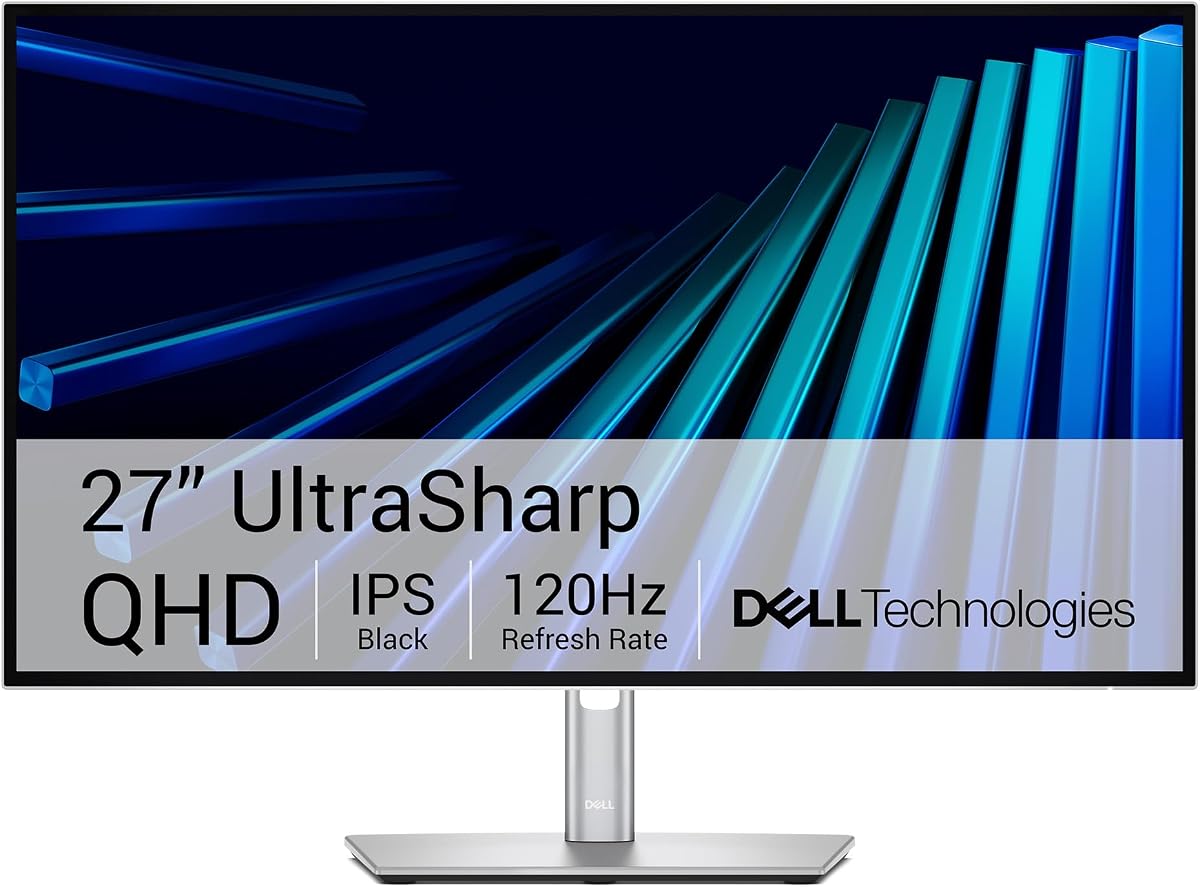
The Dell UltraSharp U2726DER boasts a perfect 5.0 star rating and is a top-tier choice for professionals. It acts as a comprehensive hub for your devices while delivering high-quality visuals.
We may earn a commission when you buy through this link, at no additional cost to you.
Factory calibrated color accuracy ensures that your designs and photos look true to life right out of the box. The Thunderbolt connectivity allows for fast data transfer and robust display performance.
A built-in KVM switch lets you control two different machines with a single keyboard and mouse which improves multitasking efficiency. The smooth 120Hz refresh rate makes transitions seamless.
This monitor is designed for executives and designers who need a reliable and refined workspace solution. It represents the high end of the market with premium features and exceptional performance.
Factory calibrated color accuracy ensures photos videos and designs look true to life straight out of the box.
Switch between two machines using a single keyboard and mouse with built-in KVM to boost efficiency.
We may earn a commission when you buy through this link, at no additional cost to you.
The BenQ PD2706QN is built for creators with factory calibrated accuracy and 95% P3 coverage. It holds a 4.5 star rating and focuses on providing consistent colors for professional design work.
We may earn a commission when you buy through this link, at no additional cost to you.
The Nano Matte panel diffuses ambient light to preserve color accuracy and reduce glare which is essential for long design sessions. It supports Daisy Chain MST allowing you to connect multiple monitors easily.
With 90W USB C delivery your MacBook can be fully charged through the display. ICCsync ensures color profiles are matched correctly between your Mac and the monitor seamlessly.
This monitor is ideal for graphic designers or photographers who need precise color fidelity. It offers the tools needed for professional workflows in a reliable and ergonomic package.
Average Delta E <= 2 factory-calibrated color accuracy ensures accurate matching across displays and modes.
The Nano Matte panel diffuses ambient light to preserve contrast and ensure enhanced eye comfort during long sessions.
We may earn a commission when you buy through this link, at no additional cost to you.
Samsung offers a large 32-inch display that is perfect for those who want more visual space for their content. With a 4.5 star rating it emphasizes comfort and seamless viewing experiences.
We may earn a commission when you buy through this link, at no additional cost to you.
The borderless design creates a modern aesthetic and helps multiple monitors line up seamlessly. Eye Saver Mode and Flicker Free technology reduce strain to allow for extended work sessions.
AMD FreeSync keeps refresh rates synchronized to reduce tearing which makes media consumption smooth. The 75Hz refresh rate is slightly higher than standard options for fluid visuals.
This monitor is a great choice for users who need a large canvas for general work or browsing. It prioritizes comfort and size over high-end technical specifications.
The three-sided borderless display brings a clean and modern aesthetic to any working environment.
Advanced eye comfort technology reduces eye strain for less strenuous extended computing.
We may earn a commission when you buy through this link, at no additional cost to you.
The LG 27U631A-B delivers a solid QHD display with a 4.3 star rating that balances performance and comfort. Its 100Hz refresh rate provides smoother visuals than standard monitors.
We may earn a commission when you buy through this link, at no additional cost to you.
HDR10 enhances picture quality and the IPS panel ensures vibrant visuals even at wider angles. Reader Mode helps reduce blue light emission to help provide a reduction in eye fatigue.
While USB C power delivery is limited to 15W it can still handle basic peripherals. The slim stand helps minimize desk clutter and optimize space for your work area.
This monitor is well suited for general office use where smooth visuals and color accuracy are key. It offers a reliable and efficient display solution for daily productivity tasks.
Experience exceptional picture quality with the 27 inch QHD display IPS technology for vivid and vibrant visuals.
This monitor comes with Reader Mode which can reduce blue light emission to help provide a reduction in eye fatigue.
We may earn a commission when you buy through this link, at no additional cost to you.
Selecting the right monitor involves analyzing several key factors to ensure compatibility and performance.
Higher resolutions like 4K offer sharper text and more workspace which is ideal for creative professionals. A 27 inch screen is generally considered the sweet spot for desktop work offering ample space without being overwhelming.
For general office tasks a QHD or FHD screen might suffice if budget is a concern but 4K is preferred for Mac displays.
Creative work requires accurate color representation. Look for monitors with high DCI-P3 or sRGB coverage to ensure what you see matches the final output.
Factory calibration ensures that these standards are met out of the box saving you time on manual adjustments.
MacBooks rely heavily on USB-C so a monitor with a USB-C port capable of both data and power delivery is highly desirable.
Higher wattage delivery like 90W ensures your laptop charges fully even while the screen is in use.
A good stand should allow for height tilt and swivel adjustments to maintain a healthy posture during long hours.
Adjustable stands reduce neck strain and improve the overall comfort of your workspace significantly.
Higher refresh rates like 120Hz provide smoother motion which reduces eye strain and improves fluidity in scrolling and video.
Fast response times prevent ghosting which keeps visuals sharp during fast moving content.
Features like built-in speakers KVM switches or special software support can add convenience to your setup.
These tools help streamline workflows by reducing the number of peripherals needed.
A minimalist bezel-free design complements modern aesthetics and makes multi-monitor setups look cleaner.
Robust build quality ensures the monitor withstands daily use over many years.
Balancing your needs with your budget is crucial. Consider if premium features justify the extra cost for your specific workflow.
Investing in a reliable display pays off in productivity and comfort long term.
Connect your MacBook using a certified USB-C or Thunderbolt cable to ensure stable power and data transfer.
Clean the screen regularly with a microfiber cloth to avoid scratches and maintain clarity.
Adjust the brightness and blue light settings based on your environment to reduce eye strain over time.
Most modern MacBooks work with these monitors via USB-C or HDMI. However verify power delivery requirements for older models to ensure they charge while in use.
Yes a 4K display provides sharper text and more workspace which is highly beneficial for multitasking and creative workflows.
QHD or 4K is usually preferred for coding as it allows for more lines of code on screen simultaneously.
Yes modern MacBooks support multiple displays via Thunderbolt hubs or daisy chaining depending on the monitor model.
Use built-in Mac display calibration tools or choose a monitor with Mac-specific color tuning features.
You will need to use a separate charger for your laptop if the monitor supports USB-C but lacks high wattage power delivery.
We have explored ten top options ranging from budget-friendly picks to premium professional displays.
Prioritize color accuracy and connectivity if you are a creative professional or focus on ergonomics for general productivity.
Always check current pricing and availability as deals change frequently to ensure you get the best value.