
Kensington Combination Laptop Lock Nano
4.3Editor score
Slim lock head design
Five-foot steel cable
10000 combinations
Protecting your valuable laptop from theft is essential in public spaces like cafes and libraries. A good security lock provides peace of mind by anchoring your device to a fixed object.
We have evaluated ten leading laptop security locks based on cable durability, lock mechanism type, and compatibility with various laptop brands and security slots.
Each pick shows specific strengths for different needs, from budget-friendly options to universal solutions. Please note that product prices can change frequently on retailer sites.
4.3Editor score

4.4Editor score

4.7Editor score
As an Amazon Associate we earn from qualifying purchases.
The following table provides a side-by-side overview of all ten selected laptop security locks, highlighting key specifications to help you make an informed decision.

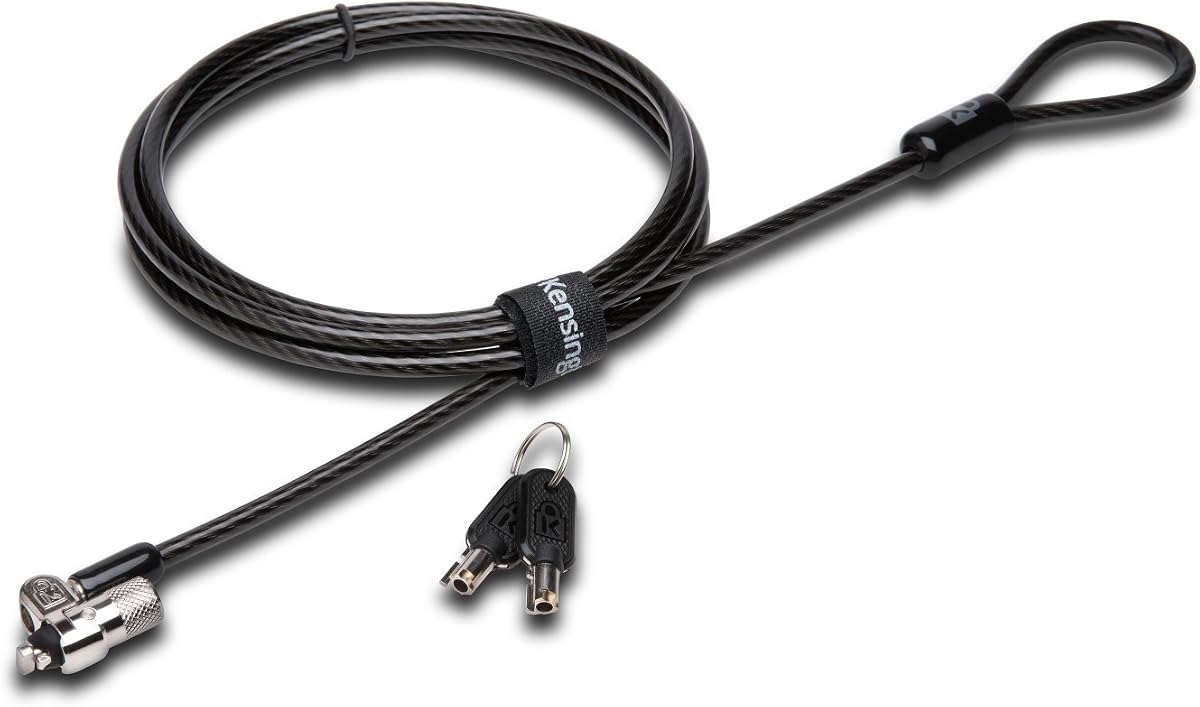


This Kensington combination lock stands out as the top choice for most users seeking reliable security. With a 4.4 rating, it offers a robust cable and easy-to-use password system.
We may earn a commission when you buy through this link, at no additional cost to you.
The six-foot carbon steel cable is cut-resistant and anchors securely to desks. The push-button design allows for one-handed engagement which is convenient in busy environments.
While the resettable code is convenient, users must remember their password as there is no key recovery. Also check your slot type as Dell laptops may need a different model.
If you need a trusted lock for standard slots, this model delivers peace of mind. Its independent verification adds confidence to its durability claims.
The cable length provides flexibility to tether your laptop to various fixed structures nearby.
You can set your own unique code from ten thousand possible combinations for better privacy.
We may earn a commission when you buy through this link, at no additional cost to you.
This universal lock is designed for laptops that lack a dedicated security slot. It connects via the audio port making it versatile for many devices.
We may earn a commission when you buy through this link, at no additional cost to you.
The anchor adapter plugs into the audio port and secures with a screw. This allows you to use a combination lock even on Macs or thin ultrabooks.
However using the audio port means you cannot use headphones while the lock is attached. Also ensure your device audio port is sturdy enough for the stress.
For users who need a workaround for missing security slots, this is a practical solution. It offers a balance of convenience and basic theft protection.
The anchor adapter utilizes the common headphone jack to create a secure connection point.
You can install the anchor and attach the lock in seconds without tools.
We may earn a commission when you buy through this link, at no additional cost to you.
This keyed lock offers high security with patented hidden pin technology that resists picking attempts. It is ideal for users who prefer keys over combinations.
We may earn a commission when you buy through this link, at no additional cost to you.
The smaller pivoting lock head fits even thin laptops easily. The hinge design eliminates awkward angles making locking and unlocking smoother.
Keep in mind that losing the key requires contacting support for replacement. Also ensure your laptop has a standard T-bar slot not a nano slot.
If you value strong physical security and simplicity, this model is excellent. Its industry-leading support adds long-term value to your purchase.
The hidden pin technology makes it difficult for thieves to manipulate the lock.
The special hinge allows the cable to rotate which prevents strain on the lock head.
We may earn a commission when you buy through this link, at no additional cost to you.
This NanoSaver lock is tailored for select HP and Lenovo laptops with nano sized security slots. It offers a compact profile that fits thin devices well.
We may earn a commission when you buy through this link, at no additional cost to you.
The pivot and rotate cable head allows for flexible movement without straining the lock. You can register your code online in case it gets lost.
Check your device specifications carefully as this will not work with standard T-bar slots. Also note that keys are not always included with this specific SKU.
For HP and Lenovo users needing a slim security solution, this is a strong option. The online registration feature adds convenience for key recovery.
Designed specifically for the smaller lock slots found on many modern ultrabooks.
Kensington provides a free service to retrieve codes if you forget your key.
We may earn a commission when you buy through this link, at no additional cost to you.
This affordable nano lock offers great value for users with thin laptops and tight budgets. It provides a reliable combination mechanism without a high cost.
We may earn a commission when you buy through this link, at no additional cost to you.
The slim head allows your device to lie flat which is useful in crowded spaces. The rotating anchor helps access ports near the lock slot easily.
The cable is slightly shorter at five feet compared to others which may limit anchoring options. Ensure you have a nearby fixed structure before purchasing.
For budget conscious buyers with nano slot devices this lock is a smart choice. It balances cost with essential security features effectively.
The compact head is designed to support thin laptops without blocking the surface.
The anchor rotates up to ninety degrees which helps avoid port obstruction.
We may earn a commission when you buy through this link, at no additional cost to you.
This lock is specifically engineered for Dell and Alienware laptops with wedge type security slots. It ensures a seamless fit that generic locks cannot match.
We may earn a commission when you buy through this link, at no additional cost to you.
The unique lock engagement creates a strong connection between the lock head and slot. This design helps prevent the lock from pulling out under force.
While it works well for Dell users it is not compatible with standard slots. Check your model number to confirm the wedge slot type before buying.
If you own a Dell laptop this dedicated solution is the best way to secure it. The combination system is convenient for daily use.
The lock head is shaped to slide perfectly into Dell specific wedge slots.
A simple push engages the lock for easy one-handed attachment.
We may earn a commission when you buy through this link, at no additional cost to you.
This hardware lock is versatile for devices with and without security slots. It includes an anchor plate with adhesive for tablets or phones.
We may earn a commission when you buy through this link, at no additional cost to you.
The lock head rotates 360 degrees which helps with positioning. The steel cable is cut-resistant and provides solid protection against theft.
The adhesive plate may lose strength over time so surface cleanliness matters. For laptops with slots the standard insert works well too.
For users with multiple device types this kit is a practical choice. It covers most bases for securing laptops and tablets alike.
The anchor plate allows you to add security to devices that lack slots.
Full 360 degree rotation ensures the lock aligns correctly with any cable path.
We may earn a commission when you buy through this link, at no additional cost to you.
This station locks your laptop to a desk and offers ergonomic viewing angles. It is ideal for fixed workstations like desks in offices or cafes.
We may earn a commission when you buy through this link, at no additional cost to you.
The adjustable arms fit various laptop sizes from 12 to 16 inches. The cable allows tethering to a fixed structure for extra security.
It is not portable and designed to be mounted so it won't travel well. Also the price is higher than simple cable locks but features are robust.
For public spaces or offices needing secure desks this station is excellent. It protects and positions your device perfectly.
The pivot hinge allows viewing angles from 45 to 125 degrees.
Dual lock clips accommodate different laptop thicknesses for a tight fit.
We may earn a commission when you buy through this link, at no additional cost to you.
This kit is designed for securing tablets and smartphones where slots are rare. It comes with two sets of adhesive anchors for multiple devices.
We may earn a commission when you buy through this link, at no additional cost to you.
The 3M adhesive provides strong power on most flat surfaces. The galvanized steel cable is durable and resists cutting attempts effectively.
Be aware that removing the adhesive may leave residue on your device. Ensure the surface is clean and dry for best adhesion results.
For tablet users in public areas like libraries this lock offers peace of mind. It is a smart way to protect mobile devices.
Industrial grade 3M adhesive effectively prevents devices from being pulled away.
Two keys are included so you can keep a spare in a safe place.
We may earn a commission when you buy through this link, at no additional cost to you.
This versatile lock includes three tips for standard nano and wedge slots. It is the best choice if you own multiple devices with different security slots.
We may earn a commission when you buy through this link, at no additional cost to you.
The 5mm keying system means you only need one key for all Kensington locks. The hidden pin technology resists tampering and adds security.
The tips are tethered so they are less likely to get lost. However switching tips adds a small step when using on different devices.
If you want one lock for all your devices this is the top pick. It offers future proofing and high reliability.
Tips are easily changed to fit standard nano or wedge shaped slots.
The 5mm system is common across latest locks simplifying key management.
We may earn a commission when you buy through this link, at no additional cost to you.
Selecting the right laptop security lock requires understanding your device and needs. Below are key factors to consider.
Most laptops have a standard Kensington security slot but some brands like Dell or newer MacBooks may use wedge or nano slots. Check your device manual before buying.
Ensure the lock matches your slot type to guarantee a secure fit.
Combination locks use a numeric code while keyed locks require a physical key. Keys can be lost but codes can be forgotten.
Choose the mechanism that suits your memory habits and security preferences.
Cables typically range from five to seven feet. Longer cables offer more flexibility to anchor to distant objects like heavy furniture.
Select a length that matches your usual working environment.
Look for carbon steel or galvanized steel cables with a protective sheath. Cut-resistant materials are essential to prevent thieves from slicing through.
Higher grade materials provide better peace of mind.
Some locks are branded for specific laptops like Dell or HP. Universal locks may work with adapters but dedicated locks fit better.
Confirm compatibility lists before purchasing to avoid returns.
Quality locks undergo independent testing for strength and endurance. Look for brands that offer warranties or technical support.
Investing in a robust lock ensures long-term use.
Features like one-handed engagement or rotating anchors make daily use easier. A lock that is annoying to use may be left at home.
Prioritize usability if you lock up often.
If you travel often consider weight and size. Slim locks or combo models add less bulk to your bag.
Balance security needs with how much weight you can carry.
Always ensure the security slot on your laptop is clean before attaching the lock. Dust or debris can prevent a secure fit.
Anchor your lock to a sturdy fixed object like a heavy desk leg. Avoid lightweight items that can be moved easily.
Regularly check the cable for signs of wear or fraying. Replace the lock if the mechanism feels loose or compromised.
Not all laptops have a dedicated security slot. Some newer models especially MacBooks may lack one. In those cases use a universal lock with an anchor adapter.
Yes you can use a universal lock with adhesive anchors designed for tablets. Ensure the adhesive is strong enough for the device surface.
Some locks offer a retrieval service or default codes. For keyed locks contact the manufacturer for key replacement if you lose the key.
Laptop locks deter opportunistic theft but are not bombproof. They secure your device to a fixed object making it hard to walk away with.
Combination locks are convenient as you do not need a key. Keyed locks offer higher security against code guessing but require carrying a key.
Yes you can tether the cable end around a desk leg or anchor it to a table. Ensure the desk is heavy and stationary.
A nano slot is a smaller security slot found on thin laptops like Ultrabooks. You need a specific nano lock to fit this size.
Use a soft cloth and mild soap to clean the cable. Avoid harsh chemicals that may damage the protective coating.
Choosing the right laptop security lock depends on your device slot type and usage habits. Our top picks offer reliable protection for various needs.
Consider cable length and lock mechanism carefully to ensure you use the device regularly without frustration.
Always check current prices and availability before buying as deals can vary online. Secure your device and work with confidence.