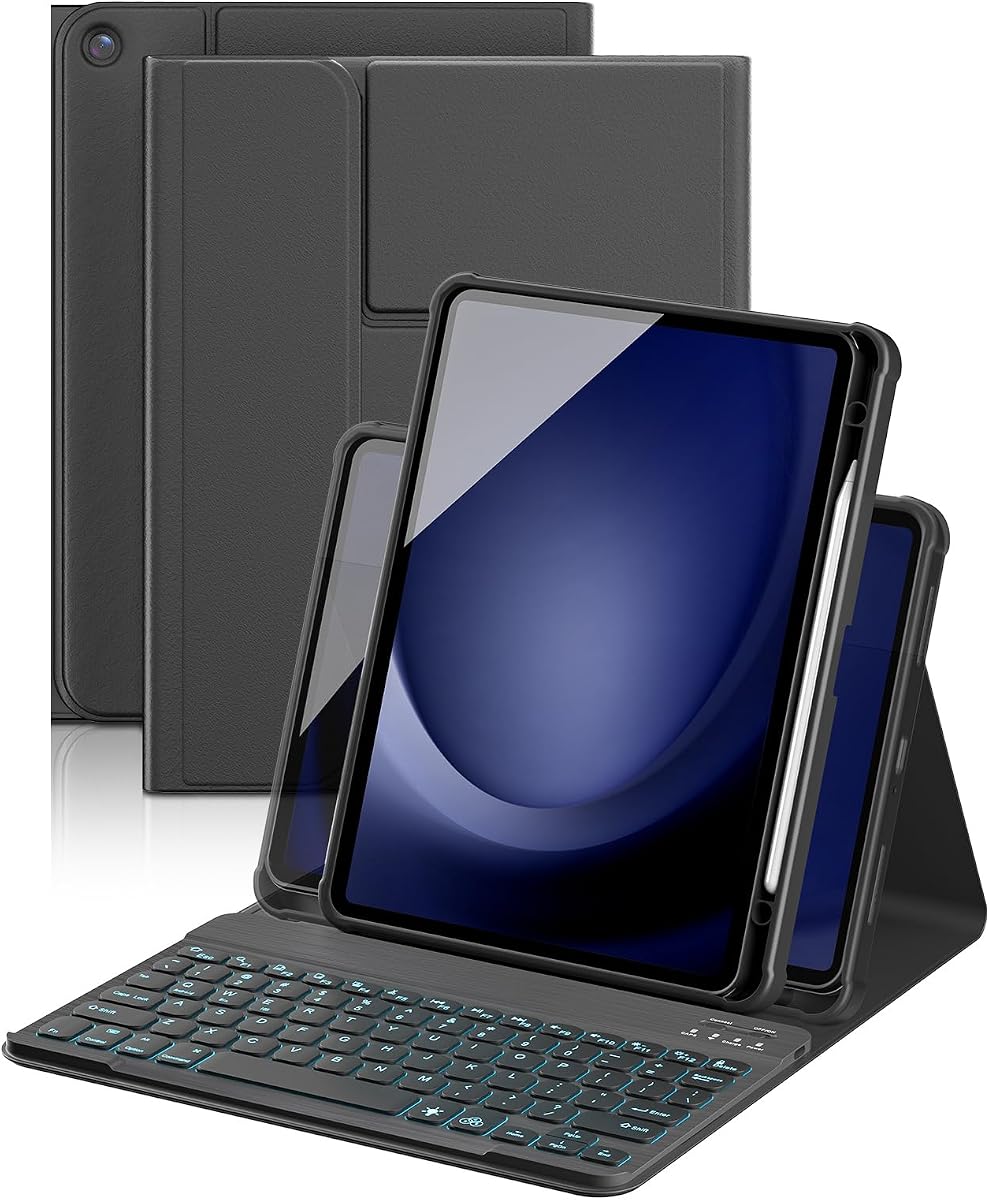
YBING Keyboard Case for Samsung Galaxy Tab A11 Plus & Galaxy Tab A9 Plus
4.5Editor score
7-color rainbow backlight
360 rotating magnetic stand
Affordable reliable value
Discover the top keyboards for Samsung A11 Tablet. This guide compares features, battery life, and compatibility to help you find the perfect typing accessory
Finding the right keyboard for Samsung A11 Tablet transforms your device into a powerful workstation. These accessories offer portable typing, trackpads, and protection for daily use.
We evaluated ten top-rated options based on compatibility, build quality, and user feedback. Each pick balances price, features, and performance to meet diverse productivity needs.
Every entry highlights key specs, pros, and cons to guide your choice. Prices and availability change frequently, so verify details before purchasing your ideal keyboard case.
4.5Editor score

4.3Editor score

4.6Editor score
This side-by-side comparison highlights the unique strengths of each keyboard case. Review compatibility, battery life, and design features to select the best match for your Samsung A11 Tablet workflow.


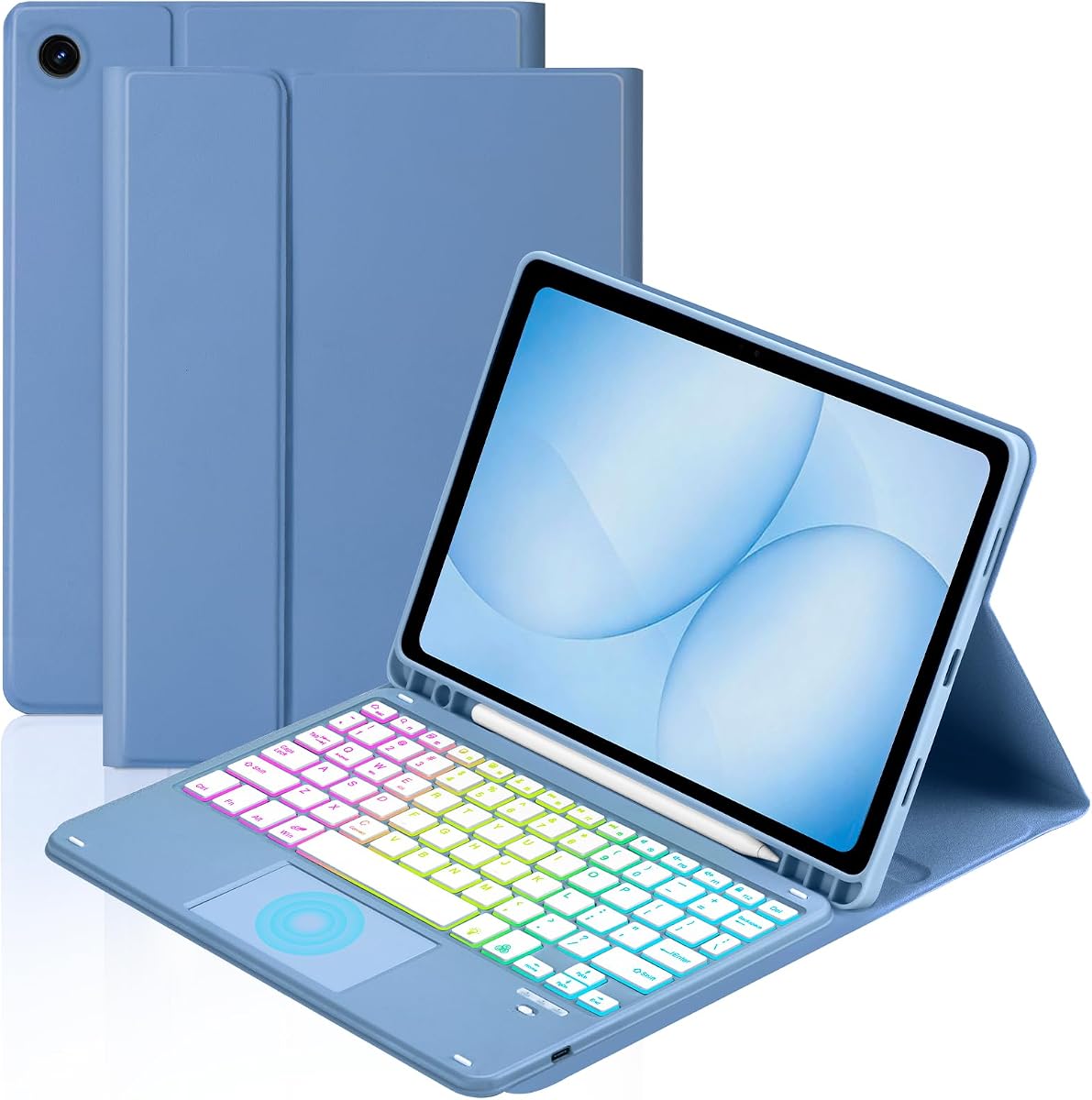

The Dexnor case offers a balanced mix of portability and functionality for the Samsung A11 Tablet. Rated highly for its integrated trackpad, it transforms your tablet into a laptop-like workstation quickly.
We may earn a commission when you buy through this link, at no additional cost to you.
Its magnetic support ensures a rock-solid connection, while the multi-touch trackpad enables precise cursor control without touching the screen. The 650mAh battery supports long sessions with backlight adjustments.
Although the screen rests on the keyboard without elevation, the ergonomic 120-degree angle remains comfortable for most tasks. This trade-off helps keep the case slim and light for travel.
Ideal for students and professionals who need reliable typing and navigation on the go, this case delivers strong value with its protective build and smart power-saving features.
The built-in multi-touch trackpad supports gestures like scrolling and app switching, enhancing workflow efficiency across documents and web browsing.
With up to 720 hours standby and 10 hours with backlight, the rechargeable battery ensures you stay productive without frequent recharging interruptions.
We may earn a commission when you buy through this link, at no additional cost to you.
TUNKARMOR focuses on flexibility with its detachable magnetic keyboard, allowing users to position the keys exactly where needed. It is ideal for those who want a pure typing experience without trackpad interference.
We may earn a commission when you buy through this link, at no additional cost to you.
The case includes a pen holder and supports three viewing angles for comfortable writing or reading. Its honeycomb grid pattern offers enhanced protection against overheating and physical impacts during daily use.
While the lack of a trackpad might limit some productivity tasks, the auto sleep/wake function helps save battery life effectively. This design prioritizes simplicity and protection for casual users.
For users needing a straightforward, protective solution with flexible typing options, this case provides strong durability and practical features at a competitive price point.
Detaching the keyboard allows you to adjust its position freely, ensuring ergonomic comfort during long writing or data entry sessions.
The honeycomb inner layer cushions impacts and improves heat dissipation, extending your tablet's lifespan against drops and daily wear risks.
We may earn a commission when you buy through this link, at no additional cost to you.
This option stands out by including a rechargeable Bluetooth mouse alongside the keyboard case. It offers a complete desktop-like setup for users who prefer mouse navigation over trackpads for precision tasks.
We may earn a commission when you buy through this link, at no additional cost to you.
The smart trackpad supports multi-finger gestures for efficient multitasking, while the rainbow backlight adds visual appeal. The case supports iOS, Windows, and Android for versatile compatibility across devices.
Although adding a mouse increases weight slightly, the improved navigation makes it worthwhile for detailed editing or browsing. Adjustable angles ensure comfort whether you are typing or watching media.
Perfect for power users seeking a full control suite, this kit enhances your Samsung A11 Tablet with both keyboard and mouse functionality in one convenient package.
Having both a mouse and trackpad provides flexibility for different tasks, making complex selections and navigation easier without touching the screen.
The rainbow backlight modes with adjustable brightness create a customizable typing environment that suits various lighting conditions and personal preferences.
We may earn a commission when you buy through this link, at no additional cost to you.
Soke delivers a reliable wireless experience with strong 10-meter connectivity and robust auto sleep/wake functionality. It is designed for users who value seamless connection and battery conservation in their daily workflow.
We may earn a commission when you buy through this link, at no additional cost to you.
The seven-color backlight provides comfort in low light, while support for three operating systems ensures broad compatibility. The pen holder keeps stylus tools accessible without adding extra bulk to your bag.
While the charging indicator blinks to prompt recharging, the battery life remains adequate for typical use. The two viewing angles offer solid stability for most typing positions.
Ideal for general productivity, this case balances wireless freedom with practical features. Its user-friendly design makes it a dependable choice for everyday Samsung A11 Tablet usage.
Bluetooth pairing with a 10-meter range allows you to type from a distance, giving flexibility in how you arrange your workspace.
Support for iOS, Android, and Windows simplifies switching between devices, making it versatile for users with mixed tech environments.
We may earn a commission when you buy through this link, at no additional cost to you.
YBING offers exceptional value with its 360-degree rotating case and vibrant rainbow backlight. It provides strong magnetic absorption to secure the keyboard firmly, making it a practical choice for budget-conscious buyers.
We may earn a commission when you buy through this link, at no additional cost to you.
The multi-angle adjustment allows for comfortable reading or typing, while the shortcut keys streamline common tasks. However, the backlight battery lasts five hours, so plan accordingly for night sessions.
Despite the shorter backlight duration, the detachable keyboard remains easy to carry when not in use. The magnetic buckle ensures your tablet stays protected from scratches and impacts on the go.
For users seeking affordability without sacrificing key features, this case delivers reliable protection and stylish lighting. It is a smart entry-level solution for Samsung A11 Tablet owners.
The 360-degree rotation allows landscape or portrait viewing, adapting to different activities like media consumption or document editing seamlessly.
Rainbow backlight modes add a personal touch to your device, enhancing visibility in dim settings while reflecting your style preferences.
We may earn a commission when you buy through this link, at no additional cost to you.
Harvopu shines with its marathon-ready keyboard battery lasting up to 180 hours on a single charge. This ensures you rarely need to recharge, making it ideal for extended work sessions without interruption.
We may earn a commission when you buy through this link, at no additional cost to you.
The included 3-Level DPI mouse offers precision control for graphic editing, while the easy-clean case resists spills and marks. Multi-color backlight modes let you customize your workspace ambiance.
Although the case may feel bulkier than others, the protection and battery performance justify the size. The detachable keyboard allows flexibility for different usage scenarios.
For heavy users who prioritize endurance and durability, this kit provides a robust workstation. It is an excellent choice for professionals needing reliable tools on the go.
A single charge supports months of typical use, eliminating frequent charging anxiety and keeping your setup ready whenever inspiration strikes.
The stain-resistant, easy-clean case ensures your device looks new even after spills, offering practical daily defense against common accidents.
We may earn a commission when you buy through this link, at no additional cost to you.
TiMOVO balances compact size with solid performance, offering three adjustable viewing angles and a long-lasting 90-hour battery life. It is designed for users who prefer simplicity and portability over advanced navigation features.
We may earn a commission when you buy through this link, at no additional cost to you.
The seven-color backlight with three brightness levels provides clear visibility in dark environments, while the anti-slide design keeps your tablet secure. Detaching the keyboard simplifies travel and storage.
Although the keyboard enters sleep mode quickly to save power, waking it up is straightforward. This trade-off ensures efficiency without complex setup requirements for daily tasks.
Ideal for students and casual users, this case delivers reliable protection and typing comfort. It is a solid choice for those seeking a straightforward, efficient keyboard solution.
The auto sleep mode activates after inactivity, conserving battery life so you stay productive longer without needing frequent recharges.
Three brightness levels and vibrant colors let you adjust lighting to suit different environments, enhancing both comfort and visibility.
We may earn a commission when you buy through this link, at no additional cost to you.
MePadKey offers a smart touchpad with extensive multi-finger gesture support, enhancing navigation without a separate mouse. It is ideal for users seeking precise control and streamlined app management on their tablet.
We may earn a commission when you buy through this link, at no additional cost to you.
The shortcut keys accelerate common tasks like copy and paste, while the rainbow backlight adds style. Strong magnetic adsorption ensures the keyboard stays firmly attached during use.
The backlight battery lasts around five hours, which may require periodic recharging during night work. Despite this, the gesture capabilities make it a standout for productivity-focused users.
For those who value touchpad convenience and rich gestures, this case provides excellent functionality. It is a strong contender for anyone prioritizing efficient interaction with their device.
Four-finger gestures allow screenshot capture and app switching, speeding up workflow and reducing the need to navigate menus manually.
Built-in magnets keep the keyboard securely attached, preventing slips and ensuring a stable typing experience even during movement.
We may earn a commission when you buy through this link, at no additional cost to you.
This variant features a 360-degree rotation with four protected angles, providing versatile viewing for any task. The touchpad supports efficient gestures, while shortcut keys streamline common tablet operations quickly.
We may earn a commission when you buy through this link, at no additional cost to you.
Convex edges safeguard your screen from scraping, and the pen holder keeps your stylus accessible. System switching via FN keys adapts the layout to iOS, Windows, or Android preferences effortlessly.
Though the build may feel slightly heavier, the durability and functionality are valuable. The rotation ensures your tablet stays comfortable whether typing or watching media.
For users needing flexibility and strong protection, this case delivers. It is a practical choice for anyone seeking a comprehensive, adaptable keyboard solution for Samsung A11 Tablet.
The 360-degree rotation adapts to portrait or landscape modes, offering flexibility for diverse tasks like media viewing or creative work.
Switching systems via keyboard shortcuts ensures compatibility across devices, making it versatile for users managing multiple operating systems.
We may earn a commission when you buy through this link, at no additional cost to you.
Supveco stands out with premium silicone and TPU construction, offering superior protection against overheating and shocks. It is designed for those who prioritize build quality and advanced safety features for their device.
We may earn a commission when you buy through this link, at no additional cost to you.
The honeycomb grid pattern extends lifespan by over 30%, while the auto sleep/wake function saves battery. Pencil holder and magnetically detachable design enhance convenience and versatility.
Charging takes about 3.5 hours, and the blinking indicator requires attention to avoid interruptions. Despite this, the material quality and protection features justify the investment.
For users seeking top-tier protection and durability, this case excels. It is the best premium option for safeguarding your Samsung A11 Tablet while maintaining efficient usability.
The honeycomb grid cushioning actively prevents overheating, extending your tablet's lifespan by over 30% through superior heat dissipation.
Flexible silicone and TPU materials ensure robust defense against shocks and scratches, offering a durable shield for daily travel and use.
We may earn a commission when you buy through this link, at no additional cost to you.
Selecting the right keyboard case involves assessing compatibility, build, and features. Use this guide to match your productivity needs with the best available options.
Always verify your tablet model number before purchasing. Keyboard cases are designed specifically for Galaxy Tab A11 Plus or A9 Plus variants with precise cutouts for ports and cameras.
Check your settings for model numbers like SM-X230 or SM-X210 to ensure a snug fit and full protection.
Choose between wired Bluetooth or magnetic wireless connections. Bluetooth models offer more placement flexibility, while magnetic ones provide quick attachment and removal convenience.
Ensure the keyboard supports your preferred connection method for seamless workflow integration.
Look for keyboards with long battery life and efficient charging. Options with 180-hour standby or rapid Type-C charging reduce downtime during work sessions.
Prioritize models that offer auto sleep modes to conserve energy when not in active use.
Backlit keyboards assist typing in low-light conditions. Models with adjustable brightness and multiple color modes provide visual customization for comfort and ambiance.
Consider how often you work in dim environments to decide if backlight features are essential.
Decide if you need a built-in trackpad, a separate mouse, or both. Touchpad keyboards enable precise cursor control without touching the screen, while mouse kits suit precision tasks.
Evaluate your workflow to determine which navigation tool aligns with your productivity needs.
Cases with premium materials like TPU or honeycomb grids offer better shock resistance and heat dissipation. Check for full edge coverage to prevent drops and scratches.
Invest in materials that balance lightweight portability with durable protection for daily use.
Multiple non-slip grooves allow you to tilt your tablet for optimal viewing. Adjustable stands help maintain ergonomics during typing or media consumption.
Ensure the case offers enough angle options to fit your sitting or standing preferences.
Some keyboards support iOS, Windows, and Android switching. This flexibility is valuable if you use multiple devices and need seamless layout transitions.
Confirm that the keyboard allows system switching via easy shortcuts or dedicated keys.
Charge your keyboard fully before first use using the provided Type-C cable. Ensure the power indicator shows a steady light to confirm readiness for pairing.
Clean the keyboard and case regularly with a soft, dry cloth to remove dust and fingerprints. Avoid harsh chemicals that could damage the screen or keycaps.
Store your stylus in the dedicated pen holder to prevent loss. When not in use, close the case to trigger sleep mode and conserve battery life.
No, they are designed specifically for Galaxy Tab A11 Plus or A9 Plus 11-inch models. Always check your exact model number in settings before purchasing to ensure a proper fit.
Battery life varies by model, ranging from 10 hours with backlight to 180 hours standby. Opt for models with auto sleep modes to extend usage between charges.
Most keyboards are detachable and can be used wirelessly via Bluetooth. However, the case provides essential protection and may be required for magnetic alignment features.
Some models include a built-in trackpad, while others may require a separate Bluetooth mouse. Check product details to confirm navigation tools included with your chosen option.
No, stylus pens are generally not included. Many cases provide a holder slot for convenience, but you must purchase your S Pen separately if needed.
Turn on the keyboard, enable Bluetooth on your tablet, and select the device from the list. Follow any prompts to complete the pairing process for seamless typing.
Our top picks include the Dexnor for its trackpad, YBING for value, and Supveco for premium protection. Each option meets different needs while ensuring compatibility with your Samsung A11 Tablet.
Prioritize features like battery life, navigation tools, and build material to match your workflow. Whether you need a full workstation or basic protection, there is a choice for every user.
Remember that prices and stock fluctuate regularly. Check current listings for the best deals before finalizing your purchase to secure the ideal accessory today.