
Bambu Lab A1
4.7Editor score
Fast 10,000 mm/s² accel
Full-auto calibration
Quiet with noise canceling
Discover the top 3D printer for fast printing speed options available in October 2026. We compare speed, features, and value to help you choose the right model.
Finding the right 3D printer for fast printing speed is essential for creators who value efficiency. High-speed models reduce wait times significantly while maintaining quality. This guide explores the best options on the market today.
We evaluated ten leading models based on their maximum print speeds, acceleration rates, and overall build quality. Our analysis focuses on CoreXY systems, direct drive extruders, and calibration tools that enable rapid production without sacrificing precision or reliability.
Each pick highlights key strengths like multi-color capabilities or quiet operation. Note that prices and stock vary by retailer and time. Always check the latest details before buying to ensure you get the best value for your specific needs.
4.7Editor score

4.7Editor score

4.5Editor score
This comparison table lists all ten models side by side. It highlights their maximum speeds, build volumes, and key features so you can quickly see which printer matches your project requirements and budget constraints.
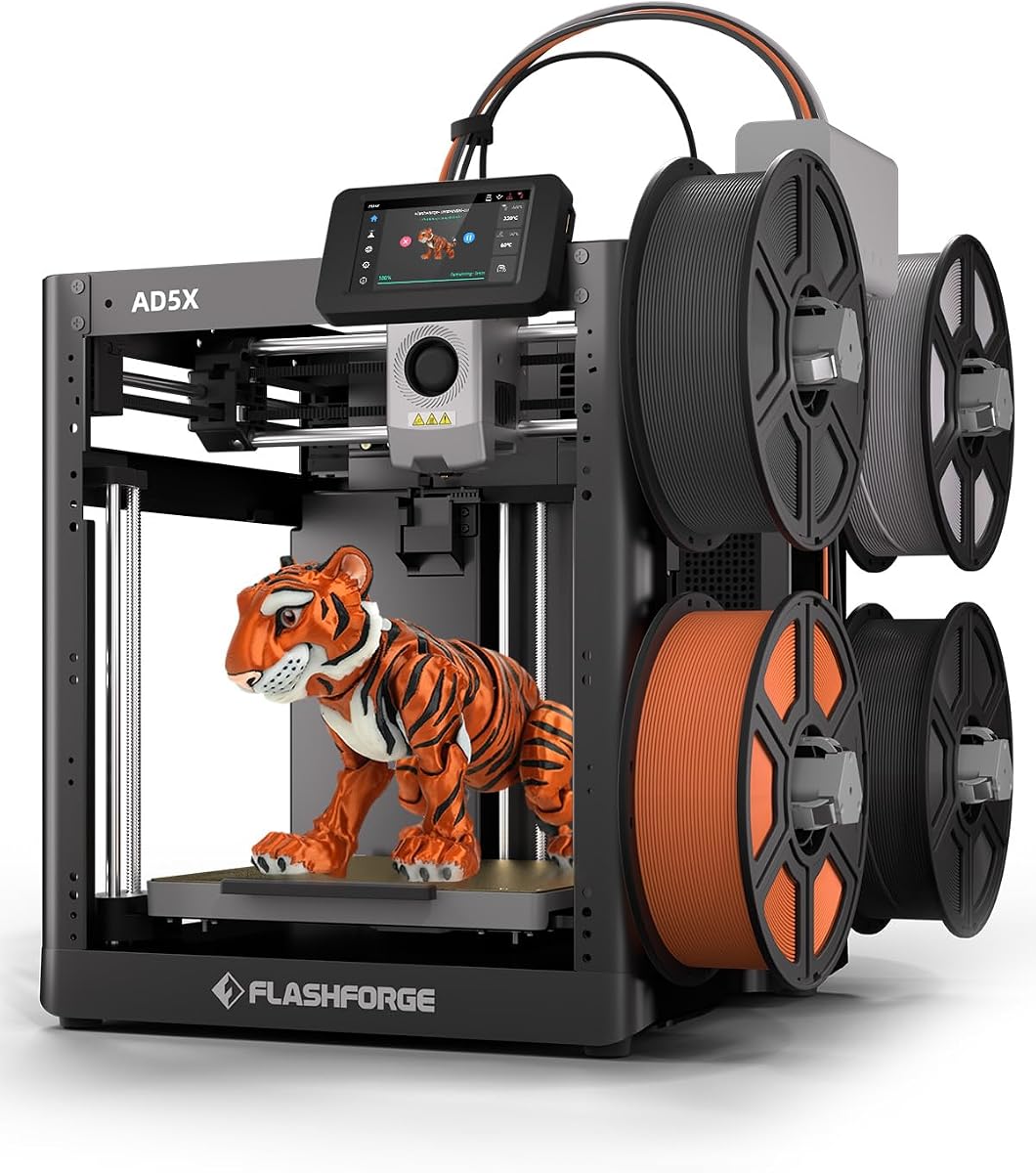



The FLASHFORGE AD5X stands out as a budget-friendly option for fast multi-color printing. It offers a CoreXY design with speeds reaching 600mm/s, which is impressive for its price range. Users get vibrant results with up to four colors simultaneously.
We may earn a commission when you buy through this link, at no additional cost to you.
Its 300C direct drive extruder handles various filaments while the 1-click auto leveling simplifies setup. The dual-channel cooling fan and vibration compensation help maintain quality even at high speeds. You can choose from different nozzle sizes for detail or speed.
While the rating is lower than some competitors, it delivers strong value for rapid prototyping. The small build volume might limit large parts. However, its efficiency and ease of use make it a solid pick for hobbyists wanting speed.
Buy this if you need colorful prints quickly without spending a fortune. It balances cost and performance well. Just ensure your projects fit within its build limits.
Supports four colors simultaneously with minimal purging waste for vibrant models.
300C direct drive ensures smooth flow of both standard and engineering materials.
We may earn a commission when you buy through this link, at no additional cost to you.
The Bambu Lab P2S Combo delivers exceptional speed and precision with its AMS 2 Pro for multi-color printing. It prints at 600 mm/s while using a servo extruder for smooth layers. Setup is quick, making it ideal for busy workspaces.
We may earn a commission when you buy through this link, at no additional cost to you.
Its adaptive airflow system handles different materials by adjusting heat retention. The PMSM servo extruder maintains flow consistency. Smart features like failure detection and automatic calibration reduce user intervention and increase success rates.
While pricey, it saves time and material waste through efficient workflows. The need for the combo to access colors is a consideration. However, the performance and reliability justify the investment for professionals.
Choose this for top-tier speed and multi-color capability. It excels at complex projects requiring accuracy. Ideal for those who want a plug-and-play professional solution.
PMSM Servo Extruder ensures sharp corners and consistent flow at high speeds.
AMS 2 Pro dries filament and manages up to four colors seamlessly.
We may earn a commission when you buy through this link, at no additional cost to you.
The P1S offers fast printing at 500mm/s with a fully enclosed design. This allows it to handle advanced filaments like ABS easily. Auto bed leveling ensures the first layer is perfect without manual tuning.
We may earn a commission when you buy through this link, at no additional cost to you.
Setup takes only 15 minutes, getting you printing immediately. You can add the AMS for up to 16 colors if needed. Its acceleration and vibration compensation keep quality high during rapid movements.
Some users might want multi-color out of the box. However, its reliability and speed make it a great entry into high-performance 3D printing. The enclosed build helps with temperature-sensitive materials.
Pick this if you want speed and quality on a budget. It is user-friendly and efficient. Great for students or makers needing consistent results.
Fully enclosed body improves performance with temperature-sensitive engineering filaments.
500mm/s speed and high acceleration reduce project time significantly.
We may earn a commission when you buy through this link, at no additional cost to you.
The Kobra X comes with native 4-color support, reducing the need for extra add-ons. It prints at 600mm/s to cut production time by half. The LeviQ 3.0 leveling system ensures a flawless first layer every time.
We may earn a commission when you buy through this link, at no additional cost to you.
Its hardened steel nozzle resists wear during long prints. Remote monitoring via Wi-Fi adds convenience. The large build volume allows for bigger parts without compromising speed. It supports flexible and rigid materials well.
Filament must be purchased separately. The software might not be as polished as others. However, for those wanting out-of-the-box multicolor speed, it offers strong performance and value.
Buy this for quick colorful prints with reliable leveling. It simplifies the setup process. Ideal for small businesses needing efficiency and versatility.
Native 4-color support eliminates complex external switchers for faster setup.
Hardened nozzle and vibration compensation ensure high-quality fast printing.
We may earn a commission when you buy through this link, at no additional cost to you.
The Snapmaker U1 features four toolheads with a 5-second swap system. This reduces waste and speeds up multi-material printing significantly. It combines rigid and flexible materials seamlessly in one job.
We may earn a commission when you buy through this link, at no additional cost to you.
The CoreXY design with carbon fiber rails ensures stability at 500 mm/s. Smart calibration handles offsets and flow automatically. It supports engineering materials like ABS and PC for functional parts.
While it is expensive, the tool-change innovation saves hours on support removal. It might require more setup learning for beginners. However, the output quality and speed make it a top choice.
Choose this for complex multi-material prototypes. It minimizes purging and maximizes efficiency. Perfect for advanced creators needing diverse material properties.
Automatic tool changer swaps heads in 5 seconds to reduce downtime.
Supports mixing PLA, TPU, and support materials without manual swaps.
We may earn a commission when you buy through this link, at no additional cost to you.
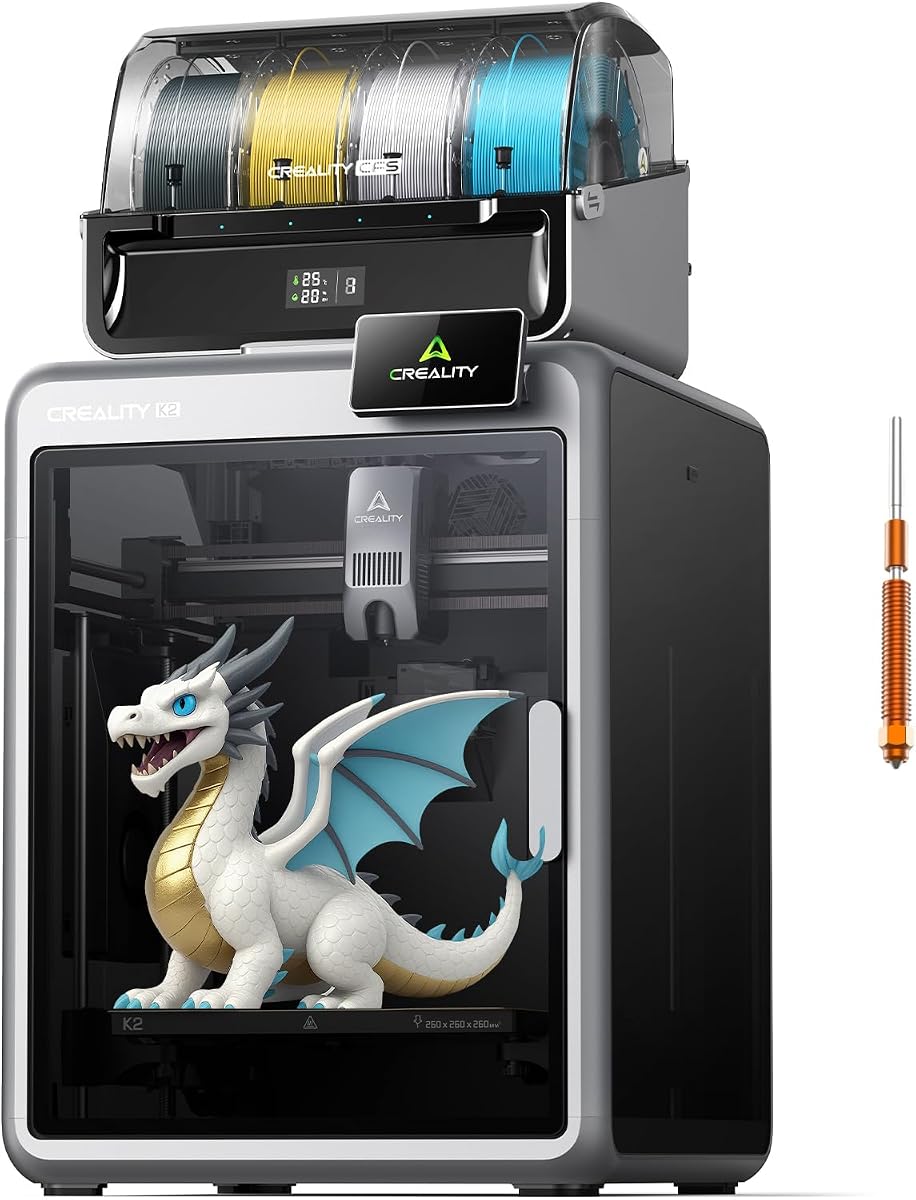
The K2 Combo arrives pre-assembled for plug-and-play use. It reaches 600mm/s with silent step-servo motors. The CFS system allows for up to 16 colors when expanded. Its frame ensures stable high-speed printing.
We may earn a commission when you buy through this link, at no additional cost to you.
Smart auto-leveling focuses only on the print area to save time. The AI camera watches for failures in real time. This reduces noise levels compared to standard 3D printers.
Users may face occasional calibration hiccups. The software could improve. However, for a quiet and fast option, it delivers strong value. The large build supports many project types.
Buy this if noise is a concern alongside speed. It offers modern features ready out of the box. Ideal for shared spaces needing discretion.
Step-servo motors and balanced fans keep noise below laptop levels.
CFS unit supports up to four units for 16 color printing.
We may earn a commission when you buy through this link, at no additional cost to you.
The Bambu Lab A1 offers high-speed precision with full auto calibration. It handles Z-offset and bed leveling without manual effort. Active flow rate compensation ensures smooth layers. It is great for beginners.
We may earn a commission when you buy through this link, at no additional cost to you.
Noise canceling technology makes it quiet for home use. The 1-click quick swap nozzle simplifies maintenance. You can add AMS lite for multi-color prints. The setup takes just minutes.
The open frame limits engineering materials. AMS requires a separate purchase for colors. Still, its speed and ease of use make it a top starter. The reliability is excellent.
Pick this for a hassle-free fast experience. It is perfect for families and students. Focus on creativity rather than calibration headaches.
Full-auto calibration handles all settings so you can print instantly.
Active flow rate compensation ensures consistent extrusion for smooth layers.
We may earn a commission when you buy through this link, at no additional cost to you.
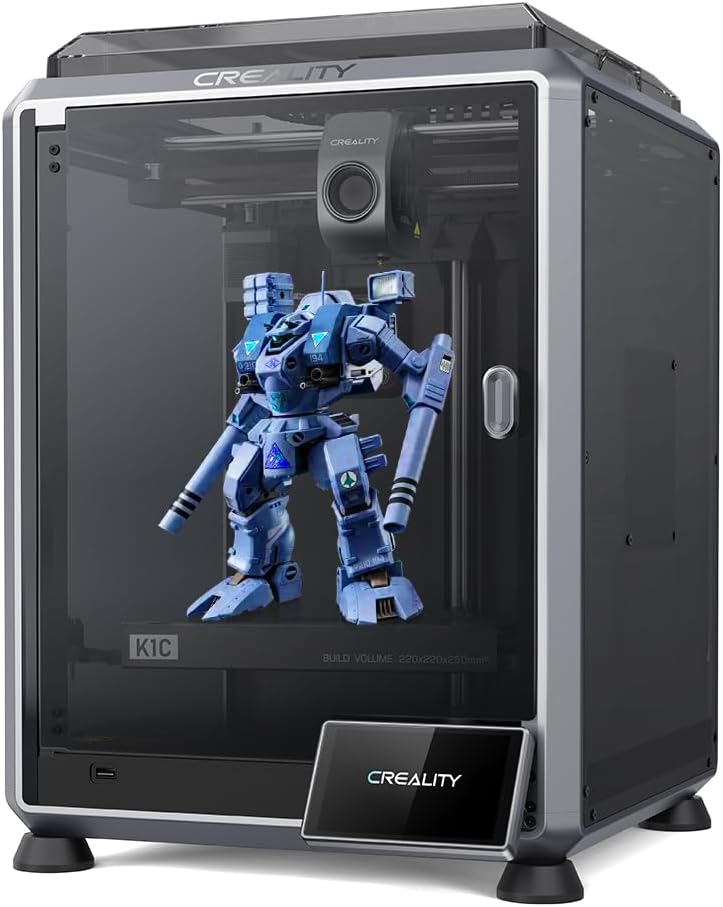
The K1C handles carbon fiber filament with a hardened nozzle and direct extruder. It prints at 600mm/s to reduce time. Smart AI detects failures and foreign matter automatically. The cooled system prevents warping.
We may earn a commission when you buy through this link, at no additional cost to you.
Setup is quick with auto calibration. The extruder grips filament tightly to avoid clogs. This makes it ideal for durable functional parts. It supports high-temperature printing well.
While good for abrasives, it may not suit massive models. It still offers strong speed and reliability. The AI monitoring adds safety and convenience to the workflow.
Buy this for tough materials and speed. It saves time on maintenance. Ideal for engineers needing wear-resistant prototypes.
Steel-tipped nozzle and direct drive handle carbon fiber without clogging.
AI camera watches for spaghetti failures and debris in real time.
We may earn a commission when you buy through this link, at no additional cost to you.
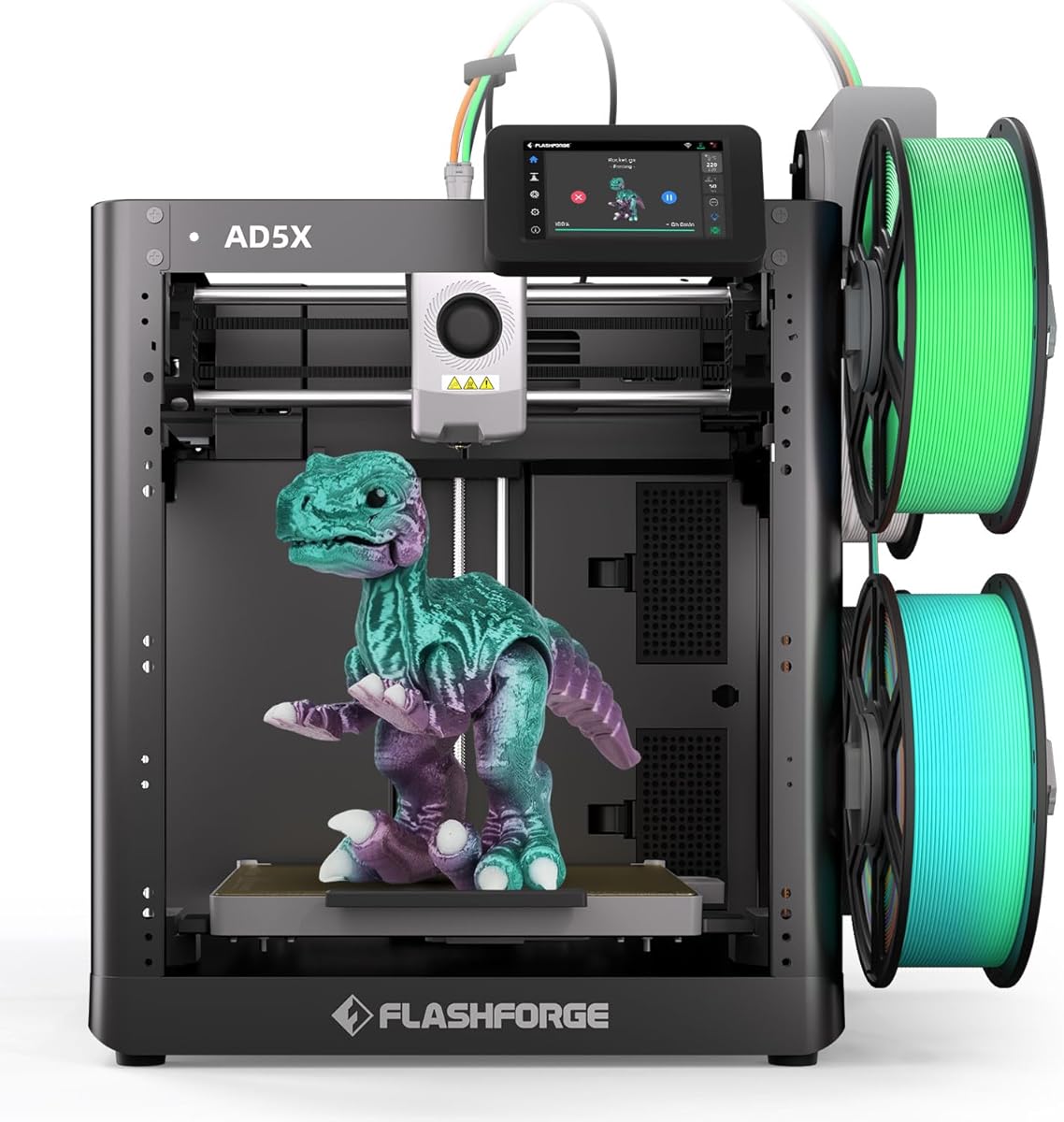
The AD5X Multi uses a CoreXY design for 600mm/s speed. Its Intelligent Filament System allows multiple colors with precision. Full auto calibration ensures accurate first layers. Vibration algorithms reduce alignment shifts.
We may earn a commission when you buy through this link, at no additional cost to you.
The compact design saves space while delivering high-quality results. It supports a range of materials from PLA to PETG-CF. This makes it versatile for detailed miniatures and functional parts.
The build volume limits large models. Support is standard. However, for small batch production with color, it is efficient. The auto leveling saves manual steps.
Pick this for space-saving color printing. It is great for small shops. Ideal for detailed multi-material projects.
Intelligent Filament System enables seamless multi-material printing.
Algorithms minimize shifts to ensure precise layer alignment.
We may earn a commission when you buy through this link, at no additional cost to you.
The Creality K2 features dual Z-axis rails for stable 600 mm/s speed. An aerospace-grade aluminum frame handles engineering filaments. The built-in air purifier filters VOCs for safety. It comes pre-assembled.
We may earn a commission when you buy through this link, at no additional cost to you.
The CFS system manages filament moisture and switching. RFID reads filament info automatically. It handles ABS and PETG well. This ensures consistent quality for demanding projects.
It is large and costly. However, for reliable engineering-grade prints at speed, it is strong. The air purification adds value for indoor safety. Setup is easy.
Buy this for tough materials and safety features. It is ideal for offices. Great for robust functional prototyping.
Dual Z-axis delivers smooth layers and zero wobble at high speeds.
Built-in purifier filters VOCs to keep workspace air clean.
We may earn a commission when you buy through this link, at no additional cost to you.
Selecting the right fast printer depends on your materials, budget, and color needs. Here are key factors to consider before buying.
Speed is measured in mm/s, while acceleration (mm/s²) determines how quickly the print head changes direction. High acceleration like 20,000mm/s² reduces travel time between paths. Look for CoreXY systems which allow higher speeds without vibration.
Prioritize models with acceleration over 10,000mm/s² for true high-speed benefits.
Some printers use tool changers or multi-filament systems to print multiple colors. These can reduce purging time if designed well. Consider how many colors you need and if the system supports up to four or more.
Choose a system like AMS or IFS if you want vibrant results without manual swaps.
Auto leveling and auto Z-offset are vital for fast printers. Manual calibration slows you down. Systems with full-auto calibration ensure accurate first layers without paper tests. This saves time on failed prints.
Select models with one-click auto leveling for consistent results.
Fast printers often have limited build spaces. Ensure the printer can handle your largest project. A 220mm volume suits miniatures, while 260mm supports larger parts. Consider space in your workspace too.
Match the build size to your most frequent project dimensions.
Fast printing can require higher temperatures to keep material flowing. A 300C extruder supports engineering filaments like ABS and PETG-CF. Direct drive systems grip filament better than Bowden setups.
Look for direct drive extruders with 300C support for versatility.
Fast printers consume material quickly. Systems with built-in drying or moisture-proof storage keep filament dry. This reduces clogs. Filament backup features ensure uninterrupted runs.
Check if the printer supports filament drying or backup modes.
High-speed motors can be noisy. Look for step-servo motors and silent modes. This matters if you print in shared spaces. Quiet operation improves comfort during long jobs.
Opt for models with silent mode and balanced fans.
Slicing software affects performance. Bambu Lab and Anycubic offer cloud features and AI detection. Check if the software supports your workflow. Easy setup reduces learning curves.
Verify the software offers remote monitoring and calibration tools.
Always perform auto calibration before starting a new job. This ensures the nozzle is at the correct distance. Use high-quality filament stored in dry conditions to prevent clogging.
Clean the nozzle regularly to maintain flow. Use a needle or brush to remove debris. Lubricate rails if your model has them to reduce friction.
Monitor prints via the app to catch failures early. Restart if needed using resume features. Keep the firmware updated to access the latest speed improvements.
Faster printing saves time but can affect quality if acceleration is too high. High-end models balance speed and precision. Test speeds to find the sweet spot for your specific project.
Most modern printers auto-level before every job. Manual calibration is rarely needed. This saves time and ensures the first layer is perfect without manual intervention.
PLA and PETG work well. ABS requires an enclosed chamber to prevent warping. Some printers handle carbon fiber with hardened nozzles. Check your printer's supported list.
Use a printer with a purging optimization system. Some models reduce purging by 80% using efficient pathing. This saves material and time on color changes.
For ABS and ASA, yes. It maintains temperature to prevent warping. PLA works fine in open frames. Consider your material needs when choosing enclosure.
CoreXY uses belts and motors on the frame for fast movement. It allows higher speeds without vibration. This is standard on many fast 3D printers today.
We reviewed ten models ranging from budget to premium. Top picks include the Bambu Lab P2S Combo for speed and color. The FLASHFORGE AD5X offers value for hobbyists needing efficiency.
Prioritize features like auto calibration and nozzle temp for your needs. If you want multi-color, check the filament system. Always balance speed with the material you plan to print.
Prices and stock change frequently. Check current listings for deals. Choose the model that fits your workflow and budget for the best experience.