
UGREEN LinkStation eGPU Dock
4.8Editor score
Dual-Channel OCuLink and USB4
Supports 370mm GPUs
Silent Library-Quiet Operation
This guide compares the top eGPU docks for laptops and mini PCs, evaluating bandwidth, compatibility, and cooling to help you find the perfect external
External GPU docks transform underpowered laptops into desktop-grade workstations by connecting dedicated graphics cards via high-speed interfaces. These enclosures offer essential flexibility for gamers, creators, and professionals who need more graphical power on the go.
We evaluated ten top-rated eGPU docks based on interface speed, power supply compatibility, thermal design, and overall feature sets. Our analysis prioritizes real-world performance stability, ease of use, and future-proofing capabilities across various host devices.
Each pick highlights unique strengths like OCuLink bandwidth, Thunderbolt versatility, or compact portability. While prices fluctuate frequently, these selections represent the most reliable options available today for maximizing your laptop or mini PC potential.
4.8Editor score

4.4Editor score

4.4Editor score
This side-by-side comparison breaks down the key specifications of every eGPU dock included in our guide to help you quickly identify the right fit for your specific hardware needs.




The MINISFORUM DEG2 leads our list with an impressive combination of next-gen interface speeds and practical storage solutions. With a rating of 4.4, it stands out for its ability to switch between USB4 V2 and OCuLink modes instantly via hardware toggle.
We may earn a commission when you buy through this link, at no additional cost to you.
Its standout feature is the dedicated hardware switch that allows users to toggle between all-in-one docking mode and pure GPU performance mode without restarting. The integrated M.2 NVMe slot is a game changer for keeping AI models and project files synchronized directly on the dock.
While the price point is higher than basic enclosures, the universal power compatibility and signal stabilization tech justify the investment. It ensures stable data transfer for demanding tasks like LLM inference or 8K rendering without frequent connection dropouts.
This dock is ideal for professionals who need a seamless single-cable desktop experience across multiple devices. It offers the flexibility to upgrade power supplies or storage without buying a new unit, making it a future-proof choice for serious users.
Switching between Thunderbolt 5 and OCuLink is effortless with a physical toggle, giving you the speed of OCuLink or the convenience of TB5 depending on your host device.
The built-in M.2 slot allows you to store heavy assets directly on the dock, reducing file transfer times and keeping your workflow smooth when switching between different computers.
We may earn a commission when you buy through this link, at no additional cost to you.
The UGREEN LinkStation earns a top premium spot with a robust 4.8 rating from users who value stability and silence. It transforms laptops into desktop powerhouses with dual-channel performance options for maximum bandwidth efficiency.
We may earn a commission when you buy through this link, at no additional cost to you.
Its key strength lies in the dual-channel design, offering either OCuLink for near-zero latency or USB4 for universal compatibility. The built-in signal booster ensures stable transmission even for 4K gaming and intensive AI tasks without throttling.
While the price is a consideration, the semi-open aluminum chassis provides excellent cooling that is quieter than most server-style units. This makes it perfect for home offices where noise levels matter during long work sessions.
Buy this dock if you need a versatile hub that works across Windows, Linux, and Intel macOS. It accommodates oversized GPUs and future connectors like 12V-2×6, ensuring your setup remains viable for years to come.
Choose your high-speed lane with OCuLink for maximum bandwidth or USB4 for convenience, ensuring optimal performance for your specific hardware and workflow needs.
The semi-open chassis and low-RPM fan deliver true library-quiet operation, making this one of the most discreet eGPU solutions for noise-sensitive environments.
We may earn a commission when you buy through this link, at no additional cost to you.
For those seeking affordability without sacrificing core performance, this PCIe 4.0 x4 dock delivers with a 4.4 rating. It focuses on essentials, offering a reliable OCuLink connection for high-speed data transfer at a fraction of the cost of complex docks.
We may earn a commission when you buy through this link, at no additional cost to you.
The enclosure features gold-plated contacts that ensure superior conductivity and reduce resistance-related crashes. Its detachable design makes storage and travel easier, allowing you to pack away components neatly when not in use.
While it lacks the extra connectivity of higher-end models, its specialized focus on OCuLink performance means fewer points of failure. The flexible flat cable architecture minimizes interference, ensuring stable performance during gaming or rendering tasks.
This is the ideal choice for students or budget-conscious creators who primarily need raw GPU power. It is a straightforward solution that removes unnecessary bells and whistles while delivering the bandwidth needed for modern graphics cards.
The gold-plated contacts and flexible flat cable reduce oxidation risks and signal interference, ensuring a stable and long-lasting connection for your external graphics setup.
You get high bandwidth without the premium price tag, making this an excellent entry point into the world of external GPU enclosures for laptops and mini PCs.
We may earn a commission when you buy through this link, at no additional cost to you.
This variant of the DEG2 docking station achieves a perfect 5.0 rating by emphasizing streamlined tasks and signal optimization. It works seamlessly with OCuLink and TBT5, offering a physical toggle for instant switching without cable swaps.
We may earn a commission when you buy through this link, at no additional cost to you.
The internal M.2 storage is particularly useful for heavy GPU tasks, allowing you to store project files directly on the dock. This setup lets an ultrabook handle display while the desktop GPU crunches data, maintaining mobility without power loss.
Signal optimization across diverse cables ensures fewer dropouts and connection faults compared to standard enclosures. The auto-on feature syncs power with your host, delivering a smooth desktop-like experience that feels intuitive and responsive.
Ideal for users needing rich connectivity like LAN and USB ports, this dock balances performance with convenience. It removes the hassle of manual startups and provides a plug-and-play ecosystem that is ready for work or play in seconds.
Store models and project files directly on the dock to avoid constant transfers, keeping your workflow smooth and ensuring your ultrabook can handle display while the GPU handles heavy lifting.
Syncing power with your host device removes the need for manual startups, providing a seamless desktop-like experience that integrates perfectly into your daily workflow.
We may earn a commission when you buy through this link, at no additional cost to you.
The Razer Core X V2 continues to be a popular choice for gamers and creators who value brand reliability. With support for Thunderbolt 5 and up to 80 Gbps bandwidth, it ensures smooth performance for demanding AAA games and creative apps.
We may earn a commission when you buy through this link, at no additional cost to you.
Its steel chassis is vented with active cooling, utilizing a built-in 120 mm fan to sustain maximum performance under heavy loads. The modular support allows you to swap GPUs and power supplies easily with tool-free thumbscrews.
While it does not support Mac devices with M1 chips or later, it remains a powerhouse for Windows and handheld devices. The 140W PD charging ensures your laptop stays powered while connected, reducing cable clutter on your desk.
This enclosure is best for users who need a durable, high-capacity solution with broad GPU compatibility. Its simple setup via Thunderbolt makes it accessible for those who want a premium experience without complex configuration steps.
The vented steel chassis with active cooling maintains stable temperatures even during long gaming sessions, ensuring your GPU performs at its best without overheating.
From Thunderbolt 4 laptops to USB 4 gaming handhelds, this dock integrates seamlessly to turn compatible devices into desktop-grade powerhouses instantly.
We may earn a commission when you buy through this link, at no additional cost to you.
The DEG1 is designed for portability, measuring just 14 cm long and fitting easily into backpacks. With a rating of 4.5, it offers a reliable OCuLink 4i interface that ensures smooth graphics processing and data transfer experiences on the go.
We may earn a commission when you buy through this link, at no additional cost to you.
Its force power-on feature with LED indicators allows for one-click switching between startup modes, ensuring stable system operation without manual tweaks. High-quality signal amplifier chips maintain transmission stability, reducing noise and connection errors.
The locking mechanism prevents forced plugging damage, adding a layer of safety to the durable design. While it requires the computer to be off for unplugging, this safety measure protects ports from physical wear over time.
Perfect for travelers or those with limited desk space, this dock delivers high performance in a tiny package. It supports various GPU sizes without length restrictions, meeting professional graphics processing needs while maintaining excellent portability.
Weighing little and fitting in a handbag, this dock allows you to upgrade your laptop performance anywhere, making it perfect for travel or remote work scenarios.
The Force Power On function ensures your system starts correctly every time without manual settings adjustments, providing a hassle-free experience for daily use.
We may earn a commission when you buy through this link, at no additional cost to you.
This dock stands out for its PCIe 5.0 support, offering up to 128Gbps bandwidth for those preparing for next-gen hardware. While current ports often cap at 64Gbps, this unit is ready to scale as your host device upgrades.
We may earn a commission when you buy through this link, at no additional cost to you.
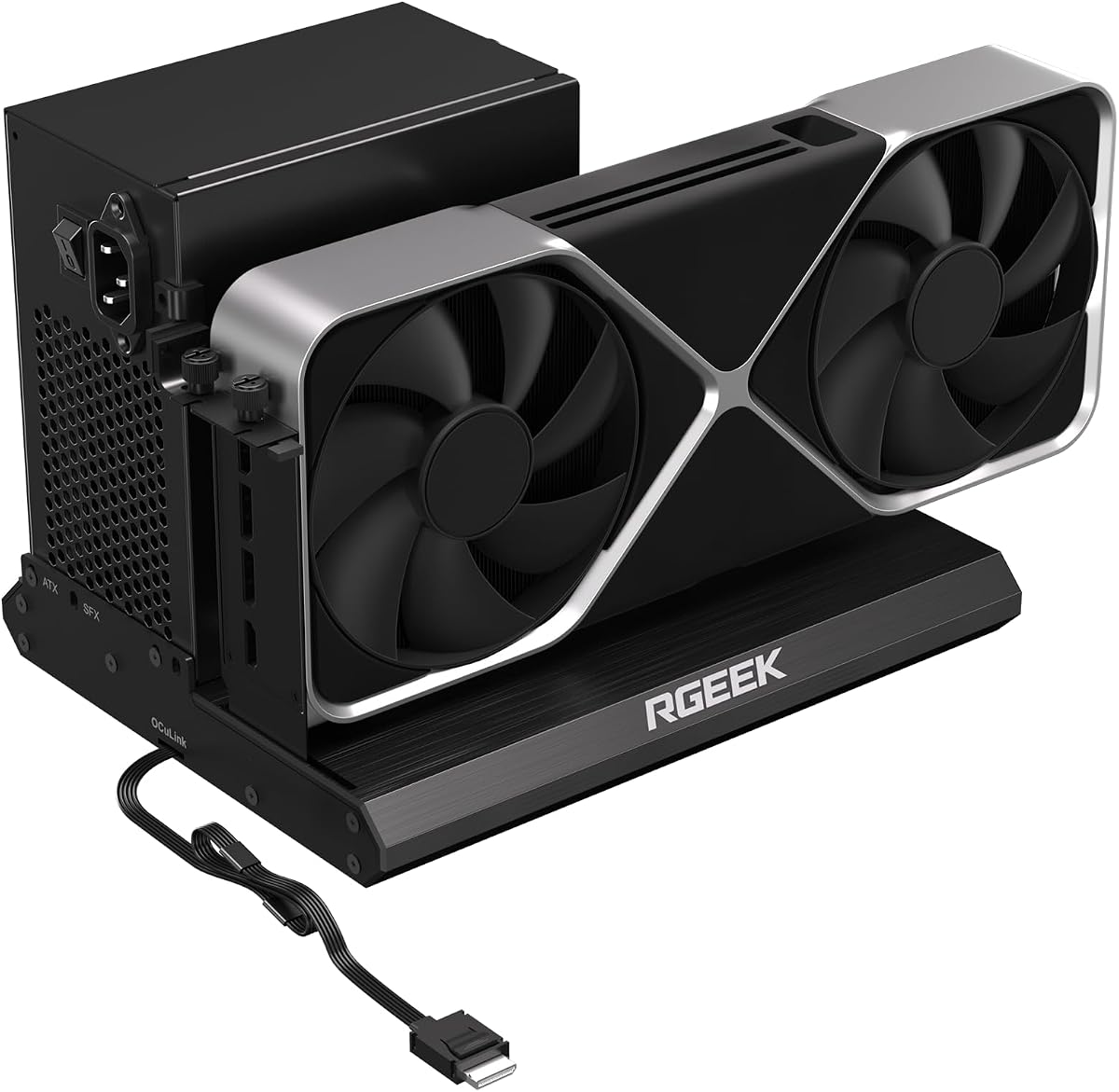
The full aluminum chassis provides exceptional heat dissipation, keeping components cool during intensive gaming or AI tasks. The factory-soldered cable avoids extra adapters, reducing signal loss and ensuring a cleaner desktop setup.
It supports mainstream GPUs like the RTX 4090 and accommodates SFX L power supplies for flexible configurations. The uniform I/O layout keeps wiring neat, making installation and management easier than complex custom setups.
Ideal for enthusiasts looking to future-proof their investment, this dock balances high bandwidth with durable construction. It offers broad compatibility across gaming and professional scenarios, providing a robust foundation for external GPU expansion.
With PCIe 5.0 x4 support, this dock is prepared for the next generation of GPUs, ensuring your setup remains relevant as new high-speed hardware enters the market.
The aluminum material ensures great heat dissipation and sturdy durability, helping your GPU run at peak performance during long and demanding work sessions.
We may earn a commission when you buy through this link, at no additional cost to you.
This dock offers broad compatibility for devices featuring Thunderbolt 3 or 4 ports, making it a versatile choice for mixed hardware environments. It supports a wide range of NVIDIA and AMD cards down to older models for varied user needs.
We may earn a commission when you buy through this link, at no additional cost to you.
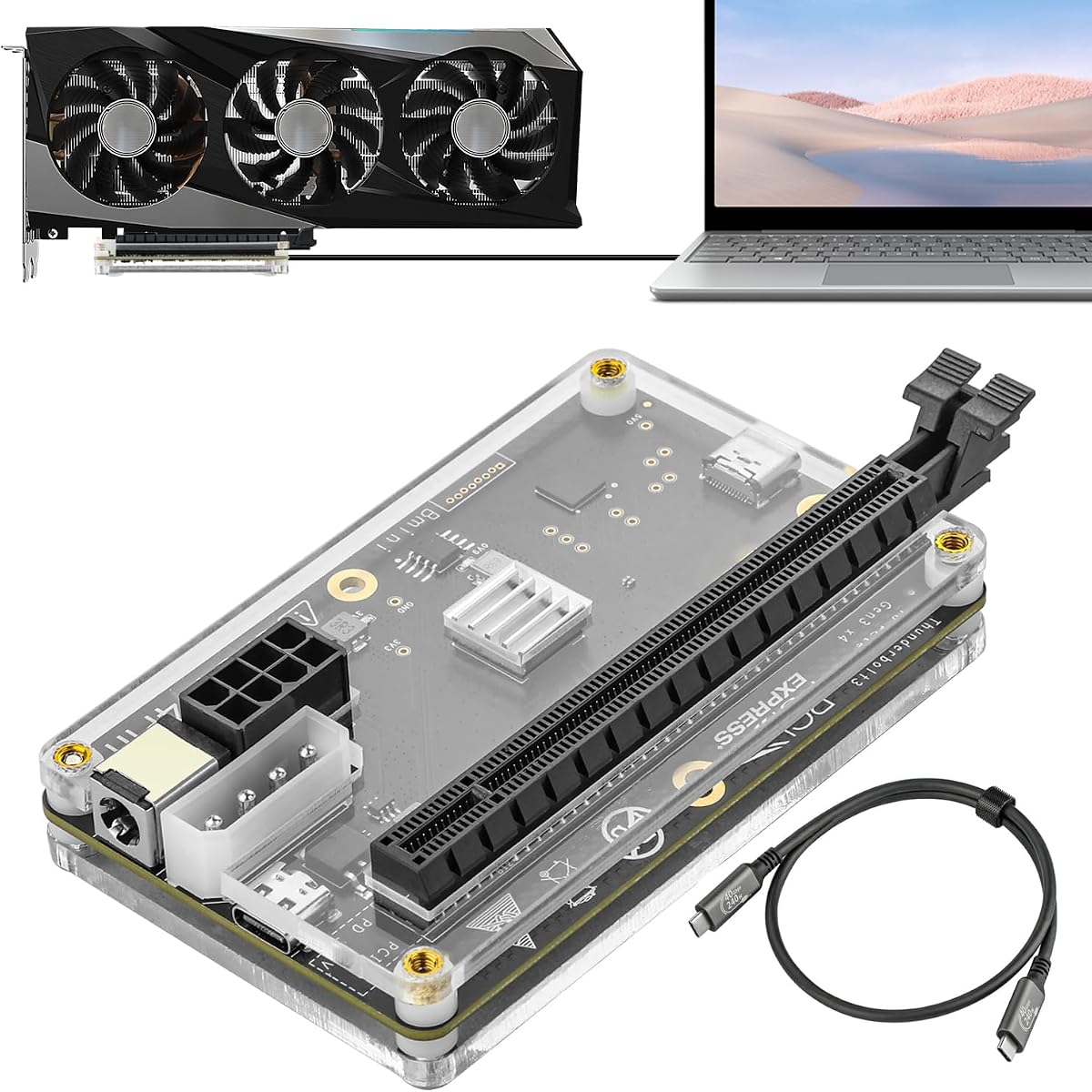
The JHL6340 controller delivers stable speeds around 22Gbps, which is sufficient for graphics work, video editing, and casual gaming. Its flexible power input options allow you to choose from PD, Molex, or CPU connectors based on your existing power source.
While the speed is lower than PCIe 4.0 or 5.0 docks, its strength lies in adaptability and ease of setup. It comes with a high-quality Thunderbolt 4 cable, ensuring you have the essentials for a quick connection without extra purchases.
Best suited for users who value wide device support over maximum throughput, this dock provides a reliable entry point. It is a solid solution for those with existing Thunderbolt hardware who need to expand their graphics capability affordably.
Choose from PD, Molex, or CPU connectors to power your dock, giving you the freedom to use whatever power source is most convenient for your setup.
Works with almost any GPU that has official drivers, from budget options to high-end cards, allowing you to upgrade your graphics power without restrictions.
We may earn a commission when you buy through this link, at no additional cost to you.
This DEG2 variant focuses on dual-mode freedom, allowing seamless switching between OCuLink and TBT5 via a physical toggle. It offers a robust set of features including LAN ports and M.2 storage for optimized workflows.
We may earn a commission when you buy through this link, at no additional cost to you.
The internal M.2 slot stores project files for faster GPU access, streamlining tasks like rendering and editing directly on the dock. Signal optimization ensures minimal degradation across diverse cables and host devices, maintaining consistent performance.
While the rating is slightly lower, the rich connectivity options like USB3.2 and LAN ports provide a comprehensive docking experience. It supports ATX and SFX power supplies, giving users flexibility in choosing their preferred hardware configuration.
This is a solid option for users who want a feature-rich dock that can adapt to different connection standards. It provides a future-ready configuration that supports full-size GPUs while keeping your workspace clean with single-cable docking.
Store assets directly on the dock to reduce file transfers and let your GPU handle heavy tasks while your laptop manages display, creating a seamless hybrid workflow.
A single cable handles data, display, and charging, turning your workspace into a tidy plug-and-play ecosystem that is ready for use instantly.
We may earn a commission when you buy through this link, at no additional cost to you.
This external dock offers a straightforward plug-and-play solution for Thunderbolt 4 or USB4 devices. With a rating of 3.9, it provides essential features like 85W PD charging and daisy chain ports for connecting multiple peripherals.
We may earn a commission when you buy through this link, at no additional cost to you.
The JHL7440 controller ensures high performance for gaming and AI training while maintaining stability across Windows environments. It also acts as a hub, allowing you to attach external devices like monitors or drives for a clutter-free desk.
While the 85W power limit is lower than some competitors, it is sufficient for many laptops and mini PCs. Users must follow specific power cable instructions to avoid automatic shutdowns, but once set up correctly it functions reliably.
Ideal for casual users or light professionals who need a simple and affordable expansion solution. It supports major GPU brands like NVIDIA and AMD, making it a viable option for upgrading graphics capabilities without complexity.
The dock acts as a hub with extra USB and daisy chain ports, letting you connect multiple devices without needing extra hubs on your desk.
Using a certified controller module ensures reliable performance for gaming and AI tasks, giving you confidence in its stability during regular use.
We may earn a commission when you buy through this link, at no additional cost to you.
Selecting the right eGPU dock involves considering interface bandwidth, power compatibility, and physical size to ensure seamless integration with your specific laptop or mini PC setup.
The most critical factor is the interface speed, which determines how much data can travel between your GPU and computer. Options like Thunderbolt 5 or OCuLink offer higher bandwidth such as 80Gbps or 64Gbps, essential for high-end gaming or AI inference.
Prioritize docks with newer interfaces if you plan to use high-performance GPUs to avoid bottlenecks in your workflow.
Check if the dock supports ATX or SFX power supplies since this affects how you will power your graphics card. Modular designs allow you to choose a PSU that fits your needs without restricting future upgrades or replacement options.
Ensure the power input type matches your existing hardware to simplify setup and reduce costs.
If you travel frequently, consider compact docks that fit easily into backpacks rather than bulky enclosures. Look for dimensions and weight specs to ensure the unit is truly portable for your intended use cases.
Choose smaller chassis options if you need to move your setup between home and office regularly.
Modern docks often include extra ports like Ethernet, USB, or M.2 slots for storage and network connectivity. Evaluate whether you need these add-ons to reduce cable clutter or if you prefer a minimal design focused solely on GPU performance.
Look for docks that offer the specific ports you need to create a clean and organized workspace.
Verify that your laptop or mini PC supports the required interface standards such as Thunderbolt 4 or USB4. Some macOS devices have specific limitations so always check your system specs before purchasing any external enclosure.
Always confirm host support to avoid compatibility issues that could prevent the dock from working correctly.
Thermal design is vital for sustained performance, especially during long rendering sessions or gaming marathons. Aluminum chassis and active cooling fans help dissipate heat efficiently while keeping noise levels low for quiet environments.
Prioritize well-ventilated docks if you work in noise-sensitive areas to maintain comfort during use.
Docks with tool-free designs or automatic power syncing make setup much simpler for non-technical users. Look for features like force power-on or auto-detection to reduce manual configuration steps when connecting your system.
Choose models with intuitive installation processes to save time and avoid frustration.
Consider docks that support upcoming standards like PCIe 5.0 or 12V-2×6 connectors to ensure long-term viability. Investing in a unit that allows easy upgrades helps protect your purchase against rapid hardware obsolescence.
Select a future-ready dock to extend the lifespan of your investment as technology evolves.
Always ensure your graphics card and power supply are securely mounted before connecting the dock to your host device. Proper alignment prevents physical damage and ensures stable electrical contact during operation.
Use the included high-quality cables for connection as inferior cables can cause signal loss or connection dropouts under load. Regularly check connections for dust or debris to maintain peak performance over time.
Keep the enclosure in a well-ventilated area to allow efficient cooling and prevent overheating during heavy usage. Periodic cleaning of the fans and vents will prolong the lifespan of the dock and its components.
Most eGPU docks do not include a power supply so you must purchase a compatible ATX or SFX unit separately. Always check the product description to confirm which power supply types are supported before buying.
Mac compatibility depends on the model and chip; Intel-based Macs often work but M1 or later chips may not support eGPUs. Always verify compatibility with your specific Mac version before purchasing.
Thunderbolt offers broader compatibility and plug-and-play convenience while OCuLink provides higher bandwidth with lower latency for gaming. Choose OCuLink for raw performance or Thunderbolt for universal device support.
Most docks do not support hot swapping meaning you should shut down your system before connecting or disconnecting the cable. This protects your device ports and prevents data corruption during transfer.
Most docks support standard desktop GPUs but check for width and length restrictions before buying. Some enclosures accommodate up to four slots wide while others may be more compact.
Ensure your cables are securely connected and your system drivers are up to date for best performance. Restarting both the dock and host device often resolves simple detection issues quickly.
Many docks provide Power Delivery charging via USB-C so you only need one cable for data and power. Check the wattage to ensure it matches your laptop requirements for efficient charging.
You can connect a monitor directly to your graphics card for best performance or use the dock for passthrough. Direct connection reduces latency and improves image quality significantly during gaming.
We reviewed ten exceptional eGPU docks ranging from compact portable units to high-performance workstations. Each option offers unique strengths like dual-mode interfaces, silent cooling, or future-proof PCIe 5.0 support.
Prioritize bandwidth and power compatibility based on your specific needs to ensure your setup delivers the performance you expect. A well-chosen dock can transform your portable computer into a desktop-grade powerhouse effortlessly.
Prices and availability change frequently so always check current listings and deals before making your final purchase. Keep an eye on new releases to find the best value for your next upgrade.