
SSK Portable SSD 1TB
4.5Editor score
Up to 1050MB/s read speed
Lightweight aluminum alloy design
Compatible with iPhone and Mac
Discover the top external SSDs for MacBook Neo in October 2026. This guide compares speed, durability, and compatibility to help you choose the perfect storage
Finding the right external storage for your MacBook Neo is crucial for maintaining productivity and protecting your data. External SSDs offer fast transfer speeds and reliable performance that match the needs of modern creators and professionals on the go.
We evaluated ten top-rated portable drives based on speed, durability, and compatibility with macOS systems. Our analysis focuses on real-world performance metrics and build quality to ensure you get a drive that lasts.
Each pick below highlights specific strengths like encryption or rugged design to suit different workflows. Prices and availability change frequently so please check current listings before making your final purchase decision today.
4.5Editor score

4.6Editor score

4.6Editor score
This side-by-side comparison highlights the key specifications and performance metrics for each drive to help you find the best fit for your MacBook Neo workflow.


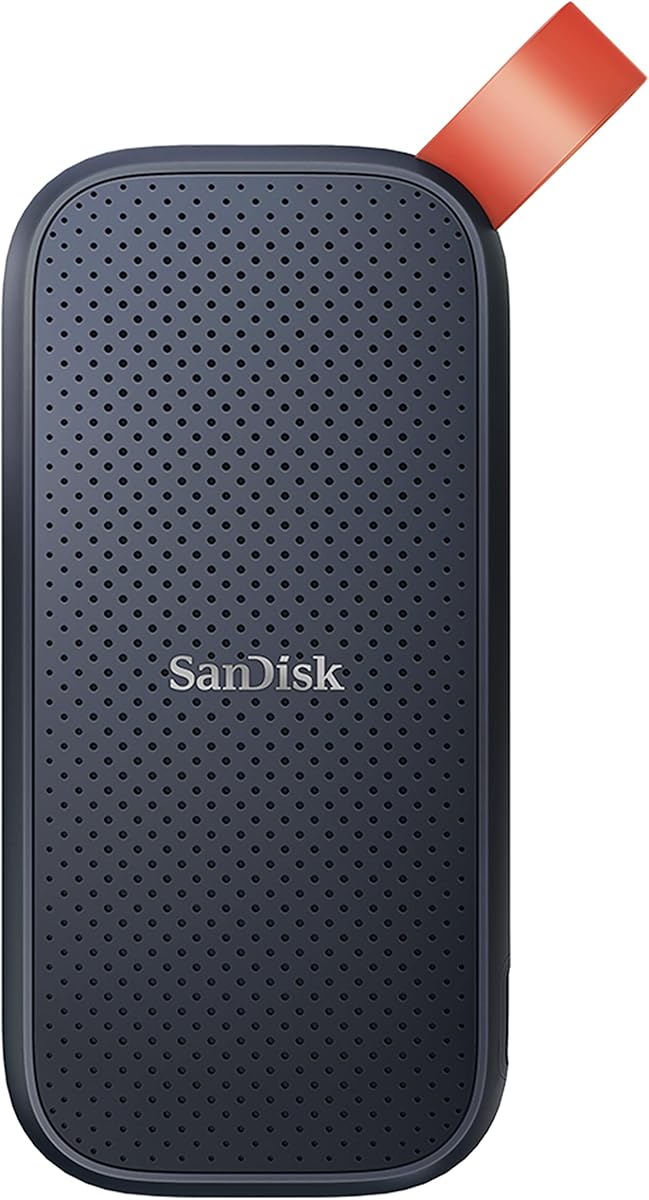




This drive offers top-tier durability with fast NVMe performance ideal for outdoor content creation. It earns a strong rating for its robust IP65 water and dust resistance.
We may earn a commission when you buy through this link, at no additional cost to you.
The inclusion of hardware encryption ensures sensitive files remain secure while the carabiner loop adds practical portability for on the go users.
While it does not reach the fastest speeds available on the market the balance of speed and ruggedness makes it a reliable choice for professionals.
Buy this if you need a reliable storage solution that can withstand harsh environments without compromising on data security or transfer efficiency.
The drive withstands drops up to three meters and resists water and dust for reliable use in challenging conditions.
Included 256-bit AES hardware encryption keeps your private content protected against unauthorized access at all times.
We may earn a commission when you buy through this link, at no additional cost to you.
This drive provides excellent value with speeds that match more expensive models while keeping the price accessible for students and hobbyists. It holds a solid rating for performance.
We may earn a commission when you buy through this link, at no additional cost to you.
Its aluminum case helps dissipate heat efficiently during large file transfers and the included cables support both modern and older device connections easily.
The SLC caching ensures consistent write speeds even when handling large datasets which is crucial for smooth video editing workflows on your MacBook.
Choose this drive if you want fast storage without breaking the bank and need a reliable option that integrates well with your existing Mac setup.
A two millimeter thick aluminum alloy case ensures the drive stays cool during extended use and prevents overheating issues.
Both USB-C and USB-A cables are included so you can connect to any device without needing extra adapters or accessories.
We may earn a commission when you buy through this link, at no additional cost to you.
The T9 stands out with sustained read and write speeds that handle large creative files with ease. It is a top pick for users who prioritize performance above all else.
We may earn a commission when you buy through this link, at no additional cost to you.
Samsung included a Dynamic Thermal Guard to keep the drive cool during intensive tasks ensuring you never lose speed due to overheating or throttling issues.
The Magician software adds value by allowing firmware updates and drive health monitoring which helps extend the life of your storage investment significantly.
Invest in this drive if you need the fastest available speeds for your workflow and want a trusted brand with proven reliability and strong software support.
Race through projects with sustained read and write speeds of up to 2000MB/s for fast transfers and immediate access.
Advanced thermal solution keeps the SSD at ideal temperatures even during heavy use or long video editing sessions.
We may earn a commission when you buy through this link, at no additional cost to you.
This portable SSD is designed for users who value a compact and stylish form factor. It delivers reliable performance with a slim profile that fits easily into any pocket or bag.
We may earn a commission when you buy through this link, at no additional cost to you.
DataShield encryption software is included to keep your files secure and the drive supports fast data transfers suitable for both work and gaming applications.
At just 42 grams it is incredibly light and easy to carry around all day without adding significant weight to your travel gear or backpack.
Select this model if you need a discreet and lightweight drive that offers strong performance and security features without taking up much space.
Weighing only 42 grams and measuring 10.5mm thick it fits easily in your pocket and is smaller than a standard card.
Lexar DataShield encryption software protects your files with robust security features to keep your data safe from unauthorized access.
We may earn a commission when you buy through this link, at no additional cost to you.
The T7 is a workhorse for everyday use offering fast speeds and a durable design that can handle daily wear and tear. It is a highly rated option for students and professionals alike.
We may earn a commission when you buy through this link, at no additional cost to you.
Its solid aluminum unibody construction provides excellent protection against drops and shocks while maintaining a compact size that fits comfortably in your hand or bag.
You can record high resolution video directly onto the drive and the fast read write speeds ensure smooth editing and quick access to your files.
Opt for this drive if you need a versatile and reliable storage solution that balances speed durability and price for a wide range of tasks.
Strong and sturdy with shock resistance and fall protection up to six feet for peace of mind during transport.
Record ultra high resolution videos directly onto the drive with support for 4K 60fps capture on compatible devices.
We may earn a commission when you buy through this link, at no additional cost to you.
This model offers a budget friendly entry into solid state storage with decent speeds for general file transfers and backups. It maintains a high rating for reliability among users.
We may earn a commission when you buy through this link, at no additional cost to you.
The rugged design includes a two-meter drop protection feature and a rubber hook for easy attachment to your belt loop or backpack for added convenience.
While not the fastest option on the market it provides consistent performance for basic storage needs without the higher cost of premium high speed drives.
Choose this drive if you want a simple and affordable storage solution from a trusted brand for everyday file management and backups.
The tough rubber hook allows you to secure the drive to your belt loop or backpack for extra peace of mind.
Take it on your adventures with up to two-meter drop protection ensuring the drive can take a beating without damage.
We may earn a commission when you buy through this link, at no additional cost to you.
This drive offers plenty of storage space for large media libraries and backups while maintaining fast read write speeds. It is a great choice for those who need more room on their external drive.
We may earn a commission when you buy through this link, at no additional cost to you.
Built-in double layer graphite sheets conduct heat efficiently to keep the drive cool during blazing fast transfers ensuring stable performance over long periods of use.
The sleek and sturdy design ensures durability and it includes a plug-and-play compatible cable for easy connection to PCs and Macs without extra hardware.
Select this drive if you need to store large files and want a reliable and fast storage option that keeps up with your growing digital collection.
Built-in double layer graphite sheets quickly conduct heat to keep the drive cool even during blazing fast transfers.
With up to 2TB of capacity you can expand your digital workspace and store more projects without worrying about running out of space.
We may earn a commission when you buy through this link, at no additional cost to you.
This drive stands out with a dual USB-C and USB-A connector design that removes the need for cables during direct device connection. It is a unique solution for modern portable workflows.
We may earn a commission when you buy through this link, at no additional cost to you.
The high-speed transfer rates support USB 3.2 Gen 2×2 standards making it one of the faster options available for seamless backups and rapid file access.
The Lexar App provides convenient automatic photo and video backups which simplifies the process of keeping your media safe and organized across devices.
Choose this drive if you want the convenience of a cable-free connection and need high-speed performance for your daily backup and transfer tasks.
Cable-free design with dual USB-C and USB-A connectors allows for direct and seamless backups across multiple devices.
With the Lexar App you can automatically backup photos and videos for convenient use and peace of mind.
We may earn a commission when you buy through this link, at no additional cost to you.
The PRO version delivers powerful NVMe performance with read speeds up to 2000MB/s making it excellent for editing large files on the go. It remains a top contender for speed.
We may earn a commission when you buy through this link, at no additional cost to you.
Its forged aluminum chassis acts as a heatsink to sustain high speeds and the IP65 rating ensures it can handle water and dust exposure during outdoor shoots.
Password protection with hardware encryption keeps your private content secure while the Memory Zone app helps you manage files and free up space easily.
Buy this drive if you need professional grade speeds and rugged durability to handle your most demanding creative projects and travel needs.
Powerful NVMe solid state performance featuring up to 2000MB/s read speeds for professional grade file transfers.
Up to three-meter drop protection and IP65 water and dust resistance ensure the drive can take on any adventure safely.
We may earn a commission when you buy through this link, at no additional cost to you.
This drive offers blazing fast NVMe speeds with password protection to secure your files from unauthorized access. It is a reliable choice from a well known storage manufacturer.
We may earn a commission when you buy through this link, at no additional cost to you.
The sturdy design is drop resistant up to 6.5 feet ensuring that your data remains safe even if the drive is accidentally dropped during daily use or travel.
With USB 3.2 Gen 2 compatibility it works seamlessly with modern Macs and older systems via USB-A adapters providing versatile connectivity options for you.
Opt for this drive if you want a trusted brand with solid security features and durable construction for your regular storage and backup tasks.
Password enabled 256-bit AES hardware encryption keeps your files secure and private from unauthorized access at all times.
Shock and vibration resistant with drop resistance up to 6.5 feet for reliable protection during everyday and office use.
We may earn a commission when you buy through this link, at no additional cost to you.
Selecting the right external SSD requires evaluating several key factors to ensure compatibility and performance with your MacBook Neo workflow.
Look for drives with at least 1000MB/s read speeds to ensure smooth video editing and fast file transfers. NVMe technology provides the best performance for modern workflows.
Prioritize drives that support USB 3.2 Gen 2 standards for maximum speed potential.
Consider your current and future storage needs when choosing a drive size. One terabyte is often sufficient for documents and photos but larger files may require two terabytes or more.
Evaluate how much data you typically carry on the go to find the right capacity balance.
Choose a drive with a robust build if you plan to travel often or work in demanding environments. IP ratings and drop protection specs are critical for outdoor or rugged use cases.
Look for IP65 resistance and drop protection up to three meters for high durability.
Encryption is essential if you store sensitive data or client files on your external drive. Hardware encryption ensures that data remains secure even if the drive is lost or stolen.
Ensure the drive includes 256-bit AES encryption software for robust data security.
Confirm that the drive is fully compatible with macOS and the specific ports on your MacBook Neo. USB-C connectivity is standard but USB-A adapters may be needed for older peripherals.
Check for plug and play support to avoid driver installation issues on your Mac.
Aluminum alloy cases provide better heat dissipation and physical protection compared to plastic shells. A sturdy unibody construction ensures the drive can withstand daily wear and tear.
Opt for metal casings to maintain consistent performance and protect internal components.
Some drives come with management software that offers backup utilities and drive health monitoring. These tools can simplify your workflow and extend the life of your storage investment.
Check if the manufacturer offers reliable apps for file management and firmware updates.
Verify what cables are included in the box to avoid additional purchases. Most drives include USB-C to USB-C cables but having a USB-A option adds versatility.
Look for drives that include both cable types for universal connectivity options.
Always eject the drive properly from your Mac before unplugging it to prevent data corruption. Use the Finder eject icon to ensure all files are fully written to the drive.
Store your drive in a protective case when not in use to avoid physical damage or scratches. Extreme heat and moisture can degrade the components so keep it in a dry environment.
Perform regular backups of your critical data to another location or cloud service. External drives should not be your only copy of important files due to the risk of hardware failure.
Any USB-C SSD is compatible but high speed models like the Samsung T9 offer the best performance for video editing. Ensure the drive supports USB 3.2 Gen 2 or Gen 2×2 standards.
Most drives come pre-formatted to exFAT which works on both Mac and PC. If you need native Mac features you can reformat it to APFS using Disk Utility.
Yes SSDs are much faster and more durable than mechanical hard drives. They have no moving parts so they are better for travel and provide quicker file access.
Absolutely external SSDs are ideal for video editing due to their high transfer speeds. They allow you to work directly off the drive without lag or stuttering issues.
With proper care an SSD can last many years depending on usage intensity. The lifespan is often measured in terabytes written so normal backups extend its life significantly.
Many modern drives support iPhone 15 and later models directly via USB-C. Check specific product details for ProRes video support on mobile devices.
We have reviewed ten top options ranging from rugged high capacity drives to affordable budget friendly models. Each one offers distinct advantages depending on your specific workflow needs.
Prioritize speed and durability if you work with large media files regularly. Security features and compatibility should also influence your final decision based on your usage habits.
Prices change frequently so please check the latest listings and current offers before purchasing. Your investment in quality storage will pay off in productivity and peace of mind.