
Yealink Sp92 Conference Speaker
4.1Editor score
AI Noise Cancelling Technology
13ft Room Coverage Radius
20 Hour Battery Life
This guide compares the top Bluetooth speakerphone models for home offices, evaluating audio quality, microphone performance, and connectivity options for
Choosing the right Bluetooth speakerphone for your home office is essential for clear communication during virtual meetings. A good device ensures your voice is heard clearly while minimizing background noise that can disrupt productivity and focus throughout the day.
We analyzed ten leading models based on microphone array quality, battery life, and compatibility with major conferencing platforms. Each product was evaluated for its ability to deliver professional audio quality in diverse home environments ranging from quiet rooms to bustling households.
Every pick highlights key strengths and ideal use cases to help you make an informed decision. Please note that specific product availability and pricing may change over time, so checking current listings is recommended before finalizing your purchase decision.
4.1Editor score
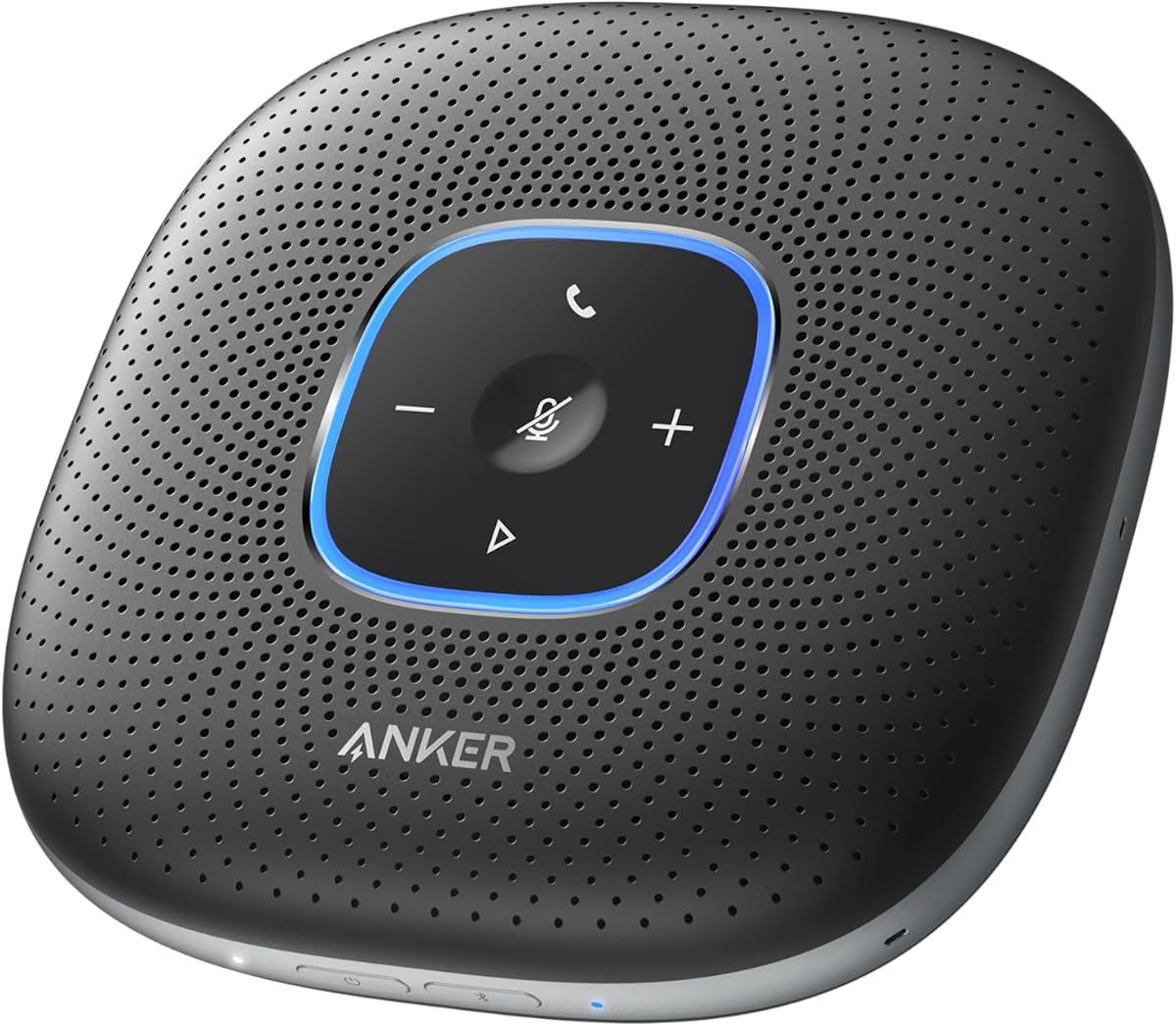
4.4Editor score

4.6Editor score
This comparison table provides a side-by-side look at the core specifications and capabilities of each model to help you quickly identify which device fits your specific home office needs and technical requirements.

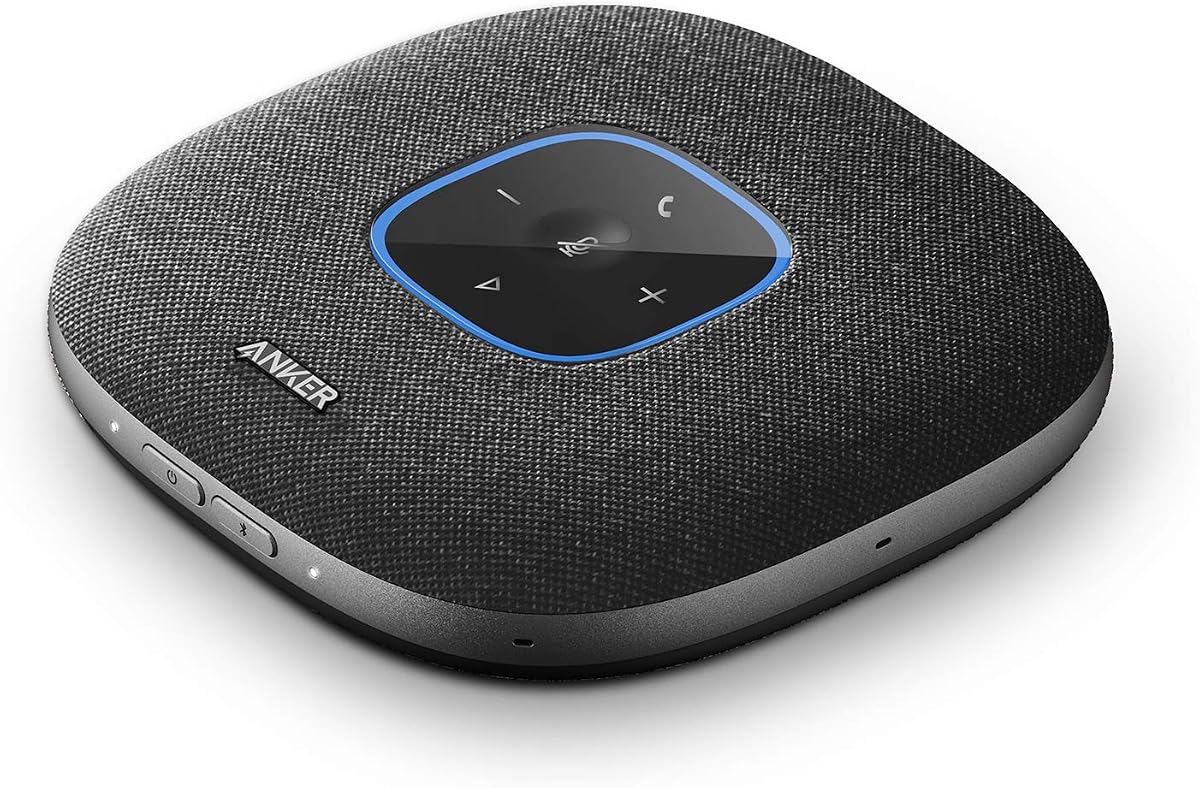


The Anker PowerConf Speakerphone stands out as a top choice for home offices needing reliable conference calling capabilities. With a 4.4 rating from numerous users, this device delivers professional audio quality that transforms any space into a meeting room instantly.
We may earn a commission when you buy through this link, at no additional cost to you.
Its 360-degree microphone array ensures voices are picked up clearly from any direction, while Voice Radar 3.0 uses AI to cancel echo and reduce background noise effectively. The optimized clarity feature balances voice volume automatically so you sound consistent regardless of distance.
While the battery life is impressive at 24 hours, the device is slightly heavier than some competitors due to its robust build and integrated power bank features. However, this trade-off provides flexibility to charge other devices during travel or long work sessions.
This speakerphone is ideal for professionals who attend frequent video calls and need a versatile tool that works seamlessly across multiple platforms. Its ability to connect via Bluetooth or USB-C without drivers makes it a hassle-free addition to your workspace.
Deep learning capabilities ensure your voice remains clear even in noisy environments by filtering out distractions like keyboard typing or HVAC hum effectively.
With 24 hours of talk time, you can attend back-to-back meetings without worrying about finding a power outlet during your workday.
We may earn a commission when you buy through this link, at no additional cost to you.
The Anker PowerConf S330 offers a straightforward solution for home offices that prioritize stability over portability. Its plug-and-play design means you can start meetings instantly without dealing with complex pairing or driver installation steps.
We may earn a commission when you buy through this link, at no additional cost to you.
Smart Voice Enhancement technology eliminates background noise while enhancing voices to ensure a professional meeting experience. The four high-sensitivity microphones cover a 3-meter radius with super-high clarity, making it suitable for small meeting spaces.
Because this model relies on a wired USB connection, it does not offer the flexibility of wireless movement around a room. However, the stable connection ensures consistent audio quality without interruption from signal dropouts during critical calls.
This device is best suited for users who remain at their desk throughout the day and want reliable audio performance without the need for recharging. It pairs well with laptops that have a available USB-C ports for direct integration.
The 1.75 inch driver paired with passive bass radiators adds depth to both meeting audio and music, enhancing overall sound quality significantly.
Connectivity is seamless with standard USB adapters included, allowing you to join meetings within seconds of plugging the device into your computer.
We may earn a commission when you buy through this link, at no additional cost to you.
The Anker PowerConf S3 brings a robust set of features to home office users who need flexibility and advanced audio processing. With a 4.4 rating, it delivers strong performance in noise reduction and voice clarity for diverse calling environments.
We may earn a commission when you buy through this link, at no additional cost to you.
Real-time voice optimization is handled by a customized DSP algorithm that ensures you sound crystal clear to others. The 6 microphone array covers your entire space, and double talk capability means no words are skipped even when multiple people speak at once.
While the battery life matches the more expensive model, some users may find the app dependency necessary for full control slightly inconvenient if they prefer minimal setup. Yet the app allows for precise tuning that enhances the overall user experience significantly.
This speakerphone is a great fit for teams that engage in long conference calls where clarity is paramount. It works equally well with phones via Bluetooth and computers via USB-C, providing the best of both worlds for remote workers.
The DSP algorithm adjusts voice volume automatically to balance differences in loudness, ensuring consistent sound regardless of where you sit.
Double talk technology ensures every word is heard during dynamic meetings, preventing the frustration of missing parts of conversations.
We may earn a commission when you buy through this link, at no additional cost to you.
The Jabra Speak 510 continues to be a reliable choice for professionals seeking high-quality sound without complex configurations. With a high rating from users, it offers crystal-clear audio that makes every call sound professional and sharp.
We may earn a commission when you buy through this link, at no additional cost to you.
Its design prioritizes portability and ease of use, getting you started with meetings in seconds. Whether you connect via Bluetooth or USB, the flexibility to switch between devices ensures you stay productive without interruption from connection issues.
While this model has been around for some time compared to newer AI-driven competitors, its robust build and sound quality remain competitive. Users appreciate the straightforward controls that allow for quick muting and volume adjustments during active calls.
This speakerphone is perfect for mobile workers who travel between home and different office locations. It works with virtually any device, including desk phones and soft phones, making it a versatile tool for various communication needs.
Compatible with all major online meeting platforms, this device ensures you can join calls on Teams, Zoom, or Google Meet without hassle.
Setup in seconds means you spend more time working and less time troubleshooting technical issues before a meeting begins.
We may earn a commission when you buy through this link, at no additional cost to you.
The Yealink Sp92 delivers exceptional value for home offices operating on a budget without sacrificing essential audio quality. It filters over 1,000 noises using real-time AI noise cancellation, ensuring accurate speech reproduction during calls.
We may earn a commission when you buy through this link, at no additional cost to you.
Its omnidirectional mic covers a 13ft radius, which is sufficient for most home offices or small meeting rooms. The 20-hour battery life supports all-day meetings, and the ultra-portable design makes it easy to carry in a laptop bag.
While it may not have as many microphones as premium models, the virtual bass technology and echo cancellation ensure balanced voice clarity. The Microsoft Teams certification adds a layer of trust for enterprise users who need certified collaboration tools.
This speakerphone is ideal for individuals who want a capable device without a high price tag. It offers triple connectivity options including Bluetooth and USB-C, giving you the flexibility to connect to various devices easily.
Real-time AI filters out common distractions like keyboard taps or AC hum to ensure your speech is reproduced accurately by listeners.
With up to 20 hours of battery life, you can rely on this device for long stretches of meetings without frequent recharges.
We may earn a commission when you buy through this link, at no additional cost to you.
The Lenovo Speakerphone is built for hybrid workspaces that require professional grade audio performance and durability. Eight intelligent microphones with AI powered noise cancellation prioritize voices to reduce background distractions effectively during meetings.
We may earn a commission when you buy through this link, at no additional cost to you.
It features a dedicated Teams button for fast access and reliable call control in enterprise environments. The dual Bluetooth connectivity allows you to connect to two devices at once, making switching between a laptop and phone seamless.
While the price is higher than average, the IP54 dust and splash resistance adds robustness that might not be necessary for home use but ensures longevity. The full duplex performance enables natural simultaneous speaking and listening without interruptions.
This device suits users who need enterprise reliability and high quality audio for important client meetings. Its portable design includes a carrying case, making it ideal for hybrid workers who move between locations frequently.
Eight microphones prioritize voices and reduce background distractions, delivering clear and professional sound for meetings of up to 5 meters.
IP54 resistance protects against dust and splashes, ensuring the device remains reliable even in less controlled home environments.
We may earn a commission when you buy through this link, at no additional cost to you.
The Jabra Speak 510 MS remains a solid choice for those heavily integrated into the Microsoft ecosystem for their conferencing needs. With HD Voice capabilities, it delivers high definition sound quality that makes conversations clear and professional.
We may earn a commission when you buy through this link, at no additional cost to you.
This model connects via both Bluetooth and USB, allowing you to use it with PC, tablets, or smartphones without issues. The talk time reaches up to 15 hours, providing enough power for most typical workdays without needing a charge.
As an older model compared to newer AI-enabled devices, it lacks advanced noise cancellation features found in modern speakers. However, its reliability and compatibility with Windows Microsoft Lync and Office Communicator ensure it still meets core needs effectively.
It is best suited for users who value stability and compatibility with legacy systems over new features. If your primary need is clear audio and reliable connectivity, this speakerphone continues to perform well in professional settings.
Designed specifically for softphones and mobile phones, this device integrates seamlessly with Microsoft communication tools.
With a proven track record, users appreciate the consistent performance and straightforward operation without complex setup.
We may earn a commission when you buy through this link, at no additional cost to you.
The Jabra Speak 710 offers an immersive sound experience that elevates the quality of your home office meetings. Certified for Zoom and Google Meet, it provides in-room coverage for up to 6 people, making your meetings more efficient.
We may earn a commission when you buy through this link, at no additional cost to you.
Its omnidirectional microphone ensures everyone in the room can be heard clearly. The Link 370 adapter allows for USB connectivity, while Bluetooth enables wireless use with mobile devices, giving you flexibility for different scenarios.
The lightweight and compact design includes a protective travel pouch, making it easy to carry for on-the-go meetings. However, it requires a dongle for full functionality which may be easily lost during travel compared to integrated USB solutions.
This speakerphone is perfect for users who prioritize sound quality and portability equally. If you often travel to different locations or host meetings in various rooms, this device turns any room into a conference space instantly.
Certified for Zoom and Google Meet ensures you get the full benefit of these platforms' features without compatibility issues.
HD voice and immersive sound quality make conversations feel natural and engaging, reducing fatigue during long calls.
We may earn a commission when you buy through this link, at no additional cost to you.
The YAMAHA YVC-330 stands as a premium option for those who demand the highest level of noise control and audio clarity. SoundCap technology eliminates background noise outside a 3 ft range, providing unmatched focus during calls.
We may earn a commission when you buy through this link, at no additional cost to you.
Its 3 unidirectional microphones with human voice activity detection pick up speech rather than noise, ensuring clarity. The self silence feature mutes the microphone when participants are not speaking, which helps maintain a professional and quiet environment.
While the price is significantly higher than average options, the technical sophistication justifies the cost for high-stakes professional environments. It works with mobile phones and laptops via USB or Bluetooth, offering flexibility for different devices.
This speakerphone is best suited for executives or professionals hosting high-value meetings where audio clarity is critical. The setup is easy and the device includes a USB cable, allowing for immediate use without extra adapters.
Built-in far field noise reduction eliminates background noise outside a 3 ft range to ensure focused conversation clarity.
Self silence mutes the microphone when participants are not speaking, maintaining a quiet and professional atmosphere.
We may earn a commission when you buy through this link, at no additional cost to you.
The N newline Conference Speaker offers a budget-friendly solution for small to mid-sized meetings. It uses AI noise reduction and eliminates echo in real-time to ensure clear real-time communications for all participants.
We may earn a commission when you buy through this link, at no additional cost to you.
Its design features a premium mesh wrap and lightweight construction that complements modern workspaces. With a battery life of 12 hours, it covers a typical workday comfortably, and the dual connectivity ensures versatile use.
While it has fewer microphones than other options, the 360 voice pickup ensures sound clarity for most home setups. The double talk communication ensures every word is heard clearly even if both ends speak simultaneously during calls.
This speakerphone is suitable for small businesses or individuals who need a reliable and portable device without a large investment. Its compact size allows it to slip easily into any bag, making it great for occasional travel.
AI algorithms reduce background noise and eliminate echo in real-time to ensure clear real-time communications for everyone.
A lightweight and sleek design makes it easy to slip into a bag without weighing you down when traveling.
We may earn a commission when you buy through this link, at no additional cost to you.
Selecting the right speakerphone requires balancing audio quality, connectivity needs, and budget constraints to find the perfect match for your workspace.
The number of microphones determines how well the device picks up voices from different directions. Look for at least four microphones arranged in a 360-degree array to ensure everyone in the room is heard clearly.
More microphones generally result in better noise cancellation and clearer speech capture in larger or noisier environments.
Battery life impacts how long you can use the device without plugging it into a wall outlet. Aim for at least 12 hours of talk time if you plan to use it throughout the day or for long meetings.
A rechargeable battery with long standby time ensures you are not tethered to a power source during critical calls.
Choose a device that supports both Bluetooth and USB connections for maximum flexibility. Bluetooth allows for easy pairing with mobile devices, while USB provides a stable connection for computer-based conferencing.
Having multiple connectivity options ensures you can switch devices quickly without missing important meetings or calls.
Effective noise cancellation is vital for filtering out background sounds like keyboard typing or household noise. AI-driven technology often performs better than standard passive filtering in these scenarios.
Look for features like echo cancellation and voice enhancement to ensure your voice sounds clear to everyone on the call.
Ensure the speakerphone is certified for the platforms you use most, such as Zoom, Microsoft Teams, or Google Meet. Certification guarantees that the device meets specific quality and functional standards for those services.
Certified devices typically offer better performance and fewer technical issues when used with specific software providers.
If you move between locations frequently, choose a lightweight model with a carrying case or pouch. A compact design saves space on a desk and makes transport easier during travel.
The device should be durable enough to handle being packed in a bag without damage over time.
Start by connecting the device to your computer or phone via Bluetooth or USB cable. Ensure the device is charged fully before first use to avoid interruptions during your initial meetings or calls.
Place the speakerphone in the center of your table or workspace to maximize its microphone range. Avoid placing it near walls or corners where sound might echo and reduce clarity for your call participants.
Regularly clean the microphone grilles and surface with a soft dry cloth to maintain audio quality. Store the device in a safe place when not in use to prevent physical damage and battery degradation over time.
Many modern models support dual connectivity allowing you to connect to two devices simultaneously. This enables you to switch between a laptop for work and a mobile phone for personal calls seamlessly.
Check the product details for certifications from platforms like Zoom or Microsoft Teams. Certified devices guarantee compatibility and optimal performance with the specific software you use for meetings.
Bluetooth offers mobility and convenience while USB provides a more stable connection with less risk of signal dropouts. For stationary desktop setups, USB is often preferred for reliability during long calls.
Most USB and Bluetooth speakerphones are plug-and-play compatible with both Mac and Windows systems. You typically do not need to install specific drivers to get started with your meetings.
Battery life generally ranges from 12 to 24 hours depending on the model and usage intensity. Always check the product specifications to ensure it matches your daily meeting requirements.
The pickup range usually covers 10 to 13 feet depending on the microphone array and technology. Staying within this radius ensures your voice is captured clearly without distortion.
Selecting the right Bluetooth speakerphone for your home office depends on balancing audio quality with specific needs like portability and battery life. The top picks like the Anker PowerConf and Yealink Sp92 offer strong value and performance for diverse scenarios.
Prioritize microphones with advanced noise cancellation if you often work in noisy environments. A device with 360-degree coverage ensures everyone in your home is heard clearly regardless of where they sit during a call.
Remember that prices and availability can change so always check current listings before buying to secure the best deal. Investing in a reliable speakerphone will pay dividends through clearer communication and fewer technical frustrations during meetings.