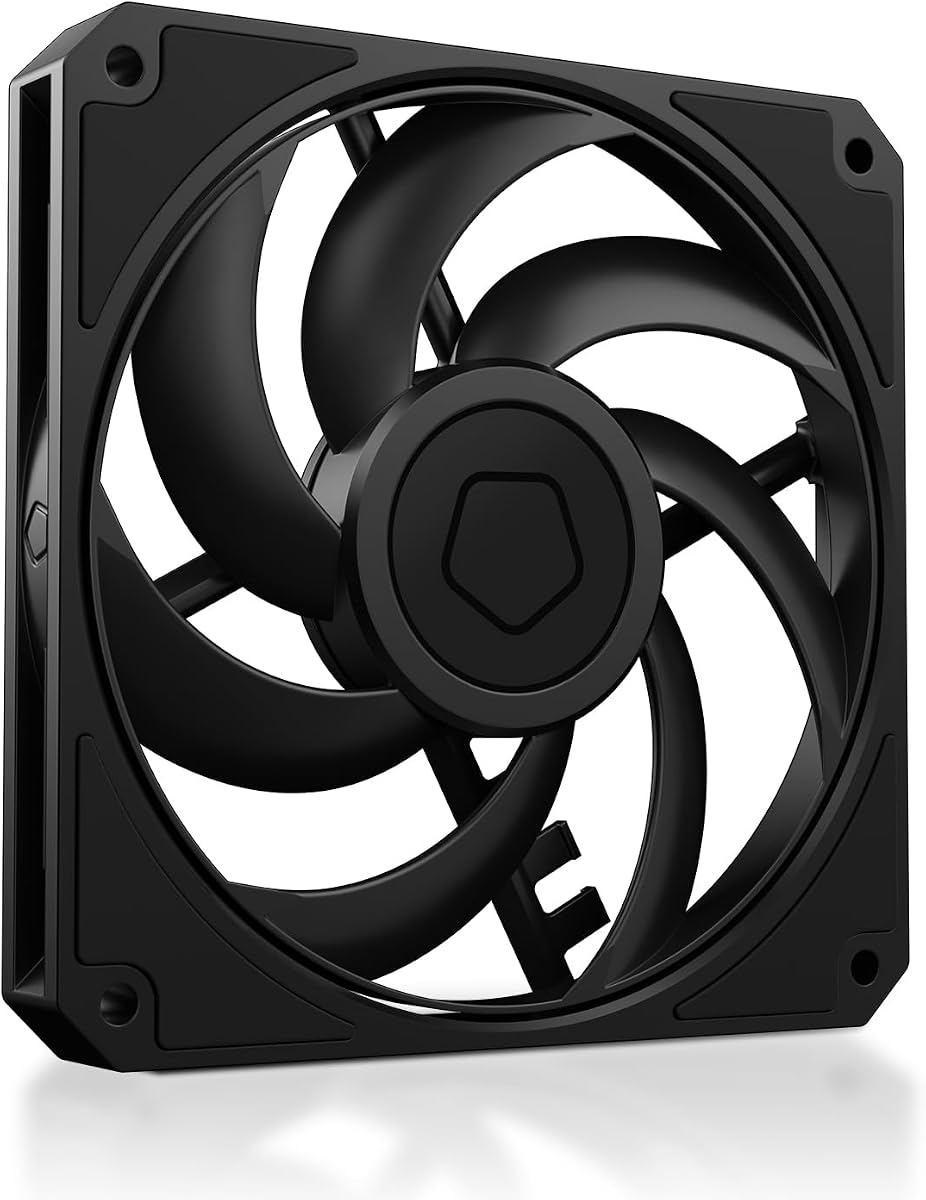
ID-COOLING AM-120-SLIM
4.8Editor score
Ultra slim 15mm profile
High airflow capability
Affordable pricing point
Discover the top low profile case fans for compact builds. We compare performance, noise, and airflow to help you choose the right slim cooling solution.
Finding the right cooling solution for compact builds requires careful selection. Low profile case fans deliver efficient airflow while fitting into tight spaces. They ensure your hardware stays cool without compromising on the sleek design of small form factor systems.
We evaluated ten top-rated options based on static pressure, noise levels, and build quality. Our analysis focuses on how well each fan handles restricted airflow environments. This list covers various sizes and budgets to suit different custom PC configurations.
Each pick highlights specific strengths like quiet operation or high pressure performance. Note that availability and pricing can shift over time. Check current listings to ensure you get the best deal for your specific system requirements today.
4.8Editor score

4.9Editor score

4.6Editor score
This table provides a side-by-side look at the key specifications of all ten selected fans. Use it to quickly compare airflow, static pressure, and speed ranges before making your final decision.



The Noctua NF-A12x15 PWM stands out as a premium option for compact builds. It receives high marks for its balance of performance and silence. The design focuses on minimizing noise while maintaining effective cooling capabilities in tight spaces.
We may earn a commission when you buy through this link, at no additional cost to you.
Its award-winning A-series design incorporates Flow Acceleration Channels for better air movement. The Advanced Acoustic Optimisation frame reduces turbulence and unwanted noise. Users benefit from a 4-pin PWM version allowing automatic speed control based on system temperature.
While the price is higher than budget alternatives, the longevity is exceptional. The MTTF rating exceeds 150,000 hours ensuring long-term reliability. The included low-noise adaptor offers flexibility for users prioritizing silence over maximum airflow.
This fan is ideal for enthusiasts building high-end mini-ITX or HTPC systems. It delivers consistent cooling without disturbing a quiet environment. The investment is justified by its performance and durability in restricted airflow scenarios.
The frame design actively dampens noise caused by air turbulence. This results in a quieter experience compared to standard slim fans.
With a lifespan exceeding 150,000 hours this fan ensures lasting operation. It minimizes the need for replacements in critical cooling setups.
We may earn a commission when you buy through this link, at no additional cost to you.
The ID-COOLING AM-120-SLIM offers impressive specifications at a very affordable price. It fits perfectly in compact PC builds where standard fans cannot. The design prioritizes high airflow and static pressure for effective cooling in restrictive environments.
We may earn a commission when you buy through this link, at no additional cost to you.
With up to 59.6 CFM airflow it moves a significant volume of air. The static pressure of 2.7 mmH2O ensures it can push air through dense heatsinks. Intelligent 4-pin PWM speed control allows it to adjust based on system needs.
The hydraulic bearing reduces friction to ensure quiet performance. Maximum noise levels are kept low to maintain a comfortable environment. While the build is functional it lacks the premium finish of higher end options.
This fan is a top choice for budget builders needing reliable cooling. It handles both unrestricted airflow and restrictive radiator setups well. Its performance to price ratio makes it a standout option for SFF cases.
The fan delivers nearly 60 CFM airflow which is high for its class. This ensures rapid heat dissipation from critical components.
Standard mounting holes and a 4-pin connector ensure it fits most cases. It works well with CPU coolers and NAS systems too.
We may earn a commission when you buy through this link, at no additional cost to you.
The ARCTIC P12 Slim PWM PST comes in a 3-pack which is ideal for multiple radiator setups. It focuses on high static pressure for efficient cooling under resistance. The PST connector allows daisy chaining multiple fans without extra controllers.
We may earn a commission when you buy through this link, at no additional cost to you.
With an installation height of only 15 mm it fits where thicker fans cannot. The upgraded engine technology enhances performance significantly compared to previous models. PWM control keeps noise low while ensuring maximum cooling when needed.
The air pressure is optimized for use on heat sinks and radiators. It guarantees efficiency even with increased air resistance from dense fins. The noise level is manageable though it can be audible at maximum speed.
This pack is perfect for liquid cooling setups needing multiple slim fans. It offers a cost-effective solution for complete system cooling. The PST feature simplifies cable management in tight case interiors.
The PST technology allows you to chain fans together seamlessly. This reduces cable clutter and simplifies motherboard header usage.
Designed for radiators this fan pushes air effectively through resistance. It ensures your coolant stays cool during intensive loads.
We may earn a commission when you buy through this link, at no additional cost to you.
The ARCTIC P14 Slim PWM PST provides a larger 140mm solution in a slim profile. It fits installations where 25mm fans do not fit but space allows for width. The quiet motor ensures low noise levels across speed ranges.
We may earn a commission when you buy through this link, at no additional cost to you.
It guarantees efficient cooling with high static pressure even under resistance. The upgraded engine technology improves overall performance. Speed control via PWM PST keeps noise to a minimum while ensuring cooling performance.
The installation height is only 16 mm suitable for small form factor cases. It moves 47 CFM of air which is substantial for its thin design. This makes it a strong candidate for larger but shallow radiator setups.
Builders needing a 140mm fan that fits thin slots will appreciate this. It balances size and thickness effectively. The PST feature ensures easy connection to other fans in a chain.
Moving to 140mm allows for more air movement at lower speeds. This reduces noise while maintaining high cooling efficiency.
Only 16mm thick it fits tight constraints easily. It enables cooling in cases that reject standard fan sizes.
We may earn a commission when you buy through this link, at no additional cost to you.
This chromax.Black.swap edition offers a premium quiet slim fan with an all black design. It is ideal for users wanting a sleek look without bright colors. The advanced acoustic optimization frame ensures superior quiet cooling performance.
We may earn a commission when you buy through this link, at no additional cost to you.
The 120x15mm slim design is perfect for low-profile CPU coolers. It allows automatic speed control via 4-pin PWM fan headers. The fan can stop at 0% PWM for semi-passive systems ensuring silence when idle.
Customization is possible with self-adhesive anti-vibration pads in various colors. This allows for unique touches on a standard black fan. It includes all standard mounting hardware for easy installation.
For those building a monochrome system this fan is the top choice. It matches high end black components perfectly. The performance matches the standard version with a better visual fit.
Color pads let you match the fan to your case or RAM. It adds personalization without expensive RGB lighting.
The fan stops at low loads to eliminate noise entirely. This is great for media centers or office setups.
We may earn a commission when you buy through this link, at no additional cost to you.
The be quiet! Pure Wings 3 is engineered for quiet performance with maximum airflow. It features an optimized frame designed for peak performance on radiators. The seven airflow-optimized blades reduce noise while ensuring performance.
We may earn a commission when you buy through this link, at no additional cost to you.
It can be operated with very low minimum rpm for very quiet operation. The long life rifle bearing gives an operating lifetime of 80,000 hours. This ensures long term reliability for daily use systems.
German Design and Quality are reflected in its manufacturing standards. It is suitable for configurations needing silent operation without heavy noise. While not the thinnest it fits many standard low profile slots.
If silence is your priority this fan is a strong contender. It delivers consistent airflow with minimal disturbance. It is a great upgrade for case cooling needs.
Blade optimization cuts down on air resistance noise. You get high airflow with a whisper-quiet signature.
The rifle bearing is built to last over 80,000 hours. This reduces maintenance needs and ensures reliability.
We may earn a commission when you buy through this link, at no additional cost to you.
The Thermalright TL-C12015 is a balance performance slim fan for small form factor cases. It measures 120x120x15mm and uses PWM control for speed. The four vibration-absorbing pads perfectly reduce noise and friction.
We may earn a commission when you buy through this link, at no additional cost to you.
It features a well-designed superior S-FDB bearing to keep noise low. It provides maximum cooling performance when needed and extends service life. The fan is suitable for use with Low Profile CPU Air Coolers.
Automatic speed control allows for efficient thermal management. It reaches 1500 RPM which is adequate for most SFF builds. The higher air flow improves cooling performance significantly compared to thinner fans.
This is a solid choice for budget SFF builders. It fits tight spots well and handles cooling efficiently. The bearing quality ensures it runs smoothly over time.
Rubber pads minimize motor vibration transfer to the case. This results in a quieter and more stable setup.
S-FDB bearings offer smooth rotation with less friction. This enhances longevity and reduces noise levels.
We may earn a commission when you buy through this link, at no additional cost to you.
This is a quiet premium fan in a compact 92x92x14 mm size. It is ideal for 9 cm low-profile CPU coolers and compact PC cases. The AAO frame system ensures superior cooling performance and extra-quiet operation.
We may earn a commission when you buy through this link, at no additional cost to you.
The 4-pin HS-PWM version allows for automatic control via PWM. It has a wide speed range from 500 to 2500 RPM. Standstill at 0% PWM enables semi-passive operation for silent idling.
It includes self-adhesive anti-vibration pads in various colors for customization. The chromax.black.swap edition offers a black design aesthetic. This is the go-to choice for very small form factor builds.
When space is extremely limited this fan is the best option. It provides robust cooling in a tiny footprint. Its quality ensures reliable performance in tight spots.
Despite the small size it delivers high airflow. It ensures CPU temps stay low even in tight cases.
RPM up to 2500 offers strong cooling when needed. Low RPMs keep it quiet during light tasks.
We may earn a commission when you buy through this link, at no additional cost to you.
The FLX version uses a 3-pin Molex connector for manual speed settings. It is designed for users who prefer specific RPM choices. The 1850/1400/950 RPM options allow fine-tuning the fan for maximum airflow or near-silent operation.
We may earn a commission when you buy through this link, at no additional cost to you.
It includes Low-Noise Adaptors to switch between speed settings easily. The award-winning A-series design ensures superior quiet cooling performance. The frame features Flow Acceleration Channels for efficient air movement.
Accessories include a 3:4-pin adaptor and extension cable. This provides flexibility for powering the fan directly from the power supply. It fits perfectly in low-profile CPU coolers and HTPCs.
This is a great choice for manual control enthusiasts. It allows precise management of airflow and noise. The build quality matches Noctua's high standards.
Adaptors let you choose exact RPM steps easily. This removes reliance on motherboard PWM signals.
You can use the adaptor for PSU power if needed. This adds flexibility for older systems.
We may earn a commission when you buy through this link, at no additional cost to you.
This represents the classic Noctua slim fan offering reliable PWM control. It features a 4-pin PWM version for automatic speed control via headers. The 1850 RPM maximum speed ensures high performance in small spaces.
We may earn a commission when you buy through this link, at no additional cost to you.
The award-winning A-series design with Flow Acceleration Channels optimizes cooling. Anti-vibration mounts reduce unwanted noise during operation. It includes a Y-cable for running two PWM fans on the same header.
The design is ideal for low-profile CPU coolers and ITX builds. It balances maximum airflow with quiet operation. The low-noise adaptor is also supplied for speed reduction.
This fan is a solid choice for traditional builders. It offers proven technology that works reliably in all cases. The Y-cable adds value for dual fan setups.
The Y-cable lets you run two fans from one header. This is perfect for front and back cooling needs.
The classic design offers predictable performance results. It is trusted by builders worldwide for its quality.
We may earn a commission when you buy through this link, at no additional cost to you.
Selecting the right low profile fan requires understanding size, airflow, and noise. This guide helps you identify the key factors for your specific compact build.
The first factor to consider is the physical size of the fan. Low profile fans typically come in 15mm or 16mm thickness. Ensure your case or cooler has enough clearance for the fan to spin without obstruction.
Measure your available space carefully before buying. Standard fans are 25mm thick and will not fit in restricted slots.
Airflow is measured in CFM and indicates how much air the fan moves. Static pressure measures the ability to push air through resistance like radiators. High static pressure is crucial for liquid cooling setups.
Choose high static pressure for radiators and high airflow for open cases. Balance these specs based on your cooling needs.
Noise is measured in decibels or sone. A lower number means quieter operation. Premium fans often use advanced blade designs to minimize turbulence and noise.
For silent builds look for fans with noise levels under 20 dB. Higher speeds will naturally increase noise output.
PWM fans have 4-pin connectors allowing speed control. This lets the fan slow down during low load and speed up when needed. It is essential for maintaining silence without sacrificing cooling.
Always check that your motherboard supports PWM headers. Non-PWM fans run at fixed speeds and may be louder.
Bearings determine fan longevity and noise. Hydraulic or Fluid Dynamic bearings are standard for quiet operation. They reduce friction and vibration compared to sleeve bearings.
Check the MTTF rating for expected lifespan. High-quality bearings can last over 150,000 hours.
Fan blades and frames are often plastic but quality varies. Reinforced plastic reduces noise from vibration. Some premium fans use high-strength materials for rigidity.
Heavier frames often vibrate less. Look for anti-vibration pads to minimize mounting noise.
PWM uses a 4-pin connector while FLX uses a 3-pin Molex. PWM allows automatic speed control. FLX requires manual adaptors to change speed.
Ensure your motherboard has the required headers. 4-pin PWM is standard on most modern boards.
Low profile fans range from budget-friendly to premium options. Budget fans offer good performance but may lack durability. Premium fans offer better build quality and accessories.
Consider how many fans you need. Buying a pack may offer better value per unit.
Install your low profile fans with the airflow arrows pointing in the correct direction. Ensure screws are tightened gently to avoid vibration. Use rubber pads if your case supports them.
Connect the fan to a PWM header on your motherboard for best speed control. Use software or BIOS to set fan curves. This ensures the fan runs only when needed.
Dust accumulation reduces efficiency over time. Clean fans every few months with compressed air. Avoid spinning the blades too fast while cleaning.
A low profile case fan is a slim fan designed to fit in tight spaces. They are typically 15mm thick compared to standard 25mm fans. They are used in small form factor builds and low-profile coolers.
Low profile fans can be quieter if designed with noise reduction in mind. Smaller fans may need higher RPM to move air which increases noise. Premium models often include anti-vibration mounts to minimize sound.
Yes low profile fans are excellent for radiators in AIO setups. They should have high static pressure to push air through fins. Most slim fans in this guide are optimized for this task.
Yes you can use low profile fans in standard cases if space permits. They may produce less airflow than thicker fans at the same RPM. They are often used as intake or exhaust for restricted slots.
PWM stands for Pulse Width Modulation. It allows the fan to control speed dynamically based on temperature. This reduces noise and power usage compared to voltage control fans.
Quality low profile fans often last over 150,000 hours. Bearing technology determines longevity. Hydraulic or fluid dynamic bearings are the most durable options available today.
We reviewed ten top low profile fans for performance and noise. The Noctua NF-A12x15 PWM stands out as the best overall for premium build quality. ID-COOLING offers the best budget value for small builds.
Prioritize static pressure for radiators and airflow for open cases. Always match your connector type to motherboard headers. Proper fan curve setup ensures silence and efficiency.
Prices and stock may change. Check current listings to confirm specs and deals. Choose the fan that best fits your case dimensions and cooling goals.