
Acer Nitro V Gaming Laptop
4.5Editor score
Intel Core i5 processor
RTX 4050 graphics
165Hz refresh rate
Diablo 4 demands powerful hardware to run smoothly at high settings. Finding the right gaming laptop requires balancing graphics performance with thermal management and display quality for immersive gameplay experiences.
We analyzed ten top gaming laptops focusing on GPU power, processor speed, and screen refresh rates. Each model offers unique strengths for handling intense action RPG workloads efficiently.
Each pick highlights key features and real-world capabilities for Diablo 4. Prices vary by retailer so check current listings before purchasing to ensure you get the best deal available today.
4.5Editor score

4.6Editor score

4.3Editor score
As an Amazon Associate we earn from qualifying purchases.
This comparison table shows key specifications for each gaming laptop to help you decide which model fits your needs for running Diablo 4 and other demanding titles effectively.



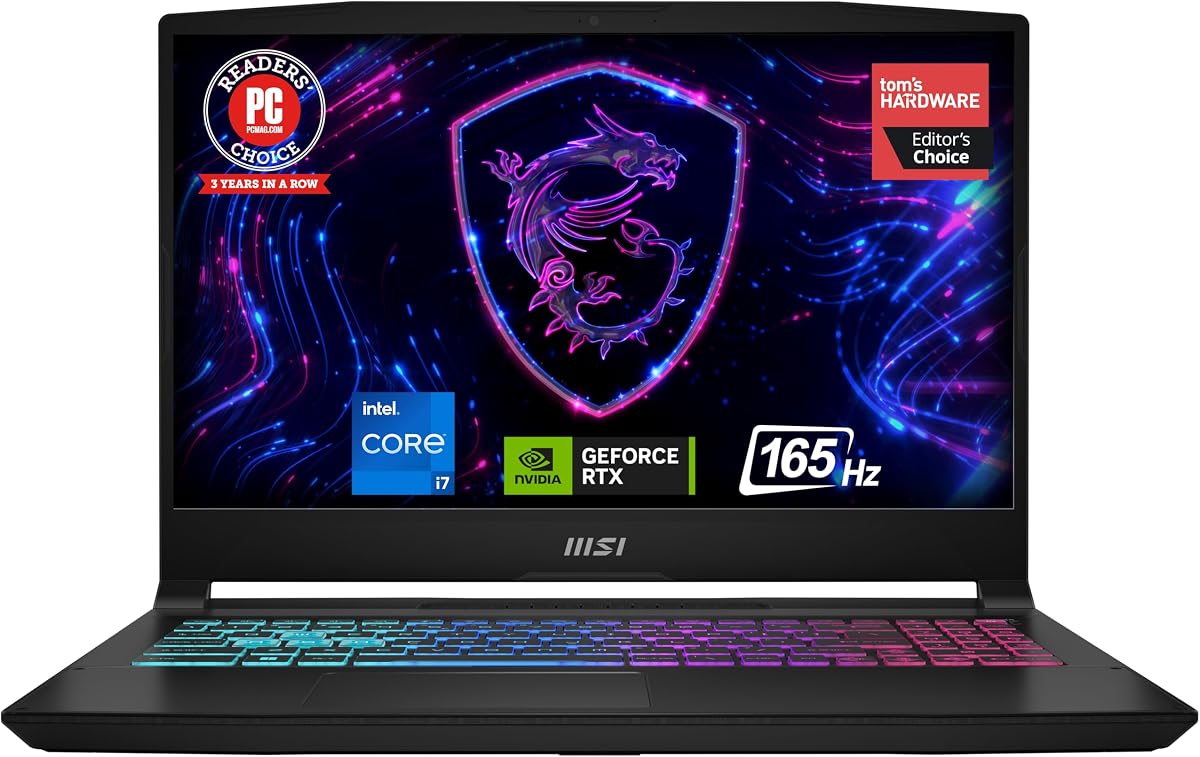

This gaming laptop stands out with its solid performance-to-price ratio and strong 4.6 rating among users. It balances core specs well for modern titles without excessive bloat.
We may earn a commission when you buy through this link, at no additional cost to you.
The Intel Core i7 13620H paired with RTX 4050 delivers reliable frame rates. The 165Hz screen enhances responsiveness during fast combat sequences in Diablo 4.
While the display lacks peak brightness, the high refresh rate and color accuracy suffice for most indoor gaming sessions. Thermal management keeps fans manageable under load.
Buyers seeking balanced performance without premium pricing should consider this model first. It suits players prioritizing GPU capability over portability or extra features.
The 165Hz refresh rate ensures fluid motion during intense battles reducing motion blur and improving targeting accuracy in action scenes.
With 16GB DDR5 RAM and a fast 1TB SSD this system handles multitasking and large game libraries efficiently over time.
We may earn a commission when you buy through this link, at no additional cost to you.
This model offers one of the lowest entry prices while maintaining capable gaming specs. Its high user rating reflects satisfaction with value delivered for casual gamers.
We may earn a commission when you buy through this link, at no additional cost to you.
The RTX 4050 supports ray tracing and DLSS 3.5 enhancing visual fidelity without compromising frame rates. The i5 processor handles everyday tasks competently.
Note that 8GB RAM may limit multitasking and the 512GB SSD fills quickly with large installs. Upgrading storage is straightforward but adds to total cost.
Ideal for students or budget conscious buyers wanting entry level performance. Prioritize this if you need immediate affordability and plan to upgrade later.
RTX 4050 enables DLSS acceleration and ray tracing support improving visuals while maintaining playable frame rates in demanding scenes.
This laptop balances screen real estate with portability making it easy to transport to school or LAN parties without excess bulk.
We may earn a commission when you buy through this link, at no additional cost to you.
This flagship laptop delivers high-end performance with Intel Ultra 9 and RTX 5070 Ti graphics. Its premium build and advanced cooling justify the cost for enthusiasts.
We may earn a commission when you buy through this link, at no additional cost to you.
The 240Hz 2.5K Nebula display offers vibrant visuals and ultra fast response times. Such quality enhances immersion during detailed fantasy environments and spell effects.
While expensive, the system handles multitasking and creative workloads seamlessly. Portability suffers slightly due to weight but performance trade-offs are acceptable for desktop replacements.
Recommended for users seeking maximum performance and visual fidelity. Prioritize this if budget allows and you demand the best gaming experience possible.
The 240Hz Nebula panel provides incredibly smooth motion with minimal blur enhancing competitive gameplay and visual enjoyment significantly.
Tri fan cooling and vapor chamber technology maintain stable performance during extended gaming sessions without excessive heat throttling or noise.
We may earn a commission when you buy through this link, at no additional cost to you.
This variant brings next gen Intel processors and RTX 5060 graphics for balanced performance. Users appreciate its sturdy build and efficient thermal management under load.
We may earn a commission when you buy through this link, at no additional cost to you.
The 165Hz FHD+ display provides clear visuals with reduced glare thanks to ACR film. Performance matches expectations for high settings in modern titles.
Thermal performance remains stable during long sessions with vapor chamber technology. While pricier than some competitors, the component quality justifies the investment for reliability.
Suitable for buyers wanting recent tech without stepping into flagship pricing. This model fits users prioritizing processor speed and wireless connectivity.
The 14650HX i7 offers excellent single core performance ensuring smooth gameplay and quick load times in complex open worlds.
Advanced film coating improves contrast and reduces glare making extended gaming sessions more comfortable visually indoors.
We may earn a commission when you buy through this link, at no additional cost to you.
This laptop stands out with its unique translucent chassis and large 17.3 inch screen. It balances portability and immersion for users wanting desktop visuals on the go.
We may earn a commission when you buy through this link, at no additional cost to you.
RTX 5060 graphics ensure solid frame rates for modern titles. The hybrid architecture processor handles multitasking efficiently without overheating quickly.
While the 144Hz rate is lower than rivals, the screen size compensates for immersion. Cooling design keeps noise levels manageable during regular gaming sessions.
Perfect for buyers prioritizing screen size and unique aesthetics over top speed. This model fits users who want larger visuals without heavy bulk.
The 17.3 inch FHD screen offers expansive visuals ideal for storytelling and exploration in visually rich RPG games.
Translucent case material highlights internal components giving a futuristic look that stands out from traditional gaming laptop designs.
We may earn a commission when you buy through this link, at no additional cost to you.
This model achieves a perfect user rating reflecting strong satisfaction across multiple performance metrics. It offers competitive specs at a price point attractive to students.
We may earn a commission when you buy through this link, at no additional cost to you.
AMD Ryzen 7 processor paired with RTX 4050 delivers reliable gaming performance. 32GB DDR5 RAM ensures smooth multitasking with background apps active.
Display refresh rate is standard but FreeSync prevents tearing. Thermal design maintains stability without excessive noise during moderate load periods.
Buyers seeking reliability and high memory at lower cost should consider this. It fits users balancing work and play needs effectively.
32GB DDR5 RAM allows seamless switching between gaming and productivity apps without slowdown or memory bottlenecks.
AMD FreeSync Premium technology syncs refresh rate to GPU output reducing screen tearing during fast action sequences.
We may earn a commission when you buy through this link, at no additional cost to you.
This laptop offers a modern feature set with 180Hz WUXGA display and AI enhanced tools. It provides solid mid-range performance for users upgrading from older systems.
We may earn a commission when you buy through this link, at no additional cost to you.
RTX 5050 supports DLSS 4 enabling decent visuals. The Intel Core 7 processor handles productivity and gaming simultaneously without stuttering.
While GPU is less powerful than higher tiers, the fast refresh rate keeps gameplay fluid. Cooling architecture maintains stable performance during extended sessions.
Ideal for users prioritizing display quality and AI features. It suits casual gamers wanting better visuals without exceeding budget limits.
The 180Hz WUXGA screen provides sharp visuals and smooth motion improving clarity during fast paced gameplay.
NitroSense uses AI to monitor performance and customize cooling ensuring consistent speeds during intensive tasks.
We may earn a commission when you buy through this link, at no additional cost to you.
This model emphasizes AI performance with Ryzen 7 260 and RTX 5060 GPU offering high TOPS ratings. Users appreciate the combination of raw power and AI features.
We may earn a commission when you buy through this link, at no additional cost to you.
The 180Hz WUXGA display delivers crisp visuals with excellent motion handling. 32GB DDR5 RAM supports heavy multitasking and streaming simultaneously.
Thermal management keeps performance stable during long sessions. AI driven technologies enhance image quality and frame rates effectively during gameplay.
Recommended for users wanting AI driven graphics and ample memory. It fits gamers prioritizing performance enhancements and multitasking capability.
High TOPS rating enables advanced AI features for faster rendering and improved visual fidelity in supported applications.
WUXGA resolution and fast refresh rate combine to deliver sharp and fluid visuals improving immersion in complex scenes.
We may earn a commission when you buy through this link, at no additional cost to you.
This laptop offers strong GPU performance with RTX 4070 graphics ideal for high settings. The QHD screen enhances detail in game textures and environments.
We may earn a commission when you buy through this link, at no additional cost to you.
Cooler Boost 5 ensures effective heat dissipation during intensive gaming. Intel i7 processor maintains smooth performance across general workloads effectively.
While ratings are modest cooling and GPU power remain strong advantages. Build quality supports durability though thermal fans can be audible under load.
Users prioritizing raw GPU power over battery life should consider this. It suits gamers needing detailed visuals at moderate price points.
QHD panel provides sharper detail and better color accuracy enhancing visuals and clarity during gameplay and creative tasks.
Cooler Boost 5 technology maintains stable CPU and GPU temperatures enabling consistent performance during long sessions.
We may earn a commission when you buy through this link, at no additional cost to you.
This laptop combines modern hardware with a slim design ideal for portability. The RTX 5060 ensures capable gaming performance in a lightweight package.
We may earn a commission when you buy through this link, at no additional cost to you.
Ryzen 7 processor provides strong multi-core performance for productivity. 180 degree hinge flexibility allows versatile usage positions on desks or laps.
While display brightness is moderate it supports 1920×1200 resolution for clarity. Cooling performance keeps the system stable during regular usage scenarios.
Buyers seeking portable gaming hardware should consider this model. It suits users wanting modern specs without carrying heavy laptops daily.
Thin chassis reduces carry weight making it ideal for students or professionals needing gaming performance on the move.
180 degree hinge allows flat screen positioning suitable for sharing content or typing comfortably in various positions.
We may earn a commission when you buy through this link, at no additional cost to you.
Selecting the right gaming laptop involves evaluating GPU performance, display quality, cooling capabilities, and budget alignment to ensure smooth gameplay and longevity.
Diablo 4 benefits significantly from strong GPUs that support ray tracing and DLSS technologies. Look for RTX 4050 or higher models to maintain high frame rates at detailed settings.
Prioritize GPUs with dedicated VRAM and latest architecture for optimal visual fidelity and performance stability during extended sessions.
High refresh rates like 165Hz or higher improve motion clarity and reduce input lag during fast combat. Resolution should balance sharpness with GPU load to maintain consistent speeds.
Choose IPS panels for better viewing angles and color accuracy enhancing immersion during dark and detailed game environments.
Modern Intel Core i7 or AMD Ryzen 7 processors handle multitasking and physics calculations efficiently. Minimum 16GB DDR5 RAM ensures smooth gameplay with background applications running.
Upgradable RAM slots offer future proofing for heavier updates and additional creative workloads beyond gaming.
Effective cooling maintains stable performance under load preventing thermal throttling. Vapor chambers and multiple fans are preferable to single fan setups for sustained gaming.
Check reviews for noise levels and heat distribution ensuring comfort during long gameplay sessions without overheating issues.
Fast PCIe Gen 4 SSDs reduce load times and improve responsiveness when switching between game areas. At least 1TB storage is recommended for modern game sizes and updates.
Look for laptops with available M.2 slots for storage expansion as game libraries grow over time.
Wi-Fi 6 or 7 ensures stable low latency connections for multiplayer modes. USB-C and HDMI ports enable external displays and charging options for flexibility.
Ensure sufficient USB ports for peripherals like headsets and controllers enhancing usability and immersion during gameplay.
Keep the laptop on hard flat surfaces during gaming to allow proper airflow and prevent overheating. Avoid using on soft beds or laps where vents may get blocked by fabric.
Regularly update GPU drivers and BIOS to ensure compatibility with latest game patches and performance improvements. Use manufacturer provided apps for system monitoring and control.
Maintain battery health by avoiding constant charging at 100 percent when plugged in for long periods. Use manufacturer recommended chargers to ensure safe and efficient power delivery.
An NVIDIA RTX 4050 or higher is recommended for smooth gameplay at high settings. Models with RTX 4060 or 5060 offer better ray tracing support and frame rates for extended play.
Yes, higher refresh rates like 165Hz improve motion clarity and reduce blur during fast action. This helps with targeting and visual comfort especially in crowded combat scenes.
At least 16GB of DDR5 RAM ensures smooth multitasking and gameplay. 32GB provides extra headroom for streaming or heavy background applications without slowdown.
Battery life varies but expect 4 to 6 hours for general use. Gaming consumes more power so expect shorter battery times when running demanding titles unplugged.
Most models include at least one additional M.2 slot for expanding storage. Check specs for available slots and supported drive types before purchasing extra components.
Vapor chambers and multiple fans help manage heat during intense sessions. Look for reviews mentioning thermal performance and noise levels under load before deciding on a model.
The top picks highlight strong value and performance across different budgets offering options for every player. Each model balances GPU power display quality and cooling effectively for immersive gameplay.
Prioritize GPU and display specs to ensure smooth visuals and responsive controls during action. Choose cooling systems that keep temperatures stable for consistent performance over time.
Remember to verify current pricing and availability as deals change frequently. Select the model that best matches your needs and budget for the best Diablo 4 experience.