
AI Voice Sticker Printer
5.0Editor score
7 Art Styles
Color Preview Screen
Portable Design
This comprehensive guide compares the top 10 AI Sticker Printer Maker models available in October 2026 for kids and creators looking for instant printing.
The world of personalization has evolved dramatically with the arrival of AI Sticker Printer Maker devices. These innovative tools allow users to generate custom designs instantly using voice commands or simple text inputs. Whether for kids or hobbyists, they provide a fun way to express creativity without needing advanced art skills. The technology behind these machines makes crafting accessible to everyone.
We have evaluated ten leading models to help you find the perfect match for your needs. Our comparison focuses on ease of use, print quality, connectivity options, and safety features for younger users. Each product was analyzed based on its unique capabilities and how well it handles various creative tasks. We looked at real-world performance and user feedback to ensure accuracy.
Each selection in this list highlights specific strengths that cater to different preferences and budgets. You will find options ranging from compact thermal printers to advanced all-in-one cutting machines. Prices and availability can shift frequently so we recommend checking current listings before buying. This guide ensures you have the latest information to make an informed decision today.
5.0Editor score

4.8Editor score

4.2Editor score
This side-by-side comparison highlights the key specifications and capabilities of the top AI Sticker Printer Maker models available on the market today.
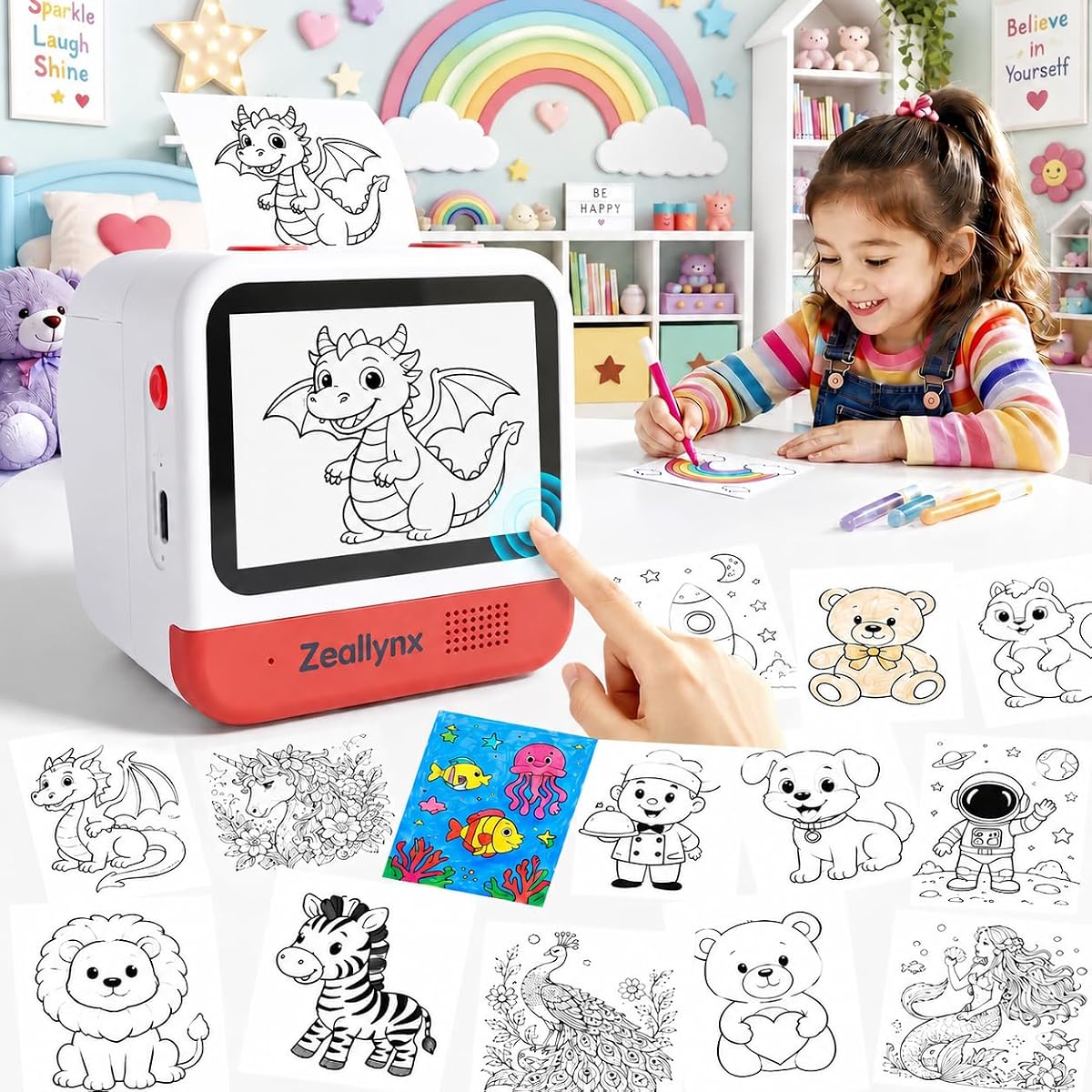

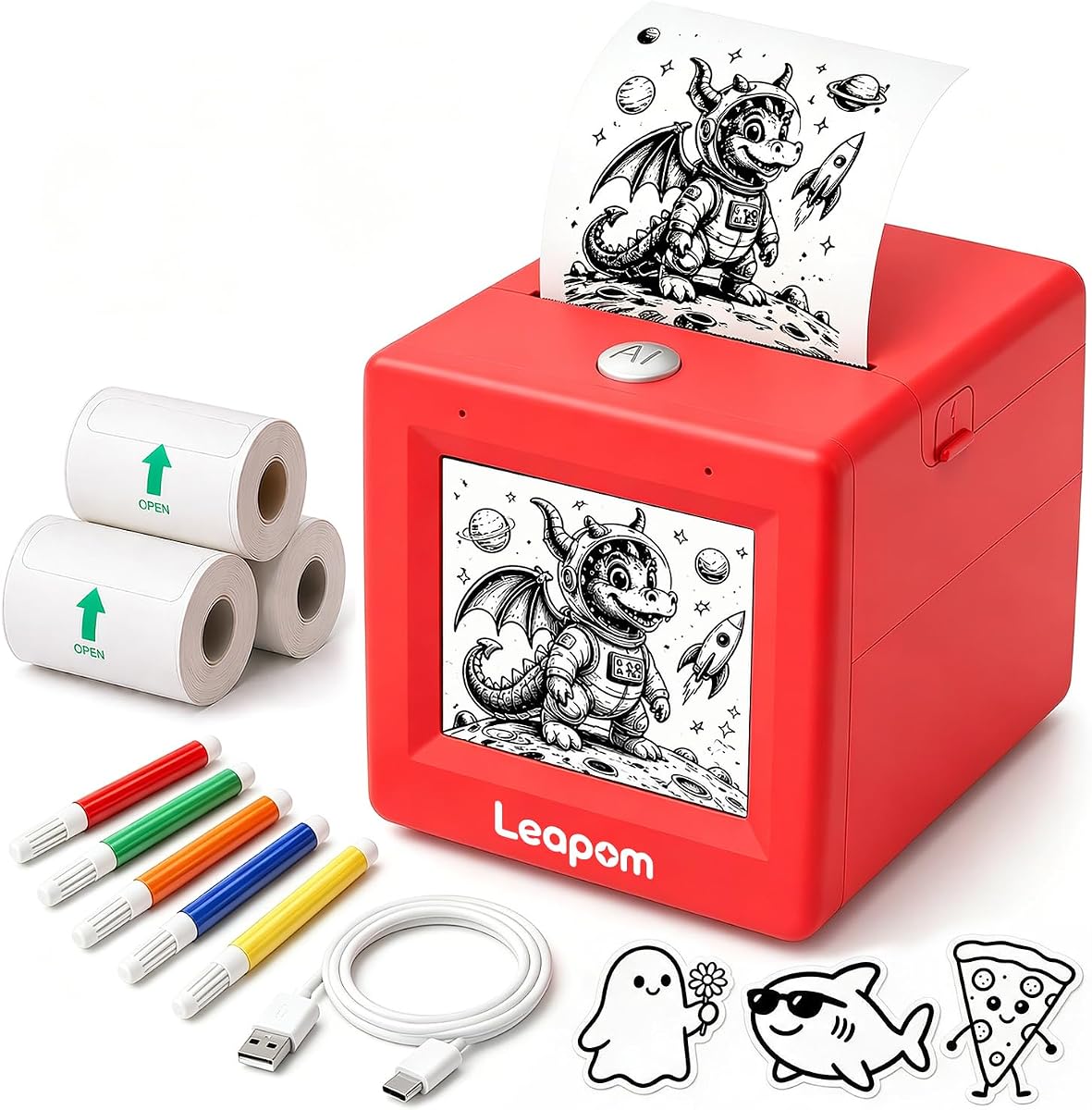


The AI Sticker Maker for Kids stands out as a top choice for families seeking creative tech. Its high rating reflects consistent performance in generating stickers from voice commands. The touchscreen interface makes it intuitive for children to navigate without adult help. This model balances technology with play perfectly.
We may earn a commission when you buy through this link, at no additional cost to you.
Its voice-to-image capability allows kids to describe what they want and see it appear instantly. The thermal printing ensures no ink mess is left behind which parents appreciate. Connectivity is straightforward via Wi-Fi eliminating the need for complex app setups. The device also includes watercolor pens for further personalization.
While it prints only in black and white this encourages children to color the designs themselves. This adds a manual art element to the digital creation process. You must keep an eye on thermal paper levels as refills are separate purchases. Despite this it offers excellent value for creative households.
This printer is ideal for kids who love drawing and storytelling. It helps develop communication skills by translating ideas into visuals. Parents looking for a safe and engaging gift will find it fits the bill. The privacy features ensure a secure experience for young users.
The device is designed with strict content filtering to ensure all prompts are safe for children.
Using this machine helps kids develop artistic talents and self-confidence through hands-on activities.
We may earn a commission when you buy through this link, at no additional cost to you.
The Liene PixCut S1 brings professional quality to home sticker making. It offers full color printing which sets it apart from most thermal models. The integration of a cutting machine means you get finished stickers ready to use. This appeals to crafters who want polished results.
We may earn a commission when you buy through this link, at no additional cost to you.
Its AI image extraction feature allows for easy editing of photos into sticker designs. The precision cutting system ensures clean edges every time without manual work. Print quality is high with 300 DPI resolving fine details effectively. The stickers are durable and scratch-resistant for long-term use.
Cost is a consideration as this is a significant investment compared to entry models. Setup requires a smartphone app which might be slightly complex for some users. The ink technology is different requiring specific paper rolls. Overall it is excellent for serious DIY projects.
Buyers looking for professional results will appreciate this unit's capabilities. It works well for small businesses or serious hobbyists. The lack of subscription fees adds to its long term value. If you need color and cutting this is a top contender.
Thermal dye-sublimation technology ensures your stickers look vibrant and professional every time.
Perfect for creating custom phone skins, labels, or unique gifts for friends and family.
We may earn a commission when you buy through this link, at no additional cost to you.
This AI Voice Sticker Printer offers exceptional value with its perfect rating. It features a color LED display which allows users to preview designs before printing. This prevents waste and frustration when the output isn't quite right. The range of art styles keeps creative options open for kids.
We may earn a commission when you buy through this link, at no additional cost to you.
It is incredibly portable and fits easily in a backpack for travel use. The rechargeable battery provides hours of continuous printing without needing a wall outlet. Thermal printing means no cartridges are needed reducing maintenance significantly. Setup is minimal and the app is free to download.
The main limitation is the size of the output which is best for small stickers. It does not produce color prints so coloring is part of the process. However the price point makes it accessible for families on a budget. It is a great gift for younger children.
Parents looking for a low risk creative toy will love this option. It encourages storytelling and drawing through simple voice prompts. The safety features ensure content is appropriate for kids. For the price it delivers impressive performance and fun.
The upgraded color LED display shows your design in real-time to reduce paper waste.
Compact lightweight design means you can take the creativity anywhere you go with ease.
We may earn a commission when you buy through this link, at no additional cost to you.
This model distinguishes itself with a full touchscreen interface for direct control. Children can tap icons to select modes without navigating a phone app. It supports voice input as well as manual selection for flexibility. The wide range of creative modes offers more than just standard stickers.
We may earn a commission when you buy through this link, at no additional cost to you.
The ability to save designs to an SD card is a standout feature. You can store favorite images and reprint them whenever you want. Setup is fast since it connects directly to WiFi without pairing a phone. It includes both sticker and plain paper rolls for variety.
You must connect via 2.4GHz WiFi which requires a stable network at home. Manual cutting is required for stickers unlike premium all-in-one machines. This keeps the cost lower while still offering high functionality. It is a strong choice for home schooling.
Families who want independence from smartphones will find this appealing. The modes support storytelling and note-taking beyond just pictures. It is simple enough for young children to master quickly. A reliable option for classroom or playroom use.
The touchscreen allows for intuitive mode selection and content preview without external devices.
Ten different modes including comic strips and story collections keep boredom at bay.
We may earn a commission when you buy through this link, at no additional cost to you.
The Stickerbox is unique because it has no screen at all. This design philosophy encourages kids to look at the physical output rather than a display. It is COPPA compliant which ensures strict adherence to privacy standards. Parents concerned about screen time will find this reassuring.
We may earn a commission when you buy through this link, at no additional cost to you.
Kids speak their ideas and the device prints them immediately. It works offline after the initial setup to minimize distractions. The included pencils allow for coloring activities that engage motor skills. It is built to be a safe companion for young children.
Without a preview screen users cannot see the design before it prints. This can lead to unexpected results but also surprises. The device is simple and lacks complex features that might confuse users. It focuses purely on the fun of creation.
This is a great gift for toddlers and young kids. It helps transition them to digital creativity without a tablet. The build quality is designed for rough handling by children. If you want to limit screens this is a top pick.
KidSAFE certified and COPPA compliant ensuring data is never stored on the device.
Encourages hands-on play and coloring by removing digital distractions entirely.
We may earn a commission when you buy through this link, at no additional cost to you.
This AI Voice Sticker Maker provides a simple way to create prints at home. It works with a dedicated app that unlocks more templates and designs. The thermal printing ensures clear results that kids can color. It is lightweight and easy for children to carry around.
We may earn a commission when you buy through this link, at no additional cost to you.
The app is free and secure with no credit card required. Parents should be aware of potential third-party ads within the app. It includes markers to start coloring immediately. The design is robust enough for daily use by kids.
It is best for children who enjoy drawing and coloring. The voice feature makes it fun for those who cannot draw yet. Connectivity is stable and the device charges easily. It is a solid choice for home school activities.
If you want a balance of tech and art this is great. It grows with the child as they learn to use the app. The portable nature means you can use it on the go. A reliable tool for creative play.
Combines technology and creativity to help children develop communication skills effectively.
The official Fun Print app is 100% free and secure for worry-free use.
We may earn a commission when you buy through this link, at no additional cost to you.
This printer combines an HD screen with voice activation for better visibility. You can see the image clearly before sending it to print. It includes five rolls of paper which is generous for the size. This ensures you can keep printing for a long time.
We may earn a commission when you buy through this link, at no additional cost to you.
The design is compact and fits in small spaces easily. Controls are simple so kids can manage the device independently. It supports both stickers and regular paper for versatile use. The setup process is straightforward for all users.
The screen size is small but functional for previews. It does not offer advanced editing features like high-end models. However it is reliable and delivers clear prints consistently. It is a great tool for daily labeling and notes.
Families who need a quick solution for stickers will like this. The included paper makes it ready to use out of the box. It encourages creativity through simple voice commands. A practical choice for busy households.
The HD screen helps kids see their ideas clearly before printing them out.
Includes multiple rolls of paper so you have plenty to create with.
We may earn a commission when you buy through this link, at no additional cost to you.
The T02 is a small device that is perfect for carrying in a bag. It connects via Bluetooth which makes pairing simple. The app has useful AI tools for photo editing and sticker creation. It is often used as a study aid for students.
We may earn a commission when you buy through this link, at no additional cost to you.
It can print flashcards and notes which helps with learning. The app supports many themes and filters for customization. It is compatible with most smartphones making it versatile. The price is very affordable for a tech gadget.
You need a phone to operate it which means you cannot use it alone. The print quality is decent for text and simple graphics. Battery life is good for portable use throughout the day. It is a great tool for teens.
Students who need quick visual aids will find this helpful. It supports various subjects like math and geography. The AI features add extra fun to the utility. A practical gadget for learning and creativity.
Ideal for printing study notes and flashcards to help with schoolwork.
Mini dimensions make it easy to carry everywhere for on the go printing.
We may earn a commission when you buy through this link, at no additional cost to you.
This sticker maker offers six distinct art styles for variety. You can choose from anime or ink wash for different looks. It supports both WiFi and Bluetooth for flexible connectivity options. The materials are BPA free ensuring safety for kids.
We may earn a commission when you buy through this link, at no additional cost to you.
The app is easy to set up and guides you through usage. It is great for creating personalized items for friends and family. The device is portable so you can take it on trips. It encourages kids to personalize their drawings.
Manual cutting is required to finish your stickers. The app is needed for some features but works well. It is a balanced option for general home use. The design is sturdy and fits well in a playroom.
Families looking for a mix of digital and manual art will like this. It helps kids learn about different artistic styles. The privacy features are good for safe usage. A solid choice for creative kids.
Choose from six AI art styles to match any creative theme or mood.
BPA free materials ensure the device is safe for kids to use daily.
We may earn a commission when you buy through this link, at no additional cost to you.
This model features a 3.5 inch screen for easy viewing and control. It does not require an app for basic printing which simplifies use. The AI chat companion can suggest ideas to spark imagination. It is a standalone device for simple creation.
We may earn a commission when you buy through this link, at no additional cost to you.
Privacy features ensure that personal data is not collected. It is red and looks good on a desk or shelf. Setup is quick once you connect it to your network. It supports both stickers and notes for daily tasks.
The screen size is adequate for selecting images. It does not have complex editing tools which keeps it simple. Kids can use it directly without needing a phone. It is a reliable tool for quick sticker projects.
Parents who want a simple device will find this helpful. It encourages independent play and creation. The AI chat is a nice bonus for inspiration. A good option for straightforward printing needs.
No app required for basic use so kids can start creating immediately.
The built-in AI chat suggests ideas to help inspire your creations.
We may earn a commission when you buy through this link, at no additional cost to you.
Choosing the right AI Sticker Printer Maker requires considering several factors to ensure it meets your needs.
Most models use thermal printing which requires no ink but may be limited to black and white. Some higher-end units offer color dye-sublimation which costs more but provides vibrant results. Consider if you need color or if black and white is sufficient for your projects.
Look for inkless technology to save on ongoing costs and avoid messy cleanup.
Some devices connect via Bluetooth to a smartphone app while others use Wi-Fi for standalone operation. Standalone models with touchscreens are often better for younger kids who do not have their own devices. Ensure the connection method matches your home network setup.
Prioritize models that do not require complex pairing if you want quick and easy use.
For children's use check if the device has content filtering and privacy compliance like COPPA. Devices that do not store personal data or require login accounts are generally safer. Review the privacy policy to understand how voice data is handled.
Safety features are essential when choosing a gift for young children to protect their privacy.
A compact and lightweight design makes it easy to carry the printer to school or on trips. Look for models with rechargeable batteries that last long enough for a session. Portable units are great for activities away from home.
Choose a portable unit if you plan to use it in multiple locations regularly.
Check what type of paper rolls are compatible with the device and how easy they are to find. Some models come with starter packs while others require separate purchases. Thermal paper is common and does not need ink but may fade over time.
Ensure the cost and availability of paper rolls fit your budget for long-term use.
Different models offer varying numbers of art styles and creative modes. Some allow for voice-to-image conversion while others support manual editing. More features can enhance creativity but may add complexity to the user interface.
Select a model with enough art styles to keep users engaged without overwhelming them.
The build quality should be robust enough to withstand handling by children. Look for sturdy materials and protective casings to prevent damage from drops. A durable unit will last longer and provide better value over time.
Invest in a well-built device to ensure it survives active play and frequent use.
Prices vary significantly from budget models to premium all-in-one machines. Determine how much you are willing to spend based on the features you need. Often the best value is a mid-range model that balances cost and capability.
Set a budget before shopping to narrow down your options effectively.
To start using your device, ensure it is charged or connected to a power source. Follow the manual to connect it to Wi-Fi or pair it with your phone via Bluetooth. For voice models, press the button and speak your idea clearly into the microphone.
When printing, load the thermal paper roll correctly so it feeds smoothly. Use the preview screen if available to check your design before finalizing. Adjust settings if needed to select the right art style or size for your output.
To care for your printer, keep it in a cool dry place away from direct sunlight. Clean the exterior with a soft cloth and avoid exposing it to liquids. Store unused paper rolls in a sealed bag to prevent discoloration from humidity.
Most models use thermal printing technology which does not require ink or toner cartridges. They work by applying heat to special paper to create images. This makes them cleaner and often cheaper to operate than traditional printers.
Yes many are designed with safety in mind. They feature content filters and do not store personal data. Look for devices with child safety certifications to ensure a secure experience for kids using voice commands.
Most budget models print in black and white. However premium all-in-one units offer color dye-sublimation for full-color results. Check the specifications to see if color printing is a feature before buying.
You need specific thermal paper rolls that fit the device. Many come with starter packs but you may need to purchase refills later. Ensure you buy the correct size to avoid jamming or poor print quality.
Some models require a companion app for full functionality while others work independently via Wi-Fi. Standalone units with touchscreens are ideal if you do not want to rely on a phone for printing.
Battery life varies by model but most portable units last several hours on a single charge. Look for devices with USB-C charging for quick refills. Some offer standby modes to conserve power when not in use.
Some advanced models like the PixCut S1 include an auto-cutting feature. Most portable printers require you to cut the designs with scissors after printing. Check if automatic cutting is important for your workflow.
Most devices are designed for simple setup with quick instructions. Connect to Wi-Fi or Bluetooth and download the necessary app if required. The process typically takes a few minutes to complete.
We have explored a wide range of AI Sticker Printer Maker options to help you find the perfect fit. The top picks offer a balance of features quality and value for different users and needs. Whether you want a portable mini printer or a full color machine there is something for everyone.
Prioritize the features that matter most to your family such as privacy safety and ease of use. Consider how you will use the device and if you need color printing or just fun black and white designs. This ensures you get the most value for your investment.
Remember that prices and availability change so check the current listings before making a purchase. Our guide provides a solid starting point to help you choose with confidence. Enjoy creating unique stickers with these amazing AI tools.