
ROLADA 19V Power Cord Compatible with Acer Monitor
4.6Editor score
Affordable reliable performance
CE FCC certified
Wide model compatibility
This guide compares the top Acer Monitor Replacement Power Cord options for 2026, focusing on safety, compatibility, and reliable power delivery for your
Finding the right power supply for your Acer monitor can be challenging when the original adapter fails or gets lost. A reliable replacement ensures your display runs smoothly without unexpected shutdowns or flickering issues during important tasks.
We analyzed ten top-rated power cords based on customer reviews, safety certifications, and compatibility with various Acer monitor models. Our team verified specifications to ensure each option meets strict voltage and connector requirements for safe operation.
Each pick highlights key features like cable length, protection mechanisms, and model compatibility to help you choose confidently. Note that availability and pricing may change frequently, so always check the latest details before making a purchase decision.
4.6Editor score

4.6Editor score

4.3Editor score
This side by side comparison highlights the key specifications and features of each power cord to help you quickly identify the best match for your specific Acer monitor model and setup requirements.


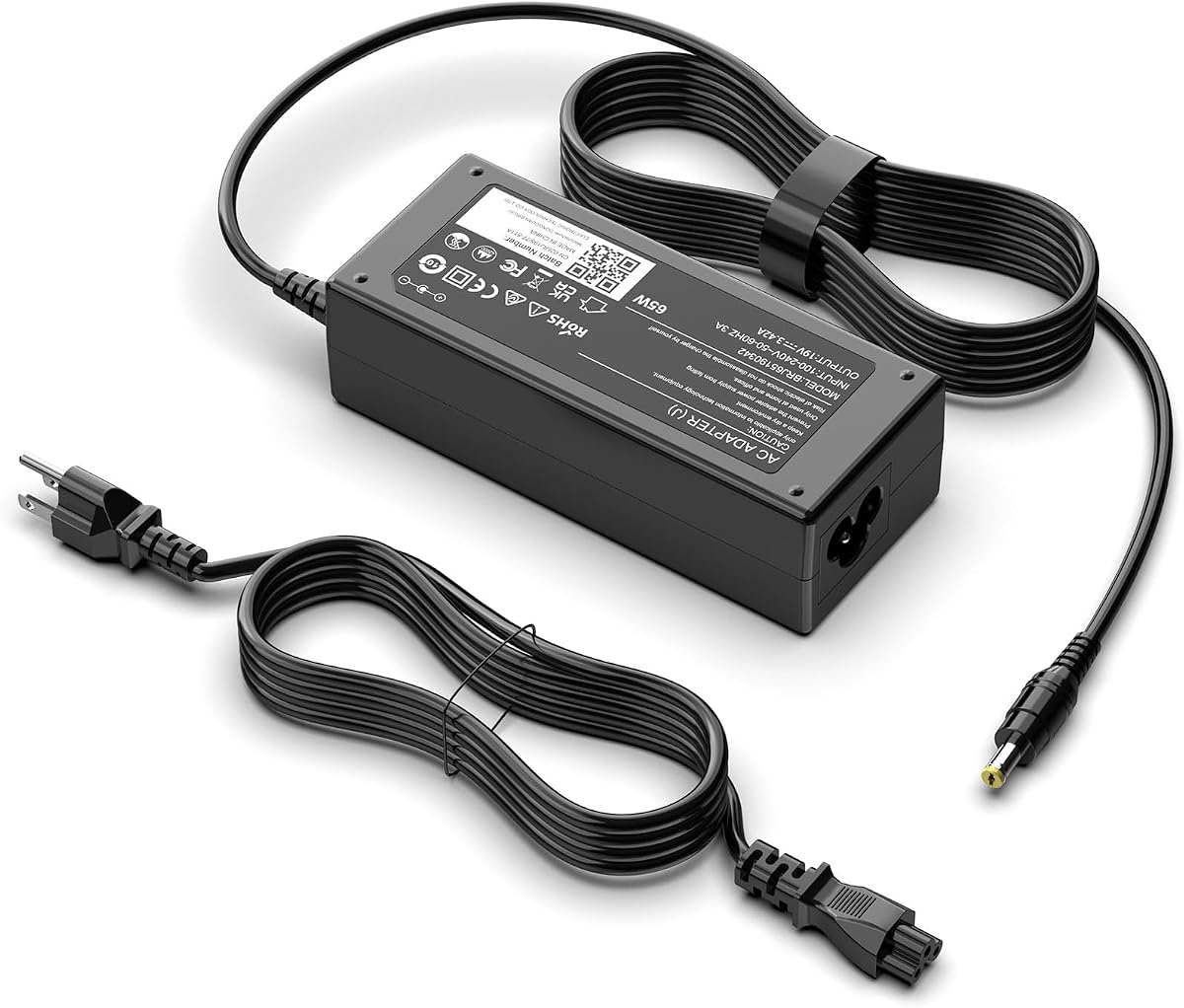


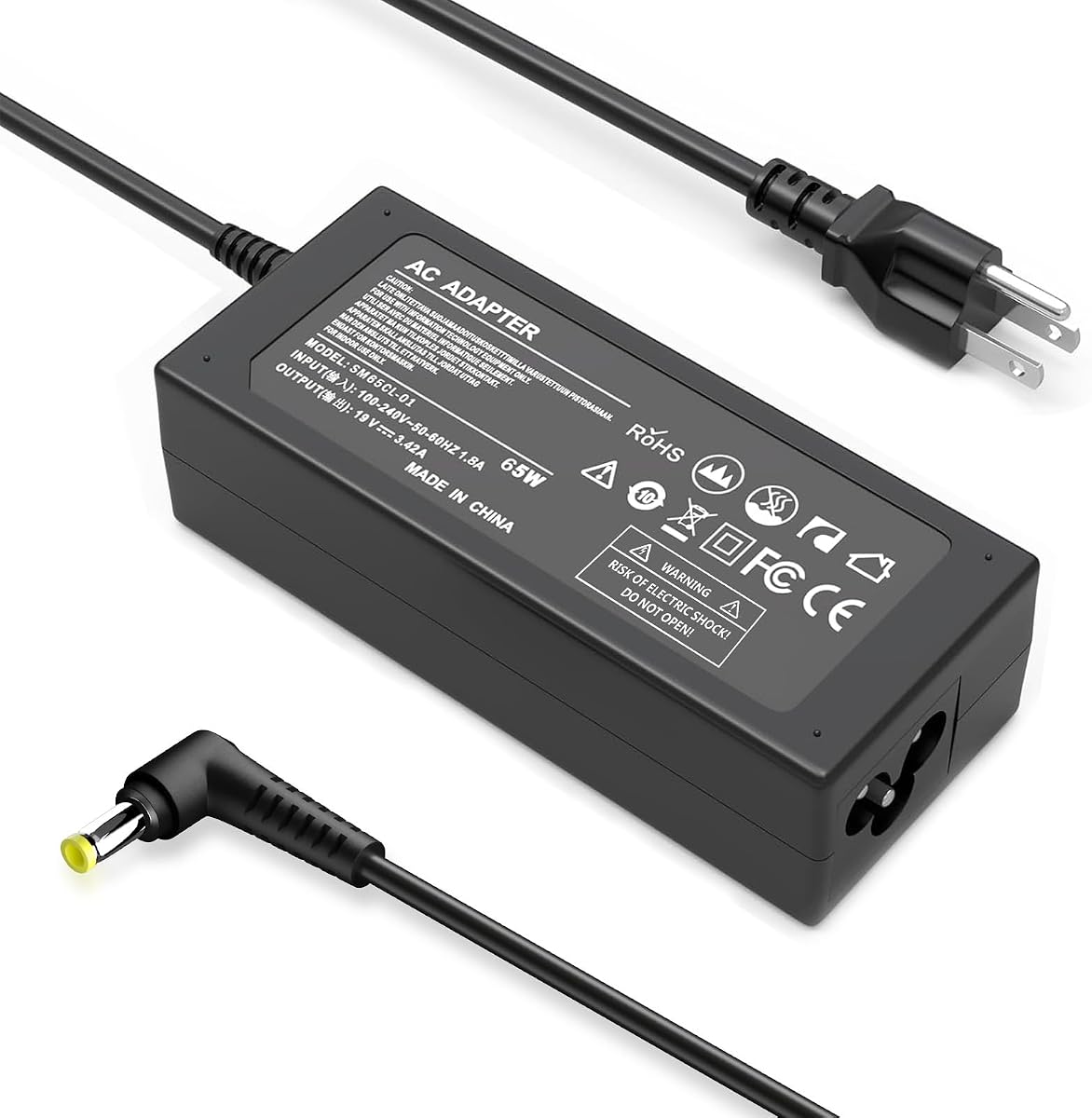
This power cord stands out as the top choice for most Acer monitor owners due to its robust safety features and extensive compatibility list. With a rating of 4.6 stars from numerous buyers, it delivers consistent performance across various monitor sizes and models.
We may earn a commission when you buy through this link, at no additional cost to you.
The 9.84 foot total cable length provides exceptional flexibility for desk setups, allowing you to place your power outlet far from your workspace without needing extension cords. Its strain eliminated tail cards ensure the cord resists damage from frequent bending or movement.
While the price may be slightly higher than budget options, the investment pays off through CE FCC and RoHS certifications that protect your device from voltage spikes and short circuits. The included 30 day refund and 12 month exchange policy further reduce purchase risk.
Anyone seeking a dependable replacement that prioritizes safety and convenience should choose this adapter. It is ideal for home offices or gaming setups where consistent power delivery is critical for uninterrupted viewing sessions.
The nearly ten foot cable allows flexible placement near walls or desks without compromising aesthetics or requiring additional extension cords for your monitor setup.
Built in over voltage and short circuit protection safeguards your monitor from electrical surges ensuring long term hardware integrity and user safety during operation.
We may earn a commission when you buy through this link, at no additional cost to you.
The ROLADA adapter offers excellent value for money while maintaining high safety standards and performance reliability. Users appreciate its 4.6 star rating which reflects consistent satisfaction across a wide range of Acer monitor models.
We may earn a commission when you buy through this link, at no additional cost to you.
It includes essential protections like over voltage and over current safeguards that prevent damage to your display during power fluctuations. The clear compatibility list helps buyers quickly verify if their specific monitor model is supported before purchasing.
While the cable length is standard compared to premium options, it remains sufficient for most home and office setups. The lack of premium features keeps the cost low without compromising core functionality or safety requirements.
Budget conscious buyers looking for a trustworthy replacement should consider this option. It balances cost and quality effectively making it a practical choice for everyday use without sacrificing critical safety features.
You get CE and FCC certifications without paying premium prices making this an accessible safe choice for users needing reliable monitor power replacement.
Extensive compatibility covers many older and newer Acer monitors ensuring you can find a match even if your device model is less common.
We may earn a commission when you buy through this link, at no additional cost to you.
This premium adapter includes advanced features like an LED indicator light that confirms power status at a glance. The fire retardant materials and multi IC solution provide enhanced protection compared to standard replacement cords on the market.
We may earn a commission when you buy through this link, at no additional cost to you.
Safety certifications like ETL and CE ensure the device meets strict quality standards for home and office use. The long cable length combined with these protective features makes it ideal for users prioritizing safety and convenience over cost savings.
While it carries a higher price point than budget alternatives, the added protections and warranty support justify the investment for high end monitor setups. Users report reliable performance over time with minimal issues or failures.
Tech enthusiasts or professionals requiring maximum uptime should opt for this premium choice. The combination of visual feedback, robust safety features, and durable construction makes it a top tier option for demanding environments.
The built in LED indicator lets you quickly verify the adapter is powered and ready without needing to check physical connections or monitor behavior.
High quality flame resistant materials reduce fire risks during electrical faults providing peace of mind for users in shared or residential office spaces.
We may earn a commission when you buy through this link, at no additional cost to you.
This adapter focuses on compact design while maintaining compatibility with a broad range of wattage requirements for various Acer monitor models. Its 4.3 star rating indicates solid performance though slightly lower than top ranked options.
We may earn a commission when you buy through this link, at no additional cost to you.
The ability to work with 40W and 45W devices adds flexibility if you plan to use the same adapter for other electronics. Safety certifications provide confidence in its reliability for daily use in home or office environments.
The shorter cable length may require careful placement or an extension cord for some desk setups. However, the compact size makes it easy to pack for travel or store in tight spaces when not in use.
Users needing a portable or space saving replacement will find this option appealing. It balances functionality and size well for those who prioritize physical footprint over extended cable reach.
The compact design makes it easy to include in travel kits or store in small drawers when you need a spare adapter on hand for backups.
Support for lower wattage devices expands its utility beyond just monitors allowing you to use one adapter for multiple compatible electronics in your setup.
We may earn a commission when you buy through this link, at no additional cost to you.
This replacement cord delivers consistent performance with a focus on durable construction and user convenience. The 4.3 star rating reflects dependable operation across various Acer monitor models without frequent technical issues.
We may earn a commission when you buy through this link, at no additional cost to you.
The multi IC solution provides automatic protection against overcurrent and overvoltage situations ensuring your display stays safe during power irregularities. The included cable length supports flexible desk arrangements without extra accessories.
While it does not feature unique premium design elements, its core functionality meets the needs of most users seeking a straightforward replacement. The warranty terms offer reasonable protection against potential defects during the initial ownership period.
Regular office workers or students needing a reliable power source will appreciate this balance of features and cost. It is a practical choice for everyday use without unnecessary complexity or expense.
Users report consistent performance with minimal disruptions making it suitable for workdays where uninterrupted access to your monitor is essential for productivity.
Built in safeguards activate when abnormal power levels are detected preventing damage to your monitor and ensuring safe operation even during electrical fluctuations.
We may earn a commission when you buy through this link, at no additional cost to you.
This adapter distinguishes itself with an anti interference magnetic ring that helps maintain a clean power signal for your monitor. The 4.4 star rating suggests users appreciate the stability and consistent performance it provides.
We may earn a commission when you buy through this link, at no additional cost to you.
The stable power supply ensures your display operates without flickering or unexpected shutdowns even when connected to varying power sources. This feature is particularly valuable for users in areas with unstable electrical grids or shared power setups.
While the magnetic ring adds value, the packaging is basic and may not impress users looking for premium unboxing experiences. However, the core functionality remains strong and meets the needs of most monitor owners effectively.
Users seeking reduced electrical noise and stable performance should consider this option. It is well suited for environments where power quality varies and reliable display operation is a priority.
The included magnetic ring minimizes electrical interference ensuring a cleaner power signal that can improve display stability and reduce potential visual artifacts.
Consistent voltage delivery prevents display flickering and protects sensitive components within your monitor from damage due to power irregularities during operation.
We may earn a commission when you buy through this link, at no additional cost to you.
This adapter offers worldwide voltage input allowing you to use it across different regions without needing additional transformers. Its 4.6 star rating reflects high satisfaction among users who value reliability and global usability.
We may earn a commission when you buy through this link, at no additional cost to you.
The 8.86 foot cable provides ample reach for most desk setups while maintaining a manageable length for cable management. The connector fits securely to prevent accidental disconnections during regular use or movement.
While the design is standard and lacks unique visual elements, the functional aspects are robust enough for daily needs. Safety features like over voltage protection ensure your device remains protected during power surges.
Travelers or users in different countries will appreciate the worldwide voltage support. It is a practical choice for anyone needing a dependable power solution that works across various electrical systems.
Support for 100 to 240 volts means you can use this adapter internationally without worrying about local voltage differences or needing separate adapters for travel.
The precise connector design ensures a snug fit that prevents accidental unplugging while maintaining safety and ease of connection during regular monitor operation.
We may earn a commission when you buy through this link, at no additional cost to you.
This power cord supports a broad range of screen sizes from 19.5 to 27 inches making it versatile for various Acer display models. The 4.5 star rating indicates strong user satisfaction with its performance and reliability.
We may earn a commission when you buy through this link, at no additional cost to you.
Heat resistant materials help maintain safety during extended use reducing the risk of overheating in confined spaces. The clear voltage specifications ensure users can verify compatibility before purchase with confidence.
While the cable length is standard, it remains sufficient for most home and office setups. The fire retardant casing adds a layer of safety that aligns with modern electrical safety expectations for consumer electronics.
Users with multiple monitor sizes or who need a versatile adapter will find this option useful. It provides broad support without requiring specific model knowledge before purchasing the right replacement.
Support for multiple screen sizes means one adapter can serve different monitors in your collection reducing the need to buy multiple specific replacements over time.
High temperature resistant materials prevent heat related issues during operation ensuring your adapter remains safe even after hours of continuous use in warm environments.
We may earn a commission when you buy through this link, at no additional cost to you.
This charger focuses on simplicity with a straightforward design that works effectively for most Acer monitor needs. The 4.4 star rating reflects consistent performance and value for users seeking a no fuss replacement.
We may earn a commission when you buy through this link, at no additional cost to you.
Safety certifications like CE FCC and RoHS provide assurance of quality and compliance with international standards. The six foot cable offers reasonable flexibility for desktop setups though it may be shorter than premium options.
While it lacks advanced features or premium packaging, the core function remains reliable for daily use. The affordable price point makes it an attractive option for budget conscious buyers who still want verified safety.
Users needing a basic reliable replacement without extra features will appreciate this choice. It is well suited for standard home or office use where simplicity and cost effectiveness matter most.
You get essential safety certifications without paying extra fees making it accessible for users who need reliable power protection on a strict budget.
No setup required means you can connect the adapter immediately and start using your monitor without configuring settings or waiting for software updates to begin.
We may earn a commission when you buy through this link, at no additional cost to you.
This adapter offers reliable performance with clear safety and compatibility information upfront. The 4.4 star rating shows that users find it dependable for daily use without significant technical problems.
We may earn a commission when you buy through this link, at no additional cost to you.
The detailed connector size specification helps prevent purchase errors by allowing buyers to verify physical compatibility before ordering. This transparency is valuable for avoiding returns or installation issues later.
While it does not offer premium features or extended warranties, the core functionality meets standard requirements for most Acer monitor models. The price point remains competitive for buyers seeking essential protection.
Users prioritizing straightforward specs and fair pricing will find this option suitable. It is a practical choice for those who want a safe working replacement without paying for extra features they do not need.
Clear connector details ensure you can verify compatibility quickly without contacting support reducing the risk of ordering the wrong adapter for your specific monitor.
Stable output ensures your monitor receives steady power which helps prevent unexpected shutdowns and maintains screen brightness during regular daily usage periods.
We may earn a commission when you buy through this link, at no additional cost to you.
Selecting the right power adapter requires understanding your monitor's voltage needs connector size and safety requirements. This guide outlines key factors to help you choose a reliable replacement without risking your device.
Always verify that the replacement adapter matches the voltage output of your original power supply. Most Acer monitors use 19V but amperage can vary between 1.3A and 3.42A. Using an adapter with lower amperage may cause unstable performance while higher amperage is generally safe if the voltage matches.
Check the label on your existing adapter or monitor manual for exact specifications before purchasing a replacement to ensure compatibility and safe operation.
The physical plug must match the port on your monitor to establish a proper connection. Most Acer monitors use a 5.5 x 1.7mm barrel connector but variations exist. An improper fit can lead to loose connections or potential electrical hazards.
Measure your current connector or compare images from the product listing to confirm the shape and dimensions match your device port before completing your purchase.
Look for adapters with recognized certifications like CE FCC or RoHS which indicate compliance with safety standards. These certifications mean the product has been tested for electrical safety and material quality reducing risks like overheating or short circuits.
Prioritize options that list multiple safety features and certifications to ensure long term protection for both your monitor and your home electrical system.
Consider how far your power outlet is from your desk when selecting an adapter. Some models include cables over nine feet long which provides flexibility for placement without needing extension cords. Shorter cables may be sufficient for setups where the outlet is close.
Measure your current cable length or estimate your setup needs to choose an adapter that offers convenient reach without cable management issues.
Review the product description to confirm your specific Acer monitor model is listed as compatible. Manufacturers often support multiple models under similar series but not all adapters fit every device. Verifying compatibility reduces the risk of purchasing an incompatible unit.
Search for your monitor model number in the product details or compare the part number against your original adapter to confirm it is a direct replacement option.
Check the warranty terms offered by the seller or manufacturer to understand what coverage you receive. Some providers offer 12 month exchanges or 30 day refunds which can protect against defective units. Reliable customer support is also important if you need assistance with installation.
Look for sellers that clearly state their warranty policy and contact information so you have recourse if the adapter fails within the supported period.
Efficient adapters convert power with less energy loss reducing heat generation during operation. While many adapters share similar wattage ratings look for those with energy efficient designs to minimize power consumption and keep your workspace cooler over time.
Choose adapters that emphasize energy efficiency to save on electricity costs and reduce environmental impact while maintaining reliable performance.
Inspect the materials used in the adapter casing and cable for durability. Fire retardant plastics and strain relief at the cable ends indicate a focus on long term reliability. Higher quality build materials can withstand frequent plugging and unplugging better.
Select adapters with robust construction features to ensure they last longer and resist wear from regular daily use in office or home environments.
Begin by unplugging your monitor from the power source before connecting the new adapter. Ensure the adapter plug matches the monitor port securely before plugging the wall cord into a functioning outlet. This prevents potential electrical damage during installation and ensures a stable connection.
Keep the adapter in a well ventilated area to avoid overheating during prolonged use. Avoid bending the cable sharply or placing heavy objects on it which can damage internal wires over time. Proper cable management helps maintain safety and extends the adapter's usable life.
Periodically inspect the adapter for signs of wear such as frayed wires or unusual heat. If you notice any damage or performance issues stop using it immediately and contact the seller for support. Regular checks help you address potential hazards before they affect your monitor or workspace.
You can use an adapter with equal or higher amperage than your original as long as the voltage matches. Using lower amperage may cause the monitor to turn off unexpectedly or not power on. Always check your monitor's label to confirm required amperage before purchasing.
Universal adapters may work if they match your voltage connector size and wattage requirements. However dedicated replacement adapters often provide better compatibility and safety features. Verify the specs on your current adapter before relying on a universal solution.
Check the small print on your original adapter or measure the plug diameter with calipers. Most Acer monitors use this standard size but some older models differ. Compare images from product listings to confirm the fit matches your monitor port exactly.
As long as the voltage and connector match wattage differences are generally acceptable if the adapter can supply the required power. Higher wattage adapters are safe but lower wattage ones may fail under load. Always ensure the adapter meets minimum wattage needs.
Look for CE FCC and RoHS certifications to ensure the product meets electrical safety and environmental standards. These certifications mean the adapter has been tested for quality and reduces risks like overheating. Avoid uncertified adapters that may lack proper safety testing.
If your cable does not reach your outlet consider using a certified extension cord designed for electronics. Ensure the extension does not exceed power rating limits to avoid safety hazards. Some adapters include longer cables that may eliminate the need for extra accessories.
Most quality adapters last several years with regular use but lifespan depends on usage patterns and power quality. Heat and physical stress can shorten the lifespan significantly. Proper care and avoiding overloading can help extend the usable life of your adapter.
Check that the adapter output matches your monitor requirements and that all connections are secure. Unstable power or voltage mismatches often cause flickering. If issues persist try a different outlet or test with another adapter to isolate the problem source.
Choosing the right power adapter involves balancing safety specifications and convenience for your specific setup. Our top picks offer reliable options for most users with clear compatibility details and safety certifications to guide your decision effectively.
Prioritize voltage and connector accuracy to avoid damage to your monitor. Safety features like overvoltage protection are essential for long term reliability and peace of mind during daily use in any environment.
Remember to check current availability and warranty details before buying since product offerings can change over time. A verified compatible adapter ensures your Acer monitor continues to perform reliably without interruptions or unexpected technical issues.