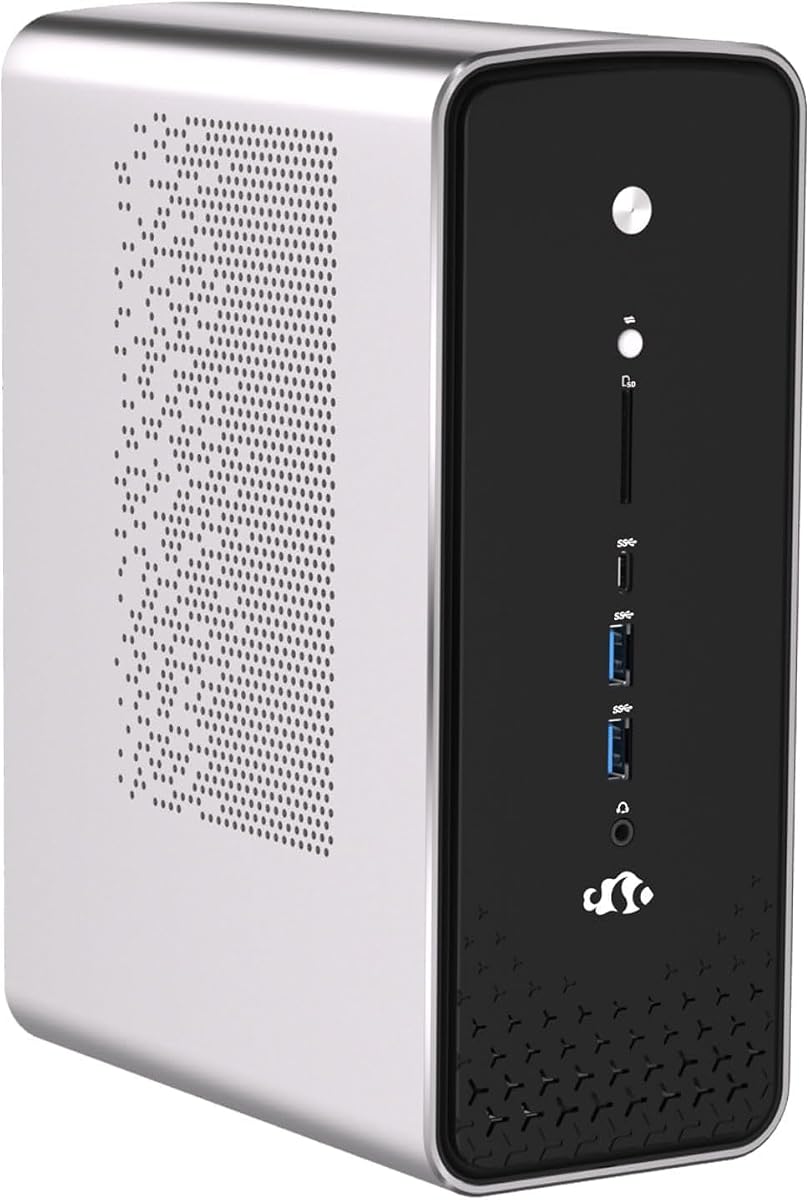
NIMO Mini PC AMD Ryzen AI Max+ 395
5.0Editor score
Dual OS Flexibility
Next-Gen Ryzen AI
Triple 4K Display Output
Explore the top Desktop PC with Ubuntu Pre Installed options for 2026. Our guide compares performance, specs, and value to help you choose the right Linux
Finding a Desktop PC with Ubuntu Pre Installed can streamline your workflow by eliminating the need for complex manual setup. These systems come ready to code browse, and create immediately upon unboxing. Whether you are a developer or a casual user, having a reliable Linux machine saves time and ensures compatibility with open-source tools.
We compared ten distinct models ranging from compact mini PCs to full-sized business towers. Each unit was evaluated based on processor power, memory capacity, storage speed, and overall build quality. Our analysis focuses on how well these devices handle daily tasks and heavy workloads while running the Ubuntu operating system efficiently.
Every pick in this list highlights specific strengths such as dual-boot flexibility or exceptional thermal management. You will see detailed specifications and real-world performance notes to guide your decision. Please note that availability and pricing can fluctuate frequently, so always verify the current offers before purchasing your next machine.
5.0Editor score

4.0Editor score
The following table provides a side-by-side look at all ten recommended desktop systems. It highlights key specifications to help you quickly identify which model best fits your specific computing needs and budget constraints.






The Beelink Mini PC SER9 Pro stands out as a top contender for anyone seeking a Desktop PC with Ubuntu Pre Installed. Its combination of modern AMD hardware and a pre-configured open-source environment makes it ideal for developers who need a ready-to-use workstation. The system arrives with Ubuntu already optimized, saving you the hassle of installation.
We may earn a commission when you buy through this link, at no additional cost to you.
At its heart lies the AMD Ryzen 7 255 processor paired with an impressive 24GB of LPDDR5X memory. This configuration ensures smooth multitasking even when running virtual machines or heavy development environments. The Radeon 780M graphics also provide decent performance for light gaming or media editing tasks without needing a discrete card.
While the compact size limits the number of physical ports, the available connectivity options like USB4 and 2.5G LAN are highly capable. The cooling system operates quietly which is perfect for office environments. Some users might find the storage limits tight but the PCIe 4.0 speed compensates by delivering fast boot times.
We recommend this system to professionals who need a compact yet powerful machine for coding or content creation. The pre-installed Ubuntu and OpenClaw software provide immediate utility. If you value performance in a small footprint and want to start working immediately after unboxing, this mini PC is a strong choice for your setup.
The ability to switch between Windows 11 Pro and Linux Ubuntu effortlessly allows users to tailor the environment to their specific tasks without reinstalling the system.
With high-frequency memory and a powerful CPU, this mini PC handles complex computational tasks and AI workflows locally without relying on external servers.
We may earn a commission when you buy through this link, at no additional cost to you.
The Dell OptiPlex 7070 SFF is a reliable business desktop known for its durability and expandability. Although it ships with Windows 11 Pro, its robust hardware makes it an excellent candidate for those who prefer to dual boot or install Ubuntu themselves. The 32GB of RAM is particularly generous for this generation.
We may earn a commission when you buy through this link, at no additional cost to you.
This system offers a solid foundation for productivity tasks thanks to the powerful i7 processor and fast NVMe storage. The inclusion of WiFi 6E ensures stable and quick wireless connections which is vital for modern remote work setups. The small form factor design fits easily into most office spaces.
While it lacks native Ubuntu pre-installation, the hardware support for Linux is generally strong on Dell systems. The renewed condition means you get a cost-effective option without sacrificing core functionality. Some users may need to manage drivers manually if switching to a Linux-based operating system.
This desktop is best suited for office environments where reliability and RAM capacity are key. If you need a machine that can handle heavy multitasking and have the technical know-how to install your preferred OS, this unit provides excellent value. It balances performance and price effectively for business users.
Designed for enterprise use, this chassis is built to withstand daily office usage and offers convenient access for internal component upgrades.
With 32GB of DDR4 RAM, users can run multiple virtual machines or browser tabs simultaneously without experiencing slowdowns or lag.
We may earn a commission when you buy through this link, at no additional cost to you.
The NIMO Mini PC is a flagship choice for users needing a powerful Desktop PC with Ubuntu Pre Installed. Its AMD Ryzen AI Max+ processor features a dedicated NPU that accelerates local AI workloads significantly. This makes it ideal for machine learning tasks that usually require cloud processing power.
We may earn a commission when you buy through this link, at no additional cost to you.
This system offers exceptional connectivity with USB4 ports and WiFi 7 support ensuring you are future-proofed for the latest networking standards. The triple display output capability allows for a multi-monitor setup that enhances productivity for trading or complex coding environments. The thermal management is also impressive given the power density.
While the price is high, the performance per watt justifies the investment for professionals. The dual OS flexibility means you can enjoy the best of both Windows and Linux without needing two separate machines. Some users might find the storage configuration fixed so expansion should be planned ahead.
We recommend this premium mini PC for AI researchers and power users who need maximum local processing power. The pre-installed Linux environment and high bandwidth memory make it a versatile workstation. If your budget allows and you need top-tier performance in a small package, this unit is unmatched.
The integrated NPU boosts local LLM execution and image generation allowing for rapid iteration without relying on internet connectivity.
With full speed USB4 and WiFi 7, this device supports external GPUs and ultra low latency wireless connections for seamless remote work.
We may earn a commission when you buy through this link, at no additional cost to you.
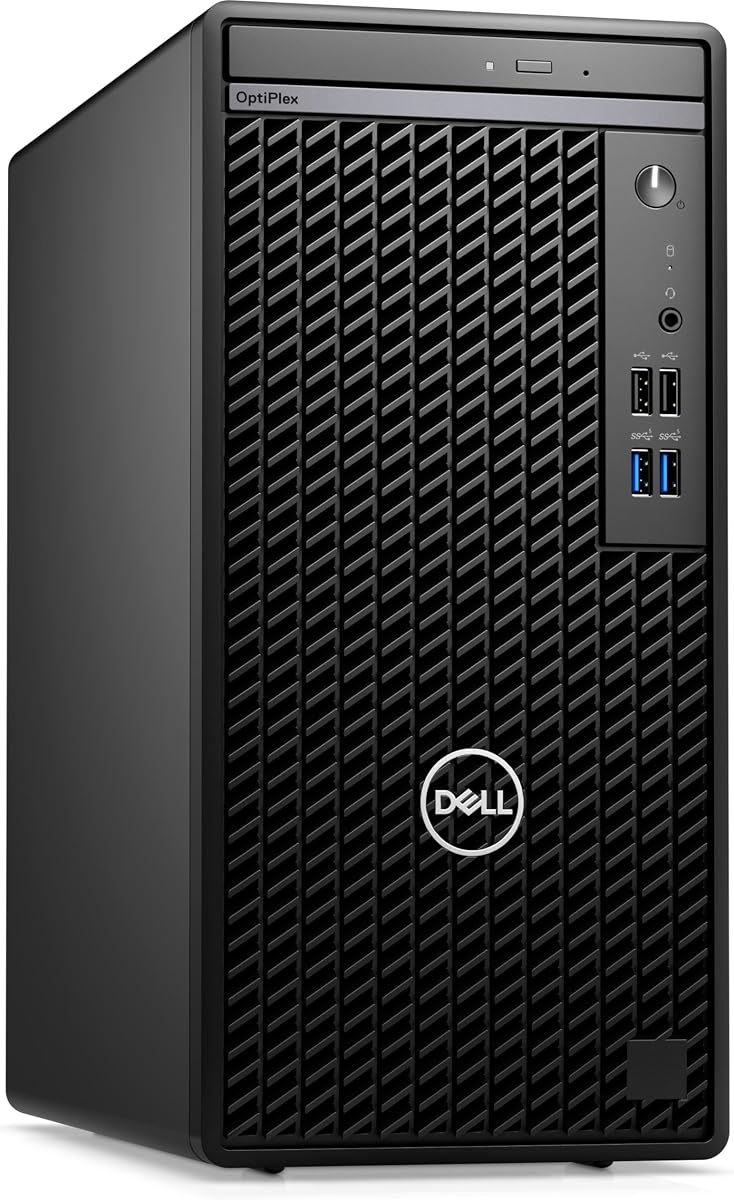
The Dell Optiplex 7010 MT offers an accessible entry point into the world of Linux desktops. It comes with Ubuntu 22.04 pre-installed which simplifies the initial setup process for new Linux users. The inclusion of a 13th Gen i5 processor ensures that daily tasks are handled with ease.
We may earn a commission when you buy through this link, at no additional cost to you.
Unlike many mini PCs this mini tower design allows for future upgrades to RAM and storage which adds longevity to the system. The array of ports including HDMI and DisplayPort makes connecting peripherals straightforward. It is a robust solution for small offices looking to reduce software costs.
The default RAM and storage are modest meaning you might need to upgrade immediately for heavier workloads. However the raw processing power is strong enough to handle modern applications efficiently. The Ubuntu installation is generally clean providing a fresh start for your operating system needs.
This system is perfect for startups or home users who need a reliable Linux machine without spending a fortune. The ability to upgrade components later makes it a smart long-term investment. If you want a Desktop PC with Ubuntu Pre Installed that you can customize over time this model is ideal.
With Ubuntu ready out of the box users can focus on their work immediately without needing to navigate complex installation wizards.
The mini tower form factor provides enough internal space to add more memory or larger drives as your storage needs grow.
We may earn a commission when you buy through this link, at no additional cost to you.
This renewed Dell Optiplex 7050 SFF offers a compact solution with strong memory and storage specs. While it ships with Windows the hardware quality is high enough to support a Linux installation if desired. The 32GB of RAM makes it capable of handling demanding office applications smoothly.
We may earn a commission when you buy through this link, at no additional cost to you.
The small form factor design saves desk space while still offering plenty of ports for dual monitor setups. Wireless connectivity is included which adds convenience for peripherals. The condition of these renewed units is typically excellent making them a safe bet for budget-conscious buyers.
You may need to update drivers or install Ubuntu manually since it does not come pre-installed. However the underlying hardware is well supported by open source communities. The SSD provides fast boot times which keeps your workflow moving efficiently throughout the day.
Ideal for general office use this unit balances cost and capability effectively. If you are comfortable modifying the operating system you can get a very capable Linux desktop for a fraction of the price of new systems. It is a solid backup or secondary workstation option.
The slim chassis allows the PC to sit vertically or horizontally freeing up valuable workspace on your desk.
With 32GB of RAM this system can run multiple heavy applications simultaneously without performance degradation.
We may earn a commission when you buy through this link, at no additional cost to you.
The Dell Optiplex 7060 SFF strikes a good balance between performance and size. It features an 8th Gen i7 processor and NVMe storage which ensures quick data access and smooth multitasking. While the OS is Windows the hardware is compatible with Linux if you wish to install it.
We may earn a commission when you buy through this link, at no additional cost to you.
This model includes a wireless keyboard and mouse which is a nice addition for a clean desk setup. The 32GB RAM allows for heavy multitasking which is beneficial for developers or analysts. The renewed status offers a cost-effective way to access enterprise-grade hardware.
Users should be aware that driver support for Linux might require some tweaking compared to newer hardware. The NVMe drive is a significant upgrade over older SATA drives though. The compact design fits well in home offices where space is a premium.
We suggest this for users looking for a reliable daily driver that can handle mixed workloads. If you need a machine that is ready for Linux you may need to do a clean install. It is a good value for a refurbished business desktop with high specs.
The 512GB NVMe SSD provides much faster read and write speeds than traditional hard drives improving system responsiveness.
Included wireless peripherals reduce cable clutter on your desk making the workspace look more organized and professional.
We may earn a commission when you buy through this link, at no additional cost to you.
The Dell Optiplex 5050 SFF is a compact business desktop that offers reliable performance for standard tasks. The 16GB of RAM and 512GB NVMe SSD provide a solid baseline for most office applications. Although it runs Windows the build quality is typical of Dell business units.
We may earn a commission when you buy through this link, at no additional cost to you.
The small form factor helps save space on crowded desks or shelves. The renewed condition often means the system has been tested and certified for functionality. The NVMe drive ensures that the system boots up quickly which is helpful for short work sessions.
Linux users should note that this hardware is somewhat older but still supported by modern distributions. You may need to manually install the operating system to get a Linux environment. For general web browsing and document editing this machine is more than capable of the job.
This is a good choice for light home office use or as a secondary computer. If you are looking to run Ubuntu you might need to install it yourself. It is an affordable way to get a branded business desktop that performs well for daily tasks.
The slim design allows the PC to be placed vertically or horizontally to fit various desk configurations efficiently.
The NVMe SSD ensures that the operating system starts up rapidly improving productivity for users on the go.
We may earn a commission when you buy through this link, at no additional cost to you.
The Dell Pro Micro QCM1250 is a very small but modern business desktop. It features an Ultra 5 processor and DDR5 memory which offers a performance boost over previous generations. Ubuntu is included which means you have an open source environment ready to use.
We may earn a commission when you buy through this link, at no additional cost to you.
The compact size makes it easy to mount behind a monitor using a VESA bracket for a clean setup. The inclusion of newer connectivity standards like Bluetooth 5.4 ensures good compatibility with modern peripherals. The build quality is typical of Dell professional mini PCs.
With 8GB of RAM you may find performance limiting when running many apps at once. Ubuntu 18.04 is also an older version which might require an update to get the latest features. However the hardware is capable of handling basic productivity tasks without issues.
We recommend this for users who need a tiny footprint and basic Linux functionality. If you plan to upgrade RAM or update the OS this unit is a good starting point. It is a versatile choice for digital signage or light office tasks.
The inclusion of DDR5 RAM provides faster data access and better efficiency than older DDR4 standards.
The VESA mount capability allows you to hide the PC behind your monitor to free up desk space.
We may earn a commission when you buy through this link, at no additional cost to you.
The ASUS NUC 14 Pro brings high-end specs to a compact Linux-friendly form factor. Pre-installed with Linux Mint it offers a stable and user-friendly open source environment for developers and creators. The Ultra 7 processor provides significant processing power for local AI and rendering tasks.
We may earn a commission when you buy through this link, at no additional cost to you.
Connectivity is excellent with Thunderbolt 4 and WiFi 6E which support fast data transfers and wireless speeds. The DDR5 memory ensures that the system stays responsive during heavy workloads. It is designed to be a portable powerhouse that fits easily into a backpack.
Some users have reported issues with driver compatibility so checking the latest community support is advisable before purchase. The system is best suited for those who value modern hardware features and Linux stability. The Arc graphics also add value for multimedia content creation.
We recommend this unit to developers who need a portable Linux machine for remote work. The pre-installed OS saves time and the hardware is future-proof. If you can navigate potential software setup hurdles the performance and portability are worth the investment.
Linux Mint provides a familiar interface that helps users transition from other operating systems without a steep learning curve.
Thunderbolt 4 ports allow for fast external storage and high resolution displays essential for modern workflows.
We may earn a commission when you buy through this link, at no additional cost to you.
The ASUS PB64 Full System is a modern mini PC with top-tier security features. It ships with Windows 11 Pro but the hardware is robust enough to run Linux if installed. The toolless chassis makes it easy to maintain and upgrade components without special tools.
We may earn a commission when you buy through this link, at no additional cost to you.
TPM 2.0 ensures that your data remains secure from physical and software threats which is critical for business use. The latest Ultra 7 processor provides excellent performance for productivity and light creative work. The compact size allows for flexible placement in any office environment.
Ubuntu users will need to handle the OS installation themselves which adds a step to the setup process. The build quality is high ensuring that the system will remain stable for a long time. It is a strong contender for enterprise users prioritizing security.
We suggest this for professionals who need a secure and powerful desktop in a small package. If you want a Linux environment be prepared to install it manually. The security features and modern hardware make it a worthwhile investment for business users.
Hardware TPM 2.0 provides robust encryption and authentication to protect sensitive corporate data effectively.
The chassis design allows easy access to internal components making upgrades and maintenance simple and quick.
We may earn a commission when you buy through this link, at no additional cost to you.
Selecting the right Desktop PC with Ubuntu Pre Installed requires understanding both hardware capabilities and OS support. This guide breaks down key factors to help you choose a system that fits your technical needs.
Some units ship with Ubuntu pre-installed saving you setup time. Others may require you to install Linux manually which can be a good option for advanced users.
Look for machines where the hardware is explicitly supported by the open-source community to avoid driver issues.
Modern processors like AMD Ryzen or Intel Core Ultra provide excellent performance for coding and virtualization tasks.
Ensure the CPU has enough cores to handle multitasking without slowing down your workflow.
Linux generally uses less RAM than Windows but modern development environments require significant memory.
Aim for at least 16GB of RAM for smooth performance with multiple applications open.
NVMe SSDs are the standard for fast boot times and application launches in Linux systems.
Ensure the drive has enough capacity for your projects and backups to avoid running out of space quickly.
Check for sufficient USB and Ethernet ports to support your peripherals and external drives.
Modern standards like USB4 or Thunderbolt offer better speeds for external displays and storage.
Integrated graphics are usually sufficient for desktop use but discrete GPUs may be needed for heavy graphical work.
Verify that the Linux kernel supports the GPU you choose to avoid rendering issues.
Smaller cases run hotter so ensure the system has adequate cooling to prevent thermal throttling.
Look for quiet fans if you plan to use the PC in a shared workspace.
Reputable brands offer better support channels which is helpful if you encounter hardware issues.
Check if the warranty covers parts and labor for peace of mind with your purchase.
After receiving your new Desktop PC with Ubuntu Pre Installed take a moment to update the system packages. Running sudo apt update and upgrade ensures you have the latest security patches and software versions.
Ensure proper airflow by placing the computer in a well-ventilated area. Dust buildup can clog fans and reduce cooling efficiency so regular cleaning is important for longevity.
Backup your data regularly using built-in tools or cloud services. Protecting your work from hardware failure or accidents is a critical step for any desktop user.
Ubuntu Pre Installed means the operating system is already loaded on the computer when you buy it. This saves you the need to manually install Linux and ensures basic drivers are set up correctly.
Yes you can usually install Ubuntu on any compatible hardware. However pre-installed systems guarantee better driver support and save you the setup effort of configuring the OS yourself.
Ubuntu is becoming more gaming friendly thanks to Steam Proton. While not every title works natively the performance is decent for many modern games and indie titles.
Linux is the kernel while Ubuntu is a distribution that packages the kernel with software. Ubuntu is one of the most popular user friendly versions of Linux for desktops.
Standard hardware works well but some features like Wi-Fi or Bluetooth may need proprietary drivers. Most modern systems include these drivers for smooth operation out of the box.
Ubuntu is secure due to its architecture and regular updates. It lacks the malware targeting Windows which makes it a safer choice for general users.
We have reviewed ten diverse systems that cater to different needs from budget-friendly mini PCs to powerful AI workstations. The Beelink SER9 Pro and NIMO Mini PC stand out for their balance of performance and OS flexibility.
When choosing prioritize the processor and memory capacity to ensure your machine remains relevant as software demands grow. Pre-installed options save time but manual installation offers more customization if you have the skills.
Prices and stock change frequently so verify current details before finalizing your purchase. Investing in a Desktop PC with Ubuntu Pre Installed can significantly streamline your workflow and provide a stable environment for productivity.