
Victrix Pro BFG Wireless
4.2Editor score
Swappable modules
Three D-pads included
Wireless connectivity
This guide compares the top D pads for fighting games to help you choose the right controller for precision inputs and tournament performance.
Finding the right D pad for fighting games is crucial for executing combos and special moves with precision. A quality controller ensures your inputs register accurately without delay.
We evaluated ten top-rated controllers based on build quality, D pad design, and compatibility. Our list covers wired and wireless options for various gaming platforms.
Each pick highlights key features and potential trade-offs to guide your decision. Remember that availability and stock may change, so verify details before purchasing.
4.2Editor score

4.1Editor score

4.0Editor score
The following table provides a side-by-side comparison of all ten products to highlight their unique specifications and compatibility.




This wired pro controller is designed for fighting games on PlayStation and PC. It holds a solid rating and offers tournament-grade features for serious players.
We may earn a commission when you buy through this link, at no additional cost to you.
Top-quality components like Micro Switch buttons ensure accuracy. The adjustable D-Pad sensitivity and 8-way gate increase execution speed during intense matches.
While it lacks wireless capability, the wired connection guarantees zero latency. The customization app adds flexibility for different fighting game styles.
Competitive players seeking precision should consider this model. It balances performance and reliability for daily use and tournament play.
The Micro Switch buttons provide crisp feedback essential for rapid combos.
Users can tweak D-Pad settings to match their preferred finger pressure.
We may earn a commission when you buy through this link, at no additional cost to you.
Engineered for gaming, this controller offers tons of customizable options. It is the new standard for PlayStation and PC gaming enthusiasts.
We may earn a commission when you buy through this link, at no additional cost to you.
The ultimate modularity includes a 6-button fight pad module and three different D-pads. You can map functions to back buttons for efficiency.
Its premium price reflects the advanced features like Sony 3D audio. Wireless connectivity is convenient but requires battery management.
Players wanting the ultimate controller setup will appreciate the modularity. It adapts well to various games and play styles.
Swap modules to fit your hand size or game genre preferences easily.
Low latency audio helps hear enemy movements for better awareness.
We may earn a commission when you buy through this link, at no additional cost to you.
This classic 6-button layout controller is ideal for fighting games. It offers Hall Effect joystick precision at an accessible price point.
We may earn a commission when you buy through this link, at no additional cost to you.
The 8-way D-pad makes diagonal inputs effortless for special moves. It connects wirelessly to Switch, PC, and Android without adapters.
Build materials may not match premium tiers but functionality remains strong. The turbo function helps with repetitive attack sequences efficiently.
Casual gamers or those new to fighting games benefit from this value. It covers most platforms and offers decent ergonomics.
Connect to multiple systems seamlessly for versatile gaming sessions.
Hall Effect technology ensures drift-free analog input for movement.
We may earn a commission when you buy through this link, at no additional cost to you.
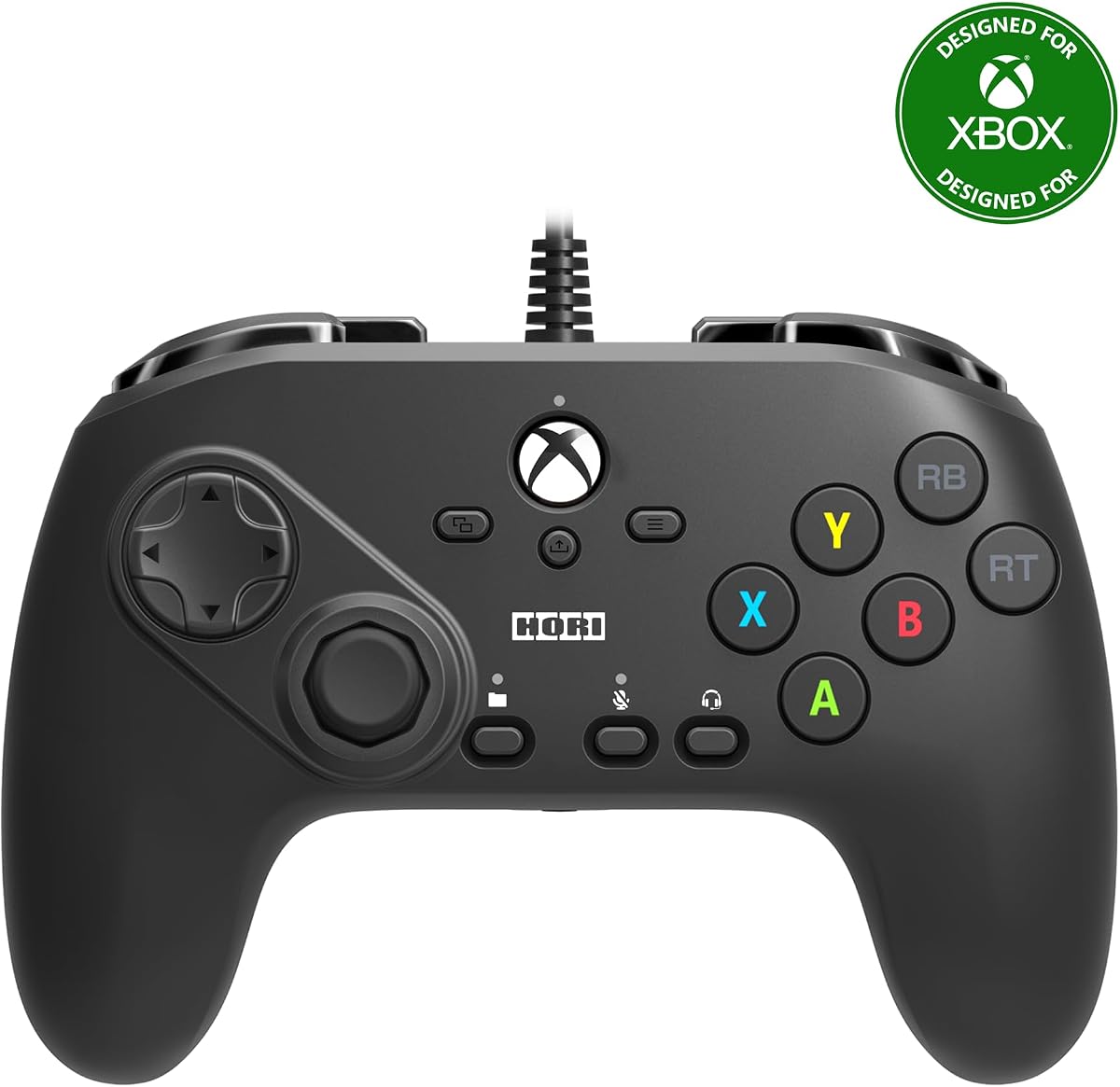
Optimized for fighting games on Xbox Series X|S and One. It features a six-button layout and Micro Switch buttons for durability.
We may earn a commission when you buy through this link, at no additional cost to you.
Customize and save up to four profiles using the companion app. The adjustable D-Pad helps increase accuracy during complex inputs.
While wired, it ensures stable connection for competitive play. The rating suggests some users may prefer wireless alternatives.
Microsoft platform players looking for official licensing should consider this. It is a functional tool for serious Xbox fighting fans.
Microsoft certification guarantees full support for Xbox features.
Switch between game profiles quickly using the profile button.
We may earn a commission when you buy through this link, at no additional cost to you.
This officially licensed controller for Xbox supports Series X|S and One. It features a classic 6-button layout perfect for fighting games.
We may earn a commission when you buy through this link, at no additional cost to you.
USB-C wired connection ensures virtually lag-free performance. Custom profile switches allow you to switch profiles on the fly.
The software support adds utility but hardware customization is limited. It is a solid choice for traditional arcade-style inputs.
Players prioritizing low latency will find this model reliable. Its design focuses on essential features for competitive play.
Wired USB-C connection eliminates wireless interference issues.
Manage up to three distinct control profiles efficiently.
We may earn a commission when you buy through this link, at no additional cost to you.
Features an all-button arcade layout with quad-movement design for precision. It is wireless and compatible with Xbox and Windows PC.
We may earn a commission when you buy through this link, at no additional cost to you.
The leverless design allows for ultra-fast inputs and accuracy. Its compact size makes it easy to fight anytime and anywhere.
Hot-swappable PCB allows customization with other switches. The lack of a joystick changes how inputs are registered.
Fighting enthusiasts wanting a modern twist should explore this. It offers unique benefits for speed-oriented players.
Achieve movement without a traditional stick using directional buttons.
Swap mechanical switches to match your tactile preferences.
We may earn a commission when you buy through this link, at no additional cost to you.
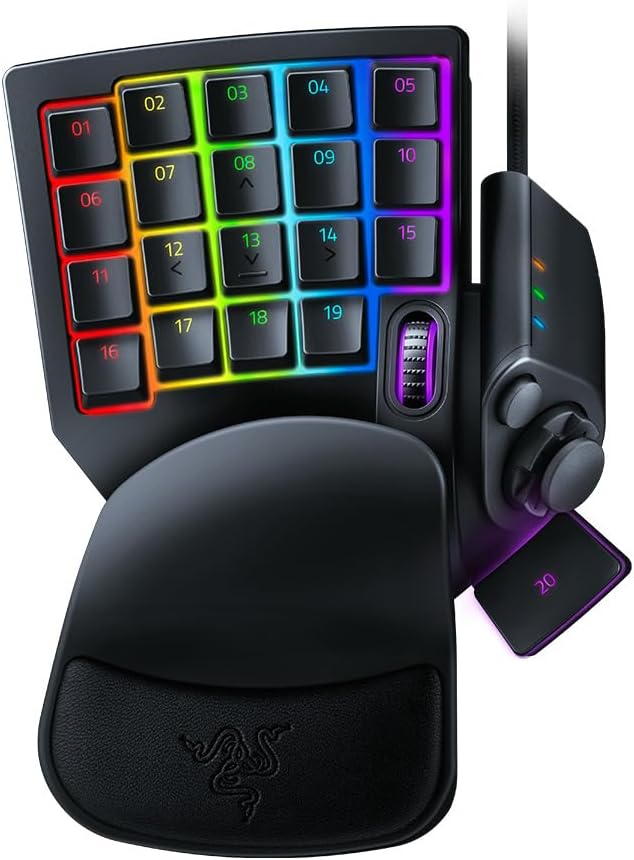
This keypad uses analog-Optical switches for rapid trigger functionality. It is designed for PC gaming and offers customizable macros.
We may earn a commission when you buy through this link, at no additional cost to you.
The thumbpad allows for natural movement controls similar to controllers. Adjustable actuation lets you customize sensitivity for your style.
PC players can benefit from the 32 programmable keys. The learning curve may be steep for console users.
Those looking for high customizability on PC should consider this. It offers unique advantages for complex inputs and combos.
Keys reset instantly for faster repeated keystrokes during combos.
Ergonomic thumbpad provides more natural movement than sticks.
We may earn a commission when you buy through this link, at no additional cost to you.
Features a thinner lighter build with an added rim for style. It uses a Raspberry Pi chip for ultra low latency inputs.
We may earn a commission when you buy through this link, at no additional cost to you.
Web browser access allows easy configuration and firmware updates. The hot-swappable technology lets you replace mechanical keys easily.
Latency is minimal ensuring no leakage of frames during play. However, setting it up requires some technical engagement.
Tech-savvy players wanting precise timing should use this. It offers strong support and flexibility for competitive gaming.
Configure controller settings directly through a web browser interface.
Hardware ensures frame-perfect inputs for competitive advantage.
We may earn a commission when you buy through this link, at no additional cost to you.
This wireless arcade stick supports Switch and PC modes. It allows customization of button mapping and macro creation via software.
We may earn a commission when you buy through this link, at no additional cost to you.
Dynamic button layout changes visual layout when switching platforms. You can swap out arcade buttons for personalized preferences.
Battery life is strong with 40 hours on 2.4g connection. The moddable design encourages creativity and customization.
Switch players looking for wireless convenience will like this. It combines retro style with modern wireless functionality.
Visual buttons adjust automatically when changing console modes.
Swap buttons to suit your favorite arcade standards.
We may earn a commission when you buy through this link, at no additional cost to you.
A transparent acrylic material with RGB lighting offers a unique look. It uses hot-swappable technology for convenient mechanical key replacement.
We may earn a commission when you buy through this link, at no additional cost to you.
Ultra low 1ms delay ensures no frame leakage during play. You can create custom skins to make the controller look cooler.
Built-in web configuration simplifies complex settings management. It requires a shift from traditional arcade stick usage.
Players who value aesthetics and tech will enjoy this model. It provides a comfortable feeling for personalized fighting setups.
Acrylic body allows RGB lighting to create a unique visual effect.
Multiple modes offer flexibility for different gaming devices.
We may earn a commission when you buy through this link, at no additional cost to you.
Selecting the right controller involves evaluating several technical and ergonomic factors to ensure optimal performance.
The D-Pad is critical for precise inputs. Look for models with adjustable sensitivity or disc D-pads to reduce accidental inputs during fast combos.
Prioritize D-Pads with clear tactile feedback to enhance execution speed.
Wired controllers offer zero latency but limit mobility. Wireless options provide freedom but require battery management and may have slight lag.
Choose wired for tournaments and wireless for casual or home play.
Six-button layouts are standard for modern fighters while four-button suits retro titles. Ensure the spacing allows easy access to all functions without strain.
Ergonomic placement helps maintain consistent execution over long sessions.
Some controllers allow swapping sticks or D-Pads to suit grip styles. Customization options let you tailor the controller to your specific needs.
Look for hot-swappable parts if you want to upgrade components later.
Check that the controller supports your primary gaming platform. Official licensing often ensures better stability and feature support.
Verify if adapters are needed for consoles like PS4 or Switch.
Durability is key for intense gaming sessions. High-quality components like Micro Switches or Hall Effect joysticks ensure longevity and accuracy.
Invest in solid materials to prevent wear and tear over time.
Advanced controllers support macro programming and profile switching. These features help streamline complex inputs and adapt to different games.
Select models with app support if you need extensive customization.
Fighting controllers range from budget-friendly to premium. Determine your priority features before deciding on a price point.
Affordable options can still deliver solid performance for beginners.
Start by connecting the controller and ensuring it is recognized by your device. Calibrate settings using the companion app if available.
Clean buttons and D-Pads regularly to maintain responsiveness. Use compressed air to remove dust from internal mechanisms.
Store the controller in a dry place to prevent damage. Avoid exposing it to extreme temperatures or moisture to ensure longevity.
A D-Pad is typically preferred for precise directional inputs. Joysticks offer analog movement but may lack the crispness needed for special moves.
High-quality wireless controllers use low latency technology to minimize lag. However, wired options still offer the most consistent performance.
Not all controllers support every system. Check product descriptions to confirm compatibility with your console or PC before buying.
Many models allow adjustments via a companion app. Look for settings that let you tweak response curves or travel distance.
Micro Switch buttons are durable components designed for precise actuation. They provide clear tactile feedback ideal for rapid inputs.
Most options listed support PC connectivity via USB or Bluetooth. Verify system requirements to ensure seamless integration.
Drift is less common with Hall Effect joysticks. For traditional sticks, cleaning or replacing the module may resolve the issue.
Six buttons are standard for modern fighters. Four-button layouts are sufficient for retro titles but may limit functionality in newer games.
We reviewed ten top controllers ranging from wireless to wired options. Each offers unique features tailored to different play styles and platforms.
Prioritize build quality and D-Pad design for the best results. Customization and compatibility are also essential factors to consider.
Prices and stock change frequently so check current availability before buying. Select the controller that best fits your personal needs.