
havit HV-F2056 Laptop Cooling Pad
4.4Editor score
Ultra-portable slim design
Three ultra-quiet fans
Two adjustable height settings
Gaming laptops like MSI Raider and Vector models push hardware limits, generating intense heat that demands effective cooling solutions to maintain peak performance during long sessions.
We compared ten top-rated cooling pads focusing on airflow capacity, noise levels, ergonomic design, and compatibility with various MSI laptop sizes to find the best options available.
Each pick highlights specific strengths like smart fan control or RGB lighting while noting trade-offs so you can choose the right cooler for your setup and budget easily.
4.4Editor score

4.4Editor score

5.0Editor score
As an Amazon Associate we earn from qualifying purchases.
This side-by-side comparison evaluates all ten selected cooling pads based on key specifications like fan count, size compatibility, noise levels, and special features to help you decide quickly.


This Razer cooling pad stands out with its intelligent fan control that adjusts speeds automatically based on system load and temperature settings via Synapse software.
We may earn a commission when you buy through this link, at no additional cost to you.
Its airtight pressure chamber design ensures maximum airflow efficiency while three magnetic frames allow perfect fit and air pressure for laptops from 14 to 18 inches.
While expensive compared to basic pads the smart features and build quality justify the cost for users seeking maximum thermal performance without manual fan adjustments.
Buyers prioritizing automated cooling and brand integration with Razer systems will find this is the most advanced option for keeping MSI laptops cool during gaming.
The adaptive fan system monitors workload and changes speeds without user input keeping temperatures low while minimizing noise when full power is not needed.
Through Razer Synapse you can calibrate fan curves for specific noise or temperature goals remap buttons and even unlock HyperBoost for compatible Blade laptops.
We may earn a commission when you buy through this link, at no additional cost to you.
The havit HV-F2056 delivers solid cooling performance at a budget-friendly price with three ultra-quiet fans that create a nearly silent environment during use.
We may earn a commission when you buy through this link, at no additional cost to you.
Its slim metal mesh construction provides stable surface support while doubling as an ergonomic stand with two height settings for better posture during long gaming sessions.
Although it lacks advanced fan control or RGB lighting this pad offers reliable temperature reduction and portability ideal for students or casual gamers on a tight budget.
Anyone needing a simple cost-effective way to improve airflow under their MSI laptop without extra features or complexity should consider this dependable cooling pad option.
The three fans are designed to run with minimal noise allowing you to focus on games or work without distracting fan hum even when operating continuously.
With two adjustable height settings the pad doubles as a stand raising your screen to eye level reducing neck strain during extended laptop usage periods.
We may earn a commission when you buy through this link, at no additional cost to you.
This dedicated MSI cooling pad is engineered to handle high-heat gaming laptops with a powerful turbofan capable of reducing CPU and GPU temperatures by up to 40 degrees.
We may earn a commission when you buy through this link, at no additional cost to you.
Its sealed wind pressure design combined with industrial-grade turbofans ensures aggressive airflow while RGB lighting and a USB-C hub add style and connectivity for peripherals.
While the fan noise can reach 60 dB at maximum speed the performance gains are substantial for users running demanding AAA games or rendering tasks for long periods.
Gamers with MSI Raider series laptops seeking the most effective thermal reduction and don't mind occasional noise will appreciate this purpose-built high-performance cooling solution.
The super powerful turbofan pushes high pressure airflow directly into bottom intakes quickly lowering component temperatures to prevent thermal throttling during gaming sessions.
An extremely dense filtration mesh seals out dust at the origin protecting your laptop internals and reducing the need for frequent cleaning maintenance over time.
We may earn a commission when you buy through this link, at no additional cost to you.
Designed specifically for MSI Vector and Creator series laptops this cooling pad delivers powerful thermal management with sealed wind pressure and a high-speed turbofan motor.
We may earn a commission when you buy through this link, at no additional cost to you.
Features like retractable side panels prevent slipping while foldable footrests accommodate laptop sizes from 14 to 18 inches ensuring stable positioning during intense use.
The air duct design helps reduce noise levels compared to standard fans though max speeds still produce noticeable sound for those sensitive to operating noise levels.
Owners of MSI Vector or Creator models will benefit most from this specialized cooling pad that targets the specific ventilation layout of these gaming and creative laptops.
Retractable side panels adapt to different laptop widths keeping your device firmly in place while maximizing the seal between the pad and your laptop bottom.
A built-in USB-C data input with three USB transmission ports lets you connect keyboards mice or drives directly to the cooler freeing up laptop ports.
We may earn a commission when you buy through this link, at no additional cost to you.
The Kootek cooling pad features five built-in fans including one large central fan and four smaller side fans providing extensive airflow coverage for laptops from 12 to 17 inches.
We may earn a commission when you buy through this link, at no additional cost to you.
Users can control fan combinations via on-off switches to balance cooling performance and noise while six ergonomic height settings ensure comfortable viewing angles for various tasks.
Although the blue LEDs are not dimmable the whisper-quiet operation and dual USB hub make this a practical choice for users needing reliable cooling and extra connectivity options.
Anyone seeking a versatile multi-fan solution with extensive adjustability and affordable price will find this Kootek pad offers solid cooling performance for everyday gaming or work.
Two on-off switches let you choose between running one four or all five fans allowing you to tailor noise levels and cooling capacity to current needs.
Six adjustable height settings let you customize the viewing angle for gaming watching movies or typing reducing physical strain during long laptop usage sessions.
We may earn a commission when you buy through this link, at no additional cost to you.
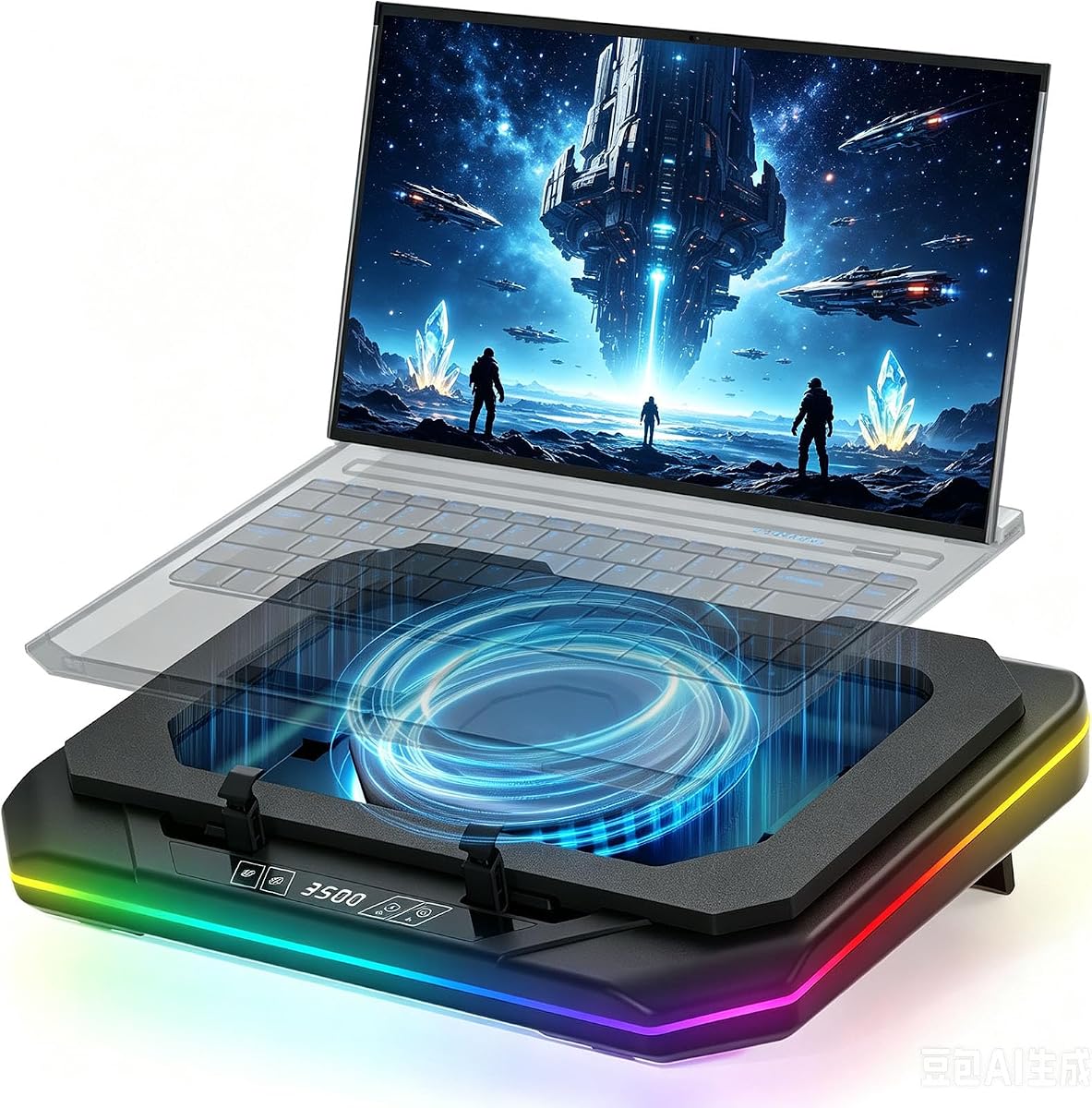
This ChillCore pad features nine super cooling fans arranged to cover larger laptops from 15.6 to 19.3 inches while offering ten RGB modes for customizable gaming atmosphere lighting.
We may earn a commission when you buy through this link, at no additional cost to you.
An LCD display shows current fan speed in real time allowing intuitive touch control while eight height stands provide ample ergonomic adjustments for comfortable long-term use.
Capacitor components added to each fan reduce operating noise making it almost quiet even at maximum setting though nine fans naturally produce more sound than fewer units.
Users with larger gaming laptops who value RGB aesthetics and visual feedback on fan speed will enjoy the immersive cooling experience this multi-fan system delivers.
The LCD display reads out current fan speed clearly so you can monitor cooling intensity and adjust settings via touch buttons without guessing the output.
Ten RGB light modes with customizable colors let you match your gaming setup aesthetics creating a cool atmosphere with visual effects and memory settings.
We may earn a commission when you buy through this link, at no additional cost to you.
The llano V12 Ultra integrates smart software control with Myth.cool to automatically adjust three fan modes based on laptop workload ensuring efficient cooling without manual tweaks.
We may earn a commission when you buy through this link, at no additional cost to you.
A 5.5 inch turbofan combined with memory foam edge seals pressurizes airflow into bottom intakes lab-tested to cut CPU and GPU temperatures by up to 22 degrees in 90 seconds.
Ergonomic tilt options removable dust filters and a USB 3.0 hub add practical value while RGB lighting offers customization though users must download software to unlock all features.
Tech-savvy gamers wanting automated thermal management and premium features will appreciate this llano V12 Ultra cooling pad designed for large high-performance gaming laptops.
Download the Myth.cool software to access three smart modes that auto-adjust fan speeds to your laptop workload maximizing cooling efficiency and minimizing noise automatically.
Memory foam edge seals create a pressurized chamber ensuring maximum airflow enters your laptop bottom intakes instead of leaking out around the edges.
We may earn a commission when you buy through this link, at no additional cost to you.
This llano V12 Gaming cooling pad pairs a 5.5 inch turbo booster fan with a 3-port USB hub to create a central workstation for laptops from 15.6 to 19 inches.
We may earn a commission when you buy through this link, at no additional cost to you.
The scroll wheel allows precise airflow adjustment while integrated dust filtration protects laptop internals and RGB lighting adds gaming atmosphere without needing external controllers.
A high-power 36W adapter ensures robust performance under load though USB ports only support peripherals not device charging requiring separate charging for the laptop itself.
Gamers wanting balanced cooling performance peripheral connectivity and visual customization will find this llano V12 Gaming cooling pad a practical all-in-one solution.
A scroll wheel on the cooler pad lets you adjust airflow instantly to any speed providing precise control without needing software menus or app controls.
High-density removable dust filters capture hair and debris before they enter laptop vents solving the pressure cooker dust buildup problem effectively.
We may earn a commission when you buy through this link, at no additional cost to you.
This cooling pad uses a patented fan and air-guide design to direct airflow efficiently allowing it to cool laptops by up to 20 degrees with noise as low as 35 dBA.
We may earn a commission when you buy through this link, at no additional cost to you.
Sealed memory foam adapts to gaming laptops while removal allows ultrabooks to use it as an active heat sink making it versatile across different laptop chassis materials.
Touch LED panel controls spring-loaded auto-grip brackets and washable dust filters provide usability though users need a 5V charger for full turbo power since adapter is not included.
Users needing a portable quiet cooler that works with both gaming laptops and MacBooks will appreciate this balance of thermal performance and low noise operation.
Patented fan and air-guide design directs airflow more efficiently cooling harder at lower quieter speeds reducing noise while maintaining effective thermal reduction.
Remove the sealed foam for metal ultrabooks to use as active heat sink or keep it sealed for gaming laptops forcing cool air into bottom intakes.
We may earn a commission when you buy through this link, at no additional cost to you.
This llano V12 cooling pad stands out for supporting laptops up to 21 inches with a real-time LED display showing fan speed for easy monitoring without software.
We may earn a commission when you buy through this link, at no additional cost to you.
A robust 5.5 inch turbofan delivers rapid cooling while double non-slip baffles secure larger devices on any surface ensuring stable operation during intense gaming sessions.
The package includes an extra dust filter and a mouse pad for added value though the pad is heavier than basic options and requires wall power for full turbo speed.
Owners of very large gaming laptops up to 21 inches seeking reliable cooling and visual feedback on fan performance will find this llano V12 cooler a solid choice.
Designed for laptops from 15 to 21 inches this cooler accommodates very large gaming devices that many standard cooling pads cannot support effectively.
A real-time LED display accurately shows current fan speed so you can adjust touch-sensitive buttons for perfect balance between cooling and noise easily.
We may earn a commission when you buy through this link, at no additional cost to you.
Selecting the right cooling pad involves evaluating several key factors to ensure compatibility with your specific MSI laptop model and your usage needs.
Check the cooling pad supports your MSI laptop size since many models range from 15.6 to 18 inches or larger. Look for adjustable side panels or frames that fit your specific chassis dimensions securely.
Always verify size compatibility before purchasing to ensure a proper seal and stable placement during use.
Fans with sealed pressure chambers direct airflow directly into bottom laptop intakes rather than just blowing air underneath. Turbofans or multiple fan configurations often deliver higher airflow for demanding gaming sessions.
Prioritize sealed airflow designs to maximize cooling efficiency and prevent air leakage around the edges.
Look for fans with noise reduction technology like capacitors or air ducts especially if you game in quiet environments. Higher RPM and more fans increase cooling but can also increase audible noise.
Balance cooling performance with acceptable noise levels based on your environment and noise sensitivity.
Adjustable height settings and viewing angles help reduce neck and shoulder strain during long gaming or work sessions. Stand features that elevate the laptop also improve overall airflow circulation underneath.
Choose ergonomic designs that let you customize viewing height and typing angle comfortably.
USB hubs built into cooling pads allow connecting peripherals like mice keyboards or drives to save laptop ports. Some pads include USB-C data input for modern connectivity standards.
Check available USB ports and types match your peripheral needs for convenience.
Most effective coolers require dedicated wall power via adapter to drive high-speed fans without draining laptop battery. USB-only powered pads may offer limited cooling performance compared to wall-powered models.
Ensure you have access to power outlets if you want maximum cooling performance.
Durable metal mesh and reinforced chassis designs protect against wear while dust filters prevent debris from clogging internal laptop fans over time. These features extend both cooler and laptop lifespan.
Look for removable dust filters and sturdy construction to protect your investment.
Smart cooling pads with software integration allow automated fan control and customization of curves via applications. Others offer manual controls like scroll wheels or touch panels for direct adjustments.
Decide if you want automated management or manual control to suit your preferences.
Place the cooling pad on a flat stable surface and connect power adapter to wall outlet and laptop via USB before turning on to ensure consistent fan operation and cooling performance.
Adjust height and angle settings to your preferred ergonomic position ensuring the pad aligns with your laptop bottom vents to direct airflow efficiently into intakes without gaps.
Clean removable dust filters regularly with soft brush or vacuum to prevent airflow blockage and check fan blades for dust buildup to maintain optimal cooling efficiency over time.
Yes cooling pads can significantly reduce CPU and GPU temperatures by increasing airflow under the laptop which prevents thermal throttling during demanding games. Models with sealed chambers direct air into intakes more efficiently than open fans.
Check your laptop screen size and chassis dimensions to choose a pad rated for that range. Most MSI gaming laptops are 15.6 to 18 inches so look for pads supporting 15 to 19 inch or wider options for safety.
Powered cooling pads with dedicated wall adapters drive higher-speed fans and provide stronger cooling performance without draining laptop battery. USB-only pads offer convenience but may be less effective for high-heat gaming.
Yes cooling pads with sealed air chambers are ideal for laptops with bottom intake vents because they create pressure to force air directly into those openings. Ensure your pad fits your specific MSI model properly.
Noise levels vary by fan design and speed setting. Quality pads include noise reduction features and can run as low as 35 dBA on low settings while maximum speeds may reach 50 to 60 dB for high airflow.
Most cooling pads work with any laptop but sealed pads are optimized for gaming laptops with bottom vents. Some allow removing foam seals to use as active heat sinks for metal ultrabooks without bottom intakes.
The Razer Laptop Cooling Pad stands out for smart fan control while the havit HV-F2056 offers affordable quiet cooling and the MSI Raider 18 HX pad delivers maximum thermal performance for demanding games.
Consider your budget need for automation and laptop size when selecting a cooling pad since balancing these factors ensures you get the right thermal management without sacrificing comfort or convenience.
Prices and availability change frequently so always check current listings and reviews before buying to confirm the cooling pad meets your latest MSI laptop model and specific gaming performance requirements today.