
K&F CONCEPT 11 inch Magic Arm Clamp with Clamp ARRI 1/4 inch & 3/8 inch Thread Screw
4.6Editor score
Sturdy super clamp with 55mm opening
Anti-scratch design with rubber pads
Dual 1/4 inch and 3/8 inch threads
Finding the right mount for your camera can transform your workspace into a professional studio. A quality clamp on webcam arm provides the stability and flexibility you need for sharp video and smooth streaming without cluttering your desk.
We evaluated ten highly rated models based on build quality, adjustability, and ease of use. Each product was selected for its ability to securely hold cameras and phones while offering versatile positioning for various shooting scenarios.
Every pick highlights key features and real-world performance to guide your decision. Keep in mind that stock levels and deals change regularly, so checking the latest availability ensures you get the best value when you're ready to upgrade.
4.6Editor score

5.0Editor score

4.4Editor score
As an Amazon Associate we earn from qualifying purchases.
Below is a detailed side-by-side comparison of all ten top-rated products. Each entry lists essential specifications to help you quickly identify the model that best fits your setup requirements.
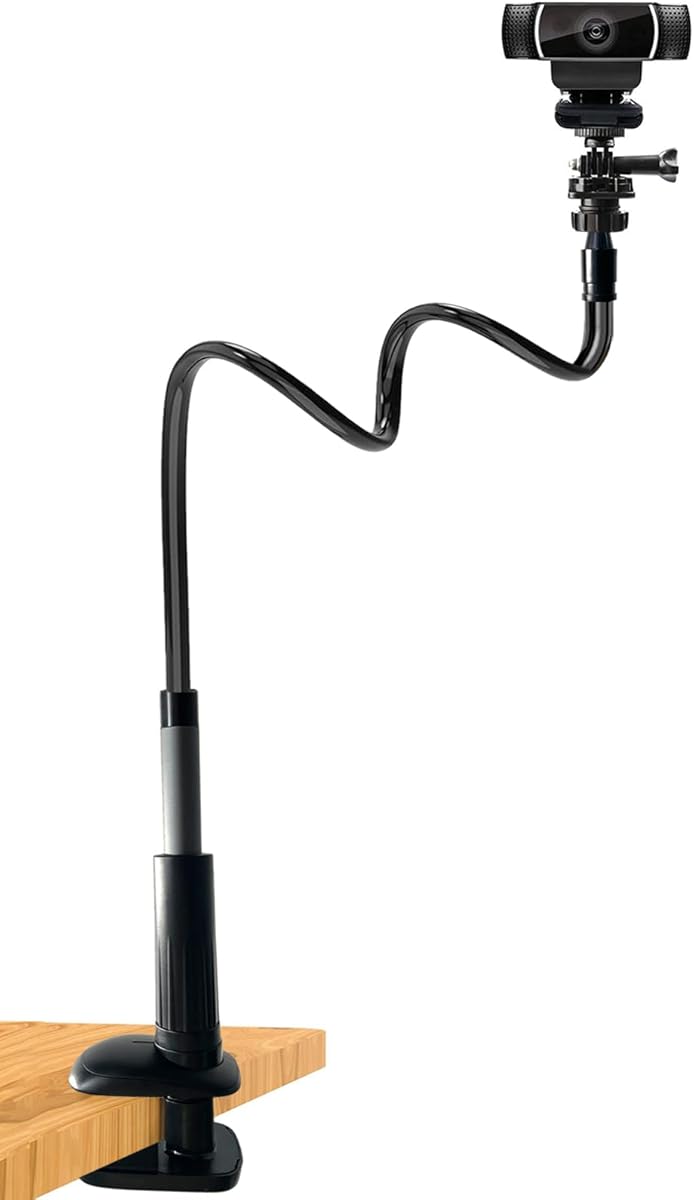




This webcam stand delivers excellent stability and flexibility for your desk setup. With a perfect rating, it stands out for its durable magnesium alloy core and long adjustable arm that positions devices effortlessly.
We may earn a commission when you buy through this link, at no additional cost to you.
The gooseneck arm is rigid yet bendable, allowing you to shape it into an S or Z curve for extra stability. It supports standard 1/4 inch threads making it compatible with webcams phones and action cameras alike.
While the arm is robust, very heavy devices may need careful bending to prevent sagging. However, this is a minor trade-off given the overall performance and build quality that users consistently praise.
Ideal for streamers remote workers and educators this model offers a reliable solution for professional video. If you need a mount that balances flexibility with strength this is the top recommendation.
The aluminum-magnesium alloy core ensures the arm stays put without drooping even when extended fully.
Universal thread compatibility and 360 degree swivel allow precise framing for any device or scenario.
We may earn a commission when you buy through this link, at no additional cost to you.
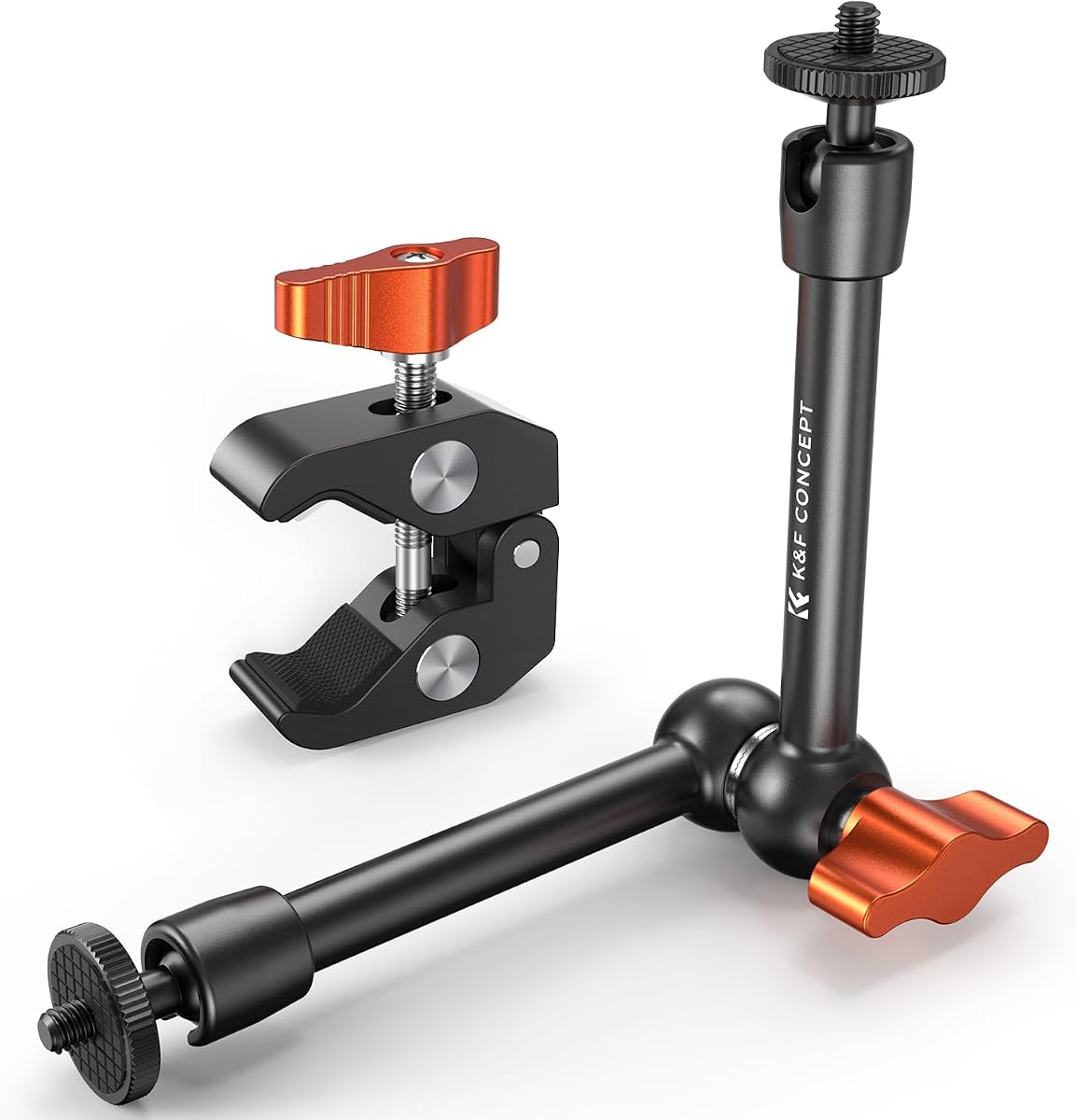
This K&F CONCEPT magic arm kit is a budget-friendly option that does not compromise on functionality. With a high rating it provides solid support for webcams and small devices on desks or poles.
We may earn a commission when you buy through this link, at no additional cost to you.
The magic arm offers 360 degree dual ball head flexibility allowing precise positioning. The super clamp grips flat surfaces and cylindrical objects securely thanks to rubber pads that protect your gear.
The arm is relatively short at 11 inches which may limit reach for larger setups. Also it is designed for static use so avoid dynamic scenarios like outdoor sports or moving rigs.
For home office or studio setups this model delivers great value. It is an excellent choice if you need a reliable lightweight mount without spending a lot.
Dual ball heads and a sturdy clamp enable versatile mounting options for various surfaces.
This kit provides essential features at a price point that suits beginners and casual users.
We may earn a commission when you buy through this link, at no additional cost to you.
The SMALLRIG 22 inch magic arm is a premium choice for those needing extended reach and durability. Its high rating reflects strong performance for overhead shooting and professional streaming setups.
We may earn a commission when you buy through this link, at no additional cost to you.
Each joint features double-ball clamps for independent adjustments and the anti-deflection design keeps the arm stable. The clamp opens wide to grip various surfaces including tripods and round handles.
While it is more expensive the quality justifies the cost. However, due to the longer length heavy devices may require careful angle management to avoid stress on joints.
This model is ideal for vloggers and streamers who need precise overhead angles. It offers professional-grade stability and flexibility that elevates your content production significantly.
The 22 inch length allows creative overhead positioning that shorter arms cannot achieve.
Specialized design prevents sagging and maintains accuracy during prolonged use.
We may earn a commission when you buy through this link, at no additional cost to you.
This 30 inch webcam stand offers great height flexibility for positioning your camera precisely. It features an upgraded thick base that secures easily without wobbling if your desk is steady.
We may earn a commission when you buy through this link, at no additional cost to you.
The gooseneck arm bends smoothly to various angles and the ball joint allows 360 degree rotation. It fits common webcams like Logitech C920 and GoPros thanks to universal compatibility.
Because the arm is long it may bounce if your desk wobbles. Also it supports lighter devices so avoid heavy DSLR cameras to prevent tipping or damage.
For standard home office use this stand provides excellent vertical reach. It is a practical choice for those needing to position cameras above monitors or desks.
The reinforced clamp base ensures a secure grip on surfaces up to 2.7 inches thick.
Fits most popular webcams and action cameras with standard threading.
We may earn a commission when you buy through this link, at no additional cost to you.
The Smatree flexible jaws mount is perfect for small devices like action cameras. It offers a flexible gooseneck that bends easily to achieve the desired angle.
We may earn a commission when you buy through this link, at no additional cost to you.
The clamp opens to 1.8 inches and fits most stable objects securely. Its mini tripod head allows 360 degree rotation for fine-tuning your shot.
Because it is lightweight it may struggle on vibrating surfaces. Also the shorter reach limits overhead options compared to full magic arms.
This is an excellent budget option for casual users needing a small flexible mount. It works well for DIY setups and creative small-scale projects.
Its small size makes it easy to pack and deploy anywhere.
Clamp holds tightly on non-moving surfaces for reliable support.
We may earn a commission when you buy through this link, at no additional cost to you.
This K&F CONCEPT mount offers a sturdy gooseneck design for stable positioning. The arm is wrapped in silicone which prevents debris from falling off and protects your desk.
We may earn a commission when you buy through this link, at no additional cost to you.
Installation is tool-free and the clamp grips surfaces from 5 to 45 mm thick. It fits many cameras and lights thanks to universal 1/4 inch threads.
While durable the clamp is best for flat surfaces. Also the arm might sag if overbent so shape it in an S for better support.
For remote workers this model provides a reliable solution for clear video. It is simple to use and built to last in daily office environments.
The arm's silicone cover keeps it clean and smooth over time.
Quick installation without tools makes it convenient for any desk.
We may earn a commission when you buy through this link, at no additional cost to you.
This K&F CONCEPT 9.8 inch magic arm is compact yet versatile for small setups. It features dual ball heads for flexible adjustments and a super clamp that grips various surfaces.
We may earn a commission when you buy through this link, at no additional cost to you.
The metal design is sturdy and the anti-slip pads protect your equipment. You can mount it on poles or tables easily with its wide opening range.
Because it is shorter reach is limited compared to longer arms. Also it is not recommended for heavy cameras during vigorous movement.
Ideal for product photography or small streaming setups this kit offers great control. It is a practical choice for those needing a portable magic arm.
Its small size makes it easy to carry and adapt to different scenes.
Pads and cushions ensure a secure grip without damaging your gear.
We may earn a commission when you buy through this link, at no additional cost to you.
This NEEWER magic arm is designed for overhead photography and streaming. Its 22 inch length allows precise positioning above desks for hands-free work.
We may earn a commission when you buy through this link, at no additional cost to you.
The super clamp grips flat or cylindrical objects securely. Anti-twist pins ensure stable connections between the arm and accessories.
The arm is not ideal for dynamic scenes like cycling. Also it is slightly more expensive than basic models but worth it for stability.
For content creators needing overhead angles this mount delivers reliable results. It is a solid choice for static setups and professional streaming.
The 22 inch reach enables creative high-angle shooting easily.
Special pins keep your gear locked in place during adjustments.
We may earn a commission when you buy through this link, at no additional cost to you.
This K&F CONCEPT kit is a full solution for studio setups. It includes phone and action adapters making it versatile for multiple devices.
We may earn a commission when you buy through this link, at no additional cost to you.
The all-metal build is sturdy and the clamp grips both flat and cylindrical surfaces. Foam padding ensures no scratches occur during mounting.
Like others it is best for static use and avoids dynamic scenarios. The price is higher but you get a complete ready-to-use set.
For streamers and creators this kit offers everything needed for overhead and angled shots. It is a robust investment for quality content.
Includes phone and action adapters to cover a wide range of devices.
All-metal design ensures longevity and stability in demanding setups.
We may earn a commission when you buy through this link, at no additional cost to you.
This stand combines a desk mount and overhead arm for versatile use. It features an adjustable height range and includes a phone holder for multi-device setups.
We may earn a commission when you buy through this link, at no additional cost to you.
The C-clamp fits standard tables and the overhead arm adjusts to 360 degree angles. It works well for webinars and creative tutorials.
The arm is shorter than magic arms which limits reach. Also it is lightweight so avoid heavy devices to prevent instability.
For casual users needing multi-functionality this stand is convenient. It is a practical choice for online classes and live video calls.
Height adjustments and a phone holder enable flexible setups for various content.
Straightforward installation makes it ready for immediate use.
We may earn a commission when you buy through this link, at no additional cost to you.
Choosing the right clamp on webcam arm involves assessing your setup needs and the devices you plan to use. Below are key factors to consider for a stable and flexible mounting solution.
Arm length determines how far you can position your camera from the clamp. Longer arms like 22 to 30 inches are ideal for overhead or wide-angle shots.
Consider your desk size and desired camera angle. A longer arm gives more flexibility but may need careful balancing for heavy devices.
The clamp must match your desk or surface thickness to ensure a secure grip. Look for models with adjustable openings and rubber pads for protection.
Stronger clamps prevent wobbling and protect your furniture. Always check maximum thickness limits before purchasing.
Every arm has a maximum load capacity usually between 0.5 to 2 kilograms. Match this to your camera or phone weight to avoid sagging.
Exceeding the load limit can damage joints or cause drops. For heavier devices choose models with reinforced cores and wider bases.
Aluminum alloy and metal designs offer the best durability and stability. Flexible goosenecks are good for light setups but may bend more easily.
Metal arms resist wear and maintain shape over time. For professional use prefer all-metal constructions with anti-slip features.
Ball joints and magic arm designs allow multi-angle adjustments. Look for 360 degree rotation for flexible positioning.
More joints give better control but may loosen if not tightened properly. Choose models with locking knobs to secure positions easily.
Ensure the arm supports standard 1/4 inch screw threads to fit most webcams and action cameras.
Some models include adapters for 3/8 inch threads or phone mounts. Check compatibility with your existing gear before buying.
Tool-free setup saves time and makes adjustments convenient. Look for clamps that tighten by hand without additional tools.
Simple designs reduce frustration and allow quick repositioning. This is vital for dynamic content creators.
Anti-slip pads and reinforced joints prevent wobbling during use. Stability is crucial for clear video without vibrations.
Models with rubber cushions and anti-twist pins offer the most secure setup. These features ensure your device stays steady.
To set up your clamp on webcam arm start by positioning the clamp on a stable flat surface. Tighten it by hand until secure and ensure the rubber pads contact your desk to prevent slipping.
Once mounted adjust the arm to your desired angle. For longer arms shape them into S or Z curves to distribute weight and reduce sagging during long sessions.
Regularly check all knobs and joints for tightness. Wipe the arm with a soft cloth to remove dust and avoid using excessive force on flexible joints to prolong their life.
Yes most models include universal 1/4 inch threads that fit phones with standard mounts. Some kits even include dedicated phone holders for easy secure mounting.
Capacity ranges from 0.5 kg to 2 kg depending on the model. Lighter goosenecks support small webcams while metal magic arms handle heavier cameras.
Most are designed for flat surfaces but some clamps grip cylindrical objects. Avoid uneven or vibrating surfaces to maintain stability and clarity.
Use S or Z bends to redistribute weight and tighten joints fully. Choose a model with a load capacity higher than your device weight.
Yes longer arms like 22 inches are ideal for overhead views. Secure the clamp firmly and position the arm to minimize wobble.
Most support DSLRs but check the load capacity. Heavy DSLRs may require reinforced models to avoid sagging or joint damage.
The top three picks offer a range of solutions from budget-friendly to premium studio kits. Each delivers unique benefits suited for different workspace needs and device types.
Prioritize stability and load capacity to ensure clear video without interruptions. Choose based on your typical setup and desired camera angles for best results.
Always check current availability and deals since offers change often. This guide provides a reliable starting point to find the perfect mount for your needs.