
Sonnet Breakaway Box 850 T5
4.5Editor score
850W internal power supply included
Includes Thunderbolt 5 dock ports
Variable speed cooling fan included
This guide compares the top ten external GPU enclosures for laptops and handhelds, evaluating performance, compatibility, and value for creators and gamers in
External GPU enclosures transform standard laptops into powerful desktop replacements by connecting high-performance graphics cards via Thunderbolt or USB4. These devices are essential for creators needing rendering power and gamers seeking better frame rates without buying a full tower.
We analyzed ten leading models based on bandwidth speed, power supply capacity, cooling efficiency, and overall compatibility with modern systems. Our comparison focuses on real-world usability, ensuring you find a solution that matches your specific workflow and hardware needs without unnecessary complexity.
Each pick below highlights key strengths and weaknesses to help you decide quickly. Remember that availability and pricing fluctuate frequently, so verify the latest details before purchasing to ensure you get the best deal for your specific setup.
4.5Editor score

4.0Editor score

3.9Editor score
The following table provides a side-by-side technical overview of all ten models discussed in this guide, allowing you to quickly compare connectivity options, power handling, and physical dimensions before making a final decision.


The Razer Core X V2 stands out as a premier choice for users seeking maximum performance and modern connectivity. With its Thunderbolt 5 support, it offers up to 80 Gbps of bandwidth, significantly surpassing older standards. This ensures that even the most demanding graphics cards can operate without bottlenecks during heavy workloads like 3D rendering or high resolution gaming.
We may earn a commission when you buy through this link, at no additional cost to you.
Its chassis is designed to handle substantial hardware, supporting graphics cards up to four slots wide. This flexibility future proofs your investment, allowing you to upgrade to larger cards later without replacing the enclosure. The included 140W Power Delivery ensures your laptop stays charged while connected, maintaining a clean setup with minimal cables.
While the build quality and performance are excellent, potential buyers should note that the graphics card and power supply are not included. You must purchase these separately, which can increase the total cost significantly. Additionally, Mac users with Apple Silicon chips will find this device incompatible due to current driver limitations.
Overall, this enclosure is ideal for professionals and enthusiasts who need reliable high speed connectivity and the ability to use top tier desktop graphics cards. If you prioritize performance and are willing to manage the separate component costs, this model delivers exceptional value and capability for your desktop replacement setup.
Thunderbolt 5 ensures that data transfer rates are sufficient to prevent any latency or performance loss during intensive tasks.
Support for wide GPUs means you can upgrade hardware over time without needing a new enclosure, saving money in the long run.
We may earn a commission when you buy through this link, at no additional cost to you.
The Sonnet Breakaway Box 850 T5 is a powerhouse designed for users who want a complete, high performance solution without sourcing extra parts. It includes a robust 850W power supply, which is more than enough to run even the most power hungry graphics cards available today. This convenience simplifies the setup process significantly compared to kits requiring external power bricks.
We may earn a commission when you buy through this link, at no additional cost to you.
Beyond raw power, this enclosure offers a built-in Thunderbolt 5 dock, providing additional ports for peripherals like USB devices and Ethernet. This turns the eGPU into a multi-function hub, reducing the need for separate docking stations. The cooling system uses a variable speed fan that adjusts based on temperature, ensuring quiet operation during light tasks and maximum airflow during gaming.
The main drawback is the cost, as it commands a premium price compared to simpler enclosures. However, for creative professionals working with heavy rendering or video editing, this investment pays off in reliability and workflow efficiency. The lack of specific optimization for macOS limits its appeal slightly for that user base.
This model is best suited for Windows users who need maximum power and connectivity in a single device. If you value ease of use and require high wattage support for advanced GPU cards, the Sonnet Breakaway Box 850 T5 is an exceptional choice that delivers desktop level performance reliably.
Having a high wattage power supply included means you do not need to buy extra components, saving time and reducing cable clutter.
Extra ports allow you to connect keyboards, drives, and networks directly to the enclosure, streamlining your workspace setup.
We may earn a commission when you buy through this link, at no additional cost to you.
This Mini eGPU Enclosure offers an accessible entry point for users who want to experiment with external graphics without a large financial commitment. It supports both Thunderbolt 3/4 and USB4 interfaces, making it versatile for a wide range of laptops and handheld devices. The compact design makes it easy to transport, fitting comfortably in a laptop bag for on-the-go performance.
We may earn a commission when you buy through this link, at no additional cost to you.
Flexibility is a key strength here, as the enclosure accepts various power supply formats like ATX, SFX, and DC. This allows you to reuse existing power bricks or choose a specific one that matches your needs. It also includes basic ports for peripherals, enabling the device to act as a small hub alongside the GPU connection.
However, buyers should be aware that this model requires some technical knowledge to set up correctly. It does not come with a power supply or graphics card, so you must source these separately. Additionally, compatibility checks are crucial, as it does not work with all USB4 implementations without specific controller support.
For hobbyists or students looking to boost gaming or rendering performance on a budget, this enclosure is a solid starting point. While it lacks the premium features of high end models, it provides the essential functionality needed to run external GPUs effectively at a fraction of the cost.
This model allows you to get started with eGPU tech without spending a fortune, making it ideal for testing and small projects.
Its small size means you can easily take your desktop performance with you to different locations without heavy equipment.
We may earn a commission when you buy through this link, at no additional cost to you.
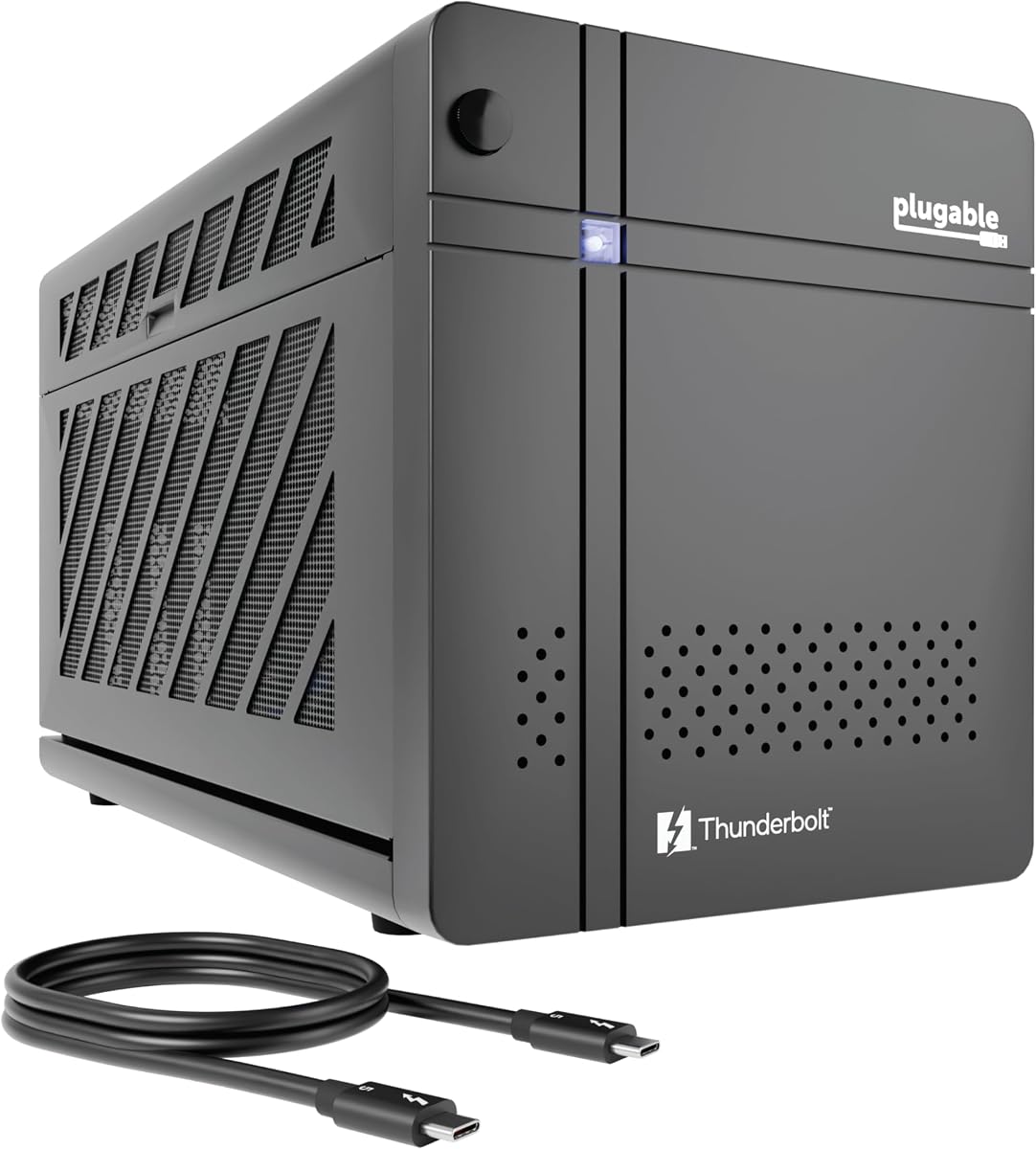
The Plugable Thunderbolt 5 AI eGPU Enclosure is a unique device designed specifically for users running large language models locally. Its standout feature is the ability to create a secure, air-gapped system where sensitive data never leaves your local network. This is critical for businesses or individuals who prioritize privacy and data security over cloud-based processing.
We may earn a commission when you buy through this link, at no additional cost to you.
Technically, it boasts impressive specs with 80 Gbps bandwidth and an 850W power supply that provides dedicated power to the GPU. It supports popular AI tools like Ollama and LM Studio, ensuring compatibility with the current landscape of open-source models. The enclosure also includes a range of ports for general use, making it a versatile docking station as well.
The trade-off is that this device is heavily tailored for Windows 11 environments, lacking support for macOS or Linux systems. Additionally, while it is great for AI, it is not necessarily optimized for gaming compared to other enclosures. You will need to purchase the GPU separately, which can be a significant additional cost.
If your primary goal is to run AI workloads with strict privacy requirements, this enclosure is unmatched in the market. It offers a secure, high-performance environment for local inference and training. For general purpose users not focused on AI privacy, a more traditional enclosure might offer better value and flexibility.
The design ensures that your data remains on your device, eliminating risks associated with sending information to external servers.
Thunderbolt 5 speeds ensure that large AI models can load and run efficiently without data transfer bottlenecks.
We may earn a commission when you buy through this link, at no additional cost to you.
This External GPU Enclosure offers a convenient all-in-one kit that includes everything needed to get started immediately. It comes with a 240W power supply, Thunderbolt cable, and even a custom carrying case, making it ready to use out of the box. This simplicity is appealing for users who do not want to hunt down compatible components.
We may earn a commission when you buy through this link, at no additional cost to you.
The enclosure supports both Thunderbolt 4/3 and USB4, ensuring wide compatibility with modern laptops. It can house graphics cards up to 205mm in length, which covers many popular mid-range GPUs effectively. The compact and durable aluminum shell protects the hardware well, while the included case makes it easy to transport between locations without worry.
However, the 240W power supply might limit you from using higher-end graphics cards that require more power. It is best suited for entry-level to mid-tier GPUs. Additionally, it lacks downstream ports, meaning it does not function as a hub for other peripherals, limiting its utility as a docking station.
For casual users who want a simple plug-and-play solution for gaming or light content creation, this kit is a strong contender. The inclusion of cables and a case adds value and convenience. If you plan to upgrade to a very powerful graphics card later, you may need to replace the power supply.
Having all necessary cables and power included means you can start using your external GPU immediately without extra shopping.
The custom carrying case ensures your expensive hardware stays safe during travel, which is rare for standard enclosures.
We may earn a commission when you buy through this link, at no additional cost to you.
The ANQ-L336 Mini eGPU is designed to be a flexible bridge between your laptop or handheld console and a desktop graphics card. It supports Thunderbolt 3, 4, and USB4, making it compatible with a wide array of devices including the ROG Ally X. This versatility is excellent for users who switch between different platforms regularly.
We may earn a commission when you buy through this link, at no additional cost to you.
One of its key features is the support for various power supply forms such as ATX, SFX, and DC. This flexibility allows you to use whatever power source you have on hand, which is a cost-saving benefit. The 85W Power Delivery charging is also helpful for keeping compatible laptops charged while they are connected to the dock.
Despite its versatility, some users have reported compatibility challenges with certain drivers or specific GPU models. It is important to verify your specific hardware setup before purchasing to avoid frustration. The 85W charging may also be insufficient for high-performance laptops that require higher wattage inputs.
This enclosure is a good choice for portable setups, especially for handheld gaming enthusiasts. If you value flexibility and broad compatibility over raw power delivery, it offers a solid foundation. Ensure you check your specific device requirements to ensure a smooth installation process.
Its compatibility with consoles like the ROG Ally makes it a perfect companion for portable gaming with desktop graphics power.
Support for multiple power supply types means you can adapt the dock to fit your existing power infrastructure easily.
We may earn a commission when you buy through this link, at no additional cost to you.
The VK-Y900 eGPU Enclosure focuses on stability and quality materials to ensure consistent performance. It features a high-grade ENIG PCB which helps prevent oxidation and ensures better conductivity over time. This attention to detail is beneficial for long-term reliability, especially in environments where the device is used frequently.
We may earn a commission when you buy through this link, at no additional cost to you.
It provides dual Thunderbolt ports, allowing you to daisy-chain other devices or connect multiple peripherals. The 85W power delivery pass-through helps keep your host device charged during use. Compatibility extends to a wide range of graphics cards, including newer RTX series, making it a future-proof choice for desktop-level gaming.
Users should note that this model requires an external ATX power supply, which adds to the complexity of the setup. While it supports Linux and Windows, you will need to manage drivers manually. It is not optimized for macOS use cases, limiting its audience primarily to PC users.
For those who value component quality and stable connectivity, the VK-Y900 is a dependable option. It offers a balanced set of features that cater to general users and gamers. Just be prepared to source your own power supply and ensure your system is compatible before purchase.
The use of high-quality PCB materials ensures that the connection remains stable even under heavy usage and temperature changes.
Multiple ports allow for a flexible setup where you can connect both your display and other peripherals simultaneously.
We may earn a commission when you buy through this link, at no additional cost to you.
The Sonnet Breakaway Box 750ex is a reliable legacy choice that still holds value for users with older hardware. It uses Thunderbolt 3 which is still sufficient for many high-end GPUs, offering up to 40 Gbps bandwidth. It includes a 750W internal power supply, ensuring you do not need to buy additional external power units for installation.
We may earn a commission when you buy through this link, at no additional cost to you.
Compatibility is a strong point here, as it works well with both Windows and many Mac computers using Thunderbolt 3. It includes extra ports like Ethernet and USB, making it a useful docking station as well. This makes it ideal for professionals who need a stable, consistent connection for productivity tasks.
The main limitation is the lack of support for newer Apple Silicon chips like M1 or M2. If you own a newer Mac, this enclosure will not work for you. Additionally, Thunderbolt 3 speeds are slower than newer standards, which may limit performance with very high-end graphics cards compared to TB4 or TB5 enclosures.
For users with older laptops or Macs looking to add GPU power, this is a solid, reliable investment. It is known for durability and consistent performance over time. If you are upgrading from a Thunderbolt 2 setup, this offers a seamless path to better graphics capabilities.
Its ability to work on both Mac and Windows systems makes it a versatile choice for mixed device environments.
Extra USB and Ethernet ports reduce the need for a separate dock, keeping your desk setup organized and efficient.
We may earn a commission when you buy through this link, at no additional cost to you.
The MINISFORUM DEG2 introduces a unique dual-mode capability that supports both USB4 V2 and OCuLink connections. OCuLink offers lower latency and higher efficiency than Thunderbolt, making it ideal for gaming where every millisecond counts. This hybrid approach gives you flexibility depending on the capabilities of your host device.
We may earn a commission when you buy through this link, at no additional cost to you.
It features an integrated M.2 NVMe slot, allowing you to store your operating system, games, or AI models directly on the dock. This reduces load times and keeps data synchronized across devices if you switch hosts. The signal booster helps maintain stability over long cable runs, which is beneficial for larger desks or setups.
The main caveat is that OCuLink support is still emerging and requires specific ports on your laptop or handheld. It is not universally available on all devices yet. Setting it up might require more technical knowledge than standard Thunderbolt solutions, and you will need to source your own power supply.
For enthusiasts who want the lowest possible latency and extra storage convenience, this enclosure stands out. It is a great choice for handheld PC users with OCuLink support. If your device does not support OCuLink, you can still use the USB4 V2 connection effectively for standard external GPU needs.
The OCuLink option bypasses Thunderbolt limitations, providing faster data transfer speeds that benefit competitive gaming significantly.
Storing files on the dock saves space on your host device and allows for faster data access during large file operations.
We may earn a commission when you buy through this link, at no additional cost to you.
The External eGPU Enclosure Kit is a straightforward solution for users looking for simplicity and durability. It includes a 240W power supply and a carrying case, ensuring you have everything needed to start immediately. The aluminum shell provides robust protection for the internal components, adding to the device's longevity.
We may earn a commission when you buy through this link, at no additional cost to you.
It supports Thunderbolt 4/3 and USB4, covering most modern laptops effectively. The setup process is designed to be simple, requiring just one cable connection to boost graphics power. It is lightweight yet sturdy, making it an ideal option for students or professionals who need to move their workspace frequently.
While it is user-friendly, the power supply is limited to 240W, which restricts the types of graphics cards you can use. It is best suited for low to mid-power GPUs. Additionally, it lacks downstream ports, meaning it cannot function as a multi-port dock, limiting its versatility beyond GPU connectivity.
For those who want a reliable, no-fuss enclosure with a travel case included, this is a strong option. It offers good value and ease of use. If you need a simple way to connect a modest GPU for light gaming or rendering on the go, this kit delivers practical performance.
The minimal cable requirements make it easy to connect and disconnect, saving time when moving between locations.
The aluminum shell protects against physical damage better than plastic alternatives, ensuring the device survives daily transport.
We may earn a commission when you buy through this link, at no additional cost to you.
Selecting the right external GPU enclosure depends on several technical factors including connectivity speed, power capacity, and physical dimensions. Understanding these elements ensures you pick a device that maximizes your graphics card's potential without unnecessary bottlenecks.
The most critical factor is the interface your laptop uses. Thunderbolt 5 offers the highest speed, while Thunderbolt 3 and USB4 provide solid performance for most tasks. Ensure your device supports the same protocol to avoid compatibility issues.
Always verify your laptop ports support eGPU before buying to guarantee a seamless connection and data transfer.
Graphics cards vary widely in power requirements. Look for an enclosure with a power supply that exceeds your GPU's recommended wattage by a safe margin. This prevents shutdowns and ensures stable performance during heavy loads.
Choose a unit with enough wattage headroom to handle your card's needs comfortably.
Enclosures have strict limits on the size of graphics cards they can fit. Check the maximum length, height, and slot width supported by the chassis. High-end cards often require more space, so ensure your GPU will fit physically.
Measure your graphics card against the enclosure specifications before purchasing.
Heat management is vital for sustained performance. Enclosures with active fans help dissipate heat from both the GPU and power supply. A good cooling system prevents thermal throttling and keeps noise levels manageable during use.
Prioritize models with active cooling solutions for better long-term stability.
Some enclosures act as hubs with extra USB and Ethernet ports, while others focus purely on GPU connection. Consider whether you need additional connectivity options to reduce cable clutter on your desk.
If you need to connect peripherals, choose a model with built-in docking features.
Not all enclosures support all operating systems. Mac users should be aware that Apple Silicon chips are currently not supported by most eGPU solutions. Windows and Linux have broader compatibility across different brands.
Confirm OS compatibility in the product description to avoid frustration.
The durability of the enclosure affects its lifespan and portability. Look for robust materials like metal or reinforced plastic that protect internal components. A sturdy build also helps with heat dissipation.
Invest in a well-built unit to ensure longevity and reliability.
Prices vary significantly based on features like Thunderbolt 5 support and included power supplies. Determine your budget and balance it with the features you need. Sometimes paying more upfront saves money by avoiding the need for extra adapters.
Compare total costs including potential accessory needs when evaluating options.
Before connecting, ensure your host device is turned off and all unnecessary peripherals are disconnected. Connect the power supply to the enclosure and ensure the GPU is securely seated in the PCIe slot. Tighten screws gently to avoid damaging the card or the enclosure.
Connect the Thunderbolt or USB4 cable to both the host device and the enclosure. Once powered on, allow the operating system to recognize the new hardware. Install the latest drivers from the graphics card manufacturer to ensure optimal performance and stability.
Maintain the enclosure by keeping it in a well-ventilated area. Regularly clean dust from the vents and fans to prevent overheating. If you plan to transport the device, use a protective case to prevent physical damage during transit.
Compatibility depends on your MacBook model. Intel-based Macs generally support external GPUs, but Apple Silicon models like M1 or M2 do not support eGPUs due to software limitations. Check your specific hardware compatibility before purchasing.
Not always. Some enclosures like the Sonnet Breakaway Box include internal power supplies. Others require you to provide your own ATX or DC power supply. Check the product description to confirm what is included.
Yes, connecting a powerful external GPU can significantly boost frame rates and graphical settings. However, the improvement depends on the bandwidth of the connection and the CPU of your laptop.
Check the maximum dimensions listed in the enclosure specifications. Measure your graphics card length, width, and slot width to ensure it fits physically inside the chassis.
Most Thunderbolt 5 enclosures are backward compatible with Thunderbolt 3 and 4 devices. However, speeds will be limited to the maximum supported by the older host device.
Many models support Linux but driver installation might be more complex. Always check compatibility with your specific Linux distribution before buying to ensure functionality.
Thunderbolt 4 offers higher bandwidth and better power delivery than TB3. Both allow similar speeds, but TB4 guarantees stricter performance standards and better connectivity stability.
Many enclosures support Power Delivery charging for your laptop while connected. Verify the wattage output to ensure it meets your laptop's charging requirements.
The market for external GPU enclosures offers diverse options for every need. Whether you need raw power with Thunderbolt 5, privacy features for AI, or budget-friendly kits, there is a solution tailored to your workflow.
Prioritize connectivity speed and power supply capacity to ensure your investment delivers performance. Compatibility with your current laptop and graphics card size is also critical to avoid costly mistakes.
Always check current availability and pricing before purchasing as these products can fluctuate in stock. We hope this guide helps you make an informed decision to enhance your computing experience.