
BENFEI USB C Hub 5-in-1
4.6Editor score
Soft silicone cable design
100W power delivery support
Compact lightweight form factor
Compare the top 10 HDMI Hub for PC options including Anker BENFEI and StarTech to find the perfect adapter for your gaming and work setup today.
Finding the right HDMI Hub for PC can transform your workstation into a powerful multimedia center. Whether you need to connect multiple monitors or stream high-definition content, a reliable adapter ensures smooth performance without lag.
We evaluated ten top-rated hubs based on video quality, port variety, build durability, and user feedback. Our analysis covers USB-C and USB-A models to help you choose the best fit for your specific operating system and needs.
Each pick highlights unique strengths like 4K support or fast charging capabilities. Please note that stock and pricing fluctuate frequently so check the latest availability before making your final decision on your next tech upgrade.
4.6Editor score

4.5Editor score

4.4Editor score
This side-by-side comparison highlights the key specifications and unique strengths of each hub to help you decide which model offers the best value and performance for your specific PC setup needs.






The Anker Laptop Docking Station stands out as the top choice for users needing comprehensive connectivity. With a 4.5 star rating it delivers dual monitor support and essential ports like Ethernet and SD card readers in one sleek unit.
We may earn a commission when you buy through this link, at no additional cost to you.
This hub excels in providing massive expansion from a single USB-C connection. You can connect two external displays in 4K resolution simultaneously which is perfect for multitasking professionals or developers who need screen real estate.
While it supports Windows and ChromeOS effectively macOS users should note that both external monitors will display identical content rather than extended screens. Also Linux systems are not compatible which limits its audience slightly.
If you need a reliable dock that handles multiple tasks without cluttering your desk this is the ideal pick. It balances performance and portability making it the best overall HDMI hub for PC setups today.
Connect two external displays to maximize your workspace efficiency and workflow without needing a complex docking station.
Built-in Ethernet ensures stable internet while SD card slots allow quick data access without extra adapters.
We may earn a commission when you buy through this link, at no additional cost to you.
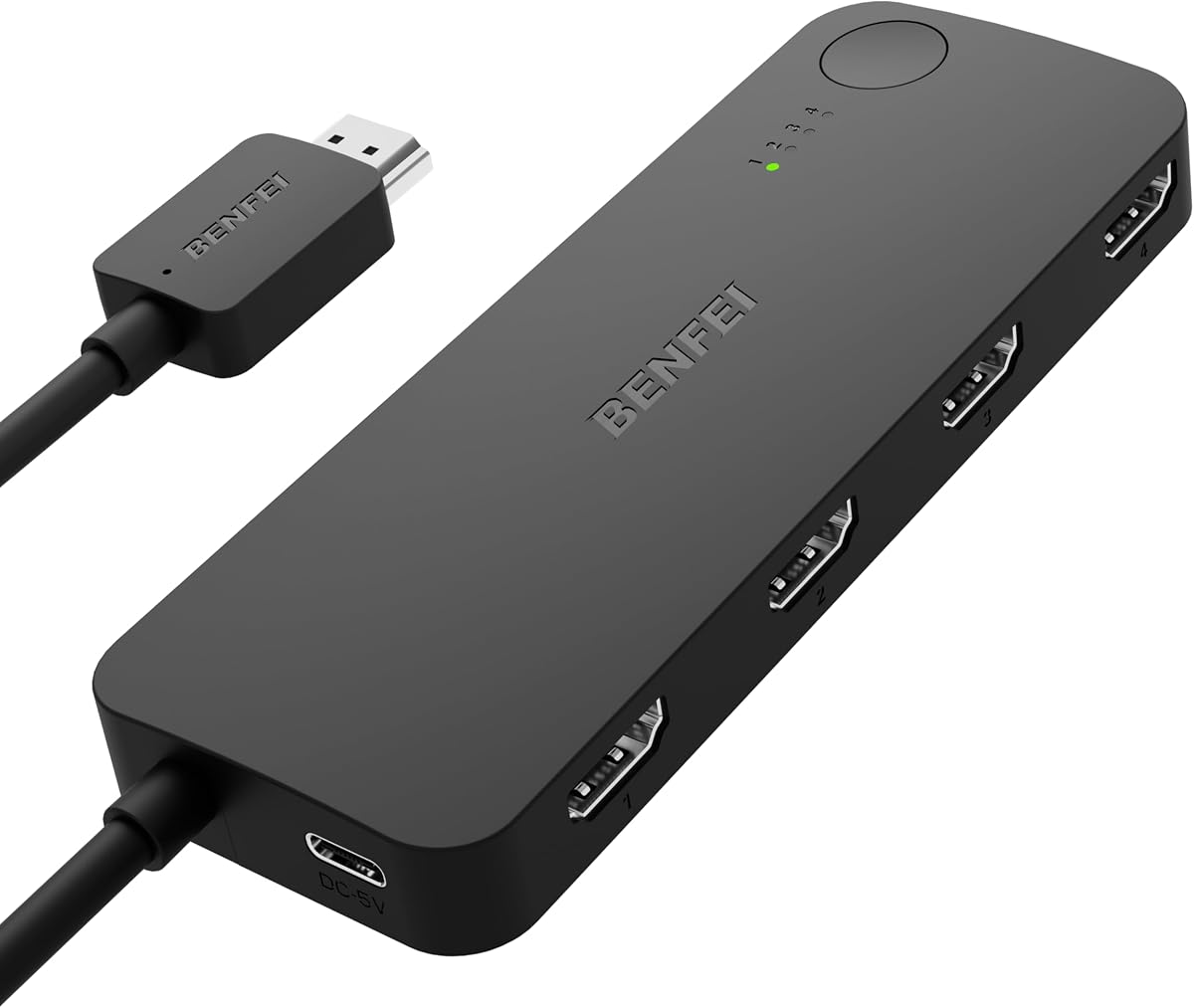
This BENFEI HDMI switch is ideal for gamers who want to manage multiple consoles without constant cable swaps. With a 4.0 rating it offers smooth transitions between PS5 Xbox or Roku devices connected to a single display.
We may earn a commission when you buy through this link, at no additional cost to you.
The adaptive equalization technology supports long transmission distances up to 30 feet ensuring signal stability even with longer cables. It handles 4K video at 60Hz and high refresh rates like 2K at 144Hz for gaming.
Keep in mind this device requires a USB-C power cable to function properly and it switches inputs rather than splitting one source to multiple screens. The fixed pigtail cable saves you one separate HDMI cable.
If you have a home theater setup with several media devices this switch streamlines your experience significantly. It provides reliable performance and wide compatibility making it a smart addition to any entertainment center.
Press a button to switch between your favorite gaming or media devices instantly without unplugging cables.
Maintains crisp video and audio with support for deep color and Dolby Atmos compliant pass-thru.
We may earn a commission when you buy through this link, at no additional cost to you.
This Anker 7-in-1 hub offers a perfect balance of features in a compact form factor. Rated 4.5 stars it provides high-speed data transfer and supports 4K video at 60Hz for smooth visuals on external monitors.
We may earn a commission when you buy through this link, at no additional cost to you.
The inclusion of dual SD and TF card slots makes it especially useful for photographers or content creators who need quick access to media files. You can charge your laptop at up to 100W while using all ports.
Note that the USB-C port is for data transfer only not video output so you will need to rely on the HDMI port for display connections. It is a solid choice for daily productivity tasks.
If you need a reliable hub for work or travel that covers most essential ports this model delivers excellent value. Its build quality and performance make it a top contender for general USB-C expansion.
Move large video files or documents quickly with 5Gbps data speeds on USB-A and USB-C ports.
Keep your laptop powered during long work sessions with pass-through charging up to 100W.
We may earn a commission when you buy through this link, at no additional cost to you.
This BENFEI hub is a standout budget pick offering reliable performance without breaking the bank. With a high 4.6 star rating it features a unique silicone woven cable that resists knots and ensures comfort in daily use.
We may earn a commission when you buy through this link, at no additional cost to you.
It supports up to 100W power delivery to keep your laptop charged while you work and provides three USB-A ports for peripherals. The HDMI port delivers crisp 4K resolution though limited to 30Hz refresh rates.
The compact and lightweight design makes it easy to carry in a laptop bag. While it lacks an Ethernet port the core features meet most basic needs for students or casual users seeking a simple solution.
If you want a trustworthy and affordable adapter that focuses on essential functions this model is the best budget choice. Its attention to cable comfort and charging speed adds great value at this price point.
The soft silicone cable prevents tangling and resists wear for long-lasting daily portability.
High wattage charging ensures your device stays powered during use without needing a second adapter.
We may earn a commission when you buy through this link, at no additional cost to you.
This Anker 5-in-1 hub is designed for simplicity and reliability on the go. Rated 4.4 stars it connects easily to your laptop to provide HDMI video and multiple USB data ports without needing drivers.
We may earn a commission when you buy through this link, at no additional cost to you.
It supports pass-through charging up to 85W so your laptop stays powered while you access external devices. The HDMI port delivers high definition video up to 4K at 30Hz suitable for presentations or streaming.
The USB-C data port allows fast file transfers but does not support video output which is typical for this layout. It is compatible with both Mac and Windows systems making it versatile for various users.
If you need a lightweight hub for presentations or travel this model offers excellent convenience. Its robust warranty and friendly customer support add peace of mind to your purchase decision today.
No drivers required for plug-and-play operation on supported macOS and Windows systems.
Fast USB-C and USB-A ports ensure efficient file transfers without slowing down your workflow.
We may earn a commission when you buy through this link, at no additional cost to you.
This NEWCARE HDMI switch is a practical solution for connecting three sources to one display. With a 4.1 rating it offers stable signal transmission with gold-plated connectors to ensure durability and consistent performance.
We may earn a commission when you buy through this link, at no additional cost to you.
It supports 4K resolution at 60Hz and a wide range of other formats making it versatile for TVs projectors and monitors. The included 2.6ft HDMI cable simplifies setup right out of the box.
Keep in mind that this unit requires an external power adapter for proper operation and uses manual button switching. It does not support auto switching or remote control which may be a limitation for some setups.
If you want a straightforward way to manage multiple devices like a PC and gaming console this switch works well. Its simplicity and affordable price make it a good fit for basic home office or living room needs.
Corrosion-resistant gold-plated connectors help maintain a clean picture and sound without signal loss.
Compatible with many video formats from 720p up to 4K ensuring it works with older and newer devices.
We may earn a commission when you buy through this link, at no additional cost to you.
This StarTech adapter is perfect for older PCs or desktops lacking extra video ports. With a 4.5 rating it allows you to connect two HDMI monitors using a single USB-A 3.0 port on your system.
We may earn a commission when you buy through this link, at no additional cost to you.
It delivers one display at 4K 30Hz and another at 1080p 60Hz extending your desktop space significantly. The adapter includes audio support and requires driver installation which ensures broad compatibility on Windows systems.
Note that this device works only on Windows and requires administrator rights to install drivers so it is not suitable for Mac or Linux users. The cable length is short at under 10 inches.
If you need to add dual monitors to an older workstation this adapter provides a robust IT solution. Its professional design and three-year warranty make it a reliable choice for business environments.
Expand your workspace by connecting two external displays through a standard USB-A port.
Backed by a three-year warranty and lifetime technical support for IT professionals and office use.
We may earn a commission when you buy through this link, at no additional cost to you.
This VIENON hub provides versatile connectivity for users with older Windows systems. With a 4.0 rating it supports 1080P HDMI output and includes various USB ports to expand your desktop or laptop options.
We may earn a commission when you buy through this link, at no additional cost to you.
The hub comes with a removable disk containing necessary drivers for easy setup. You can mirror or extend your display depending on your operating system version and ensure stable transmission via the USB-C power port.
Be aware that the HDMI output is limited to 1080P resolution and the system does not support Linux or tablets. Some models might need adjustments if your monitor resolution exceeds 1920×1080.
If you manage an older PC fleet or need a simple hub with many USB ports this model fits well. Its comprehensive port count and driver support make it a practical tool for specific Windows environments.
Drivers are included on a disk for straightforward installation on supported Windows and Mac systems.
A dedicated USB-C power port ensures all connected devices run smoothly without power drops.
We may earn a commission when you buy through this link, at no additional cost to you.
This DisplayPort adapter is designed for high performance dual monitor setups on modern graphics cards. Rated 4.4 stars it supports extended displays with 4K resolution at 60Hz for each screen simultaneously.
We may earn a commission when you buy through this link, at no additional cost to you.
It works with NVIDIA and AMD cards to provide smooth visuals for creative work or gaming. The aluminum housing ensures efficient heat dissipation and durability for repeated plugging and unplugging cycles.
Keep in mind that this adapter requires a DP 1.4 source and does not work with other hubs or docking stations. You need high-quality HDMI 2.0 cables to achieve the full 4K 60Hz performance.
If you need a premium solution for two high refresh rate monitors this adapter is the top choice. Its reliable performance and rugged build make it a valuable investment for serious desktop users.
Enjoy crisp visuals on two monitors with 4K 60Hz output for detailed graphic work or gaming.
An aluminum alloy case protects internal components and keeps the unit cool during heavy usage.
We may earn a commission when you buy through this link, at no additional cost to you.
This Acer hub offers versatile connectivity across multiple operating systems. With a 4.5 rating it features a 7-in-1 design that expands your laptop ports while keeping the design sleek and durable.
We may earn a commission when you buy through this link, at no additional cost to you.
The aluminum housing helps dissipate heat effectively during use. It supports high speed data transfer and provides up to 100W charging for your laptop so you can work without constantly plugging into a wall outlet.
Note that HDMI video is limited to 30Hz which is fine for general use but not for high refresh rate gaming. You must connect a power supply to the PD port to get full functionality.
If you need a universal hub that works with Windows Linux and Mac this model delivers broad compatibility. Its strong build quality and charging speed make it a great all-around choice for various devices.
Compatible with Windows Mac Linux and ChromeOS for flexible use across different work environments.
Premium aluminum materials improve heat dissipation and ensure long-term reliability for daily tasks.
We may earn a commission when you buy through this link, at no additional cost to you.
Selecting the right HDMI hub involves considering video resolution support connectivity options and compatibility with your device.
Check if the hub supports 4K at 60Hz or 30Hz as this impacts how smooth your video looks on external monitors. Higher refresh rates are critical for gaming or fast-paced video editing workflows.
Ensure your laptop port can output the desired resolution and refresh rate to avoid performance bottlenecks.
Identify how many USB-A or USB-C ports you need for peripherals like mice keyboards or hard drives. Some hubs include Ethernet or SD card slots which are useful for office or creative tasks.
Select a model that offers the specific ports you use most often to avoid cluttering your desk with extra adapters.
Look for hubs with Power Delivery pass-through charging so you can charge your laptop while using external devices. Ensure the wattage matches your laptop charger requirements for optimal performance.
Hubs with 100W PD support are ideal for powerful laptops that require higher wattage to operate efficiently.
Some hubs require driver installation and only work on specific operating systems like Windows. Verify that the model supports your OS whether it is macOS Linux or ChromeOS before buying.
Choose plug-and-play models if you prefer easy setup without needing to download additional software.
Aluminum housings help dissipate heat and protect the hub from damage during daily use. Check cable length and flexibility to ensure it fits your workspace comfortably.
Invest in a durable hub that can withstand frequent plugging and unplugging for long-term reliability.
Decide if you need a switcher to change inputs on one screen or a splitter to duplicate one signal to multiple screens. Each serves different needs and should not be confused when purchasing.
HDMI switches are better for consoles while splitters are useful for presentations to multiple projectors.
Ensure the USB ports support fast data transfer speeds like 5Gbps or 10Gbps for quick file backups. This is important if you frequently transfer large media files or backups.
Higher speed ports improve overall efficiency and reduce wait times when moving data between devices.
Choose brands that offer strong warranties and responsive customer service to resolve any technical issues quickly. Reliable support adds peace of mind especially for business or daily use.
Look for extended warranty periods as they indicate the manufacturer stands behind the product quality.
Connect the hub to a USB-C or USB-A port on your computer and plug in the HDMI cable to your monitor or TV. Ensure the hub receives adequate power especially if using multiple high-demand devices simultaneously.
Avoid bending the cable excessively and keep the hub in a cool dry place to prevent overheating or moisture damage. Regularly inspect the ports for dust and clean them gently with compressed air.
For best performance use high-quality cables that match the recommended specifications. This helps maintain stable video signals and prevents connection issues over time.
An HDMI hub combines multiple input ports like USB and Ethernet to expand connectivity while a splitter duplicates one video signal to multiple screens. Hubs are designed for adding ports to laptops whereas splitters are for mirroring displays.
Yes for 4K resolution you should use high-speed HDMI cables rated for at least HDMI 2.0. Lower-grade cables may not support the required bandwidth leading to signal dropouts or limited resolution.
Yes the iPhone 15 Pro uses USB-C and supports video output. Ensure the hub is compatible with your device and supports DisplayPort Alt Mode for video transmission.
This often happens if your laptop port does not support 4K at 60Hz or if you use a lower-grade HDMI cable. Check your device specs and upgrade cables if needed to achieve full speed.
No not all hubs have Power Delivery pass-through. You must check the product details for PD support and ensure it matches your laptop's wattage requirements for effective charging.
Most modern hubs are plug-and-play but some require drivers included on a disk or download. Follow the manufacturer instructions to install drivers and restart your computer for changes to take effect.
The Anker Laptop Docking Station remains our top pick for its dual monitor support and extensive port selection. The BENFEI USB-C hub offers an excellent budget choice for everyday needs.
Prioritize video resolution and charging power to match your specific workflow demands. Ensure compatibility with your operating system to avoid driver or connection issues.
Prices and stock vary so please verify current details on the product pages before purchasing. This ensures you get the best value for your upgrade today.