
ARZOPA 16.1'' 144Hz Portable Gaming Monitor
4.4Editor score
144Hz refresh rate
106% sRGB gamut
Built-in kickstand
Finding a gaming monitor without PC needed means looking for displays that connect directly to consoles or mobile devices. These screens offer flexibility for gamers who want high refresh rates and crisp visuals on the go.
We evaluated ten top models based on refresh rates, connectivity options, and portability. Each product supports direct connection to devices like PlayStation, Xbox, or smartphones, eliminating the need for a desktop tower.
Each pick highlights key specs, pros, and cons to help you choose the right screen. Prices and availability change frequently, so always verify current details on the retailer page before buying your next display.
4.4Editor score

4.4Editor score

4.4Editor score
As an Amazon Associate we earn from qualifying purchases.
The following table compares all ten gaming monitors without PC needed. Each entry highlights core specifications like resolution, refresh rate, and connectivity to help you find the best fit for your setup.



This monitor delivers sharp 2K visuals and a high 180Hz refresh rate, making it ideal for smooth gameplay without a PC. It connects directly to consoles and mobile devices via Type-C or HDMI ports.
We may earn a commission when you buy through this link, at no additional cost to you.
The integrated stand allows for flexible viewing angles, while the metal body ensures durability. FreeSync and HDR support help reduce tearing and enhance contrast during intense gaming sessions.
While it lacks a built-in battery and requires external power, the portability and performance balance is strong. The eye care features also make it suitable for extended use.
Gamers looking for a reliable screen for PS5 or Xbox will appreciate the crisp colors and low input lag. This is a top choice for those who prioritize quality visuals.
The 180Hz refresh rate ensures fluid motion, reducing blur during fast-paced games.
Multiple ports allow easy connection to laptops, phones, and gaming consoles.
We may earn a commission when you buy through this link, at no additional cost to you.
This compact monitor is designed for travelers who need a secondary screen for gaming or work. The 120Hz refresh rate and 1ms response time provide smooth visuals for competitive games.
We may earn a commission when you buy through this link, at no additional cost to you.
It comes with a sturdy sleeve case to protect the screen during transit. The ultra-thin bezels and VESA compatibility offer flexibility in how you mount or position the device.
The main trade-off is the smaller size and lower resolution compared to larger models. However, for budget-conscious buyers prioritizing portability, this is a solid option.
Ideal for students or remote workers who need a portable second screen, it connects easily to laptops or consoles. The included case adds significant value for frequent travelers.
The included sleeve case protects the monitor, making it safe for daily commuting.
120Hz refresh rate ensures smooth motion, reducing blur during dynamic scenes.
We may earn a commission when you buy through this link, at no additional cost to you.
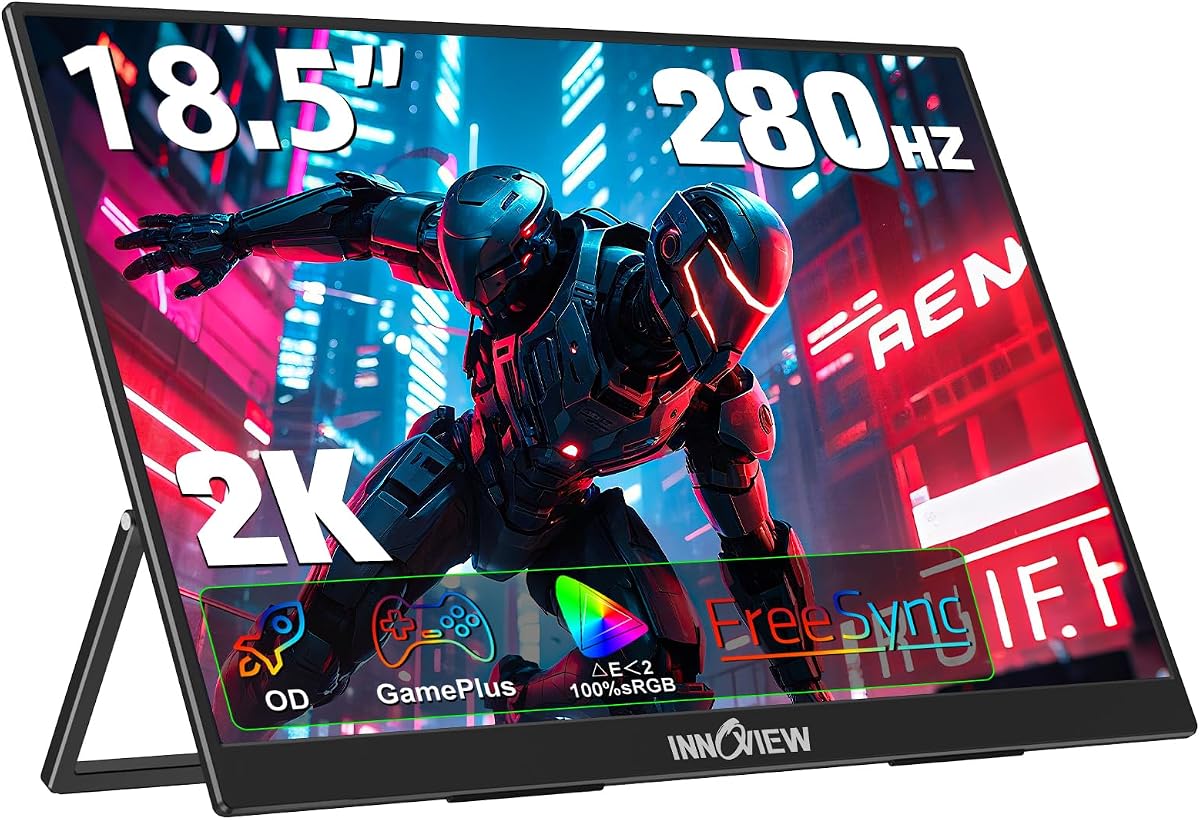
With a 280Hz refresh rate, this monitor offers extreme fluidity for fast-paced games. The 2K QHD resolution ensures text and details are sharp, enhancing both gaming and productivity.
We may earn a commission when you buy through this link, at no additional cost to you.
GamePlus features like customizable crosshairs provide a competitive edge. The screen supports various mounting options, allowing you to use it on desks or walls easily.
The higher price and requirement for external power might be considerations. However, the performance specs justify the cost for enthusiasts seeking maximum frame rates.
This is a strong pick for competitive gamers who want high refresh rates in a portable format. It connects seamlessly to consoles, laptops, or mobile devices for instant setup.
The 280Hz rate minimizes motion blur, giving a clear view of fast action.
2K resolution delivers sharp text and vibrant colors for immersive viewing.
We may earn a commission when you buy through this link, at no additional cost to you.
Weighing only 1.5 lbs, this monitor is one of the lightest options available. The 144Hz refresh rate and IPS panel ensure smooth, colorful visuals even in a compact form.
We may earn a commission when you buy through this link, at no additional cost to you.
USB-C power delivery simplifies setup by reducing cable clutter. This is perfect for users who want a clean, mobile workspace without heavy equipment.
The small size limits immersion for some games, but it is excellent for productivity and quick gaming sessions. The slim profile fits easily into most backpacks.
For travelers needing a lightweight secondary display, this monitor is a practical choice. It connects directly to laptops and consoles, offering reliable performance on the go.
Its minimal weight makes it effortless to carry anywhere without strain.
USB-C reduces cable clutter, powering the screen while transmitting data.
We may earn a commission when you buy through this link, at no additional cost to you.
This model offers a balance of price and performance, making it accessible for many users. The 144Hz refresh rate provides smooth visuals for casual and competitive gaming.
We may earn a commission when you buy through this link, at no additional cost to you.
The 106% sRGB gamut ensures vibrant colors for media consumption. A built-in kickstand allows quick adjustment without extra accessories.
While it lacks advanced sync features, the reliability and simplicity make it a top budget pick. It is great for second-screen setups or portable gaming.
Ideal for students or gamers on a budget, it connects easily to laptops and consoles. The easy setup ensures you can start gaming immediately.
The wide sRGB gamut delivers vibrant, true-to-life colors for all media.
Plug-and-play functionality removes the need for complex driver installations.
We may earn a commission when you buy through this link, at no additional cost to you.
This monitor offers a massive 32-inch curved display, bringing deep immersion for any game. The 240Hz refresh rate ensures buttery-smooth performance for competitive play.
We may earn a commission when you buy through this link, at no additional cost to you.
The curved screen wraps around your vision, reducing eye strain during long sessions. FreeSync helps maintain consistent frame rates for a tear-free experience.
It is less portable than smaller options, making it best for home use. The FHD resolution on a large screen may appear less sharp up close.
For those seeking a large, high-performance screen without needing a PC tower, this is a great option. It connects directly to consoles for an all-in-one gaming experience.
The 32-inch curve fills your peripheral vision for total immersion.
240Hz refresh rate delivers unmatched smoothness for competitive shooters.
We may earn a commission when you buy through this link, at no additional cost to you.
This 24-inch curved monitor balances size and performance well for home setups. The 160Hz refresh rate provides smooth visuals suitable for most gaming genres.
We may earn a commission when you buy through this link, at no additional cost to you.
Multiple game modes allow customization for FPS, RTS, or movie watching. The VESA mount option gives flexibility for desk setups.
The VA panel offers great contrast, though response times may vary slightly. Overall, it is a solid mid-range option for those wanting immersion without a desktop.
Ideal for console gamers, it connects directly to your gaming system. The affordable price point makes it accessible for budget-friendly gaming rooms.
Custom game modes optimize settings for different titles and genres.
1500R curve wraps around your view for a more engaging experience.
We may earn a commission when you buy through this link, at no additional cost to you.
This premium monitor uses QLED technology for stunning color accuracy and brightness. The 100% DCI-P3 gamut ensures rich, vibrant colors for both gaming and creative work.
We may earn a commission when you buy through this link, at no additional cost to you.
With 400 nits brightness, the screen remains visible in various lighting conditions. The slim design makes it easy to carry while maintaining high performance.
The higher cost is justified by the display quality and build. It is a top choice for those who demand visual excellence in a portable format.
For professionals and gamers alike, this monitor offers professional-grade visuals. It connects to laptops and consoles for high-quality viewing on the go.
QLED panel provides deep blacks and vivid colors unmatched by standard IPS.
Slim design makes it ideal for mobile work and high-end gaming.
We may earn a commission when you buy through this link, at no additional cost to you.
Samsung delivers a high-quality 32-inch monitor with a deep 1000R curve. The QHD resolution ensures sharp details that are crisp even on a large display.
We may earn a commission when you buy through this link, at no additional cost to you.
HDR10 support brings out hidden details in shadows and highlights. AMD FreeSync helps keep gameplay smooth and tearing-free during intense moments.
While it is not as portable as smaller screens, its performance is top-notch. It is best suited for a dedicated gaming space without needing a PC.
This monitor is perfect for console users seeking an immersive setup. The brand reputation ensures reliability and consistent performance over time.
The deep curve matches human eye shape for reduced strain and better immersion.
High pixel density provides crisp details, enhancing visual clarity.
We may earn a commission when you buy through this link, at no additional cost to you.
Dell offers a reliable 24-inch monitor with solid 144Hz performance. The IPS panel ensures consistent colors across wide viewing angles, great for shared use.
We may earn a commission when you buy through this link, at no additional cost to you.
TÜV certified eye comfort features reduce blue light to protect vision during long gaming sessions. Two HDMI ports allow easy connection to multiple devices.
While the resolution is standard FHD, the build quality and eye care features are excellent. It is a dependable choice for everyday gaming and work.
For users prioritizing brand trust and eye comfort, this monitor stands out. It connects easily to consoles, serving as a high-quality display without a PC.
TÜV certification reduces blue light to minimize eye strain over time.
Dell’s reputation ensures quality and longevity for daily use.
We may earn a commission when you buy through this link, at no additional cost to you.
Selecting the right monitor without a PC involves checking connectivity, refresh rate, and screen size to match your devices and use case.
Ensure the monitor has ports compatible with your devices, such as HDMI, Type-C, or DisplayPort. These allow direct connection to consoles and mobile phones without extra hubs.
Look for monitors with versatile inputs to match your gaming hardware and avoid compatibility issues during setup.
Higher refresh rates like 144Hz or 240Hz deliver smoother motion and lower input lag. This is crucial for competitive gaming where speed matters.
Choose a rate that balances smooth visuals with your budget, aiming for at least 120Hz for a fluid experience.
Resolution affects text sharpness and image clarity, with 2K offering more detail than 1080p. IPS panels provide better color and viewing angles than VA or TN.
Select a resolution and panel that fits your viewing distance and preferred visual quality for games.
Consider where you will place the monitor. Smaller screens under 20 inches are easier to travel with, while larger ones like 32 inches offer immersion.
Check weight and thickness to ensure it fits in your bag if you plan to move it frequently.
Most portable monitors need external power or a USB-C connection for both data and energy. Some have built-in battery options, but these are less common.
Verify power needs before buying to avoid carrying extra adapters while traveling.
Monitors with adjustable stands or VESA compatibility allow flexible positioning. This helps reduce neck strain during long gaming sessions.
Prioritize models with stand options that suit your desk or wall setup for comfort.
Look for technologies like low blue light and flicker-free screens to reduce eye strain. These features are important for users who play for long periods.
Choose models certified for eye comfort to maintain visual health during extended use.
Prices vary widely based on specs and brand. Determine what features you need most to find the best value without overspending.
Balance performance specs with your budget to get the best monitor for your specific gaming needs.
Connect the monitor to your console or mobile device using the provided HDMI or Type-C cables. Ensure both devices are powered on to establish a signal.
Use the adjustable stand to position the screen at eye level. This helps maintain a comfortable viewing angle and reduces neck strain.
Clean the screen with a soft cloth and avoid harsh chemicals. Store it in a protective sleeve when traveling to prevent scratches and damage.
Yes, many gaming monitors connect directly to consoles, mobile phones, or tablets via HDMI or Type-C. This allows gaming and video playback without needing a desktop tower or laptop.
Most monitors use HDMI for consoles like PS5 and Xbox. Some support Type-C for mobile devices or laptops. Check the manual for the specific ports required by your device.
Some models include basic speakers for audio, but many rely on external headphones or consoles audio. Check the product specs for built-in speaker features before buying.
Portable monitors with eye care features like low blue light are designed for long use. However, taking breaks and adjusting brightness helps maintain comfort over time.
Portable monitors can be powered via USB-C from a power bank or laptop. Some include AC adapters, but mobile gaming may require a battery or portable power source.
Many models have multiple HDMI or Type-C ports allowing quick switching between devices. Use the monitor's OSD menu to change input sources easily.
The top picks highlight diverse options ranging from portable 16-inch screens to large 32-inch curved displays. Each model offers unique features tailored to different gaming needs and budgets.
Prioritize refresh rate and connectivity when selecting a monitor for console or mobile gaming. Ensuring compatibility with your devices helps avoid setup issues.
Prices and availability vary, so check current listings for the best deals. Always verify specs and power needs before making your final purchase.