
Western Digital WD Blue 2TB PC Hard Drive
4.5Editor score
Renewed factory condition
Zero power on hours
256MB cache buffer
Finding the right storage solution is essential for any computer setup. A 5400 Rpm HDD Hard Drive offers reliable storage for everyday tasks and media libraries. These drives balance performance with power efficiency for long-term use.
We evaluated ten top-rated models based on capacity and cache size. Each drive was compared for reliability and compatibility with various systems. Our list covers options for laptops and desktops and network storage.
Each pick shows key specs and real-world performance traits. Prices may change frequently so check current listings before buying. We aim to help you find the best drive for your needs.
4.5Editor score

4.7Editor score

4.5Editor score
As an Amazon Associate we earn from qualifying purchases.
This side-by-side comparison lists all ten models with their key specifications. You can see capacity and cache size and interface type at a glance.


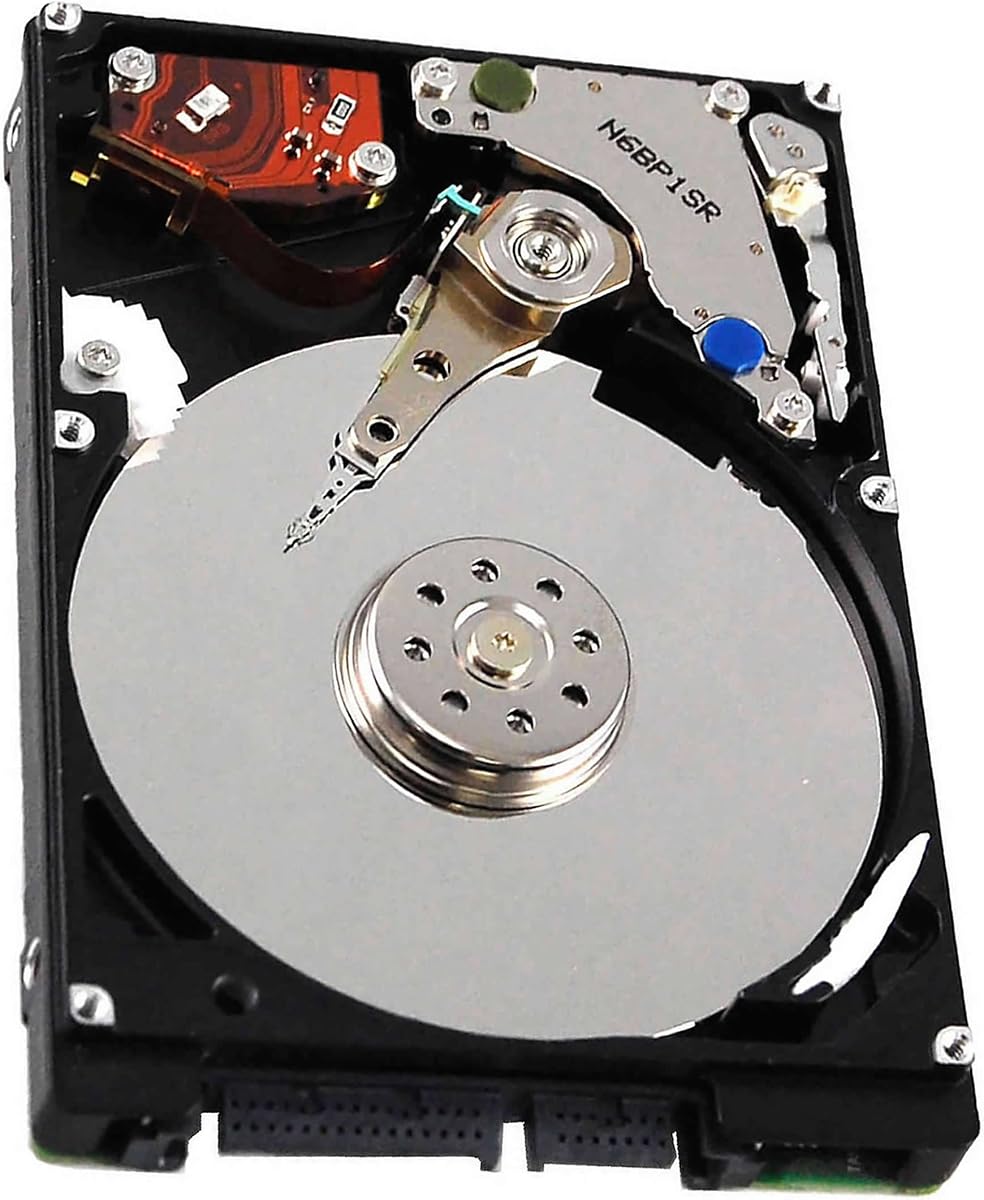


This Seagate BarraCuda model stands out as a top choice for users needing reliable storage. With a rating of 4.7 it shows strong user satisfaction. The 2TB capacity handles most media and document needs easily.
We may earn a commission when you buy through this link, at no additional cost to you.
The drive features a 5400 RPM spin speed which balances efficiency and performance. It uses SATA 6Gb/s for fast data transfer rates. The 128MB cache helps manage data flow smoothly during multitasking.
While the RPM is not the highest available it fits well for general use. It is not optimized for high-speed gaming but works great for file storage. The compact size allows installation in tight spaces like laptops.
Anyone needing dependable storage for a PC or laptop should consider this drive. It offers a strong blend of capacity and reliability. The packaging makes setup quick and simple for most users.
The 2TB space lets you store thousands of photos and videos without worry.
128MB cache ensures smooth data handling during everyday tasks and file transfers.
We may earn a commission when you buy through this link, at no additional cost to you.
This Seagate Barracuda drive offers an impressive 6TB of storage space. It is perfect for users with large media collections or extensive project files. The rating of 4.3 reflects solid performance for bulk storage needs.
We may earn a commission when you buy through this link, at no additional cost to you.
A 256MB cache buffer enhances data handling efficiency. This is beneficial when moving large files or running multiple applications. The SATA 6Gb/s interface ensures the drive keeps up with modern systems.
The 5400 RPM speed prioritizes energy efficiency over raw performance. This makes it suitable for long-term archival storage rather than active gaming. It is best used in a desktop tower with adequate cooling.
Users needing extensive storage for video editing or backups will find this valuable. It provides a cost-effective way to expand system capacity. Ensure your case supports 3.5 inch drives before purchasing.
The 256MB cache helps manage large file transfers with minimal latency.
Designed for 3.5 inch desktop enclosures with standard mounting options.
We may earn a commission when you buy through this link, at no additional cost to you.
This Seagate BarraCuda model brings 5TB of storage to a mobile form factor. It is rare to find such high capacity in a 2.5 inch drive. The rating of 4.2 indicates reliable performance for portable storage users.
We may earn a commission when you buy through this link, at no additional cost to you.
The SATA 6Gb/s interface supports fast data access even at 5400 RPM. This helps reduce wait times when opening large files on the go. The 128MB cache aids in smoothing out read and write operations.
While compact the drive should be handled with care during transport. It is best used in laptops or external enclosures with secure mounting. It balances capacity with portability better than most competitors.
Professionals needing storage for fieldwork will appreciate the capacity density. It allows keeping large datasets local without external bulky drives. Check compatibility with your specific laptop model before installation.
Fit 5TB of data into a standard 2.5 inch laptop bay easily.
SATA 6Gb/s ensures quick loading times for large media files.
We may earn a commission when you buy through this link, at no additional cost to you.
This Toshiba drive is known for its high reliability and user satisfaction. A 4.6 rating suggests strong performance in laptop environments. It offers 2TB of storage which is standard for most users.
We may earn a commission when you buy through this link, at no additional cost to you.
The 9.5mm height makes it suitable for slim laptop chassis. This design ensures compatibility with modern thin notebook designs. Advanced Format technology helps maintain efficiency and data integrity over time.
Low power profile helps optimize battery life on portable devices. Shock sensors and ramp loading technology protect data during movement. It is a cost-effective upgrade for older laptops needing more space.
Anyone looking to upgrade a laptop drive should consider this model. It balances durability with storage needs effectively. Ensure your laptop supports 9.5mm drives before purchase.
9.5mm height fits perfectly in modern thin laptop bays.
Low power consumption helps extend usage time on portable devices.
We may earn a commission when you buy through this link, at no additional cost to you.
This Seagate BarraCuda model is designed for versatile use cases. It supports both PC and laptop environments effectively. The 4.6 rating confirms its reliability for everyday computing tasks.
We may earn a commission when you buy through this link, at no additional cost to you.
Specialized caching technology optimizes data flow for faster loading. This helps applications start quicker and files load faster. The drive handles multitasking well due to its buffer management.
A two-year limited warranty provides long-term peace of mind. It backs the reliability claims with solid support. This model is easy to install in most standard bays.
General users needing an upgrade will find this drive practical. It handles a wide range of workloads without issue. Check current pricing for the best deal on this model.
Specialized caching ensures applications start quickly on boot.
Works with both PC desktops and standard laptop configurations.
We may earn a commission when you buy through this link, at no additional cost to you.
This Western Digital Blue drive offers a reliable option for budget-conscious buyers. Being factory renewed ensures it meets performance standards. The zero power on hours indicate it is ready for immediate use.
We may earn a commission when you buy through this link, at no additional cost to you.
With 256MB cache it handles data efficiently. This is beneficial for caching frequently accessed files. The SATA 6Gb/s interface supports modern data transfer needs.
Renewed products come with specific warranty terms so review those. It is a cost-effective way to get high capacity storage. Ensure the seller offers a return policy for added safety.
Users looking to save money while getting quality storage should consider this. It provides solid performance for standard desktop needs. Verify the condition before finalizing your purchase.
Zero power on hours mean the drive starts fresh in your system.
256MB cache reduces latency during common read write operations.
We may earn a commission when you buy through this link, at no additional cost to you.
This Seagate Momentus drive is a compact entry-level storage solution. It provides 320GB which is suitable for basic needs. The 4.3 rating shows it is dependable for lighter workloads.
We may earn a commission when you buy through this link, at no additional cost to you.
G-Force Protection adds robustness in mobile environments. This protects against shocks and vibrations during transport. 1000 Gs of nonoperating shock tolerance ensure durability in rough conditions.
The SATA 3Gb/s interface is slower than modern standards. It is sufficient for archival storage or older systems. Budget constraints make this a viable choice for simple upgrades.
Users with basic storage needs can find value here. It is also good for industrial applications requiring rugged drives. Consider capacity needs before committing to this smaller model.
High shock tolerance protects data in mobile and industrial settings.
320GB capacity fits small projects and system backups well.
We may earn a commission when you buy through this link, at no additional cost to you.
This Seagate IronWolf drive is purpose built for NAS environments. It handles multi-user loads better than standard drives. The 4.5 rating indicates strong reliability in network storage setups.
We may earn a commission when you buy through this link, at no additional cost to you.
IronWolf Health Management allows easy monitoring of drive health. This helps prevent data loss through early warnings. Three year warranty and rescue services add significant peace of mind.
CMR technology ensures consistent write performance. This is critical for RAID arrays where data integrity matters. The drive operates quietly with little to no vibration.
Home users building a NAS should prioritize this model. It offers long-term reliability for shared files. The extra cost is justified by the specialized features.
Integrated system tracks drive health to prevent unexpected failures.
Low vibration design makes it ideal for home office use.
We may earn a commission when you buy through this link, at no additional cost to you.
This Seagate BarraCuda 4TB drive provides ample space for media. A 4.7 rating reflects strong user satisfaction. It is well suited for storing video and photo libraries.
We may earn a commission when you buy through this link, at no additional cost to you.
Free Seagate DiscWizard software helps migrate data easily. This makes upgrading from old drives a smooth process. The 256MB cache supports efficient handling of large files.
The sustained transfer rate supports standard desktop applications. It is not intended for heavy server workloads. Frustration free packaging simplifies the unboxing experience.
Users needing a single large drive for media will find this ideal. It balances capacity with ease of use. Check current deals for the best value on this model.
Included software allows simple cloning from old to new drives.
256MB cache buffers data for faster transfer of media files.
We may earn a commission when you buy through this link, at no additional cost to you.
This Western Digital WD Red Plus is designed for NAS systems. It supports RAID setups with up to eight bays. The 4.2 rating suggests steady performance for network storage.
We may earn a commission when you buy through this link, at no additional cost to you.
NASware technology tunes the drive for continuous operation. This extends lifespan in always-on environments. World-Class support provides assistance if issues arise during usage.
CMR technology ensures consistent data integrity. This is vital for RAID redundancy and recovery. The 128MB cache handles frequent requests efficiently.
Users setting up a home or office NAS should consider this. It offers reliability for critical shared data. Ensure your NAS is compatible with WD Red Plus drives.
Tuned for 24/7 use in always-on network environments.
World-Class support backs up the drive with assistance when needed.
We may earn a commission when you buy through this link, at no additional cost to you.
Selecting the right drive involves considering several key factors. This guide outlines what matters most for your setup.
Storage capacity determines how much data you can store. A 5400 Rpm HDD Hard Drive comes in many sizes. Choose based on your current and future needs.
Higher capacity means more space for files but often higher cost.
Spin speed affects how quickly data is read. 5400 RPM balances performance with power efficiency. It is standard for general desktop and laptop use.
Higher RPMs exist but 5400 is energy efficient for daily tasks.
Cache acts as a buffer for frequent data access. Larger cache helps multitasking and file transfers. Look for at least 128MB for better performance.
More cache reduces lag when accessing large files quickly.
Form factor affects physical fit in your device. 2.5 inch drives suit laptops. 3.5 inch drives are for desktops. Check your case or laptop bay size.
Choosing the wrong size leads to installation issues.
Interface determines connection speed. SATA 6Gb/s is standard. Older drives use SATA 3Gb/s. Ensure compatibility with your motherboard.
Faster interfaces allow quicker data transfers to your system.
Reliability ensures data stays safe over time. Brands like Seagate and Western Digital have good track records. Check warranty terms and user reviews.
A strong warranty protects your investment against failures.
Some drives are optimized for specific uses. NAS drives handle 24/7 operations better. Gaming drives prioritize speed. Match features to your needs.
Special features help the drive last longer in your setup.
Budget affects which options you can afford. Prices vary by capacity and brand. Look for sales to get better value. Consider renewed options for savings.
Set a budget limit before shopping to narrow choices quickly.
First ensure the drive is properly connected to your system. Check both power and data cables for secure connections. Incorrect connections can lead to failure or errors during boot.
Second avoid moving the drive while it is running. Spinning platters are sensitive to shock. Ensure vibration and physical impact to keep data safe for longer use.
Third monitor drive health periodically using software tools. Check for warnings about bad sectors or temperature. Regular backups ensure your data remains safe even if issues occur.
A 5400 Rpm HDD Hard Drive is suitable for general storage but may lag with modern games. SSDs are preferred for faster load times. However this drive works well for storing games you play less often.
Yes if it is a 2.5 inch form factor. Check your laptop bay size. Most laptops support 2.5 inch drives. Ensure the power and interface match your model requirements.
2.5 inch drives fit in laptops and are more portable. 3.5 inch drives are for desktops and offer more capacity. Check your device space before buying.
Most last between three to five years with proper care. Usage patterns affect this. Regular backups extend the safety of your data even if the drive fails.
No most operating systems detect it automatically. You may need formatting. Tools like DiscWizard help with migration. Follow standard installation steps.
Higher cache buffers data for faster access. This helps with large file transfers. It reduces wait times when multitasking. More cache generally means better performance.
Yes they consume less power than 7200 RPM models. This is good for laptops. It helps extend battery life. They generate less heat as well.
NAS optimized models like IronWolf work best. Standard drives might struggle. Ensure compatibility before building your array. It protects against data loss better.
We reviewed ten top models for storage capacity and reliability. The Seagate BarraCuda 2TB and Western Digital WD Blue offer great value. The Seagate IronWolf stands out for network needs.
Prioritize capacity and interface compatibility with your system. Check if you need a desktop or laptop size. A good warranty ensures peace of mind for your purchase.
Prices change frequently so check current listings before buying. We aim to help you find the best drive for your needs. Make sure to read all specs carefully.