
EurekaMind AI Voice Recorder
4.4Editor score
Unlimited free transcription
Web search integration
Ultra-slim credit size
This guide compares the top AI lapel devices for transcription and summaries, helping you choose the best wearable assistant for meetings and calls.
AI lapel devices are transforming how professionals capture and manage conversations. These wearable recorders use advanced intelligence to transcribe audio, summarize key points, and organize notes automatically without manual effort.
We evaluated ten leading models based on audio quality, transcription accuracy, battery life, and privacy features. Our comparison covers devices that excel in meetings, interviews, and daily note-taking scenarios for diverse users.
Each pick highlights specific strengths like multimodal input, offline storage, or specialized translation. Keep in mind that availability and pricing may shift over time, so verify details before purchasing your new assistant.
4.4Editor score

4.5Editor score

4.8Editor score
The following table provides a side-by-side view of key specifications and features across all ten top-rated AI lapel devices to help you make an informed decision.




The Plaud Note Pro stands out as a top contender in the AI lapel device category with its versatile multimodal input and crystal clear directional audio. Its sleek design and robust privacy features make it ideal for professionals handling sensitive information.
We may earn a commission when you buy through this link, at no additional cost to you.
This device captures audio, notes, and images simultaneously to enrich context. Users can highlight key moments instantly during recording and ask questions about the recording later for deeper insights.
While it offers a generous free starter plan, unlimited transcription requires a subscription upgrade. However, the superior audio quality and enterprise-grade security justify the investment for serious users.
Ideal for executives, legal professionals, and meeting organizers who need reliable transcription and summaries. The integration with Apple Find My adds peace of mind regarding device location.
By allowing you to snap photos and type notes while recording, the device creates a richer context for AI summaries.
Built with ISO and GDPR compliance standards, it ensures your data remains encrypted and under your control.
We may earn a commission when you buy through this link, at no additional cost to you.
The Pocket AI Voice Recorder is designed for seamless integration with iPhone users through its MagSafe compatibility. It transforms everyday notes into actionable insights with simple one-tap recording and smart organization.
We may earn a commission when you buy through this link, at no additional cost to you.
Its standout feature is the ability to turn conversations into structured conversation maps and action items instantly. This helps users review what matters without digging through long audio files.
While it offers core features out of the box, advanced tools require an optional subscription. The battery life is excellent for travel but may need frequent charging during intense all-day usage.
Perfect for iPhone users who want a hands-free recording assistant for meetings and calls. Its user-friendly interface makes it accessible for those new to AI note-taking devices.
Attaching the device to your phone with MagSafe ensures you never have to hold it during recording sessions.
Structured maps allow you to visualize key points and decisions, making review faster and more efficient.
We may earn a commission when you buy through this link, at no additional cost to you.
The Plaud NotePin S offers a discreet and versatile way to capture conversations with its lightweight pin design. It supports over 100 languages and provides enterprise-grade privacy for sensitive recordings.
We may earn a commission when you buy through this link, at no additional cost to you.
It comes with multiple accessories allowing you to wear it as a pin, necklace, or clip. The dedicated physical record button ensures precise control without accidental presses during daily activities.
While it offers 20 hours of recording, this is less than some competitors that offer up to 50 hours. However, the portability and multimodal input make it a strong choice for daily note-taking.
Ideal for journalists, students, and creatives who need to keep their device accessible and discreet. The local storage option ensures you never miss a recording even without internet.
Accessories like lanyards and clips let you adapt the device to any workflow or environment instantly.
With support for 112 languages, it is an excellent tool for international meetings and travel contexts.
We may earn a commission when you buy through this link, at no additional cost to you.
The EurekaMind AI Voice Recorder provides an affordable entry point into AI lapel devices with unlimited free transcription. It combines recording with web search capabilities to offer deeper insights beyond just audio.
We may earn a commission when you buy through this link, at no additional cost to you.
Its thin credit-card profile makes it incredibly easy to carry in a wallet or phone case. The enterprise-level privacy certification ensures your data is protected according to high security standards.
While the build feels more utilitarian than premium models, the functionality is robust for basic needs. Users might miss advanced features like offline storage but the web search compensates for online connectivity.
Best for students and freelancers looking for a cost-effective tool to manage meetings and notes. The inclusion of unlimited free transcription removes the barrier of subscription costs.
Ask AI questions that search the web for follow-up answers adding value beyond simple transcription.
Certified by ISO and other standards, it provides security suitable for business and personal use.
We may earn a commission when you buy through this link, at no additional cost to you.
The Comulytic Note Pro is built for professionals with a lifetime free starter plan that includes unlimited transcription. It offers industry-specific templates for fields like law and real estate to improve accuracy.
We may earn a commission when you buy through this link, at no additional cost to you.
Its 10x faster Wi-Fi sync ensures you get your notes quickly while you continue to focus on meetings. The battery life supports up to 45 hours of recording for back-to-back workdays.
While the display is shielded by glass, it is small compared to larger screens. Users rely heavily on the app for viewing transcripts and summaries which is standard for this category.
Suitable for business professionals who need industry-specific insights without subscription traps. The magnetic accessories ensure you can attach it easily to laptops and phones.
Over 10,000 templates help tailor summaries to specific professional needs and terminology.
No subscription trap means you can use the device indefinitely without mandatory monthly fees.
We may earn a commission when you buy through this link, at no additional cost to you.
The Comu Action Pro stands out for its ability to auto-generate editable documents like slides and emails from meetings. Its six-mic setup captures the clearest audio for detailed analysis and summaries.
We may earn a commission when you buy through this link, at no additional cost to you.
With a 70-hour battery life, it is ready for extended travel or long conferences without recharging. Unlimited core features ensure you get the most out of the device without hidden subscription fees.
While it is a premium device with a higher price, the document generation capability saves significant time. The MagSafe compatibility adds convenience for iPhone users who want seamless attachment.
Ideal for executives and managers who need to produce follow-up documents immediately after meetings. The high user rating reflects satisfaction with its performance and reliability.
Turn conversations into ready-to-use slides and emails with simple prompts to the AI assistant.
Bone conduction and directional mics work together to capture voices accurately even in noise.
We may earn a commission when you buy through this link, at no additional cost to you.
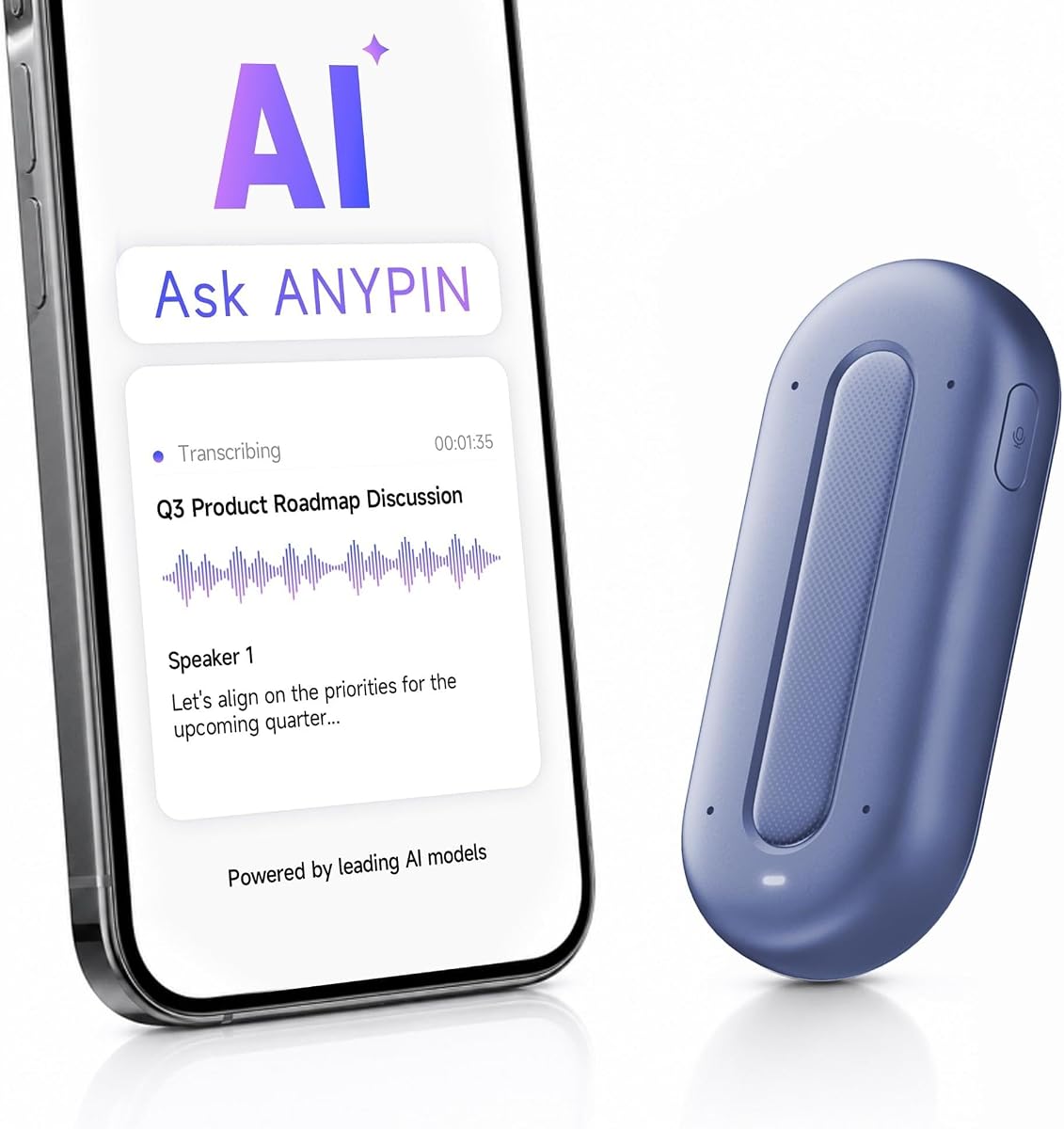
The ANYPIN Note Pod P1 offers extensive language support with over 120 languages and includes one year of unlimited transcription free. It focuses on privacy with on-device encryption and secure storage options.
We may earn a commission when you buy through this link, at no additional cost to you.
Its lightweight design allows it to clip on or attach magnetically for discreet recording. The fast Wi-Fi sync ensures your recordings are available quickly on your companion app.
The device requires Wi-Fi sync and does not support USB-C data transfer which limits offline access. User ratings suggest some inconsistency in performance compared to top-tier competitors.
Best for multilingual professionals or travelers who need translation support and privacy. The included year of free transcription makes it a great trial option for new users.
Convert conversations into bilingual text instantly aiding communication across language barriers.
Recordings stay encrypted on the device ensuring privacy until you choose to sync them.
We may earn a commission when you buy through this link, at no additional cost to you.
The Z01 PRO is a digital badge that combines translation with a customizable touch screen for personal expression. It processes data on-device ensuring privacy without cloud uploads or external connections.
We may earn a commission when you buy through this link, at no additional cost to you.
You can upload custom wallpapers and patterns to make the device uniquely yours. The HD touch screen allows for easy interaction without needing a phone or separate screen.
While it focuses heavily on translation and companion features, it lacks deep recording capabilities like other models. Users need to download the app to activate the full AI assistant functionality.
Suitable for users who want a stylish wearable assistant for travel and daily tasks. The offline capability ensures functionality even in areas with poor internet access.
Upload your own photos and videos to create a unique look that fits your style.
Processing locally means your conversations stay private without ever touching a cloud server.
We may earn a commission when you buy through this link, at no additional cost to you.
The Z02 badge earns a perfect user rating for its balanced approach to recording and translation features. It distinguishes between speakers automatically which is vital for clear meeting notes.
We may earn a commission when you buy through this link, at no additional cost to you.
With eight AI tools including mind maps and summaries, it helps sort key points quickly. The wearable design allows it to be discreetly clipped or worn as a necklace for hands-free use.
Users must download the app and connect to a network to access AI features which may be a limitation for offline needs. The high rating reflects strong user satisfaction with its ease of use.
Ideal for users needing a reliable meeting assistant with strong translation capabilities. The customizable wallpapers make it a friendly daily companion.
Smart speaker distinction ensures each person's points are captured separately for clarity.
Mind maps and summaries organize raw audio into structured notes instantly.
We may earn a commission when you buy through this link, at no additional cost to you.
The SYNCO AI Mini Wireless is a lavalier microphone designed for Android creators who need to organize content quickly. It offers AI summaries and mind maps for recorded speech without monthly fees.
We may earn a commission when you buy through this link, at no additional cost to you.
Its auto voice leveling feature helps balance volume during movement making recordings more consistent. The AI noise reduction keeps speech clear even in noisy environments like cafes.
While it lacks some meeting features, it is a strong tool for vlogs and interviews. The lifetime free tools ensure you can use all features without worrying about hidden costs.
Best for Android content creators who want to streamline their workflow from recording to content planning. The affordable price makes it accessible for beginners.
Balance volume automatically as you move ensuring professional sound quality.
Access summaries and mind maps without ever paying a subscription fee.
We may earn a commission when you buy through this link, at no additional cost to you.
Choosing the right device depends on your specific needs such as language support, battery life, and privacy requirements.
Look for devices that offer high accuracy across multiple languages if you attend international meetings or multilingual events. Check if the device supports real-time translation or just post-processing summaries.
Devices with 100+ language support are ideal for global professionals while others may focus on major languages.
Consider how many hours of recording you need per day. Some models offer 20 hours while others extend to 70 hours on a single charge.
Fast charging and USB-C compatibility are essential for ensuring you are never caught with a dead battery during critical meetings.
For business and legal use, choose devices that offer encryption and comply with standards like GDPR or HIPAA. On-device processing ensures data never leaves your device.
Review the subscription terms and cloud storage policies to ensure your data remains under your control.
Decide between a clip, pin, or badge design based on your comfort. Some devices are lighter and discreet while others offer larger displays.
MagSafe compatibility or magnetic attachments add convenience for attaching to phones or laptops during use.
Check the number of microphones and noise cancellation features. Devices with six or more mics typically offer better clarity in noisy environments.
Directional audio helps focus on specific speakers while filtering out background noise.
Some devices offer unlimited transcription in the starter plan while others require premium subscriptions. Calculate the long-term cost before committing.
Free lifetime tools or one-year unlimited plans can provide significant savings compared to monthly fees.
Wi-Fi sync is generally faster than Bluetooth allowing you to access notes quickly after recording. Ensure the companion app works on your operating system.
Offline storage options are vital if you need to work without internet access during travel.
Ensure the device works with your phone or laptop. Some devices are optimized for Android USB-C while others for iPhone or Mac.
Cross-platform support allows you to manage notes across multiple devices seamlessly.
Start by pairing the device with your smartphone via Bluetooth or Wi-Fi. Download the companion app to access features and updates before your first recording session.
Attach the device to your collar or phone using the included accessories. Press the record button to start capturing audio and ensure the microphone is not covered.
After recording sync your data immediately to the cloud or app. Regularly update the device firmware to ensure optimal performance and security.
Yes, many modern devices feature noise cancellation and directional microphones to isolate voices from background noise. Look for models with triple or six-mic arrays for best results.
Not always. Several devices offer unlimited free transcription in their starter plans. However, advanced AI tools like auto-docs often require a premium subscription.
High-end devices use AES encryption and comply with standards like GDPR. On-device processing ensures your conversations stay private until you choose to sync them.
Most record ambient audio from the room. Some have call recording modes that capture audio directly from the device speaker or via Bluetooth integration.
Many devices store audio locally for offline use. However, advanced AI transcription usually requires syncing to an app that needs internet access.
Clips are versatile for attaching to shirts while badges are discreet and customizable. Choose based on whether you prioritize visibility or discretion.
The best AI lapel devices for 2026 offer a mix of advanced transcription, privacy, and wearable convenience. Options like Plaud Note Pro and Comu Action Pro lead the pack for professionals.
Prioritize battery life and privacy compliance if you handle sensitive data. For casual use, affordable models with free tiers like EurekaMind provide great value.
Prices and features may change over time so always check the latest product details before purchasing to ensure you get the best deal.