
Acer Aspire 14 AI Copilot+ PC
4.3Editor score
Up to 47 TOPS NPU processing
Up to 22 hours battery life
Intel Core Ultra 7 Series 2
Artificial intelligence is rapidly transforming how we use laptops daily. Modern devices now include dedicated Neural Processing Units to handle local AI tasks efficiently without relying on cloud services for basic operations.
We compared ten leading models featuring advanced NPUs and high performance hardware. Our analysis covers processor capabilities, display quality, battery life, and specific AI features to help you find the right fit.
Each review highlights real world strengths and trade offs you should consider before buying. Prices change frequently so always verify the latest deals and availability on the product pages linked in this guide.
4.3Editor score

5.0Editor score

5.0Editor score
As an Amazon Associate we earn from qualifying purchases.
The following table provides a side-by-side comparison of all ten models featured in this guide to help you quickly identify the specifications that matter most to your workflow.


The ASUS Vivobook S16 stands out as the top choice for users seeking a perfect balance of AI capability and visual fidelity. With a perfect five star rating it delivers exceptional performance powered by the AMD Ryzen AI 9 465 processor and a 50 TOPS NPU.
We may earn a commission when you buy through this link, at no additional cost to you.
Its standout feature is the immersive 16 inch WUXGA OLED display that offers deep contrast and vivid colors ideal for creative work. The device supports Copilot+ PC experiences ensuring fast on device AI without delays. Additionally its 32GB RAM and 1TB SSD provide ample resources for demanding multitasking.
While the price is higher than budget options the performance and display quality justify the investment. The battery life supports up to 23 hours which is remarkable for a machine with these specs. Fast charging ensures you stay powered through long days.
This laptop is ideal for professionals and creatives who need reliable AI tools and high quality visuals. Whether you are editing videos or managing complex data the Vivobook S16 handles tasks effortlessly with its powerful integrated components.
The OLED display delivers deep contrast and vivid details making it perfect for media consumption and creative work.
With 50 TOPS NPU power this device handles local AI tasks like summarization and image editing without cloud reliance.
We may earn a commission when you buy through this link, at no additional cost to you.
The Acer Aspire 14 AI Copilot+ PC is an outstanding budget option for those needing powerful AI features without breaking the bank. It earns a strong rating for its Intel Core Ultra 7 processor which includes a robust NPU capable of handling up to 47 TOPS.
We may earn a commission when you buy through this link, at no additional cost to you.
This model excels in portability and endurance with up to 22 hours of battery life in specific scenarios. The sleek aluminum chassis makes it easy to carry and the 180 degree hinge allows versatile positioning. AcerSense tools streamline settings and video presence automatically.
The 14 inch display is bright and clear though some may find it small for heavy multitasking. It is a perfect trade off for the incredible battery life and weight savings. Wi-Fi 6E ensures fast connectivity for all your cloud needs.
Buy this if you prioritize battery life and portability over screen size. It is ideal for students and commuters who need reliable AI assistance on the go. The included 1TB SSD provides plenty of space for files and applications.
Achieve up to 22 hours of usage on a single charge making it perfect for long travel days without outlets.
AcerSense uses AI to optimize video settings and streamline system configurations effortlessly.
We may earn a commission when you buy through this link, at no additional cost to you.
The ASUS Zenbook A16 represents the pinnacle of mobile AI performance with its Snapdragon X2 Elite Extreme processor delivering up to 80 TOPS of NPU power. It achieves a perfect rating from users who value speed and premium build quality in their daily drivers.
We may earn a commission when you buy through this link, at no additional cost to you.
Its 16 inch 3K OLED touchscreen offers incredible clarity and color accuracy for professional creative work. The 48GB of LPDDR5x memory ensures smooth multitasking even with heavy workloads. Windows 11 Pro adds enterprise features like enhanced security and remote desktop support.
While the price reflects its high-end specs the performance is unmatched in the category. The device weighs just under three pounds and charges quickly so you stay productive anywhere. The 30 hour battery life estimate is a major bonus for travelers.
This machine is best for power users and creatives who need maximum RAM and top tier AI capabilities. It handles complex video editing and local AI models with ease. The OLED display makes media consumption a joy while the keyboard is comfortable for long sessions.
With 80 TOPS NPU capability this device handles the most demanding AI workloads faster than any competitor.
48GB of LPDDR5x memory allows for massive datasets and multiple applications running simultaneously.
We may earn a commission when you buy through this link, at no additional cost to you.
The Acer Aspire 16 AI Copilot+ PC offers a great mix of performance and display quality for users who want a larger screen. It features a Snapdragon X processor with 45 TOPS NPU power and a 16 inch 120Hz display that makes scrolling and animation look smooth.
We may earn a commission when you buy through this link, at no additional cost to you.
The inclusion of Wi-Fi 7 ensures future ready connectivity speeds for faster file transfers and streaming. The chassis is built with 100% recyclable materials and feels sturdy. It includes dual USB4 ports which are versatile for high speed data transfer and video output.
The 512GB SSD is decent but might fill up quickly with large AI datasets or video files. This is a common trade off in this price range. The 120Hz screen is a standout feature that sets it apart from standard 60Hz laptops in this tier.
Choose this model if you need a big screen for multitasking and modern connectivity. It is excellent for general productivity and entertainment. The AcerSense features add convenience by optimizing settings automatically based on your usage patterns.
The 120Hz refresh rate makes web browsing and content consumption feel fluid and responsive.
Wi-Fi 7 support ensures you are ready for the next generation of wireless internet speeds.
We may earn a commission when you buy through this link, at no additional cost to you.
The NIMO 16 inch AI Laptop is a specialized machine designed for developers and creators who need extreme resources locally. With 128GB of unified LPDDR5X memory it removes bottlenecks when running local large language models and complex simulations without cloud fees.
We may earn a commission when you buy through this link, at no additional cost to you.
The OCuLink port allows you to connect external GPUs or storage devices for even more power. It features a 165Hz display which is great for gaming and video editing. The 99Wh battery is the max allowed for air travel so you can work during flights.
The main drawback is weight making it less portable than other options in this guide. If you move around a lot this might be a burden. However for a mobile workstation it offers desktop grade power in a compact chassis. The cooling system manages heat well under load.
This laptop is perfect for AI developers who need to run massive local models. It is also great for video editors working on 8K timelines. The 2TB SSD ensures you have plenty of room for large datasets and project files.
With 128GB of unified memory you can run the largest local LLMs and complex workflows without slowdowns.
The OCuLink port provides high speed connectivity for external GPUs or storage devices.
We may earn a commission when you buy through this link, at no additional cost to you.
The NIMO 17.3 inch Copilot+ AI Laptop delivers a massive workspace for gaming and productivity. It uses the AMD Ryzen AI 9 HX 370 processor which provides top tier performance and a 50 TOPS NPU for advanced AI tasks like image generation and real time translation.
We may earn a commission when you buy through this link, at no additional cost to you.
The 144Hz FHD display is great for fast paced gaming and smooth scrolling. You can expand RAM to 64GB and add a second SSD for more storage. The built-in numeric keypad is a huge plus for data entry and financial work.
While the screen size is generous the resolution is only FHD which may look less sharp for detailed design work. The weight is manageable for a 17 inch machine but it is still large for commuting. It excels as a stationary or semi-portable workstation.
Ideal for gamers and power users who prioritize screen real estate and performance. The Radeon graphics deliver console quality visuals for AAA titles. The 2 year warranty offers peace of mind for long term use.
The 17.3 inch display offers a cinematic view that reduces scrolling and enhances multitasking productivity.
The Radeon 890M graphics provide strong frame rates and visual fidelity for modern games.
We may earn a commission when you buy through this link, at no additional cost to you.
The HP Omnibook 16 inch 2K Touchscreen is a solid business machine with strong AI capabilities. It features the AMD Ryzen AI 7 350 processor which delivers fast performance and a 50 TOPS NPU for local AI workloads like transcription and search enhancement.
We may earn a commission when you buy through this link, at no additional cost to you.
The 2K touchscreen display provides sharp visuals and supports FreeSync for smooth motion. With 32GB of RAM and 2TB of storage it handles large enterprise datasets easily. Windows 11 Pro brings enhanced security features and remote management tools for corporate environments.
The battery life is decent but falls short of the top endurance models in this guide. It is a reliable daily driver for office work but might need a charger for long travel days. The numeric keypad helps with data entry tasks.
This laptop is recommended for professionals who need enterprise features and ample storage. The AI Studio Effects improve video call quality significantly. It is a well-rounded choice for hybrid workers who need security and performance.
Windows 11 Pro ensures your business data stays secure with advanced encryption and remote management tools.
The 2K resolution touchscreen offers crisp visuals and responsive touch for intuitive navigation.
We may earn a commission when you buy through this link, at no additional cost to you.
The Dell 16 Plus Touchscreen Laptop is a robust business machine with a focus on durability and modern connectivity. It features an Intel Core Ultra 9 processor with strong AI capabilities and up to 48 TOPS NPU performance for handling daily intelligent tasks.
We may earn a commission when you buy through this link, at no additional cost to you.
One of its standout features is Wi-Fi 7 support which ensures the fastest wireless speeds available. The Thunderbolt 4 port is versatile for docking and high speed data transfer. The ComfortView display reduces blue light for easier viewing during long work sessions.
The display resolution is FHD+ which is functional but not as sharp as 2K options in this guide. This is a trade off for battery life and cost. The modular design makes repairs easier if needed in a business environment.
This laptop is a reliable choice for enterprise users who need security and connectivity. The vPro features help IT manage devices remotely. It is a stable workhorse for professionals who prioritize reliability over flashy specs.
Wi-Fi 7 support ensures you get the fastest possible internet speeds for video calls and data uploads.
The ComfortView technology reduces blue light to help reduce eye strain during extended use.
We may earn a commission when you buy through this link, at no additional cost to you.
The HP 16 inch Touchscreen AI Laptop focuses on privacy and display quality for professional use. It features an Intel Ultra 7 processor with a dedicated AI Boost NPU that enhances multitasking and efficiency across various software applications.
We may earn a commission when you buy through this link, at no additional cost to you.
The 2K touchscreen provides vibrant visuals and the privacy shutter on the camera ensures you control your access. Wi-Fi 7 ensures you stay connected at high speeds. The battery is smaller than others in this list but fast charging helps mitigate that.
The U series processor is efficient for office tasks but not for heavy workloads. It is a good fit for general business use where battery life and portability are key. The 32GB RAM helps keep apps running smoothly even on this efficient chip.
This laptop is ideal for users who prioritize privacy and display quality. It is great for remote workers who need a secure and portable device. The numeric keypad makes data entry easier for financial and administrative tasks.
The physical camera shutter gives you complete peace of mind when you do not need video calls.
HP Fast Charge gets your battery to 50 percent in 45 minutes so you keep working without long waits.
We may earn a commission when you buy through this link, at no additional cost to you.
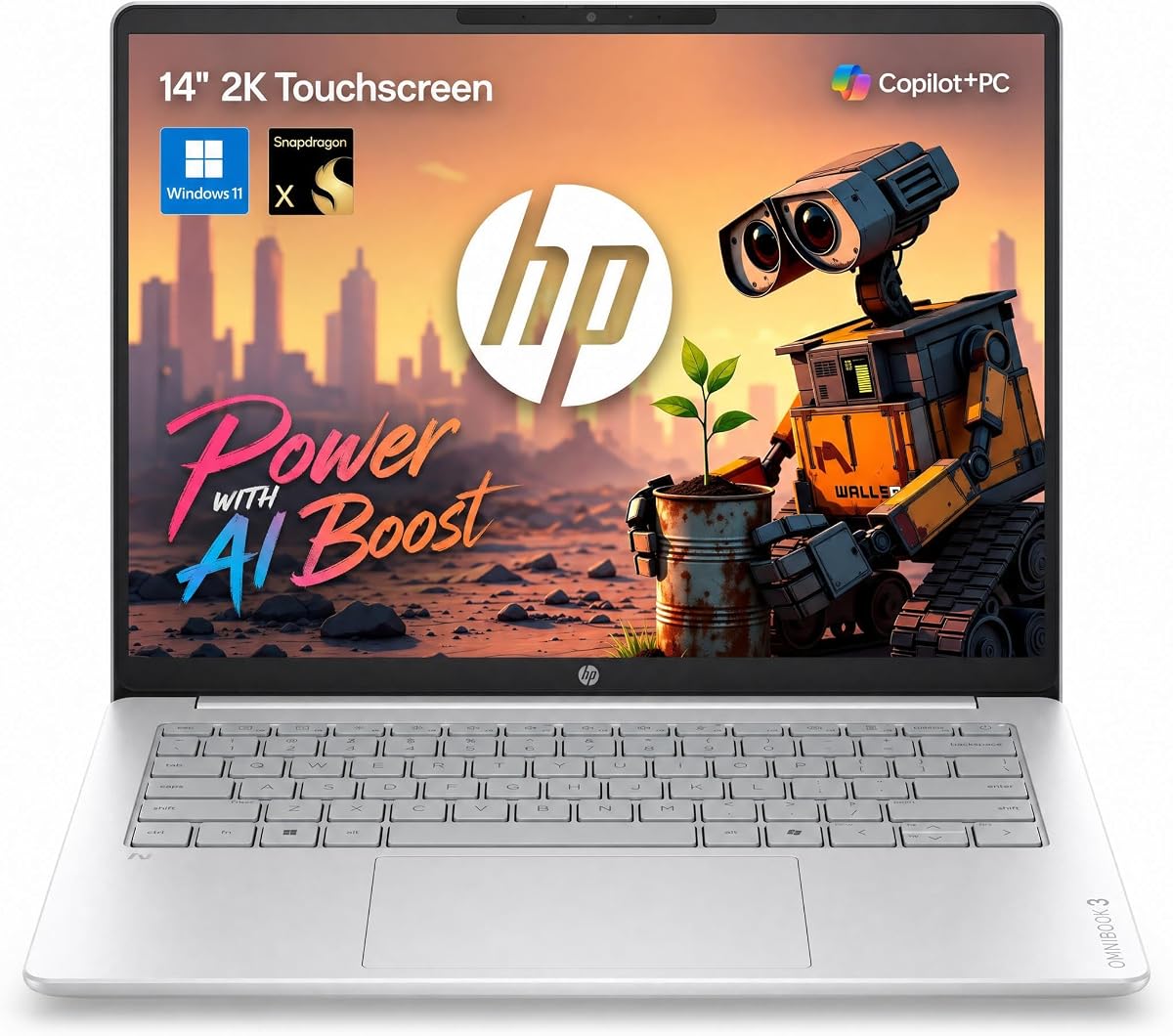
The HP OmniBook 3 14 2K Touch is a lightweight champion with Snapdragon X processing for excellent battery life. It includes a dedicated 45 TOPS NPU that handles AI workloads locally and delivers fast responsiveness for intelligent tasks.
We may earn a commission when you buy through this link, at no additional cost to you.
Its 30 hour battery life estimate is one of the highest in this comparison making it ideal for travel. The 2K IPS touchscreen offers vibrant colors and sharp text. The 14 inch form factor is easy to carry with only 3.13 lbs weight.
The Snapdragon platform offers great efficiency but some legacy x86 apps may run slower or require emulation. For most modern web and cloud tasks it works seamlessly. It is a strong option for students and light workers on the go.
Choose this if you want maximum battery life and a premium display. It handles daily tasks like email and web browsing with ease. The IR camera and privacy shutter add security layers for remote work and travel.
Up to 30 hours of video playback means you can go days without needing a power outlet.
The 2K touchscreen provides crisp visuals and vibrant colors for content consumption.
We may earn a commission when you buy through this link, at no additional cost to you.
Choosing the right AI laptop requires looking beyond just processor names. Focus on NPU performance, memory capacity, and battery life to ensure a smooth experience with modern AI tools.
The Neural Processing Unit or NPU is dedicated hardware for running AI tasks efficiently. Look for models with at least 40 TOPS to handle local image editing and background effects smoothly.
Prioritize laptops with 40 TOPS or higher for the best AI performance.
AI applications like local LLMs and image generators require significant RAM. Ensure you have at least 16GB of unified memory to avoid slowdowns.
Opt for 32GB or more if you plan to run complex AI workflows regularly.
AI features can drain battery quickly so look for models that balance performance with power efficiency. Aim for devices rated for 10+ hours of real world usage.
Check battery capacity and real world reviews to ensure all day productivity.
Since AI often involves image and video work a high quality display is essential. Look for OLED or IPS panels with high resolution and good color accuracy.
Choose a screen with at least 2K resolution for sharp text and media.
Modern AI laptops use Intel Core Ultra, AMD Ryzen AI, or Snapdragon X processors. Each has different strengths in efficiency and raw performance.
Select a processor that matches your primary use case whether it is productivity or media.
AI datasets and models are large so fast storage is crucial. Aim for 1TB SSDs with PCIe Gen 4 speeds for quick boot and load times.
Ensure you have at least 512GB of fast SSD storage for your files.
Wi-Fi 7 and USB 4.0 provide future ready speeds for data transfer and docking. These features improve how you work with external devices.
Look for USB4 or Thunderbolt ports for maximum flexibility.
Windows 11 is optimized for AI tools like Copilot+. Ensure the laptop supports the latest updates and AI features.
Verify the device supports Copilot+ PC features for full functionality.
To get the most out of your AI laptop enable Windows Studio Effects in settings to use the NPU for background blur and noise suppression during video calls.
Keep your software updated regularly since AI features often improve with new patches and driver updates from the manufacturer.
Protect your investment by using a cooling pad during heavy workloads to maintain thermal efficiency and extend hardware lifespan.
An NPU or Neural Processing Unit is a specialized chip designed to run AI tasks efficiently. It handles things like background noise reduction and image generation without using the main CPU or GPU.
Not necessarily. Modern NPUs handle many local AI tasks efficiently. However a dedicated GPU helps with heavy rendering or training large models locally.
Yes Copilot+ PC features require specific hardware like a 40+ TOPS NPU. Older laptops may get some AI features but not the full Copilot+ experience.
Yes many of these laptops support local language models especially those with 32GB or more of unified memory. Performance varies by model size.
You can check the specifications listed for each product. Look for the TOPS rating which indicates the compute power of the NPU.
Absolutely The high speed storage and memory make them ideal for video editing and graphic design. The NPU also helps with AI effects in apps.
The ASUS Vivobook S16 and Zenbook A16 lead this guide with top tier displays and AI performance for professionals who need power.
For those prioritizing battery life the Acer Aspire 14 and HP OmniBook 3 offer impressive endurance for mobile productivity.
Remember that specs vary by model so check the latest product details to ensure the laptop fits your specific workflow needs.