
Canon MegaTank G3270
4.1Editor score
Up to 2 years ink included
Affordable entry price point
Large page yield capacity
Finding a reliable printing solution often means dealing with expensive cartridges and frequent replacements. A cartridge free printer offers a modern alternative by using refillable ink tanks that save money and reduce waste over time.
We have analyzed the leading models available this year, focusing on reliability, speed, and overall value. Our comparison includes top brands known for innovation in home office and personal printing environments.
Each selection in this guide highlights key strengths and potential trade-offs to help you decide. Remember that specific offers and availability can change, so check current listings before purchasing your next device.
4.1Editor score

4.1Editor score

4.3Editor score
As an Amazon Associate we earn from qualifying purchases.
The following table provides a quick side-by-side overview of all ten selected models, focusing on their core specifications and standout capabilities for potential buyers.




The HP Smart Tank 5003 stands out as a top contender in the cartridge free printer category with its impressive ink capacity and smart features. It receives high marks for offering up to three years of ink right out of the box which is ideal for busy home offices.
We may earn a commission when you buy through this link, at no additional cost to you.
This model shines with its mess-free refill system that allows users to replenish ink without spilling or squeezing bottles. The AI-capable features ensure that users can print with confidence while relying on easy mobile and wireless printing options for daily tasks.
While the setup process might require some time and the software interface can feel slightly complex initially, the long-term benefits outweigh these minor hurdles. The sharper text and richer colors produced by this device justify the initial effort required to configure it.
Buyers looking for a reliable, high-capacity solution that minimizes ongoing costs should strongly consider this model. It is an excellent choice for households needing consistent performance and savings without the hassle of traditional ink cartridges.
With up to 6,000 color or black pages included, users save significantly over traditional cartridge systems.
The easy-access tank design lets you plug in bottles directly ensuring a clean and quick refill process.
We may earn a commission when you buy through this link, at no additional cost to you.
The Epson EcoTank ET-2803 offers a robust solution for those seeking to eliminate expensive ink cartridges from their workflow. It is praised for its innovative design that replaces tiny cartridges with high-capacity ink bottles equivalent to many individual units.
We may earn a commission when you buy through this link, at no additional cost to you.
This printer supports hands-free voice-activated printing which adds convenience for tech-savvy users managing documents from smart devices. The unique Micro Piezo Heat-Free technology ensures sharp text and impressive color graphics on various paper types without generating heat.
Although the upfront cost for ink bottles can seem high compared to single cartridges the long-term savings are substantial. Users should note that setting up voice features requires some initial configuration to work seamlessly with smart assistants.
This model is perfect for households wanting to reduce waste and enjoy consistent print quality. Its stress-free printing capabilities make it a strong candidate for general home use requiring reliability and convenience.
By reducing plastic waste from cartridges this model helps lower the amount of landfill material from printing.
Heat-free technology maintains print head integrity for better longevity and consistent output quality.
We may earn a commission when you buy through this link, at no additional cost to you.
As a premium option, the Epson EcoTank ET-2903 delivers high performance with a modern interface and fast processing speeds. It features a vibrant color display that simplifies navigation and ensures users can manage tasks effortlessly on the device.
We may earn a commission when you buy through this link, at no additional cost to you.
The printer includes auto 2-sided printing which helps save paper and time on large documents. With stunning photographic print quality and a high 5760 x 1440 dpi resolution it handles detailed images with precision for home projects.
The main drawback is the higher initial price compared to other models in this lineup. Additionally, the menu structure can be slightly complex for those unfamiliar with digital displays though it offers extensive control options.
Those prioritizing speed and display usability will find this model rewarding. It is ideal for users needing a reliable workhorse for home office tasks with the added benefit of modern connectivity features.
The 1.44-inch color screen provides clear visual feedback for navigating settings and document copying.
With 11 pages per minute for black output you can complete jobs quickly without waiting.
We may earn a commission when you buy through this link, at no additional cost to you.
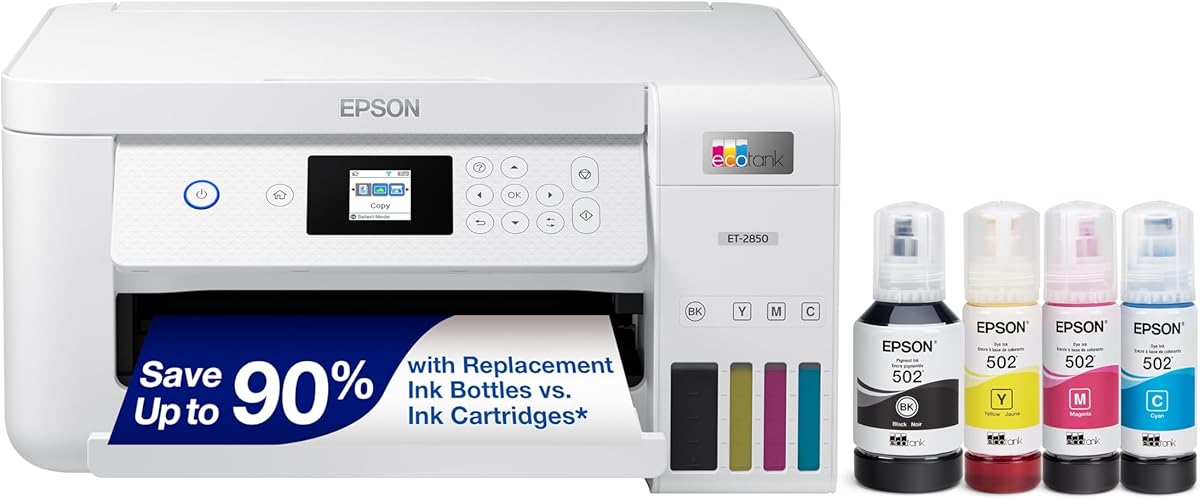
The Epson EcoTank ET-2850 is designed for efficiency and durability, offering a high-capacity tank system that reduces refills. It is particularly noted for its pigment black ink which produces extremely sharp text suitable for professional documents.
We may earn a commission when you buy through this link, at no additional cost to you.
Users benefit from the auto 2-sided printing feature which saves paper and streamlines document creation. The unique Micro Piezo Heat-Free technology ensures consistent photo and graphic quality across different paper types.
This model does lack some voice features found in higher-end versions and may print colors slightly slower than black. However, the significant page yield per ink bottle offsets this limitation for heavy users.
It is a strong choice for users needing reliable text output and cost-effective printing. The simplicity of the bottle system makes it accessible for anyone wanting to avoid cartridge hassle.
Pigment ink ensures crisp professional text that does not smear or fade easily over time.
Auto 2-sided printing cuts paper usage in half for standard office documents.
We may earn a commission when you buy through this link, at no additional cost to you.
The Epson EcoTank ET-4800 provides a compact solution for those needing essential printing without complex setups. It features high-capacity ink tanks that support continuous printing without frequent refills for home users.
We may earn a commission when you buy through this link, at no additional cost to you.
Its Micro Piezo Heat-Free technology ensures sharp text and vibrant colors on virtually any paper type. The built-in scanner and copier with color display navigation make it a versatile device for general document handling.
This model has a lower average rating compared to others which might indicate varying user experiences. It also lacks some advanced smart connectivity options found in newer versions which may limit automation.
For users seeking basic functionality at a reasonable price this is a practical option. It is suitable for households needing standard copy scan and print tasks with reliable ink efficiency.
Designed for virtually any workspace this model fits comfortably on desks without taking up much room.
EcoFit bottles make filling easy and worry-free reducing the time spent on maintenance.
We may earn a commission when you buy through this link, at no additional cost to you.
The Canon MegaTank G3270 is a budget-friendly option that does not compromise on essential features like wireless printing. It includes up to two years of ink and supports a massive page yield making it cost-effective for daily use.
We may earn a commission when you buy through this link, at no additional cost to you.
With a 1.35-inch square LCD display users can easily manage print jobs and monitor ink levels. The system supports printing up to 6,000 black and white pages which is impressive for this price point.
The lack of automatic duplex printing means users must manually flip pages for double-sided documents which may slow down bulk tasks. Additionally the smaller screen offers limited navigation compared to larger touch displays.
This model is ideal for those seeking an entry-level cartridge free solution. It delivers significant savings on ink and works well for casual printing needs without complex requirements.
Users can save up to $1,000 on ink over the life of this printer due to tank efficiency.
Wireless printing allows easy connection from smart devices without needing physical cables.
We may earn a commission when you buy through this link, at no additional cost to you.
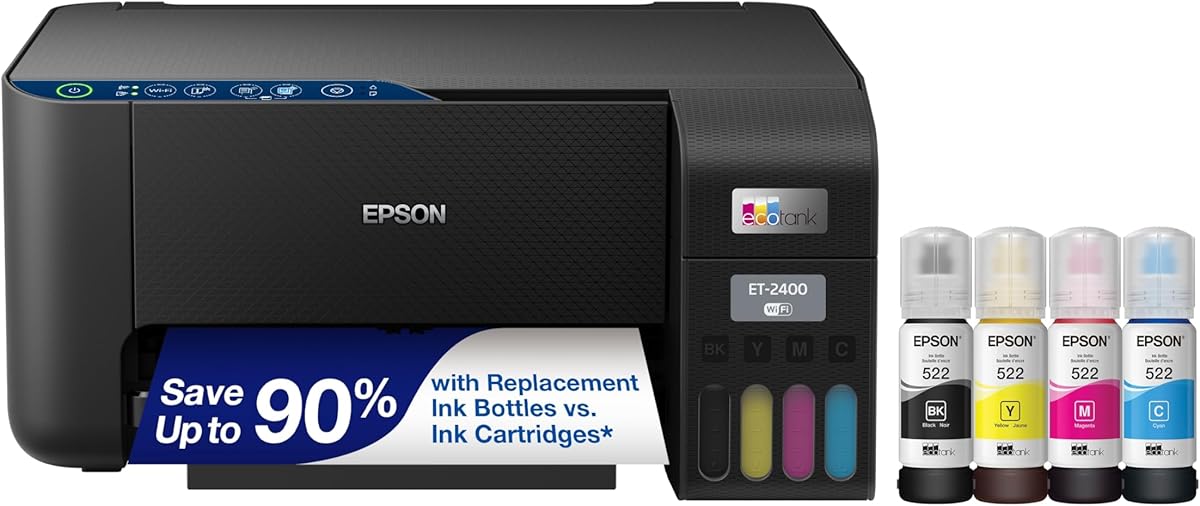
The Epson EcoTank ET-2400 brings essential wireless functionality to home users who want simplicity and savings. It includes enough ink for up to two years of operation which reduces the frequency of maintenance tasks.
We may earn a commission when you buy through this link, at no additional cost to you.
Users can print up to 4,500 black and white pages with the included ink set which is efficient for home tasks. The unique EcoFit bottles make refilling easy without mixing colors or spilling ink accidentally.
This model is relatively basic compared to newer versions and lacks advanced features like duplex printing or large color screens. It is designed for standard tasks and may not suit users needing high-speed outputs.
It is a good pick for those prioritizing ease of use and environmental benefits. The reliable technology ensures long-term usage without frequent cartridge replacements or waste generation.
Wireless setup allows users to connect from multiple devices quickly without complex configuration steps.
Keyed ink bottles prevent mixing errors ensuring a simple and safe refill process.
We may earn a commission when you buy through this link, at no additional cost to you.
The Epson EcoTank ET-2800 is designed for reliability and consistent output in home environments. It fires off 10 ISO pages per minute which is a decent speed for general documents and photos.
We may earn a commission when you buy through this link, at no additional cost to you.
Using Micro Piezo Heat-Free Technology this device creates vivid detailed prints that look professional on standard paper. The zero cartridge waste design helps users contribute to environmental savings without extra effort.
Lacking automatic duplex printing it may not be the fastest choice for heavy double-sided job loads. However, for average users the speed and quality provided are more than sufficient for daily needs.
It is a solid choice for those wanting dependable performance without complex features. The included ink capacity ensures that users can print for long periods before needing to restock bottles.
With 10 pages per minute users can finish typical documents quickly without waiting.
Vivid detailed prints ensure that photos and text look sharp and professional every time.
We may earn a commission when you buy through this link, at no additional cost to you.
The Epson EcoTank ET-2980 is praised for its supersized ink tanks and user-friendly design that simplifies home printing. It comes with enough ink to print up to 6,600 pages which provides exceptional value for active households.
We may earn a commission when you buy through this link, at no additional cost to you.
Mobile printing support through the Epson Smart Panel app allows users to send tasks from smart devices easily. The simple ink refilling process prevents drying out and reduces stress during maintenance tasks.
While it offers great capacity it still relies on manual duplex printing for double-sided documents which can be tedious. However, the high page yield and reliability make these trade-offs acceptable for many users.
This model is suitable for those needing a versatile device with minimal maintenance. It stands out for its global popularity and consistent performance in home environments requiring long-term use.
Supersized tanks allow users to print thousands of pages before needing a replacement set.
Smart device integration lets users scan and print remotely without physical connection.
We may earn a commission when you buy through this link, at no additional cost to you.
The Epson EcoTank ET-2988 offers a renewed option for those seeking high performance at a reduced cost. It features fast 15 ppm print speeds and auto 2-sided printing which boosts productivity for office tasks.
We may earn a commission when you buy through this link, at no additional cost to you.
With up to 3 years of ink included users get a high capacity system that reduces maintenance frequency significantly. The 1.44 color display provides easy navigation for all device settings and scans.
As a renewed model it may come with a shorter warranty and potential cosmetic signs of use. Buyers should weigh the savings against the risk of potential issues with refurbished electronics before purchasing.
It is a smart choice for budget-conscious buyers wanting premium features. This model brings advanced productivity tools to the home office without the full price of a new unit.
With 15 pages per minute black output users can handle large document jobs efficiently.
Buying renewed offers access to advanced features while keeping overall spending lower.
We may earn a commission when you buy through this link, at no additional cost to you.
Selecting the right cartridge free printer involves considering several key factors to ensure it meets your specific needs and budget.
The amount of ink included with the printer determines how long you can print without buying more. Look for models that offer years of ink to minimize future costs.
High page yield per bottle means fewer refills and less waste over the lifespan of the device.
Resolution affects the sharpness of text and detail in photos. Higher DPI ratings generally produce clearer images for home projects.
Choose a model with the technology that supports your paper types to avoid smearing or fading.
Wireless and mobile printing capabilities allow you to print from phones and tablets easily. Voice activation can add convenience for busy households.
Ensure the printer supports your current devices and network standards for seamless integration.
Print speed in pages per minute impacts how fast large documents are completed. Consider your average volume when selecting a model.
A higher duty cycle ensures the device can handle regular use without overheating or failing.
A mess-free and easy refill system reduces frustration during maintenance. Keyed bottles prevent accidental mixing of colors.
Look for tanks that are accessible and designed to be filled quickly and securely.
Features like auto 2-sided printing and large color displays improve efficiency and usability. These tools save paper and simplify navigation.
Assess which features are necessary for your workflow to avoid paying for unnecessary extras.
A solid warranty protects your investment against defects or mechanical issues. Check the length and terms of coverage provided.
Responsive customer support is crucial for troubleshooting any connectivity or ink issues.
While the initial price may be higher the cost per page is usually lower with cartridge free printers. Calculate long-term savings to justify the upfront cost.
Consider the cost of replacement ink bottles when evaluating total expenses over time.
When setting up your printer, place it on a flat stable surface to avoid spillage during ink filling. Follow the manufacturer's instructions to prime the system and ensure smooth ink flow.
Regularly print test pages or color bars to prevent the printhead from drying out. Use genuine ink bottles to maintain performance and avoid damage to internal components.
Keep the printer covered when not in use to protect it from dust and debris. Check firmware updates periodically to improve connectivity and add new features.
A cartridge free printer uses refillable ink tanks instead of disposable cartridges. This design allows you to pour ink from bottles directly into the device saving money and reducing plastic waste.
Most models come with enough ink to last several years depending on usage. High capacity tanks can provide up to thousands of pages of printing before needing a refill.
While some users choose third-party options manufacturers recommend genuine ink for best results. Using non-genuine ink may void warranties and cause potential damage to the printer.
Yes, many cartridge free printers offer superior print quality and consistency. The liquid ink allows for richer colors and sharper text compared to dried cartridge cartridges.
Modern refill systems are designed to be mess-free and simple. Keyed bottles and easy access tanks make the process quick and safe for users.
Yes, they significantly reduce plastic waste by eliminating disposable cartridges. Users help lower the amount of waste ending up in landfills with every refill.
The cost per page is much lower than traditional cartridge printers. Savings can be substantial over time especially for high-volume printing tasks.
Most models support wireless and mobile printing via apps. This allows you to print from smartphones and tablets without a direct computer connection.
The HP Smart Tank 5003 stands out as our top pick due to its balance of speed quality and long-lasting ink. It is ideal for those needing reliable performance without constant maintenance.
Prioritize models with features like auto 2-sided printing and mobile connectivity if they align with your workflow. These tools improve efficiency and make daily tasks much easier.
Remember to check current listings and offers before finalizing your purchase. Prices and availability can change so ensure you get the best deal for your chosen model.