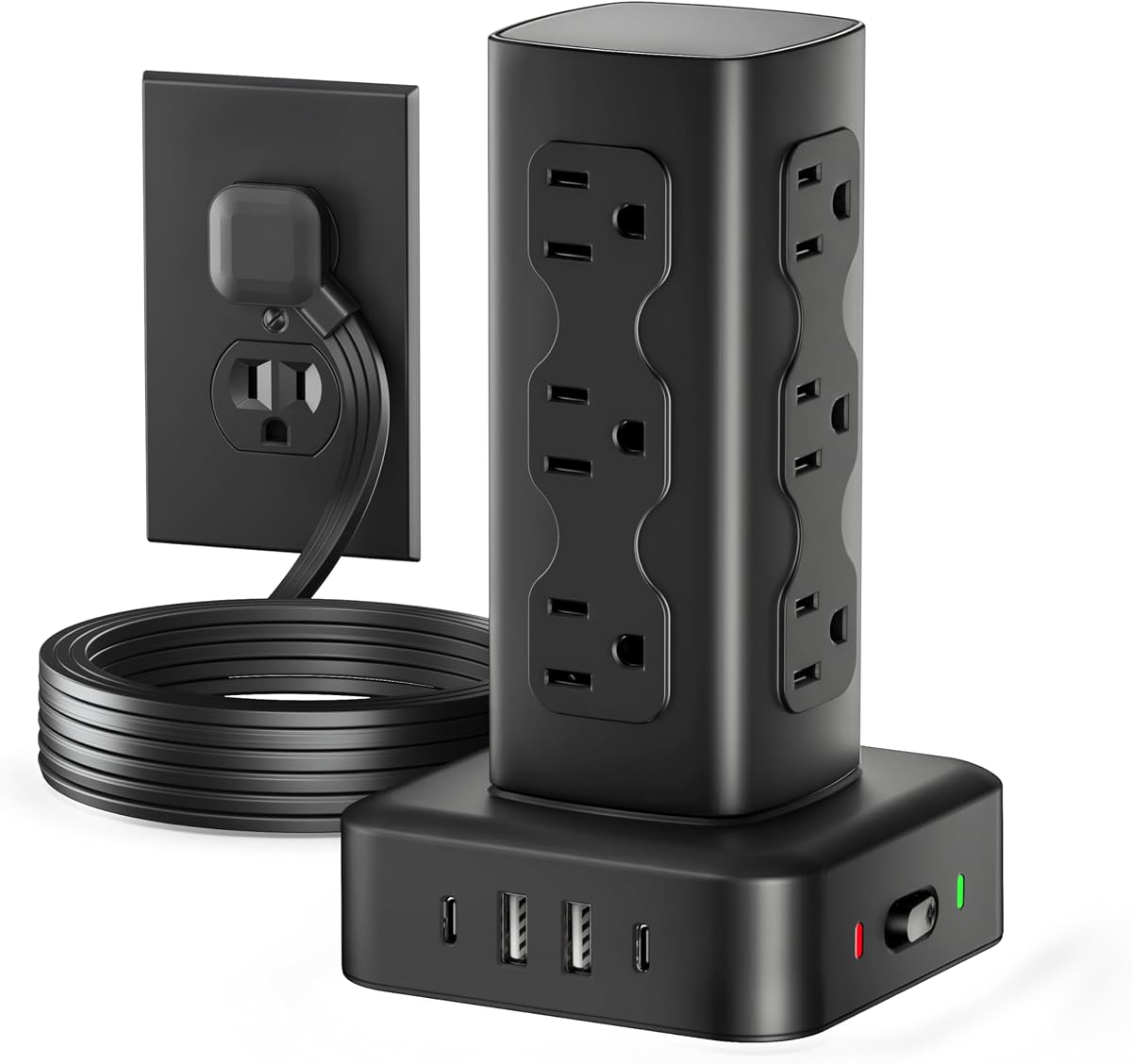
Power Strip Tower with 12 AC Outlets & 4 USB Ports(2 USB C), 6FT Cord
4.7Editor score
12 AC outlets with wide spacing
2 USB-C and 2 USB-A ports
2000-joule surge protection
This expert guide compares the top 10 charging towers for 2026, evaluating outlet count, USB speeds, surge protection, and safety features to help you find the
A charging tower consolidates multiple power outlets into a vertical space-saving design, ideal for desks, nightstands, and entertainment centers. Choosing the right model involves balancing outlet count, USB charging capabilities, and essential safety features like surge protection to keep your devices safe and organized.
We evaluated ten top-rated charging towers based on real-world performance, build quality, and user feedback. Our analysis focuses on critical aspects such as total wattage, plug design, cord length, and certification standards to ensure you receive a reliable and efficient power management solution for your home or office.
Each pick below highlights specific strengths, from budget-friendly options to high-wattage stations capable of charging laptops. Please note that product availability and prices may fluctuate over time, so verify current details on the retailer site before making your final purchase decision to ensure you get the best value.
4.7Editor score

4.5Editor score

4.5Editor score
This comparison table presents the key specifications for all ten charging towers reviewed in this guide. Use these details to quickly identify which model offers the ideal combination of outlet count, USB performance, and physical design for your specific workspace requirements.


The kakyanill Charging Station is a versatile vertical power solution designed to organize multiple devices in one compact tower. With a rating of 4.5 stars, it balances high capacity with safety features, making it an excellent choice for busy home offices or dorm rooms where space is at a premium.
We may earn a commission when you buy through this link, at no additional cost to you.
This tower offers 9 AC outlets spaced widely enough for bulky adapters alongside 8 USB ports for modern devices. The retractable base is a standout feature that allows you to pull out the 6-foot cord when needed and roll it back in to reduce clutter. Its ultra-slim 0.35 plug and 45-degree angle ensure it fits seamlessly behind furniture without blocking other outlets.
While the USB ports do not offer the fastest PD speeds available on premium models, they provide reliable power for phones and tablets. The industrial-grade safeguards including a 15A circuit breaker and fire-resistant casing protect your electronics from surges and overheating effectively.
Buy this model if you need maximum connectivity and a clean look without paying for high-wattage USB-C charging. It is ideal for users who prioritize outlet count and safety certification over fast charging laptop capabilities.
The retractable base eliminates cord clutter by allowing you to store excess length inside the tower, keeping your floor or desk tidy.
Outlets are spaced 1.5 inches apart to prevent large power bricks from blocking adjacent sockets, ensuring you can use all nine AC ports.
We may earn a commission when you buy through this link, at no additional cost to you.
The JACKYLED Power Strip Tower is a robust solution for users with many devices, offering 12 widely spaced AC outlets and six USB charging ports. With a strong 4.7 star rating, it is particularly well-suited for entertainment centers or gaming setups where multiple consoles, TVs, and peripherals need power simultaneously.
We may earn a commission when you buy through this link, at no additional cost to you.
Each layer of this tower features an independent switch with an indicator light, allowing precise power management without unplugging devices. The tower includes two USB-C and four USB-A ports that intelligently detect devices to deliver safe charging speeds. The 6.5-foot pure copper cord is retractable, helping you maintain a clean desk when the full length is not needed.
Surge protection is rated at 1050 joules, which provides decent safety for standard electronics though not the highest in this category. The design is vertical to save floor space, and the switches are placed for easy access on every level of the tower.
This model is ideal for families or gamers who need to control power to specific groups of devices easily. If you value individual control over outlet groups and a high count of AC sockets, this tower delivers reliable performance for daily use.
Switches on each layer let you turn off specific device groups, saving energy and adding convenience without reaching behind the tower.
Outlets are spaced 2.2 inches apart to accommodate large adapters, ensuring that bulky power bricks do not block neighboring sockets.
We may earn a commission when you buy through this link, at no additional cost to you.
The Kakyanill 115W USB Charging Station stands out for its ability to charge laptops and large tablets quickly. With two 65W USB-C ports and a total USB output of 115W, it serves as a powerful charging hub for tech-heavy environments. Its 4.5 star rating reflects strong performance in delivering fast power alongside a reliable 9 AC outlet layout.
We may earn a commission when you buy through this link, at no additional cost to you.
This tower includes a 6-foot retractable extension cord that you can pull out for reach and rotate back to store. The compact four-sided design keeps multiple cables organized and includes anti-slip rubber feet to prevent sliding on smooth surfaces. You can charge 18 devices simultaneously, making it perfect for shared workspaces or family hubs.
Note that fast charging may require removing phone cases to avoid overheating, as with most high-wattage chargers. The safety indicator light and reset switch provide additional peace of mind during heavy usage periods where multiple devices draw power at once.
Choose this tower if you need to charge laptops directly from USB-C without bulky wall adapters. It is an excellent upgrade for users who want to reduce cable clutter while maintaining high-speed charging capabilities for modern electronics.
Two ports deliver up to 65W each, allowing you to charge most modern laptops and tablets efficiently without needing separate power bricks.
The retractable cord system ensures your workspace remains tidy by storing excess cable length inside the base when not in use.
We may earn a commission when you buy through this link, at no additional cost to you.
This Power Strip Tower with 12 AC outlets and four USB ports offers exceptional value for budget-conscious buyers. With a 4.7 star rating, it delivers strong safety features including 2000-joule surge protection, which is higher than many competitors in the price range. It is designed to fit seamlessly behind furniture with its ultra-thin flat plug.
We may earn a commission when you buy through this link, at no additional cost to you.
The tower features 12 AC outlets with wide spacing to accommodate bulky adapters without blocking neighbors. While it includes fewer USB ports than some premium models, the two USB-C and two USB-A ports are sufficient for phones and tablets. The 6-foot extension cord allows flexible placement without needing to move the tower.
Build quality is reliable with a compact design that saves desk space. The flat plug and 0.31-inch thickness ensure it does not stick out awkwardly from the wall, making it ideal for tight spaces behind nightstands or sofas.
Buy this tower if you want maximum AC outlets and solid surge protection at a lower cost. It is a practical choice for bedrooms or offices where you need many standard plugs and basic USB charging without extra frills.
With 2000 joules of protection, this tower offers robust defense against voltage spikes, safeguarding connected electronics from potential damage.
The 0.31-inch flat plug sits flush against the wall, ensuring that outlets below remain accessible even when the tower is fully plugged in.
We may earn a commission when you buy through this link, at no additional cost to you.
The TenTrend Power Strip Tower is a high-performance charging station delivering up to 230W of total USB power. It features two orange USB-C ports that can output up to 65W each, making it suitable for fast laptop charging alongside phones and tablets. With a 4.5 star rating, it is optimized for power users who need robust connectivity in a small footprint.
We may earn a commission when you buy through this link, at no additional cost to you.
This tower includes six AC outlets and eight USB ports, balancing standard plug needs with modern USB requirements. The design is compact at 3.15 by 5.12 inches, keeping your desk neat while powering many devices. The 5-foot flat cord lies flush on the floor to minimize tripping hazards and maintain a clean look.
Safety features include overcurrent and overheat protection to guard your electronics during high-load charging sessions. The flat plug design fits snugly against the wall, preventing interference with nearby outlets and ensuring a streamlined appearance on desks or bedside tables.
Choose this tower if you prioritize USB charging speed and total power output. It is ideal for professionals or families who need to charge multiple laptops and devices simultaneously without cluttering the workspace with separate chargers.
The total USB output of 230W allows simultaneous charging of laptops, tablets, and phones without significant speed reduction.
At only 3.15 by 5.12 inches, this tower saves significant desk space while providing comprehensive charging capabilities for modern devices.
We may earn a commission when you buy through this link, at no additional cost to you.
The TenTrend Flat Plug Power Strip Tower features a standout 10-foot extension cord, offering exceptional flexibility for placing the tower far from the wall outlet. With a 4.7 star rating, it combines this reach with 12 AC outlets and 8 USB ports, making it ideal for large rooms where the power source is distant. The ultra-thin 0.27-inch plug ensures it fits easily behind furniture.
We may earn a commission when you buy through this link, at no additional cost to you.
This model provides 20W USB-C PD ports for efficient charging of iPhones and tablets. The vertical design helps organize cables, and the lightweight build makes it easy to move or travel with when needed. Anti-slip rubber feet keep it stable on desks or floors during use.
The 10-foot pure copper cord is long enough to solve difficult electricity problems, reaching over furniture or across rooms. While USB power is moderate, the sheer number of AC outlets allows for powering many lamps, appliances, and electronics at once.
Buy this tower if you need extra cord length to avoid extension cords or moving sockets. It is perfect for large bedrooms, living rooms, or offices where distance from the wall outlet is a primary concern.
The 10-foot cord allows you to place the tower across a room or behind heavy furniture without needing additional extension solutions.
Measuring only 0.27 inches, the flat plug ensures the tower sits flush against the wall, preserving space for other devices below.
We may earn a commission when you buy through this link, at no additional cost to you.
The Anker Desktop Charger offers a refined, compact design tailored for office desks where stability and USB-C charging are priorities. With a 4.7 star rating, it provides three AC outlets and six USB ports, including two capable of delivering up to 100W for laptops. Its weight of nearly 20 ounces ensures it remains stable even when plugged into heavily.
We may earn a commission when you buy through this link, at no additional cost to you.
This charger features a robust 8-point safety system to protect against overvoltage and short circuits. The design is minimal and sleek, blending seamlessly into modern workspaces without the bulk of a traditional tower. It includes a surge protection rating of 300 joules, which is sufficient for typical office surges but lower than some heavy-duty models.
Ideal for professionals using MacBooks or Windows laptops, the 100W USB-C port can power and charge devices simultaneously. The total layout keeps all charging options on one surface, reducing the need for multiple bricks on your desk.
Choose this model if you want a stable, high-performance USB-C solution for a desk setup. It is best suited for users who value brand reputation and laptop charging power over a high count of AC outlets.
The 100W USB-C ports allow you to charge high-performance laptops at full speed without needing a dedicated wall adapter.
Weighing 19.75 ounces, the charger sits firmly on desks, preventing tipping even when multiple cables are plugged in.
We may earn a commission when you buy through this link, at no additional cost to you.
This 10FT Tower Power Strip is designed for scenarios requiring significant distance from the wall outlet, offering a dedicated 20W USB-C PD port for fast iPhone charging. With a 4.5 star rating, it supports up to 17 devices simultaneously across 12 AC outlets and 5 USB ports. The weighted base provides stability while the wide-spaced outlets accommodate bulky adapters easily.
We may earn a commission when you buy through this link, at no additional cost to you.
The 10-foot flat cord is easy to store and runs neatly along walls to avoid tripping. It features 1800 joules of surge protection to keep electronics safe from unexpected power fluctuations. The slim 45-degree flat plug fits into tight spaces behind furniture, preserving access to adjacent sockets.
Ideal for dorms or large rooms, this tower handles the whole family's charging needs in one unit. The design prioritizes reach and outlet count, making it a versatile choice for spaces where outlets are sparse or inconveniently located.
Buy this tower if you need a long cord and a dedicated PD port for your phone. It is a practical solution for families or students managing multiple devices with limited access to wall sockets.
A dedicated 20W USB-C PD port ensures your phone charges at optimal speed, reaching 50% battery in about 30 minutes.
Outlets are spaced 1.5 inches apart to ensure that large power bricks do not block neighboring sockets, maximizing usability.
We may earn a commission when you buy through this link, at no additional cost to you.
This 6FT Power Strip Tower offers a reliable combination of 12 wide-spaced AC outlets and 4 USB ports at a competitive price. With a 4.7 star rating, it provides 1800 joules of surge protection and a reset switch for easy control. The ultra-thin flat plug ensures it fits flush against the wall behind furniture.
We may earn a commission when you buy through this link, at no additional cost to you.
The design is compact at 3.15 by 5.79 inches, saving desk space while organizing multiple devices. It includes USB-C ports that charge up to 30% faster than standard 5W chargers. Anti-slip rubber feet keep the tower stable on surfaces, and the 6-foot cord offers flexibility for placement.
Surge protection is robust enough for most home electronics, safeguarding against overloads and short circuits. The wide outlet spacing prevents interference between adapters, ensuring you can use all 12 sockets effectively without blocking issues.
Choose this tower for a budget-friendly option with strong safety features. It is ideal for students or small offices needing multiple outlets and basic USB charging without high costs.
With 1800 joules of surge protection, this tower guards your electronics against voltage spikes, ensuring long-term device safety.
The 0.30-inch flat plug design allows the tower to sit flush against the wall, preserving space for other devices below.
We may earn a commission when you buy through this link, at no additional cost to you.
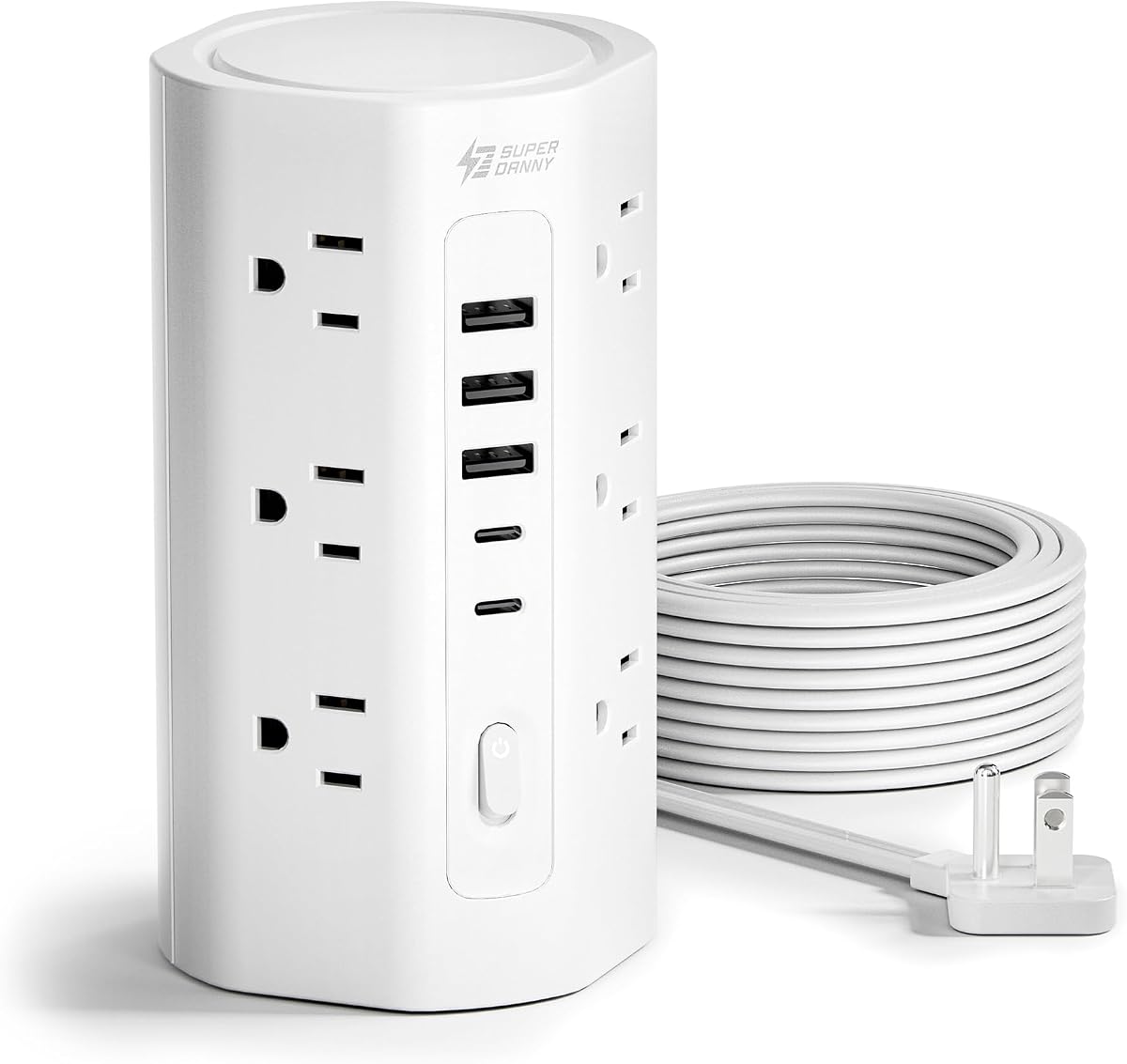
The SUPERDANNY 10FT Tower Power Strip features a long 10-foot flat extension cord, making it excellent for spaces far from outlets. With a 4.7 star rating, it offers 12 AC outlets and 5 USB ports, supporting up to 17 devices. The 1700J surge protection and comprehensive safety features include overload and fire-retardant casing for reliability.
We may earn a commission when you buy through this link, at no additional cost to you.
This tower includes a 3-year maintenance or replacement plan for added peace of mind. The flat plug and thin cord run neatly along walls to eliminate tripping hazards. Auto-detection on USB ports ensures safe charging speeds for all connected devices without bulky adapters.
The vertical layout separates cords and keeps workspaces organized. Wide 1.5-inch outlets accommodate large adapters easily. The compact 3 by 5.9-inch design saves space while delivering extensive connectivity.
Buy this tower if you need a long cord and warranty support. It is ideal for large rooms or offices where distance and reliability are key priorities.
The 10-foot flat cord reaches distant outlets while tucking neatly along walls, eliminating tripping hazards and cord clutter.
A 3-year maintenance or replacement plan provides extra security and customer support for your purchase.
We may earn a commission when you buy through this link, at no additional cost to you.
Selecting the right charging tower requires understanding your power needs and safety requirements. This guide outlines key factors to help you make an informed decision.
Total power capacity determines how many devices you can plug in simultaneously without overloading the circuit. Look for towers with 1875W or higher if you plan to run high-wattage appliances like mini-fridges alongside electronics.
Choose a tower with sufficient total wattage to handle your heaviest load safely without tripping breakers.
USB ports vary in speed and protocol. If you charge laptops, ensure the tower offers USB-C Power Delivery at 60W or higher. For phones, 18W to 30W per port is typically sufficient.
Prioritize models with USB-C PD for fast charging modern devices without extra adapters.
Surge protection is measured in joules. A rating of 1000J is minimum, but 2000J or higher offers better defense for expensive electronics against electrical spikes.
Select a tower with higher joule ratings for better protection of sensitive tech.
Cord length affects placement flexibility. 6-foot cords are standard, but 10-foot options are better for rooms where outlets are distant. Flat cords reduce tripping hazards on floors.
Match cord length to your room layout to ensure the tower reaches your desk or nightstand easily.
Widely spaced outlets prevent bulky adapters from blocking neighbors. Look for 1.5-inch or greater spacing if you use large power bricks for routers or appliances.
Ensure the layout accommodates your largest plugs so all outlets remain usable.
Ultra-thin flat plugs allow the tower to fit flush against walls, preserving space for outlets below. A 45-degree angled plug can further improve clearance.
Choose a flat plug design to maximize wall space and avoid outlet interference.
Safety certifications like UL or FCC indicate the tower meets strict electrical safety standards. These ensure proper protection against overheating and short circuits.
Always verify that the tower has recognized safety certifications for reliable performance.
Compact dimensions save desk space, while lighter weight aids portability. Consider height if placing the tower on a nightstand where it might block lights.
Select a size that fits your workspace and allows easy movement if needed.
Place the charging tower on a stable, dry surface and plug it directly into a wall outlet. Ensure the cord is routed away from high-traffic areas to prevent tripping or damage to the insulation.
Avoid overloading the tower by checking total wattage before connecting multiple high-power devices. Use individual switches if available to turn off unused outlets and save energy.
Clean the tower with a dry cloth occasionally to prevent dust buildup. Inspect the cord and plug regularly for signs of wear, and replace the unit if any damage is observed.
Yes, a charging tower consolidates outlets into one device with unified surge protection and safety systems. This reduces clutter and lowers fire risks compared to daisy-chaining multiple strips, ensuring all connected devices share consistent safety features.
Only towers with USB-C Power Delivery at 60W or higher can charge laptops effectively. Models like the TenTrend 230W or Anker 100W offer this capability. Standard USB ports typically provide only 5V charging, which is insufficient for powering laptops.
Check the total wattage rating, ideally 1875W or higher. Also ensure the tower does not use a timer or low-power USB load that might trip the circuit when the fridge compressor starts. Always verify appliance wattage against the tower's limits.
Flat plugs are thinner and sit flush against the wall, allowing the tower to fit behind furniture without blocking outlets below. Standard plugs protrude, which may limit placement options and cause interference with other devices.
For gaming setups with expensive electronics, aim for at least 2000 joules of surge protection. Higher ratings offer better defense against power spikes that can damage consoles, monitors, and PCs during electrical storms or grid fluctuations.
Most reputable brands offer warranties ranging from 1 to 3 years. Some models like the SUPERDANNY tower include maintenance or replacement plans. Always check the specific warranty terms on the product page before purchasing.
The kakyanill Charging Station leads our list with its balance of outlets, retractable cord, and safety. For high USB-C charging, the TenTrend 230W Station delivers impressive speed, while the 12-Outlet Budget Tower offers great value for basic needs.
When choosing, prioritize total wattage and USB charging capabilities based on your devices. If you need a long cord, models with 10-foot options provide unmatched flexibility. Always look for safety certifications and surge protection ratings to ensure reliability.
Please verify current availability and prices on the retailer site before buying, as these may fluctuate. With the right tower, you can keep your workspace organized and your devices fully charged with minimal clutter.