
LGA 1155 Motherboard H61
5.0Editor score
Supports Intel 2nd 3rd Gen
Dual channel DDR3 memory slots
Includes M.2 SSD interface
This guide compares the top cheap motherboard options for AMD and Intel platforms, focusing on performance, features, and value for budget-conscious builders
Finding a cheap motherboard does not mean sacrificing quality or performance. Today's budget boards offer robust features like modern chipsets, fast memory support, and essential connectivity for everyday computing needs without breaking the bank.
We evaluated ten top-rated affordable motherboards based on user feedback, technical specifications, and compatibility. Our list covers various socket types and form factors to help you choose the right foundation for your next build regardless of your specific requirements.
Each pick highlights key strengths and potential trade-offs to inform your decision. Remember that availability and pricing can shift frequently so always verify current stock and deals before finalizing your purchase to ensure you get the best value available.
5.0Editor score
4.5Editor score

4.5Editor score
Below is a detailed side-by-side comparison of all ten selected motherboards. This table helps you quickly identify which model fits your specific CPU, memory, and connectivity needs while staying within a tight budget.





The GIGABYTE B550M K stands out as a highly affordable entry into the AM4 ecosystem. With a strong user rating it offers essential features for budget builds including PCIe 4.0 support and dual M.2 slots for fast storage.
We may earn a commission when you buy through this link, at no additional cost to you.
Its digital 3+3 power phase design ensures steady power delivery for Ryzen 5000 series processors. The inclusion of Q-Flash allows for BIOS updates without a CPU making it very user-friendly for beginners.
While it lacks advanced audio or extensive RGB features the board delivers reliable performance for gaming and productivity. The compact micro-ATX form factor fits well in smaller cases without compromising core functionality.
This model is ideal for builders seeking a balance of cost and modern connectivity. If you need a dependable platform for Ryzen CPUs without extra frills this board is a top choice.
Delivers high value by including PCIe 4.0 at a budget price point.
Q-Flash feature simplifies BIOS management for easy system maintenance.
We may earn a commission when you buy through this link, at no additional cost to you.
This LGA 1155 board is one of the cheapest options available for legacy Intel builds. It supports 2nd and 3rd generation Core processors and even Xeon E3 chips which is rare at this price.
We may earn a commission when you buy through this link, at no additional cost to you.
The addition of an M.2 slot allows for NVMe SSDs bringing modern storage speeds to an older platform. Dual-channel DDR3 support ensures decent memory bandwidth for basic tasks and light gaming.
It uses standard video outputs like HDMI and VGA which works with integrated graphics. However the package excludes a user manual so you may need to rely on online documentation for setup.
For refurbishing old systems or building an ultra-budget home office PC this board is unbeatable. Just ensure you have compatible DDR3 memory and a supported CPU before purchasing.
Works with older Intel Core and Xeon processors for cost savings.
M.2 slot enables NVMe SSDs for faster boot and load times.
We may earn a commission when you buy through this link, at no additional cost to you.
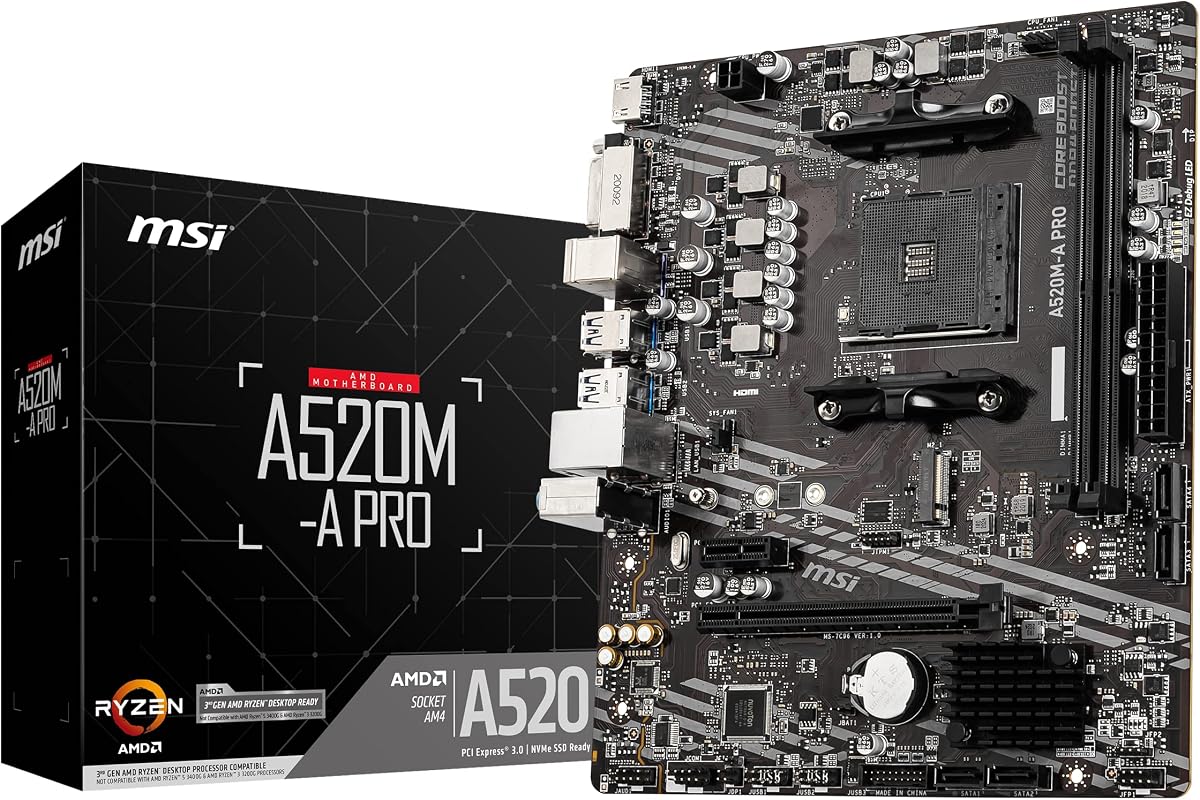
The MSI A520M-A PRO is a fantastic pick for AMD builders needing solid performance without extra cost. It supports Ryzen 5000 series CPUs and offers high memory clock speeds for responsive multitasking.
We may earn a commission when you buy through this link, at no additional cost to you.
Its Turbo M.2 slot runs at PCIe Gen3 x4 ensuring your SSDs perform at peak rates. Audio Boost provides studio-grade sound quality which is a nice touch for media consumption and gaming.
While it misses out on PCIe 4.0 support it covers all essential needs for most users. The Dragon Center software helps manage system settings easily making it a practical choice for daily use.
This motherboard is highly recommended for budget gamers and office workers alike. It balances price and reliability perfectly ensuring a smooth experience for both work and entertainment.
Fully supports Ryzen 5000 processors for latest AMD performance.
Audio Boost enhances sound quality for a better immersive experience.
We may earn a commission when you buy through this link, at no additional cost to you.
ASRock delivers a competitive option with the B550M-HDV offering modern connectivity at a low price. It supports Ryzen 5000 series processors and features PCIe 4.0 for future proof graphics and storage.
We may earn a commission when you buy through this link, at no additional cost to you.
The board allows DDR4 speeds up to 4733+ OC which is impressive for this tier. Full Spike Protection safeguards components from surges ensuring long term system stability during power fluctuations.
Legacy display options like VGA are included alongside HDMI making it versatile for various monitors. However the rear panel is somewhat limited in USB ports compared to larger models.
This is an excellent choice for users prioritizing raw specs over aesthetics. If you need PCIe 4.0 and high memory support without spending much this board fits the bill perfectly.
PCIe 4.0 ensures compatibility with next gen GPUs and NVMe drives.
Spike Protection adds security against electrical issues for peace of mind.
We may earn a commission when you buy through this link, at no additional cost to you.
The MSI PRO B550M-P focuses on stability and thermal management for demanding workloads. Its Core Boost technology ensures stable power delivery for Ryzen 5000 series CPUs under load.
We may earn a commission when you buy through this link, at no additional cost to you.
Features include dual M.2 slots one supporting Gen4 speeds for lightning fast storage access. Frozr AI cooling automatically adjusts fans based on temperature optimizing noise and performance effectively.
It includes USB 5Gbps ports and HD Audio for a smooth daily experience. While the rear panel is standard the internal features make it a strong contender for performance builders.
Ideal for creators and gamers needing reliable thermals and storage speed. This board handles high load tasks well making it a smart investment for serious budget builds.
Frozr AI cooling keeps temperatures low during intensive sessions.
M.2 Gen4 support ensures your data transfers happen at max rates.
We may earn a commission when you buy through this link, at no additional cost to you.
This board stands out by including Wi-Fi and Bluetooth which saves buying a separate card. It supports Ryzen 5000 processors and offers the familiar M.2 Shield Frozr for cooler storage.
We may earn a commission when you buy through this link, at no additional cost to you.
The Flash BIOS Button allows updates without a CPU making it very convenient for upgrades. Steel Armor on PCIe slots prevents sagging which protects expensive graphics cards effectively.
Audio Boost enhances sound for gaming and movies ensuring a premium feel. While it costs slightly more the included wireless and protection features justify the extra expense for most users.
Perfect for homes where Ethernet is not accessible or desired. If you need reliable wireless connectivity in a budget friendly package this is the top option to consider.
Integrated Wi-Fi and Bluetooth remove the need for extra dongles.
Flash BIOS Button simplifies firmware updates for future CPU support.
We may earn a commission when you buy through this link, at no additional cost to you.
The Gaming X V2 brings premium features to a mid range price. Its 10+3 power phase delivers exceptional stability for high end Ryzen processors ensuring consistent performance.
We may earn a commission when you buy through this link, at no additional cost to you.
Front USB Type-C support adds modern convenience for cases that have the port. The integrated I/O shield speeds up assembly making it easier to build without extra steps.
RGB Fusion allows customization of lighting effects adding flair to your setup. While it is larger and pricier than micro-ATX options the build quality and features are superior.
Ideal for gamers who want extra connectivity and aesthetics. If you plan a larger case this board offers the best balance of power and flexibility in this group.
10+3 Power Phase ensures stable voltage for overclocked Ryzen CPUs.
Front USB Type-C provides fast data transfer for compatible peripherals.
We may earn a commission when you buy through this link, at no additional cost to you.
The A520M K V2 offers a straightforward solution for small budget builds. Its micro-ATX design fits well in compact cabinets without sacrificing core CPU and memory support.
We may earn a commission when you buy through this link, at no additional cost to you.
Video outputs include HDMI and D-Sub making it versatile for office displays. DDR4 memory support ensures you can use modern RAM modules for decent speed and capacity.
It is a no-nonsense board ideal for users who do not need advanced features. While it lacks extra slots the basics are covered reliably for everyday computing tasks.
Best for home offices or media centers where size matters. If you need a small reliable board to get started this model is a safe and affordable choice.
Micro-ATX factor fits small cases perfect for minimal setups.
Multiple video outputs ensure compatibility with most monitor types.
We may earn a commission when you buy through this link, at no additional cost to you.
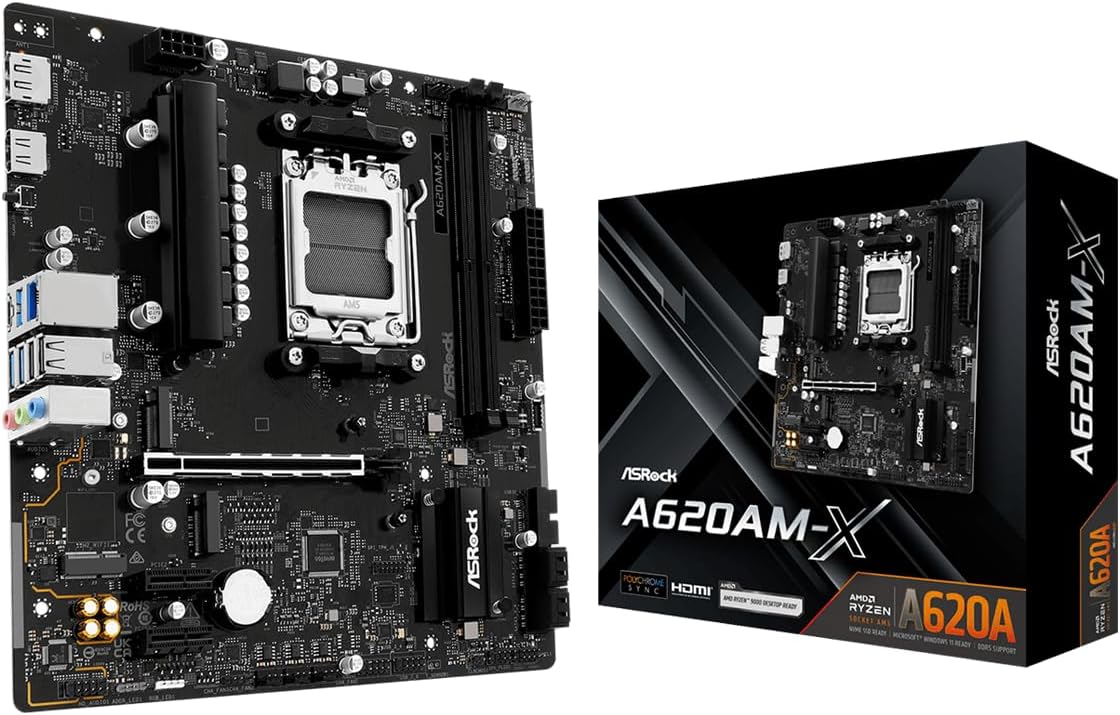
This motherboard brings the AM5 platform to a more accessible price point. It supports the latest Ryzen 9000 8000 and 7000 series processors ensuring long term relevance.
We may earn a commission when you buy through this link, at no additional cost to you.
DDR5 memory support up to 8000 OC offers massive bandwidth for high performance tasks. The included 2.5G LAN provides faster wired networking for smooth online experiences and downloads.
BIOS Flashback allows updates without a CPU which is crucial for AM5 compatibility. While the new platform costs more this board makes future proofing surprisingly affordable for buyers.
Perfect for builders planning a long term upgrade path. If you want to stay ahead of the curve this board offers the best value in the new generation.
AM5 socket supports latest Ryzen processors for years of upgrades.
2.5G LAN ensures your internet connection is never the bottleneck.
We may earn a commission when you buy through this link, at no additional cost to you.
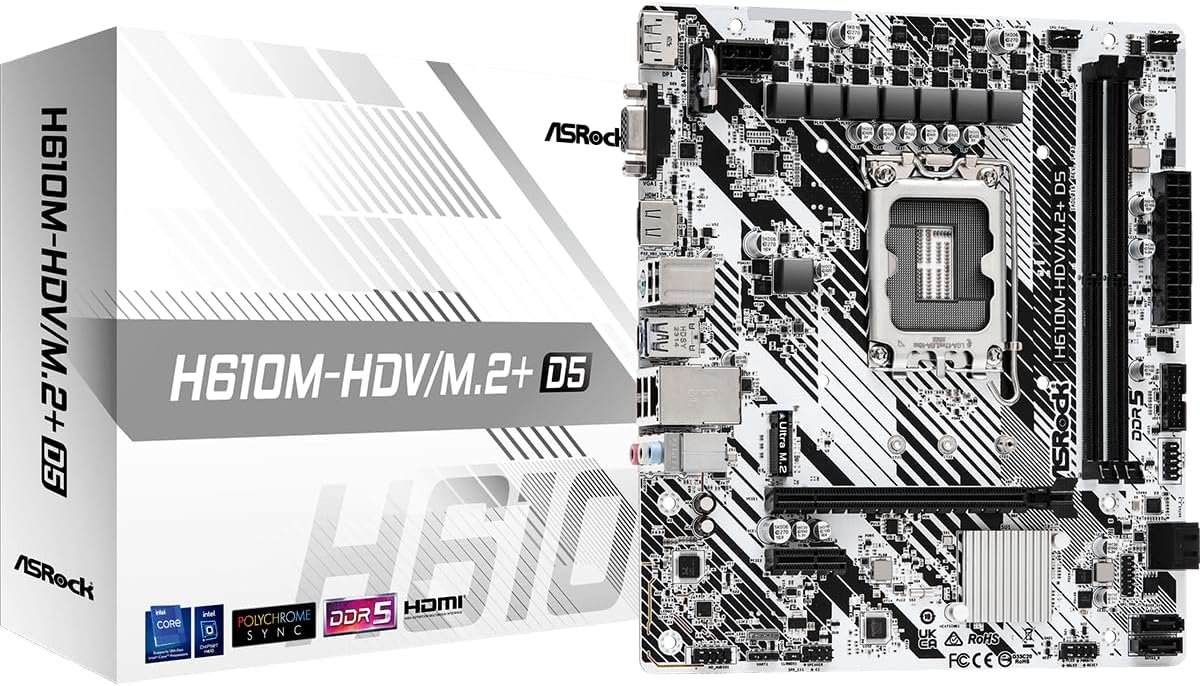
This is one of the few affordable options for Intel LGA 1700 processors using DDR5. It supports 12th 13th and 14th Gen CPUs offering a modern platform for budget builds.
We may earn a commission when you buy through this link, at no additional cost to you.
DDR5 support ensures you can take advantage of faster memory speeds. The PCIe 4.0 slot allows for modern GPUs and SSDs without worrying about bandwidth limitations.
Video outputs include HDMI and DisplayPort ensuring wide monitor compatibility. While it has only two RAM slots and basic VRM it covers all essential needs for daily use.
Ideal for users wanting Intel compatibility without paying premium prices. If you need a reliable DDR5 base for office work this board is the smart choice.
Supports latest Intel generations for a powerful computing experience.
Affordable entry to DDR5 memory for high speed multitasking.
We may earn a commission when you buy through this link, at no additional cost to you.
Choosing the right affordable motherboard requires understanding your needs and compatibility. We break down the key factors to ensure you pick a board that delivers value and reliability.
The most critical factor is ensuring the board supports your chosen processor. AM4 sockets are common for Ryzen 5000 series while LGA 1700 fits Intel 12th to 14th Gen CPUs. Always check the manufacturer list before buying.
Verify your CPU model matches the socket type to avoid return issues and delays.
DDR4 remains a cost effective choice for many budget builds while DDR5 offers higher speeds. Consider your total RAM needs and how many slots you require for future upgrades.
Look for boards with at least four slots if you plan to expand memory later.
PCIe 4.0 is becoming standard for new GPUs and SSDs. Ensure the board has a primary x16 slot and M.2 slots to accommodate modern storage devices.
Check the number of PCIe slots available if you need multiple cards.
Micro-ATX boards are compact and affordable while ATX offers more ports and slots. Match the board size to your case to avoid fitting issues during installation.
Select a form factor that balances size and connectivity needs.
Look for sufficient USB ports and video outputs for your peripherals. Some boards include USB Type-C which is useful for modern devices and charging.
Confirm that rear I/O matches your monitor and device requirements.
A stable VRM design ensures your CPU performs consistently under load. More power phases generally mean better support for higher end processors.
Prioritize boards with robust power designs for reliability.
Wired Gigabit LAN is standard but some boards offer 2.5G LAN or Wi-Fi. Wireless connectivity can save extra costs on separate network adapters.
Decide if you need built-in Wi-Fi for convenience.
Features like BIOS Flashback or Q-Flash simplify updates without a CPU. Audio enhancements can improve immersion but are often not critical.
Weigh extra features against their impact on the overall price.
Always handle the board by the edges to avoid static damage. Install it securely on standoffs before attaching any components to prevent shorts or physical stress.
Keep your system dust free by cleaning vents and filters regularly. Good airflow helps the onboard heatsinks function properly reducing the risk of overheating.
Update the BIOS when available to improve compatibility and performance. Use manufacturer tools or safe methods to flash firmware carefully to avoid corruption.
Yes many affordable boards provide stable power and connectivity for modern games. Models with decent VRMs and PCIe 4.0 support ensure smooth performance without requiring high-end pricing.
Most modern CPUs include a stock cooler sufficient for basic tasks. However overclocking or heavy rendering may require an aftermarket cooler for better thermal management.
Only boards listed with DDR5 support like AM5 or LGA 1700 models will work. Verify the memory type before purchasing to ensure compatibility with your chosen components.
PCIe 4.0 doubles bandwidth compared to 3.0 allowing faster data transfer. This benefits high-end GPUs and NVMe SSDs improving load times and rendering speeds significantly.
Some models include RGB headers for controlling LED strips or fans. Check the specs for header types like 12V or 5V to match your lighting gear.
No only specific models include built-in wireless modules. Most budget boards rely on Gigabit Ethernet requiring a separate adapter if wireless is needed.
Use manufacturer tools like Flash BIOS Button or Q-Flash if available. Always connect a reliable power source and follow official guides to prevent system issues.
Micro-ATX offers a compact layout that fits many small cases while retaining most features. It provides a balance between size and port availability for efficient builds.
Our list showcases ten diverse options covering both AMD and Intel platforms. Whether you need a simple office board or a gaming-ready setup there is a choice here for every budget.
Focus on compatibility and essential features rather than unnecessary extras. Prioritizing reliable power delivery and future proof connectivity ensures your system lasts longer.
Prices and stock change quickly so verify current details before ordering. Take your time to match the board to your specific needs for a successful build.