
CORSAIR RS120 ARGB 120mm PWM Fans Triple Pack
4.6Editor score
Daisy-chain fan connections
Eight LEDs per fan
Up to 2100 RPM
This expert guide compares the top ten Corsair case fans for October 2026, evaluating airflow, noise, RGB lighting, and connectivity for optimal PC cooling.
Finding the right cooling solution is crucial for any high-performance computer build. Corsair offers a wide range of case fans designed to balance performance with style. Their latest models feature advanced bearings and customizable lighting to meet modern needs.
We evaluated ten distinct fan models based on their airflow capacity, static pressure, and ease of installation. Our analysis focuses on real-world usability, compatibility with motherboards, and the quality of RGB implementation across different series.
Each product selection highlights specific strengths such as quiet operation, high static pressure for radiators, or sleek design aesthetics. Prices and availability may fluctuate frequently, so always verify current details before making your final purchasing decision.
4.6Editor score

4.7Editor score

4.6Editor score
This table provides a side-by-side technical comparison of all ten selected fans to help you quickly identify airflow ratings, bearing types, and specific connectivity options for your build.

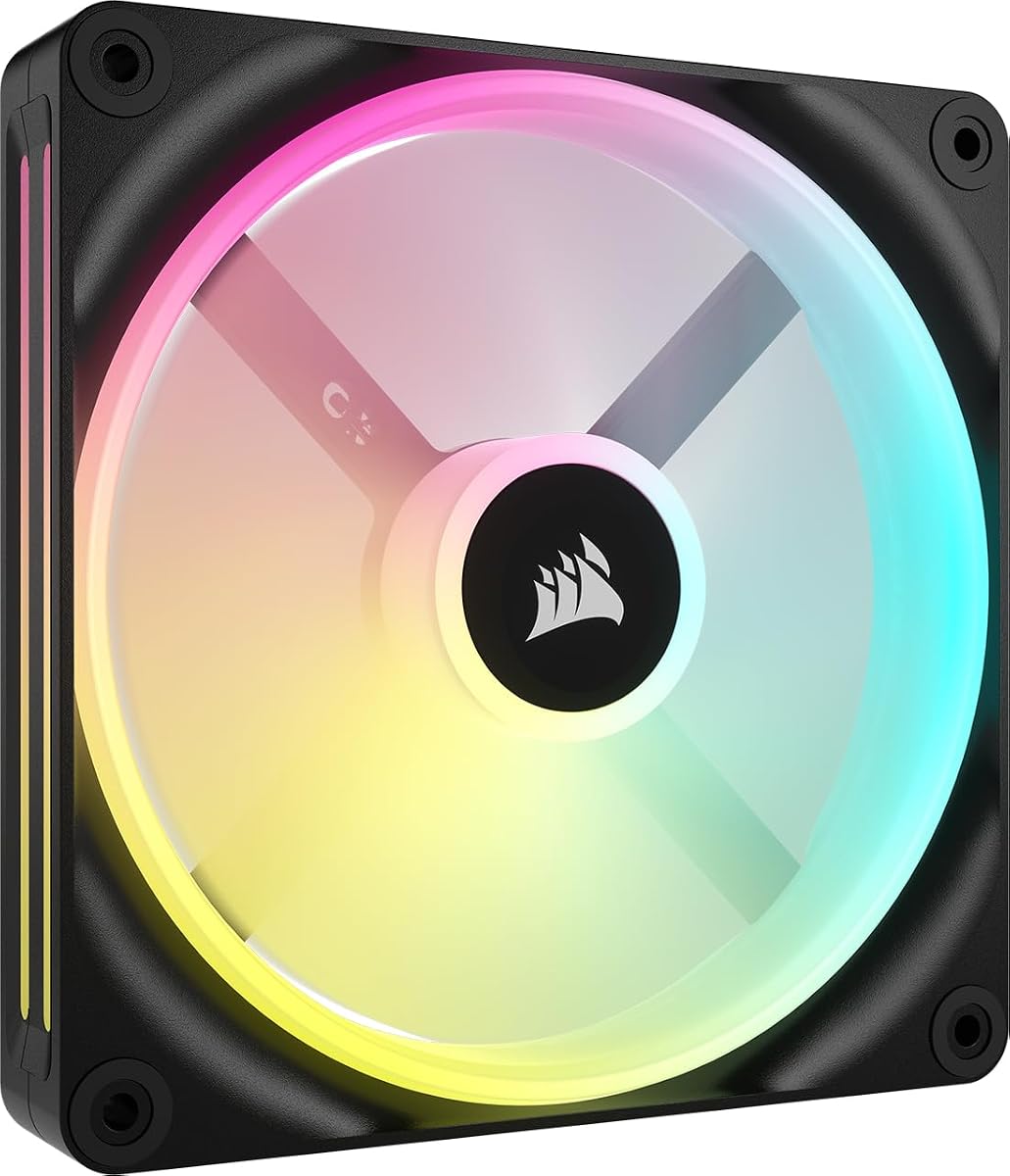


The RS120 ARGB Triple Pack stands out as an excellent entry-level option for builders seeking reliable cooling without excessive cost. With a solid rating, it delivers consistent performance suitable for standard airflow needs.
We may earn a commission when you buy through this link, at no additional cost to you.
Its streamlined daisy-chain connection reduces cable clutter significantly by using just one PWM and one ARGB connector for all three units. The AirGuide technology directs airflow precisely, while the eight LEDs per fan offer decent visual customization.
While it lacks the deep software integration of higher-end iCUE models, it remains fully functional with standard motherboard RGB headers. The Magnetic Dome Bearing ensures quiet operation and longevity even at higher speeds up to 2100 RPM.
This pack is ideal for budget-conscious builders who still want stylish lighting and efficient cooling. It balances cost and quality effectively for most mid-range PC builds.
The daisy-chain feature allows you to connect multiple fans with minimal cables, reducing clutter inside your case and improving airflow paths.
Anti-vortex vanes focus the air where it is needed most, ensuring that your components stay cool during heavy workloads.
We may earn a commission when you buy through this link, at no additional cost to you.
The LX120 RGB Triple Pack represents the pinnacle of integrated cooling solutions with its included iCUE Link System Hub. This allows for seamless connection of all components via a single cable, eliminating messy wiring entirely.
We may earn a commission when you buy through this link, at no additional cost to you.
Its Dual Light Loops create a brilliant visual effect that stands out in any build, synchronized easily with other iCUE devices. The Magnetic Dome Bearing ensures smooth and quiet operation even under heavy load or high speeds.
While the price is higher than standard fans, the value provided by the hub and simplified installation justifies the cost for enthusiasts. It offers superior static pressure for radiators and intense lighting customization.
This is the perfect choice for users already invested in the iCUE ecosystem who want a clean, professional look. It delivers top-tier performance and unmatched cable management.
The iCUE Link Hub connects all fans with one cable and syncs lighting across your entire system for a unified aesthetic.
Eighteen LEDs per fan spread across inner and outer loops allow for complex and vibrant lighting effects.
We may earn a commission when you buy through this link, at no additional cost to you.
The RS120-R ARGB Triple Pack in White is our top pick for combining aesthetics with functional excellence. Its reverse rotor design ensures that the RGB lighting is fully visible even when mounted as an intake fan.
We may earn a commission when you buy through this link, at no additional cost to you.
With a high rating of 4.7 it performs exceptionally well in both cooling and noise reduction. The Zero RPM mode allows fans to stop completely at low loads, ensuring silent operation during light tasks.
The white color option provides a crisp and clean look that contrasts beautifully with dark components. It balances airflow efficiency and pressure effectively for most modern case designs.
We recommend this set for builders prioritizing visual appeal alongside practical performance. It offers a rare combination of high rating and innovative rotor design.
By flipping the rotor direction, the lighting remains unobstructed, solving a common design issue with intake fans.
Zero RPM mode ensures that fans remain stationary when full cooling power is not needed, keeping your system quiet.
We may earn a commission when you buy through this link, at no additional cost to you.
The Black variant of the RS120-R offers the same innovative reverse rotor design as the white version but fits better with darker builds. It maintains a high rating and delivers consistent cooling performance for general use.
We may earn a commission when you buy through this link, at no additional cost to you.
The reverse rotor ensures that the RGB lighting is always visible regardless of whether the fan is used for intake or exhaust. This flexibility makes it a versatile choice for any case layout.
It includes daisy-chain support for simplified wiring and features a magnetic dome bearing for durability. The Zero RPM mode adds an extra layer of quietness for low-load periods.
This model is ideal for users who want a sleek black aesthetic without sacrificing visual lighting effects. It balances function and form effectively.
The black finish blends seamlessly with most components, offering a stealthy look while maintaining full RGB visibility.
Daisy-chain connectivity reduces cable clutter, making installation cleaner and easier in tight cases.
We may earn a commission when you buy through this link, at no additional cost to you.
The QX140 RGB Single Fan brings a large 140mm form factor to the iCUE Link ecosystem, offering exceptional airflow potential. Its unique Time Warp lighting mode provides a dynamic visual effect not found in other fan models.
We may earn a commission when you buy through this link, at no additional cost to you.
With 34 RGB LEDs it creates an impressive lighting presence within your case. The Magnetic Dome Bearing ensures that noise levels remain low even at higher speeds, supporting a quiet computing environment.
While it is sold as a single unit, it connects seamlessly via bridge connectors to an iCUE Link System Hub. This allows for easy expansion into a full cooling array without complex wiring.
This fan is best suited for users building a high-end system focused on airflow and unique visual appeal. It adds a distinct touch to any build.
The Time Warp mode uses the 34 LEDs to create a strobing effect that adds movement and depth to your build.
A 140mm fan can move more air at lower speeds, reducing noise while maintaining effective cooling performance.
We may earn a commission when you buy through this link, at no additional cost to you.
The LX120-R Triple Fan Kit combines the benefits of reverse rotor design with the premium features of the iCUE Link system. It includes QuikTurn Screws to simplify installation and ensure secure mounting.
We may earn a commission when you buy through this link, at no additional cost to you.
With a high rating of 4.7 it delivers robust cooling performance alongside stunning Dual Light Loops that enhance your build aesthetics. The high static pressure makes it effective even when pushing air through radiators.
This kit requires an iCUE Link Hub for full functionality but offers the most streamlined cable management solution available. It ensures that all lighting and control are managed through a single connection point.
Ideal for premium builds that demand both visual flair and technical excellence. It sets a new standard for integrated fan kits.
QuikTurn Screws are included to make mounting faster and easier, reducing the time needed for assembly.
The pressure rating ensures that air moves efficiently through restrictive components like radiators and filters.
We may earn a commission when you buy through this link, at no additional cost to you.
The RX140 MAX RGB features a 5mm thicker fan blade to enhance cooling by moving more air at the same speed as thinner fans. This design allows it to run slower for the same airflow, reducing noise significantly.
We may earn a commission when you buy through this link, at no additional cost to you.
With a solid 4.5 rating it provides high static pressure suitable for pushing air through high-density radiators. The RGB lighting is vivid and customizable through the iCUE software suite.
This fan is designed for users who need maximum airflow in a single unit without increasing RPM noise levels. Its thicker profile ensures efficient heat dissipation even in constrained spaces.
We recommend it for high-performance cooling setups where noise control and airflow are both critical priorities.
The extra thickness allows for larger blades that move more air efficiently, resulting in better cooling at lower speeds.
Running at lower speeds to achieve the same airflow reduces overall noise making it ideal for quiet builds.
We may earn a commission when you buy through this link, at no additional cost to you.
The RS120 MAX is constructed from Liquid Crystal Polymer, providing exceptional durability and rigidity. This material reduces blade vibration and increases overall performance compared to standard plastic frames.
We may earn a commission when you buy through this link, at no additional cost to you.
With a thickness of 30mm it offers higher static pressure to push air through restrictive components like dense radiators. The AirGuide technology further enhances cooling efficiency by focusing airflow on hotspots.
This single fan is perfect for users upgrading to a cooler build. It ensures maximum cooling performance. It provides a robust upgrade for demanding thermal scenarios.
It is best suited for cooling setups where structural integrity and pressure are more important than standard aesthetics.
The Liquid Crystal Polymer construction increases durability and rigidity, reducing vibration and noise during operation.
The thick design allows it to push air through dense obstructions that standard fans might struggle with.
We may earn a commission when you buy through this link, at no additional cost to you.
The RX140 RGB offers a large 140mm size with high static pressure to push air through high-density radiators. Its Magnetic Dome Bearing ensures smooth operation and low noise across a wide range of speeds.
We may earn a commission when you buy through this link, at no additional cost to you.
With a high rating of 4.7 it performs reliably as both an intake and exhaust fan. The RGB lighting is vivid and includes a window in the frame for better visibility from the side.
This fan works seamlessly with the iCUE Link ecosystem, allowing easy connection to other fans. It provides substantial airflow capacity for demanding thermal scenarios.
It is recommended for users seeking a quiet, efficient large fan that integrates well into advanced cooling builds.
A 140mm fan can move more air at lower speeds, reducing noise while maintaining effective cooling performance.
The built-in window in the frame allows you to view your lighting effects clearly even from side panel angles.
We may earn a commission when you buy through this link, at no additional cost to you.
This Renewed Starter Kit offers an eco-friendly way to begin a cooling upgrade while saving costs. It includes two fans and an iCUE Link System Hub to simplify your build right from the start.
We may earn a commission when you buy through this link, at no additional cost to you.
The white aesthetic matches well with modern case designs, and the magnetic dome bearing ensures quiet operation. Being a renewed product, it is inspected for quality but may not come with original packaging.
It is an excellent choice for environmentally conscious users who want to reduce waste without sacrificing performance. The kit provides all necessary components to get your system cooled effectively.
We recommend this for builders looking to save money while still getting premium connectivity and aesthetic appeal.
Choosing renewed products helps reduce electronic waste while providing fully functional cooling solutions for your system.
The included hub and fans allow for immediate integration into your build without needing additional purchases.
We may earn a commission when you buy through this link, at no additional cost to you.
Choosing the right fan involves balancing airflow, noise, and connectivity options to suit your specific build needs.
Airflow measured in CFM indicates how much air a fan can move, while static pressure measures its ability to push air through resistance. High airflow fans are best for general intake and exhaust, whereas high static pressure fans are ideal for radiators and dusty filters.
For radiators and radiators choose fans with high static pressure ratings to ensure heat is dissipated efficiently.
Case fans come in standard sizes like 120mm and 140mm. Larger fans move more air at lower speeds, reducing noise. Always check your case manual to ensure there is enough clearance for the fan size you select.
Select a size that fits your case mounts to avoid compatibility issues during installation.
Corsair fans offer two main lighting systems: standard ARGB and iCUE Link. Standard ARGB requires separate headers on your motherboard, while iCUE Link uses a proprietary hub for simplified wiring and advanced software control.
Decide between simple motherboard control and advanced software customization based on your preference for setup complexity.
Corsair uses Magnetic Dome Bearings which are refined from magnetic levitation technology to reduce friction and noise. This ensures longevity and smooth operation even at high speeds compared to standard sleeve or ball bearings.
Prioritize models with high-quality bearings if you require a quiet system during everyday use.
Modern fans offer features like daisy-chaining or iCUE Link connectors to reduce cable clutter. Daisy-chaining allows multiple fans to connect to a single header, while Link hubs consolidate all connections into one cable.
Choose fans with simplified connectivity options to keep the interior of your case clean and improve airflow.
Color options such as black or white should match your build's theme. Reverse rotor fans allow you to mount fans as intake without hiding the RGB lighting, ensuring your build looks great from all angles.
Select a color and rotor direction that complements your overall build theme.
PWM fans allow precise speed control based on system temperature. Some models support Zero RPM modes which stop fans completely at low loads to ensure silence when cooling is not critical.
Look for PWM control and Zero RPM capabilities to maximize quietness during idle periods.
Fans are often sold in triple packs or kits which offer better value than single units. Some premium kits include hubs which saves the cost of buying them separately. Evaluate whether a bundle meets your needs better than individual purchases.
Opt for bundles or kits that include necessary hubs to save money on accessories.
Install your fans using the provided screws or QuikTurn screws to ensure they are secure. Align the airflow arrows on the frame to indicate correct direction for intake or exhaust.
Connect the fans to your motherboard PWM headers or iCUE Link hubs. If using standard ARGB ensure you connect to the correct voltage headers to prevent damage.
Regularly dust the fan blades using compressed air to maintain performance and reduce noise. Check connections periodically to ensure cables remain secure and undamaged.
Yes, standard 4-pin PWM and 5V ARGB headers are universal across most modern motherboards. You can control speed and RGB using software from your motherboard manufacturer. Corsair software offers advanced features but is not strictly required for basic operation.
RGB lights are typically three colors controlled together while ARGB allows individual LEDs to show different colors. Corsair fans use 5V ARGB to support millions of colors and customizable lighting effects through software or motherboard headers.
It depends on the fan series. Standard fans can connect directly to motherboard headers but may require splitters for multiple units. iCUE Link fans require a hub to simplify wiring and unlock advanced lighting synchronization features.
Noise levels vary by model and speed. Most Corsair fans feature Magnetic Dome Bearings to minimize noise. At lower speeds they are nearly silent but may produce moderate noise at full speed due to air turbulence.
Zero RPM mode stops the fans completely when the system is under low load and does not need active cooling. This ensures the system remains silent during tasks like web browsing or text editing when fans are not needed.
Yes, they ensure the RGB lighting remains visible even when mounted as an intake. This solves a common aesthetic issue where traditional fans hide their lighting rings when mounted on the front of a case.
The Corsair RS120-R ARGB Triple Pack stands out as our top overall pick for its perfect balance of aesthetics and performance. Its reverse rotor design and high rating make it a versatile choice for any build.
If you prioritize ecosystem integration the iCUE Link LX120 RGB Triple Pack offers unmatched cable management and lighting control. It is the best solution for enthusiasts who want a clean professional look without wiring clutter.
Remember that prices and availability can change frequently so always check current listings before making your final decision. Choose the option that best aligns with your budget and design preferences.