
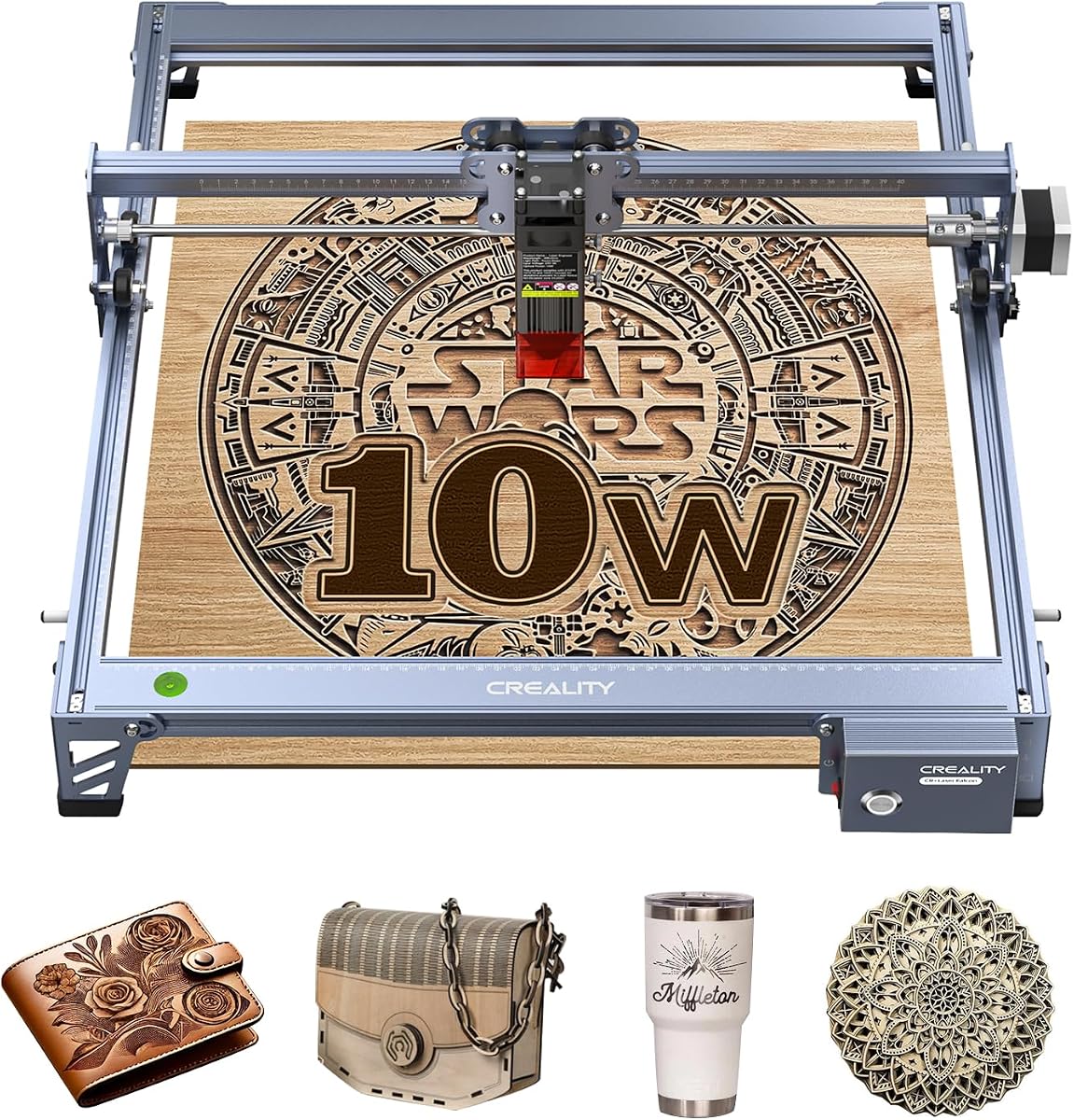
Creality Falcon 10W Laser Engraver Machine
4.2Editor score
72W effective power output
0.06mm precision spot
15.7×16.3 inch workspace
Choosing the right laser engraver can transform your creative hobby into a professional side hustle. Creality offers a range of machines designed for precision and safety.
We compared ten top models based on speed power safety features and ease of use to help you find the perfect fit for your workspace needs.
Each pick highlights key strengths and ideal use cases so you can decide quickly. Keep in mind that pricing and availability change frequently over time.
4.2Editor score

4.1Editor score

4.2Editor score
As an Amazon Associate we earn from qualifying purchases.
This side-by-side comparison helps you evaluate each machine based on its unique specifications and capabilities to match your specific crafting or production needs.



The Creality Falcon A1 10W Laser Engraver stands out as a top choice for users prioritizing safety and ease of use. With a 4.1 star rating it delivers professional quality results right out of the box.
We may earn a commission when you buy through this link, at no additional cost to you.
Its fully enclosed design blocks 99% of laser light making it a Class 1 safe device that requires no goggles. The built-in HD camera automatically recognizes materials and applies settings for perfect results every time.
While highly efficient the unit is restricted to specific honeycomb panels and cannot engrave reflective materials like mirrors. These limitations are acceptable trade-offs for the immense safety and convenience it provides.
Anyone looking for a safe and fast machine for home or small business use should choose this model. It removes the technical hassle of setup and safety checks.
The fully enclosed design ensures safe operation anywhere without safety goggles blocking smoke and noise effectively.
The HD camera automatically positions your design reducing manual setup time and minimizing material waste.
We may earn a commission when you buy through this link, at no additional cost to you.
This model offers excellent value with a powerful 72W effective output and a generous workspace. It is an ideal entry point for hobbyists wanting strong cutting performance without premium costs.
We may earn a commission when you buy through this link, at no additional cost to you.
The 0.06mm spot ensures sharp details and it can cut 12mm wood or 5mm black acrylic in one pass. It supports over 200 materials and includes safety goggles and an anti-UV filter.
However it lacks the full enclosure of premium models and requires assembly. Users must be mindful of UV protection and safety during use compared to closed systems.
Budget-conscious users seeking high power and versatility will find this machine unmatched in its price tier. It balances performance and affordability very well.
Capable of cutting thick wood and acrylic in one pass it handles diverse materials efficiently.
Works with over 200 materials making it ideal for varied creative and commercial projects.
We may earn a commission when you buy through this link, at no additional cost to you.
The A1 Pro brings premium features like a touchscreen and powerful 180W output for serious production needs. It speeds up batch work significantly while maintaining top-tier safety with its enclosed Class 1 design.
We may earn a commission when you buy through this link, at no additional cost to you.
Its 600mm/s speed is three times faster than standard machines and the optional 2W IR module enables engraving on metals. The auto focus takes just 3 seconds for precise positioning.
The premium price and separate IR module cost may be steep for casual users. These costs are justified by the performance and versatility it offers for advanced projects.
Professionals needing speed and versatility should invest in this model for reliable daily production. It bridges the gap between hobby and industry tools.
The 600mm/s speed and dual safety shields allow efficient batch work without compromising safety.
Optional infrared module unlocks high precision on metals and plastics for detailed jewelry work.
We may earn a commission when you buy through this link, at no additional cost to you.
This variant of the Falcon A1 focuses on speed and smart features to simplify your workflow. It offers 3x faster performance than traditional machines thanks to its advanced motion system.
We may earn a commission when you buy through this link, at no additional cost to you.
The smart camera and graphic outline extraction make design work intuitive and accurate. Users benefit from auto lock and smoke control features for a comfortable environment.
The working area is smaller than some competitors and it does not support reflective materials. These constraints fit specific workflows well but limit some large projects.
Users who prioritize speed and ease of setup will appreciate this machine's ready-to-use nature. It suits quick turnarounds and personalized gifts.
Graphic outline extraction and smart camera streamline the process from design to engraving.
CoreXY technology enables 600mm/s speeds for efficient and precise cutting.
We may earn a commission when you buy through this link, at no additional cost to you.
This machine brings powerful 72000mW performance with broad software compatibility for flexible use. It is ideal for makers who want control and connectivity across different projects.
We may earn a commission when you buy through this link, at no additional cost to you.
Its 0.06mm spot ensures precision and it supports multiple connection methods for seamless data transfer. The anti-UV filter protects eyes and the build quality ensures accuracy and stability.
Assembly and basic safety gear are required which may deter beginners. These minor hurdles are balanced by the device's robust capabilities and support.
DIY enthusiasts seeking connectivity and power will find this machine a solid investment. It grows with your skills and projects.
Wi-Fi USB and SD card support allow flexible offline and online operation.
All aluminum structure and steel rails ensure smooth accurate movements.
We may earn a commission when you buy through this link, at no additional cost to you.
The Falcon2 Pro S is built for efficiency with a powerful 22W output and auto focus. It aims to reduce manual steps and improve success rates for batch production.
We may earn a commission when you buy through this link, at no additional cost to you.
It features a built-in camera and intelligent auto focus to eliminate manual measuring. Safety features like a flame detector and emergency stop provide reliable protection during operation.
Lower user ratings suggest potential software or reliability concerns. These issues may be worth tolerating for the speed and power it offers.
Small studios needing reliable batch cutting should consider this model despite its drawbacks. It supports professional workflows well.
Auto focus and intelligent control minimize manual adjustments for smoother operations.
Multiple detectors and locks ensure safe operation for busy environments.
We may earn a commission when you buy through this link, at no additional cost to you.
The A1C leads with AI tools that simplify design and material recognition. Its high 4.7 rating reflects user satisfaction with its precision and ease of use.
We may earn a commission when you buy through this link, at no additional cost to you.
You can swap laser modules for different tasks and the compact size fits most desks. The AI camera positions designs within 0.1mm for reliable accuracy.
Its workspace is limited compared to larger models and the price reflects advanced tech. These trade-offs suit users prioritizing convenience and detail.
Educators and small creators will love its smart AI tools and portability. It is perfect for classrooms and home studios.
AI One-Tap Engraving turns photos into ready artwork instantly.
Interchangeable laser heads allow growth without buying new machines.
We may earn a commission when you buy through this link, at no additional cost to you.
This version emphasizes a smart touchscreen that simplifies daily tasks and reopens projects instantly. It combines high power with user-friendly controls for seamless operation.
We may earn a commission when you buy through this link, at no additional cost to you.
The autofocus takes 3 seconds and the HD camera previews work before cutting. Clean cuts and reduced noise make it suitable for home environments.
The cost is higher and some modules must be bought separately. The interface and speed justify the investment for many users.
Users valuing intuitive controls and efficiency will appreciate this model. It removes complexity from advanced engraving.
Smart touchscreen allows easy access to files without messy cables.
Auto focus in about 3 seconds ensures quick accurate starts.
We may earn a commission when you buy through this link, at no additional cost to you.
This mini model retains powerful features like AI software and quick module swaps. It brings professional capabilities to a small footprint for mobile creators.
We may earn a commission when you buy through this link, at no additional cost to you.
The 15 second swap enables versatility across materials. AI image generation and auto focus simplify workflows and reduce setup time.
The workspace is compact and not for large items. Its portability and smart features make it a unique tool for varied settings.
Retail counters and mobile workshops benefit from its ease of use. It adapts well to small environments.
Change laser heads in 15 seconds for different materials.
Lightweight design fits easily on desks or in studios.
We may earn a commission when you buy through this link, at no additional cost to you.
The Falcon A1 balances speed and safety with a compact efficient design. It features six safety protections and a durable build that fits various home setups.
We may earn a commission when you buy through this link, at no additional cost to you.
The smart camera preview and auto material recognition make it beginner friendly. With 600mm/s speed and instant acceleration it handles large and intricate projects well.
It lacks optional laser modules which limits versatility for some users. The straightforward design ensures reliability and ease of maintenance.
Beginners and casual users will find this machine welcoming and robust. It provides a solid base for growing skills.
47% more efficient footprint fits comfortably on any desk.
Simple three-step operation guides users to immediate engraving.
We may earn a commission when you buy through this link, at no additional cost to you.
Selecting the right machine depends on your workspace safety needs and material versatility requirements.
Higher wattage like 180W allows faster cuts and thicker materials while speeds up to 600mm/s improve productivity. Match these to your typical project sizes.
Look for at least 72W effective power for versatile work and high mm/s speed for efficiency.
Class 1 fully enclosed units provide maximum eye safety without goggles. Open designs need protective gear and careful supervision especially for beginners.
Choose fully enclosed models for safe home or classroom use to avoid radiation risks.
Workspace areas range from 150x150mm for mini models to 15.7×16.3 inches. Larger sizes handle bulkier items but cost more.
Pick a workspace that matches your largest regular projects to maximize flexibility.
Auto cameras reduce setup time and improve alignment precision. They are especially useful for detailed designs.
Prioritize models with HD cameras and auto focus to save time and reduce errors.
Support for LightBurn and LaserGRBL expands design options and control. Proprietary software simplifies use for beginners.
Ensure your preferred software is compatible before purchasing to avoid limitations.
Most models handle wood leather and acrylic. Reflective materials like metals require special IR modules.
Check if your target materials are supported by default or need extra modules.
Pre-assembled models allow immediate use while others take 10 to 20 minutes to build. Consider your technical comfort.
Choose pre-assembled units for quick start and minimal setup effort.
Compact desktop units fit small spaces and are easy to move. Larger models may require dedicated floor space.
Select based on your workspace constraints and transport needs.
Start by placing your material on the honeycomb panel or bed ensuring it is flat. Use the auto camera or manual alignment to position your design correctly.
Run a test cut on scrap material to confirm settings like power and speed. Adjust based on results to achieve clean cuts without burning.
Clean the lens and vents regularly using a soft cloth and compressed air. Store the unit in a dry place to avoid damage and ensure long life.
Standard blue laser models cannot cut reflective metals but some Pro models support an optional 2W IR module for fine metal engraving. Check compatibility before purchasing to ensure your target materials are supported.
Class 1 fully enclosed models block 99% of laser light so goggles are generally not required for normal use. Open models should always be used with provided protective goggles for eye safety.
Most models work with wood leather acrylic fabric and paper. Avoid reflective materials like mirrors unless using an IR module and follow safety guidelines for flammable materials.
Pre-assembled models like the Falcon A1 require zero assembly while others take 10 to 20 minutes. Always calibrate the camera and focus before first use for best results.
LightBurn is popular for advanced users while LaserGRBL suits beginners. Many Creality models also include Falcon Design Space for easy design and control.
Yes higher power models like the Falcon2 Pro S support batch production. Safety and speed features make them suitable for small business use.
Our top picks highlight the Falcon A1 for safety and the A1 Pro for power and speed. Each model offers unique strengths for different needs and budgets.
Prioritize safety and workspace size when choosing to ensure the machine fits your environment. Consider software and material support for long term flexibility.
Prices and availability change often so check current listings before finalizing your purchase. These machines bring precision and creativity to your projects.