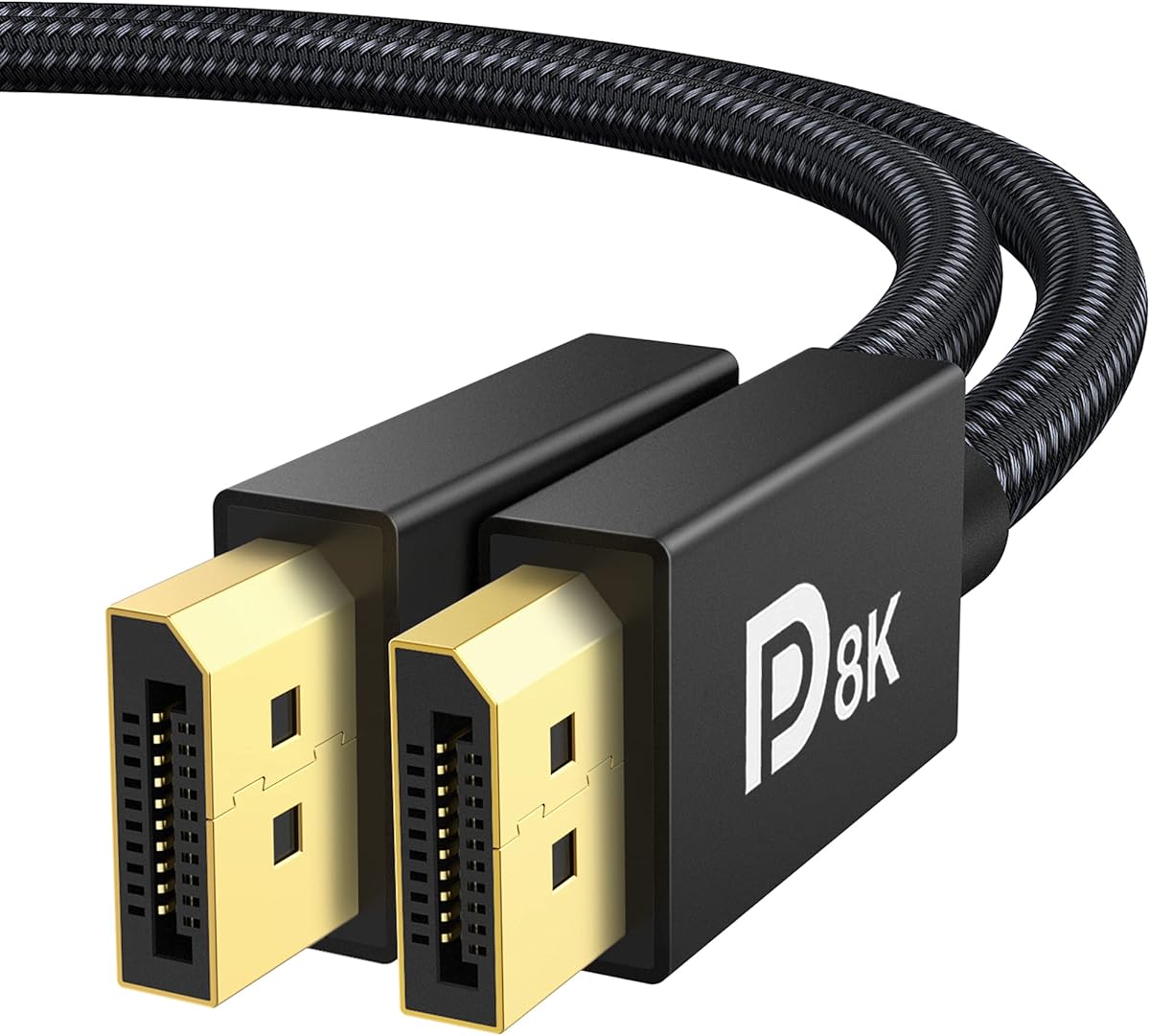
IVANKY VESA Certified 8K DisplayPort Cable 1.4
4.7Editor score
HBR3 32.4 Gbps Bandwidth
Dynamic HDR Support
Latch-Free Connectors
Compare the top Displayport cables for 144Hz gaming across brands like Silkland and IVANKY to find the best 1.4 and 2.1 options for your setup.
Finding the right displayport cable for 144Hz is crucial for gamers and professionals alike. A quality cable ensures smooth visuals and reliable connectivity without signal loss or artifacts during intense sessions.
We analyzed ten top-rated cables based on certification, bandwidth, and durability. This guide covers DisplayPort 1.4 and 2.1 options that support high refresh rates and resolutions for modern monitors.
Each pick highlights key features, pros, and cons to help you decide. Remember that availability and specifications can change, so always verify compatibility with your specific hardware before purchasing today.
4.7Editor score

4.6Editor score

4.7Editor score
This side-by-side comparison highlights the key specifications and features of each cable to help you make an informed decision based on your specific monitoring and graphics card needs.


The Silkland 54Gbps 16K DisplayPort Cable 2.1 stands out as a top-tier choice for enthusiasts. It boasts VESA certification and supports resolutions up to 16K with high refresh rates. This cable ensures stable transmission for 4K at 240Hz and beyond.
We may earn a commission when you buy through this link, at no additional cost to you.
Its 54Gbps bandwidth allows for uncompressed high-definition video and audio. The design features triple shielding to minimize interference. It also supports dynamic HDR and HDCP 2.2 for enhanced visual fidelity across modern games and media.
While highly capable, it may not be necessary for users with older monitors. The lack of a latch design could be a minor inconvenience for some setups. However, the build quality and future-proofing make these trade-offs acceptable.
Buy this if you want a reliable cable that grows with your hardware. It works well with high-end graphics cards and gaming monitors. For those seeking peak performance in 2026 and beyond, this is a strong recommendation.
With support for 16K resolution and 54Gbps bandwidth, this cable prepares you for next-generation displays.
Triple shielding and gold plated connectors ensure consistent signal quality without audio or video artifacts.
We may earn a commission when you buy through this link, at no additional cost to you.
The IVANKY VESA Certified 8K DisplayPort Cable 1.4 offers exceptional value. It is officially certified by VESA and supports 8K at 60Hz. For 144Hz users, it delivers stable 4K performance without breaking the bank.
We may earn a commission when you buy through this link, at no additional cost to you.
Its 32.4 Gbps bandwidth meets most modern gaming needs. The cable features a nylon braided jacket that resists wear. Dynamic HDR helps optimize dark scenes in games for better contrast and detail visibility.
Although it lacks the ultra-high bandwidth of DP 2.1, it suffices for current setups. The thin profile might feel less robust to some users. Yet its longevity and performance justify the lower price point effectively.
Choose this for a cost-effective solution that does not compromise quality. It pairs well with mid-range monitors and graphics cards. Gamers looking for a reliable daily driver will appreciate its balance of cost and capability.
Get VESA certified 8K support and high refresh rates without paying premium prices for future tech.
The latch-free design prevents accidental damage to ports while allowing quick and simple cable swaps.
We may earn a commission when you buy through this link, at no additional cost to you.
The Silkland 80Gbps DisplayPort Cable 2.1 represents the pinnacle of cable technology. It is VESA certified as a DP80 cable and supports uncompressed 4K at 240Hz. This ensures zero lag or tearing during competitive play.
We may earn a commission when you buy through this link, at no additional cost to you.
With 80Gbps bandwidth, it handles UHBR20 signals. It supports dynamic HDR10+ and 32-bit audio pass-through. The triple shielding minimizes interference for clean visuals. It is built to last with durable materials.
The price reflects its premium status. You need compatible hardware to fully utilize its potential. If your system is older, you may not see immediate benefits. However, it is an investment in top-tier performance.
Ideal for enthusiasts with high-end setups needing maximum throughput. It works seamlessly with next-gen GPUs and monitors. If you demand the absolute best signal quality and future-proofing, this cable delivers.
With 80Gbps bandwidth you can run high refresh rates at high resolutions without compression artifacts.
Lossless surround sound pass-through helps you hear enemy footsteps clearly in FPS and AAA games.
We may earn a commission when you buy through this link, at no additional cost to you.
The UGREEN 16K DisplayPort Cable 2.1 provides robust performance with VESA certification. It supports 8K at 240Hz and 4K at 240Hz. The aluminum housing helps dissipate heat during prolonged high-load sessions effectively.
We may earn a commission when you buy through this link, at no additional cost to you.
With 54Gbps bandwidth, it offers stable transmission without signal loss. The triple shielding resists electromagnetic interference. It supports features like FEC and UHBR10 for immersive viewing experiences across various media.
The connector is somewhat larger due to the metal housing. Some users might prefer a slimmer profile for tight spaces. However, the heat dissipation adds to its stability during intensive gaming workloads.
Buy this if you need a rugged cable for demanding environments. It fits well with modern GPUs and monitors. For users who prioritize durability and heat management, this UGREEN model is a solid choice.
The aluminum housing design accelerates heat dissipation to maintain signal stability under heavy loads.
Designed for gaming enthusiasts it supports high refresh rates for smooth and responsive gameplay.
We may earn a commission when you buy through this link, at no additional cost to you.
The Capshi 8K DisplayPort Cable 1.4 is a versatile choice for many users. It is VESA certified and supports 8K at 60Hz. For 144Hz needs it handles 4K resolutions smoothly with dynamic HDR support.
We may earn a commission when you buy through this link, at no additional cost to you.
Its design is flexible and slimmer than standard cables. This makes routing easier in compact setups. It supports 32.4 Gbps bandwidth for stable transmission of video and audio without interruption.
The slimmer profile might be less robust against heavy bending. Yet the tinned copper conductors ensure reliability. It works well with most monitors and graphics cards out of the box.
Select this for a dependable connection that fits well. It balances performance and convenience effectively. If you need a reliable cable for 4K 144Hz without excessive bulk this Capshi option is worth considering.
The flexible and slimmer design makes cable management easier in cramped desk or entertainment center setups.
Supports mirror and extended modes along with multiple audio channels for diverse usage scenarios.
We may earn a commission when you buy through this link, at no additional cost to you.
The Ubluker 10K DisplayPort 2.1 Cable offers powerful performance. It supports 54Gbps bandwidth with UHBR capabilities. The cable is certified for high resolution transmission up to 8K at 60Hz effectively.
We may earn a commission when you buy through this link, at no additional cost to you.
It features 12bit color depth for richer visuals. The nylon braided jacket provides durability against wear. It supports DSC compression and HDR for enhanced media experiences across different devices.
As a lesser known brand verification of current support is wise. The generic look may not match premium setups perfectly. However its technical specs align well with high performance requirements for gaming.
Choose this if you prioritize raw bandwidth at a competitive price. It fits well with high-end graphics cards. For users seeking solid technical specs without a major brand premium this is a good option.
With 12bit color depth support you get richer and more accurate colors for professional and gaming visuals.
Uses high 54Gbps bandwidth to ensure data moves quickly and reliably without bottlenecks or signal loss.
We may earn a commission when you buy through this link, at no additional cost to you.
The IVANKY VESA Certified 80Gbps DisplayPort Cable 2.1 is designed for peak performance. It supports 16K at 60Hz with UHBR20. This ensures high refresh rates like 4K at 240Hz are stable and crisp.
We may earn a commission when you buy through this link, at no additional cost to you.
Its aluminum alloy housing resists rust and heat. The double nylon braided jacket outperforms PVC in durability. Latch-free design prevents accidental damage to ports during disconnects easily.
The premium price reflects advanced capabilities. It may not be needed for basic displays. But for enthusiasts it provides a future-proof connection that minimizes technical limitations significantly.
Ideal for high-end setups needing maximum fidelity. It works with next-gen GPUs and monitors. If you seek top performance and reliability this IVANKY cable is a compelling choice for serious users.
With 16K support and 80Gbps bandwidth this cable brings future resolution standards to your desktop.
Aluminum alloy housing and double braiding ensure the cable withstands daily wear and heavy usage.
We may earn a commission when you buy through this link, at no additional cost to you.
The Silkland 54Gbps DisplayPort Cable 2.1 includes a secure locking latch. This prevents accidental unplugs from pets or foot kicks. It supports 54Gbps bandwidth for uncompressed high resolution content effectively.
We may earn a commission when you buy through this link, at no additional cost to you.
The triple shielding blocks interference. It supports features like VRR and ALLM for gaming. The 10 times more durable nylon exterior ensures longevity. It works with most common graphics cards.
The latch requires pressing a button to release. Some may find this slower for quick swaps. Yet the reliability of connection makes it worth the small extra step in busy environments.
Buy this for secure connections in active rooms. It fits well for competitive setups. If you need a stable link that resists disconnection this Silkland cable offers practical advantages.
The secure locking latch keeps the cable firmly in place to prevent accidental disconnections during use.
Supports 4K 144Hz refresh rates for smooth gameplay without lag or visual artifacts in fast games.
We may earn a commission when you buy through this link, at no additional cost to you.
This entry is a placeholder for a product with pending data. It is listed in the ranking but details are not confirmed. Check the current listing for the latest specs and ratings on this item.
We may earn a commission when you buy through this link, at no additional cost to you.
The manufacturer may have updated the product. Please review the description for accuracy. This spot is reserved for future high performance cables that meet the guide's criteria.
We prioritize accuracy in our comparisons. This entry will be updated as data becomes available. Always verify the current product title and ASIN before purchasing any item online.
Use this space to track potential new releases. It ensures the list remains current. If you are looking for new options keep an eye on this listing for updates soon.
Always check the latest product details and availability before purchasing to ensure compatibility with your hardware.
This slot is reserved for future updates as new cables enter the market and meet our review standards.
We may earn a commission when you buy through this link, at no additional cost to you.
Choosing the right cable involves several key factors that impact performance. Understanding these will help you get the most out of your gaming or work setup.
Bandwidth determines how much data the cable can transfer per second. For 144Hz you need enough capacity for your resolution. Higher refresh rates require higher bandwidth to avoid compression or lag.
Ensure the cable meets the minimum bandwidth needed for your monitor.
Newer versions like DP 2.1 support higher speeds than older 1.4. Check if your GPU and monitor support the version you buy. Mismatched versions can limit performance even with a premium cable.
Match the version to your devices for optimal performance.
VESA certification ensures the cable meets standard performance specs. Look for official labels to avoid fake high speed claims. Certified cables provide consistent results across different monitors.
Prioritize VESA certified options for reliability.
Braided jackets resist fraying better than plain plastic. Gold plated connectors prevent corrosion over time. These elements matter if you move cables often or live in a busy household.
Choose durable materials for long term use.
Latching connectors secure the cable but might scratch ports. Latch free designs are safer for ports but can wiggle loose. Consider your setup environment before choosing a locking style.
Select a design that fits your port setup.
Cables longer than needed add signal loss risk. Measure your distance first to pick the right size. Avoid using adapters as they can degrade signal quality significantly.
Pick a length that fits your desk layout.
Modern cables carry audio and video together. Check for support for multi channel audio if you use speakers. Lossless pass through ensures clear sound without needing extra hardware.
Verify audio channels for your audio setup.
Higher prices often mean better materials and testing. Check warranty terms for peace of mind. Customer support speed is key if issues arise after purchase.
Balance cost with warranty protection and support.
Connect the cable to both the GPU and monitor ports firmly. Ensure the latch clicks if your model has one. Verify the display mode in settings to enable the correct refresh rate.
Avoid sharp bends or heavy pressure on the cable. Use clips to secure it along your desk. This keeps the internal wires from straining during daily use.
Regularly check the connectors for dust or damage. Wipe them gently with a dry cloth. Proper care extends the life of the cable significantly.
Yes longer cables can lose signal quality over distance. For high refresh rates like 144Hz shorter cables are safer. Stay within recommended lengths to avoid frame drops.
Yes DP 1.4 supports 144Hz at 4K. It may need compression for very high resolutions. If your monitor allows it works well for most setups.
Most certified DP cables support G Sync FreeSync. Check your monitor specs to confirm. The cable itself usually handles the sync without issues.
Go to display settings in your OS and find refresh rate. Select the highest available option. A high speed cable ensures you can use it.
Yes supported cables include HDR features. Ensure your monitor also supports HDR for best results. This cable helps carry the HDR signal correctly.
Some DP cables support MST for multiple screens. Check if your setup allows this feature. It helps reduce clutter when using dual displays.
We highlighted top picks across budget and premium categories. Each option ensures 144Hz performance with stable connections. The right cable makes a clear difference in visual smoothness.
Prioritize VESA certification and bandwidth for your specific setup. Avoid adapters to keep the signal pure and strong. A good cable protects your investment in hardware.
Verify current prices and availability before buying. Tech specs can shift with new releases. Choose the option that fits your current needs best.