
HP LaserJet M207dw
4.0Editor score
Up to 28 pages per minute
Dual-band Wi-Fi with self-reset
Built-in Ethernet port
This guide compares the top 10 Ethernet laser printers for home offices and small teams, evaluating speed, security, connectivity, and reliability for 2026.
Ethernet laser printers offer reliable connectivity and consistent performance for businesses that need robust network printing. They provide stable connections without relying on wireless signals, ensuring your documents print smoothly every time.
We evaluated ten top models based on print speed, network security, paper handling, and overall value. Our analysis focuses on how well each device supports small teams and home offices with professional-grade output.
Each pick includes detailed specs, pros, cons, and specific use cases to help you choose wisely. Prices and availability change frequently, so verify current details before purchasing to ensure the best deal for your needs.
4.0Editor score

4.0Editor score

4.4Editor score
This comparison table highlights the key specifications of all ten selected models. Use this side-by-side view to quickly identify which printer matches your specific office requirements and budget constraints.




The Brother HL-L2460DW stands out as a top choice for home offices needing reliable Ethernet connectivity. With a 4.0 rating, it delivers crisp black and white prints consistently while maintaining a compact size.
We may earn a commission when you buy through this link, at no additional cost to you.
Its standout features include a 36 pages per minute print speed and built-in Ethernet for stable network sharing. The automatic duplex printing saves paper, and the 250-sheet tray handles moderate volumes without frequent refills.
While it lacks a touchscreen, the Brother Mobile Connect app compensates with remote management. You must subscribe to toner services for best value, which may be a minor trade-off for convenience and cost savings over time.
This model is ideal for small teams needing fast, wired reliability. If you prioritize stable connections and efficiency over flashy screens, this printer delivers professional results that justify its position as our top pick.
The Ethernet port ensures consistent connectivity even if Wi-Fi signal fluctuates during critical print jobs.
Use the Brother Mobile Connect app to print, scan, and track supplies from your smartphone easily.
We may earn a commission when you buy through this link, at no additional cost to you.
The HP LaserJet M207dw offers an affordable entry into reliable Ethernet printing without sacrificing core performance. Its 4.0 rating reflects solid consistency for everyday document printing tasks in small environments.
We may earn a commission when you buy through this link, at no additional cost to you.
Key strengths include a 28 ppm speed and built-in Ethernet for network sharing. The self-reset Wi-Fi feature resolves connectivity issues automatically, ensuring your office workflow stays uninterrupted during busy periods.
The 150-sheet tray is smaller than competitors, requiring more frequent refills for high-volume users. However, the strong security features protect sensitive data effectively, making it suitable for businesses handling confidential documents regularly.
Choose this model if budget is a primary concern but you still need wired stability. It balances cost and functionality well, delivering professional output while keeping upfront and ongoing expenses manageable for any office.
The dual-band Wi-Fi with self-reset ensures your printer stays online even when network signals weaken.
Built-in security features help shield your printed documents and network from unauthorized access attempts.
We may earn a commission when you buy through this link, at no additional cost to you.
The HP LaserJet Pro 4001dn is a premium choice for offices requiring maximum speed and security. With a 4.4 rating, it excels in handling high-volume printing tasks while maintaining professional-grade output quality consistently.
We may earn a commission when you buy through this link, at no additional cost to you.
Its blazing 42 pages per minute speed and HP Wolf Pro Security make it ideal for secure environments. The Ethernet-only design ensures a stable, dedicated connection that reduces network interference during critical print operations.
The lack of wireless connectivity may limit flexibility for remote workers, but wired reliability is superior for security. You must use original HP cartridges, which adds cost but ensures consistent performance and security firmware updates.
Invest in this model if speed and data protection are non-negotiable for your business. It delivers unmatched performance for teams that prioritize wired stability and advanced security over wireless convenience features.
At 42 ppm, this printer finishes large jobs quickly, reducing downtime and boosting overall office productivity.
HP Wolf Pro Security protects against cyberattacks, ensuring your printer remains a secure part of your network.
We may earn a commission when you buy through this link, at no additional cost to you.
The Brother DCP-L2640DW combines printing, scanning, and copying in one efficient unit. With a 4.1 rating, it serves small businesses needing versatile output without taking up excessive space in work areas.
We may earn a commission when you buy through this link, at no additional cost to you.
Its 36 ppm speed and 50-page auto document feeder streamline multi-page workflows. The Ethernet port ensures stable sharing, while the Brother Mobile Connect app allows remote management of tasks easily.
The 3-in-1 design means you pay more upfront than a single-function printer, but it saves space and equipment costs. Scanning is fast at 23.6 ipm, though it lacks color capabilities for specific needs.
Choose this if you need an all-in-one solution for daily office tasks. It balances speed, connectivity, and versatility well, making it a strong contender for small teams seeking efficiency and space savings.
Combine printing scanning and copying tasks in one device to save desk space and reduce hardware costs.
The 50-page auto document feeder lets you digitize contracts quickly without manual page turning delays.
We may earn a commission when you buy through this link, at no additional cost to you.
The HP Laserjet Pro 3001dw offers robust security features alongside solid performance. With a 4.1 rating, it is perfect for small teams needing reliable connectivity and data protection in shared environments.
We may earn a commission when you buy through this link, at no additional cost to you.
Its 35 ppm speed and intelligent Wi-Fi ensure consistent output without dropouts. The built-in Ethernet provides stability, and HP Wolf Pro Security safeguards sensitive business documents from potential threats effectively.
The higher price reflects the advanced security features, which may be unnecessary for home use. While it supports mobile printing, the focus on data protection makes it best for businesses handling confidential information regularly.
Select this model if protecting proprietary data is a priority. It combines speed with enterprise-grade security, ensuring your printer remains a secure node in your network without compromising on daily performance.
The intelligent Wi-Fi system finds the best connection automatically to maintain stable printing over the network.
Built-in security protocols protect against cyberattacks, keeping your network and printed data safe.
We may earn a commission when you buy through this link, at no additional cost to you.
The Brother HL-L2405W delivers reliable performance in a compact design suited for small home offices. With a 4.1 rating, it offers consistent quality and essential features without overwhelming your workspace.
We may earn a commission when you buy through this link, at no additional cost to you.
Its 30 ppm speed and Ethernet port ensure steady operation for daily tasks. The 250-sheet tray handles moderate volumes, and the Brother Mobile Connect app enables remote printing when you are away from your desk.
While slightly slower than competitors, the compact size makes it ideal for tight spaces. You must use original toner cartridges, which ensures quality but adds to long-term costs compared to third-party alternatives.
Choose this model if you need a reliable, space-saving printer for home use. It balances performance and size effectively, providing solid output for everyday documents without sacrificing network stability.
Its compact footprint fits easily into smaller home offices without crowding valuable desk or shelf space.
Control your printer remotely using the Brother Mobile Connect app to print or check status from anywhere.
We may earn a commission when you buy through this link, at no additional cost to you.
The HP LaserJet Pro M404dn is a workhorse designed for businesses prioritizing speed and reliability. With a 4.4 rating, it delivers consistent high-quality documents while maintaining strong network connectivity for team sharing.
We may earn a commission when you buy through this link, at no additional cost to you.
Its 40 pages per minute speed and automatic 2-sided printing significantly boost productivity. The built-in Ethernet ensures stable access, while HP Wolf Pro Security protects against cyber threats effectively and efficiently.
The lack of wireless options limits flexibility, but wired reliability is superior for secure environments. You save energy compared to older models, aligning with eco-friendly initiatives while keeping operational costs manageable.
Select this model if you need a dedicated wired printer for high-volume tasks. It combines speed, security, and reliability into one device, making it a strong choice for growing businesses.
At 40 ppm, this printer handles busy schedules efficiently without slowing down team workflows.
Designed with the environment in mind, it saves energy and reduces paper waste through smart defaults.
We may earn a commission when you buy through this link, at no additional cost to you.
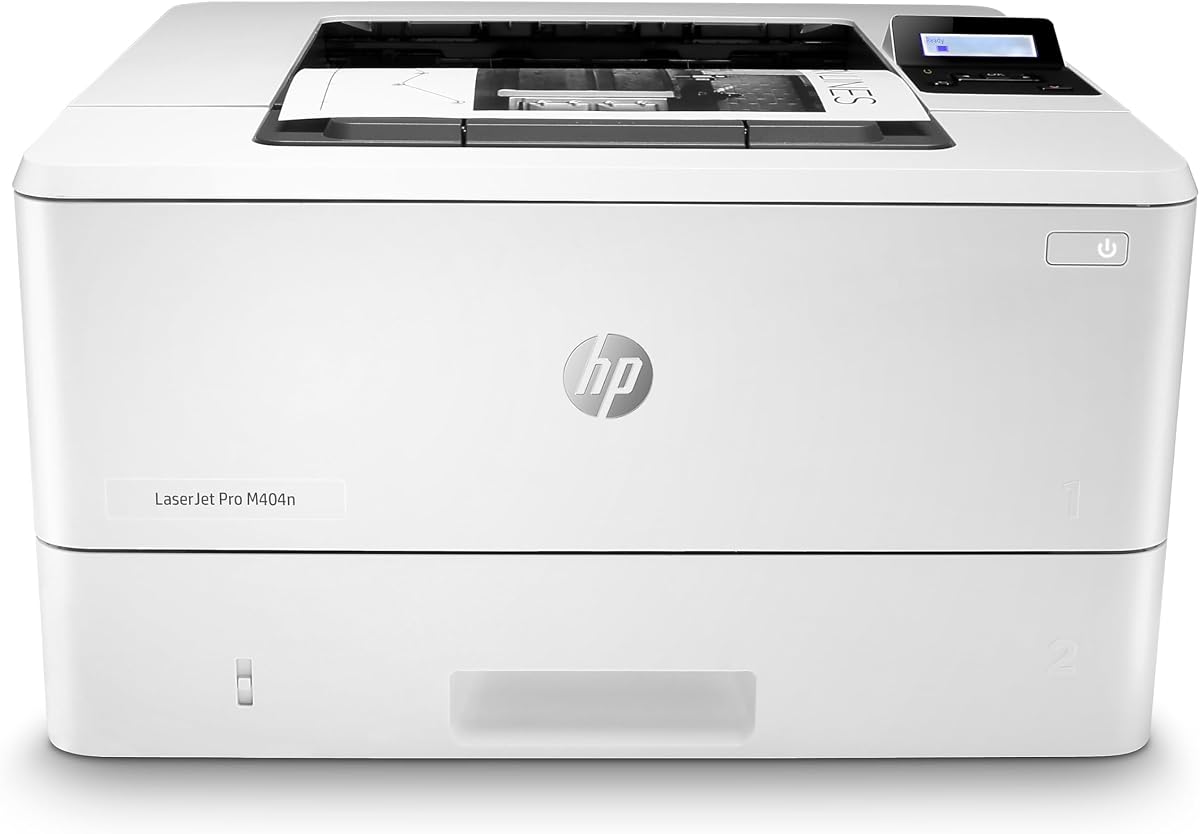
The HP LaserJet Pro M404n delivers strong performance at a competitive price point. With a 4.3 rating, it serves small offices needing fast, secure network printing without unnecessary features that increase cost.
We may earn a commission when you buy through this link, at no additional cost to you.
Its 40 pages per minute speed and built-in Ethernet ensure consistent access for all users. HP Wolf Pro Security safeguards your data, while the compact design fits easily into shared work areas.
The lack of duplex printing may increase paper usage, but this model is ideal for users prioritizing speed and cost savings. It focuses on core printing needs without adding complexity or expense.
Choose this model if you need a straightforward, high-speed Ethernet printer. It balances performance and value well, providing reliable output for teams that do not require automatic double-sided printing.
Get fast 40 ppm output with enterprise-grade security to protect your business data effectively.
The compact design fits seamlessly into shared work areas without consuming valuable office real estate.
We may earn a commission when you buy through this link, at no additional cost to you.
The Brother HL-L5100DN is built for offices requiring high capacity and robust security. With a 4.4 rating, it delivers fast performance and flexible paper handling that scales with your business growth.
We may earn a commission when you buy through this link, at no additional cost to you.
Its 42 ppm speed and expandable paper tray ensure uninterrupted workflows. The built-in Ethernet provides stable sharing, while secure function lock and secure print protect sensitive documents from unauthorized access.
The lack of wireless limits mobile printing, but wired connections are ideal for secure environments. You can expand capacity up to 1,340 sheets, making it suitable for teams with high-volume printing needs.
Choose this model if you need scalability and security. It combines speed and expandable capacity into one device, ensuring your office stays productive without frequent interruptions or manual refills.
Expand up to 1,340 sheets to handle high-volume printing without stopping for paper refills.
Use secure function lock and secure print to restrict unauthorized access to sensitive documents.
We may earn a commission when you buy through this link, at no additional cost to you.
The Brother HL-6210DW is a powerhouse for high-volume office environments. With a 4.2 rating, it delivers exceptional speed and capacity that supports uninterrupted printing for large teams.
We may earn a commission when you buy through this link, at no additional cost to you.
Its 50 pages per minute speed and 520-sheet tray minimize downtime. Triple Layer Security and Gigabit Ethernet ensure stable, protected connections across your business network while maintaining efficiency.
The larger footprint and higher cost may not suit smaller offices, but it is ideal for businesses prioritizing throughput. Ultra high-yield toner cartridges reduce long-term costs significantly compared to standard alternatives.
Select this model if you need a fast, reliable workhorse. It balances speed and capacity with strong security, making it the best choice for offices with heavy daily printing demands.
At 50 ppm, this printer handles large jobs quickly, keeping your business moving without delays.
Triple Layer Security features protect your network and documents during transmission and printing effectively.
We may earn a commission when you buy through this link, at no additional cost to you.
Selecting the right Ethernet laser printer involves balancing speed, security, and connectivity. This guide outlines the key factors to consider when choosing a model for your office needs.
Print speed is measured in pages per minute (ppm) and determines how quickly your printer completes jobs. For small offices, 30 to 40 ppm is typically sufficient for moderate workloads.
Prioritize models with higher ppm if your team prints large volumes daily to avoid bottlenecks and maintain productivity.
Ethernet provides a stable wired connection that reduces interference compared to Wi-Fi. Look for printers with dedicated Ethernet ports if network stability is a priority for your workflow.
Ensure the printer supports your operating system and mobile devices to enable seamless printing across all your tools.
Business printers often handle sensitive data, making built-in security features essential. Look for protocols like encryption and secure print to protect information from unauthorized access.
Choose models with advanced security suites if you operate in regulated industries or handle confidential client documents regularly.
A larger paper tray reduces the frequency of refills, keeping your workflow uninterrupted. Standard trays hold 250 sheets, but expandable options can reach over 1,000 sheets.
Select a capacity that matches your monthly print volume to avoid downtime caused by empty trays during busy periods.
Automatic double-sided printing saves paper and reduces waste over time. This feature is common in modern models and helps meet sustainability goals.
Ensure your chosen model supports duplex printing if reducing paper consumption is a priority for your office environment.
Consider the long-term cost of toner cartridges alongside the upfront price. High-yield cartridges often offer better value for high-volume users than standard ones.
Check if the printer offers subscription services or bulk purchase options to lower your overall cost per page significantly.
A solid warranty ensures protection against defects and unexpected failures. Look for models with comprehensive coverage and accessible support channels.
Choose brands that offer live chat or phone support to resolve technical issues quickly without prolonged downtime.
Start by connecting the printer directly to your router via an Ethernet cable for the most stable network connection. Ensure both devices are powered on and properly configured before installing drivers.
Keep your firmware updated regularly to maintain security and performance. Most printers check for updates automatically, but you can initiate a manual check through the admin panel settings.
Use genuine or compatible toner cartridges recommended by the manufacturer to prevent jams and ensure print quality. Store toner in a cool, dry place away from direct sunlight to prolong its shelf life.
Ethernet provides a stable wired connection that eliminates signal interference and dropout issues. It is ideal for environments where reliability is critical, ensuring your documents print smoothly without network delays.
Some models block non-original chips, but many allow third-party cartridges. Check your printer's firmware policy before purchasing to avoid compatibility issues that could void your warranty.
Connect one end of an Ethernet cable to the printer and the other to your router or switch. Follow the on-screen setup to configure the network settings and install drivers on your computer.
Look for built-in encryption, secure print, and network access controls. These features protect sensitive data from unauthorized access and ensure your printer remains a secure node in your network.
Most models support mobile printing via apps or protocols like AirPrint and Mopria. You can print directly from smartphones or tablets once the device is connected to the same network.
Check for firmware updates monthly to ensure optimal security and performance. Most printers have an auto-update feature that handles this process automatically for convenience.
Yes, duplex printing saves paper and reduces waste over time. For businesses printing large volumes, the savings on paper costs quickly outweigh the initial investment in the feature.
Verify the cable is securely plugged in and check the router settings. Restart the printer and router if needed, then run the built-in network diagnostics tool to identify specific issues.
Our top picks for October 2026 include the Brother HL-L2460DW for overall performance, the HP LaserJet M207dw for budget-conscious buyers, and the HP LaserJet Pro 4001dn for high-security needs.
Prioritize connectivity, speed, and security features based on your specific office workflow. Balancing these factors ensures you select a printer that meets your daily demands without compromising stability.
Remember that prices and availability change frequently. Always verify current details and check for ongoing promotions before finalizing your purchase to get the best value available today.