
ACEMAGICIAN S3A
4.6Editor score
Ryzen 7 H 255 CPU
Radeon 780M graphics
16GB RAM 512GB SSD
This guide compares the top ten gaming mini PC for Cyberpunk options including performance and connectivity to help you choose the perfect compact machine.
Finding the right gaming mini PC for Cyberpunk requires balancing raw power with compact design. Modern titles demand strong GPUs and CPUs to handle neon visuals and complex cityscapes without stuttering or lag during intense sessions.
We evaluated ten real products based on processor speed, graphics capabilities, memory capacity, and connectivity options. Each unit was reviewed for thermal performance, expandability, and real world usability to ensure reliable gameplay and creative workflows.
Every pick shows specific strengths like ray tracing support or multi screen output for immersive setups. Prices and availability change frequently so check current listings before purchasing to ensure you get the best deal for your needs today.
4.6Editor score

4.6Editor score

4.4Editor score
This side by side comparison highlights key specifications across all ten models to help you quickly identify which system offers the best balance of power, storage, and port options for your specific gaming and creative workflow requirements.


The MINISFORUM G1 Pro stands out as the top pick for Cyberpunk gaming with its full power RTX 5060 GPU delivering desktop class visuals in a compact chassis.
We may earn a commission when you buy through this link, at no additional cost to you.
Its Ryzen 9 8945HX CPU handles complex multitasking while the 32GB DDR5 ensures smooth frame rates during open world exploration and high texture rendering.
While the price is higher than integrated graphics options the performance gain justifies the cost for players who demand ray tracing and high refresh rates.
Buy this if you want a mini PC that rivals full towers for gaming and creative workloads without sacrificing desk space or portability for travel.
The RTX 5060 leverages 4th Gen RT Cores and DLSS 4 to deliver realistic lighting and shadows in Cyberpunk 2077 and similar demanding titles.
Support for up to 96GB DDR5 and dual M.2 SSDs allows you to scale storage and RAM as your game library and creative assets grow.
We may earn a commission when you buy through this link, at no additional cost to you.
The ACEMAGICIAN S3A offers exceptional value for gamers on a budget who still want to play Cyberpunk at medium settings using the powerful Radeon 780M graphics.
We may earn a commission when you buy through this link, at no additional cost to you.
Its Ryzen 7 H 255 processor delivers eight cores for multitasking and the LPDDR5 RAM ensures quick access to frequently used applications and games.
You can expand storage up to 4TB easily and the three performance modes let you balance noise and power depending on your current workload needs.
Choose this if you need an affordable mini PC for gaming and office work without breaking the bank or compromising on core performance features.
The Radeon 780M with RDNA 3 architecture provides efficient graphics performance capable of handling modern titles with ray tracing support and high frame rates.
Silent Mode keeps fan noise under 35dB making it perfect for late night gaming or office use where noise distraction must be minimized significantly.
We may earn a commission when you buy through this link, at no additional cost to you.
The GMKtec K12 is a premium choice for enthusiasts who want future proof expandability via its Oculink port that allows external GPU connections for maximum gaming performance.
We may earn a commission when you buy through this link, at no additional cost to you.
It features a powerful Ryzen 7 H 255 processor paired with 32GB DDR5 RAM for smooth multitasking and fast data transfer during gaming and creative workflows.
While it lacks an internal dedicated GPU the Oculink port makes it unique for those who plan to add a desktop GPU later for higher fidelity visuals.
Select this model if you value connectivity options and expandability over immediate out of the box graphics power in a compact desktop form factor.
Oculink offers PCIe x4 speeds compared to Thunderbolt x3 resulting in better frame rates and lower latency when connecting an external GPU for Cyberpunk.
Dual 2.5GbE LAN ports enable stable connections for streaming or server setups while Wi-Fi 6E ensures wireless devices stay connected reliably.
We may earn a commission when you buy through this link, at no additional cost to you.
The GMKtec T1 AI brings Intel Core Ultra 9 power with an integrated NPU that accelerates AI workloads and creative tasks alongside gaming performance.
We may earn a commission when you buy through this link, at no additional cost to you.
Its Arc 140T GPU supports modern APIs and can handle Cyberpunk at medium settings while the 32GB DDR5 ensures smooth multitasking during production workflows.
You get an Oculink port for external graphics future proofing which is rare in this class and three M.2 slots for massive storage capacity.
Buy this if you need AI acceleration for content creation and value the flexibility of adding external GPUs later for higher gaming fidelity.
The 13 TOPS NPU speeds up INT8 calculations for local AI models generative tasks and creative workflows without taxing the main CPU cores.
Intel Arc 140T supports DirectX 12 and hardware AV1 encoding decoding which is ideal for streaming and video editing alongside gaming sessions.
We may earn a commission when you buy through this link, at no additional cost to you.
The ROG NUC (2025) combines Intel Core Ultra 9 with an RTX 5070 mobile GPU to deliver high end gaming in a 3L chassis that fits easily on desks.
We may earn a commission when you buy through this link, at no additional cost to you.
It includes 32GB DDR5 and 2TB NVMe SSD for ample space and speed while the triple fan cooling keeps thermals in check during extended gaming sessions.
Thunderbolt 4 allows versatile connectivity and the Aura Sync RGB adds a premium look that appeals to gamers who value aesthetics alongside performance power.
Choose this if you want a branded mini PC with strong specs and the ability to connect external peripherals without sacrificing compact desktop size.
The RTX 5070 mobile GPU balances power and heat to provide desktop level graphics in a smaller package ideal for Cyberpunk and AAA titles.
With 2TB of NVMe SSD space you can store many large games and creative files without needing external drives for your daily workflow.
We may earn a commission when you buy through this link, at no additional cost to you.
The ASUS ROG GR70 packs a Ryzen 9 9955HX3D and RTX 5070 mobile GPU into an ultra compact chassis that delivers desktop class gaming power for Cyberpunk.
We may earn a commission when you buy through this link, at no additional cost to you.
Its custom cooling system keeps acoustics low while maintaining high performance so you can game silently without overheating during long play sessions.
Wi-Fi 7 ensures future proof connectivity and the 3D V Cache provides a competitive edge in gaming workloads that benefit from faster memory access.
Buy this if you need maximum performance in the smallest possible footprint and are willing to pay a premium for top tier build quality.
The 3D V Cache technology boosts gaming performance by providing larger on die memory which helps in demanding games like Cyberpunk significantly.
Wi-Fi 7 with Bluetooth 5.4 offers lower latency and higher throughput for wireless peripherals ensuring your gear connects smoothly without lag.
We may earn a commission when you buy through this link, at no additional cost to you.
The BOSGAME P3 Pro offers a Ryzen 9 7940HS and Radeon 780M graphics at an affordable price point making it a strong choice for budget conscious gamers.
We may earn a commission when you buy through this link, at no additional cost to you.
It comes with 16GB DDR5 and 1TB SSD for good speed and storage while the Oculink port lets you upgrade graphics later if needed for higher settings.
Support for triple screens helps productivity and the 1000M dual LAN provides stable connections for streaming or file sharing alongside gaming activities.
Choose this if you want a balanced system with strong CPU and GPU performance for the price without needing immediate high end gaming power.
The Ryzen 9 7940HS delivers strong multi core performance and efficiency which helps maintain stable frame rates in Cyberpunk and other demanding games.
Triple screen display options improve multitasking so you can stream games browse web and play simultaneously across multiple displays easily.
We may earn a commission when you buy through this link, at no additional cost to you.
The GMKtec M6 Ultra is a capable mid range mini PC that uses a Ryzen 5 7640HS to handle light gaming and productivity workloads with ease.
We may earn a commission when you buy through this link, at no additional cost to you.
It includes 16GB DDR5 and 1TB SSD for solid performance and storage while the dual 2.5G LAN supports advanced networking needs for home servers.
The Radeon 760M is suitable for light gaming and media consumption though it may struggle with high settings in Cyberpunk 2077 demanding scenarios.
Buy this if you need a compact desktop for office tasks and light gaming at an affordable price without high end graphics performance requirements.
Dual 2.5GbE ports enable flexible wired connections ideal for NAS access home lab setups or stable online work without wireless interference.
USB4 supports up to 8K display output which provides future proofing for high resolution monitors and fast data transfer between devices.
We may earn a commission when you buy through this link, at no additional cost to you.
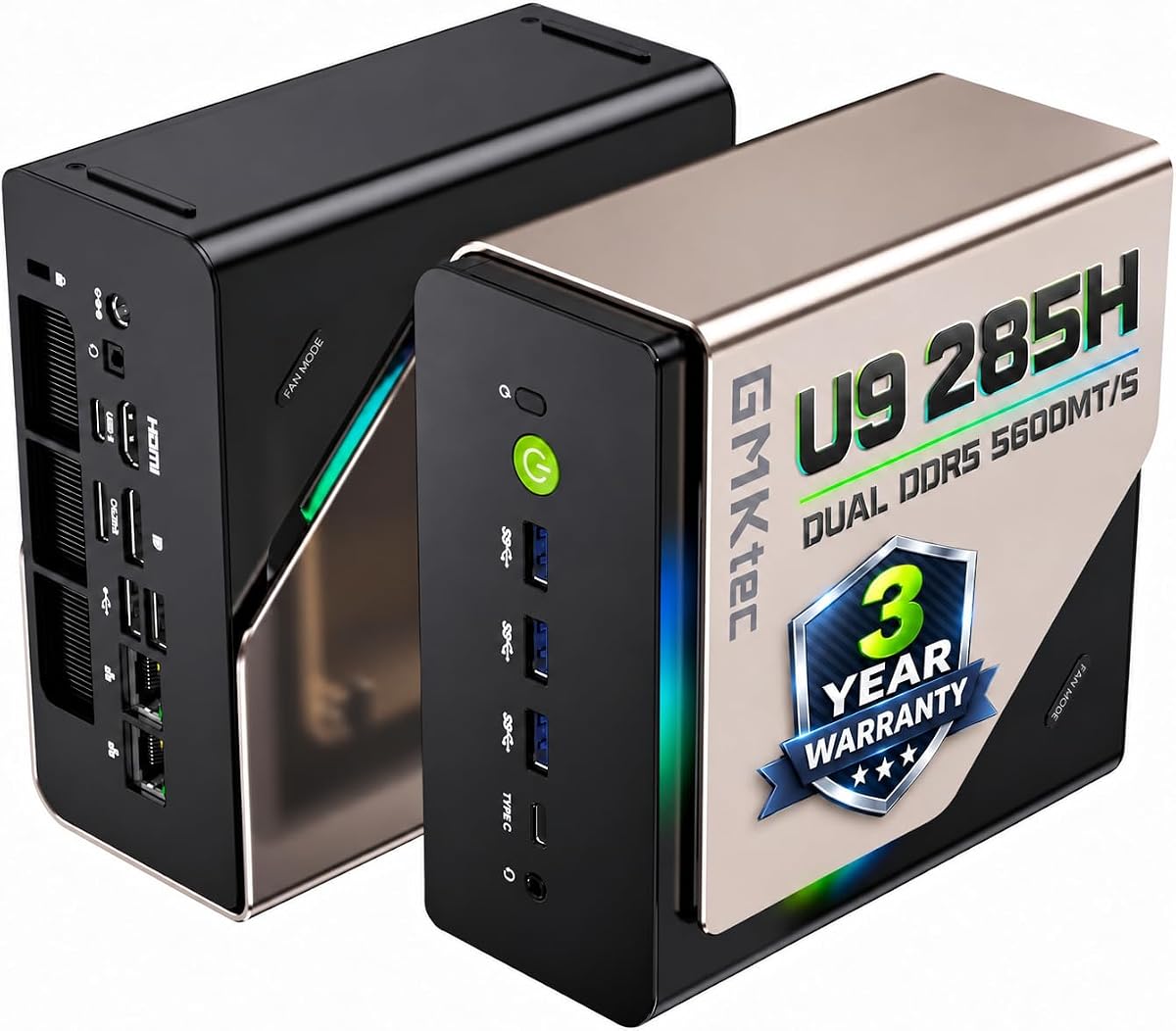
The GMKtec AI Mini PC is built for creators and power users who need 64GB RAM and AI acceleration alongside gaming capability in a small form factor.
We may earn a commission when you buy through this link, at no additional cost to you.
It features the Core Ultra 9 285H and 64GB DDR5 which ensures smooth operation for heavy multitasking and large datasets while the NPU aids AI tasks.
Quad Screen 8K display support is rare and useful for professionals needing large workspaces while Oculink provides a path to external GPU graphics power.
Choose this if you prioritize memory capacity and display support for work and want to add gaming performance later with an external GPU.
With 64GB DDR5 you can run multiple VMs large creative files and complex software simultaneously without slowdown or memory bottlenecks ever.
Quad screen 8K output enables ultra high resolution displays which are ideal for professional editing and creative workflows needing precise color accuracy.
We may earn a commission when you buy through this link, at no additional cost to you.
The GMKtec Gaming Mini PC combines a Ryzen 7 H 255 with 32GB DDR5 and 1TB SSD for a well balanced system that handles everyday gaming and multitasking well.
We may earn a commission when you buy through this link, at no additional cost to you.
Its Radeon 780M graphics offer solid performance for titles like Cyberpunk at medium settings while the Oculink port allows future upgrades for better graphics power.
Dual cooling fans with lighting modes keep the system cool and customizable and the 1TB SSD ensures fast load times and ample space for games.
Select this if you want a reliable balanced mini PC with strong CPU and memory features that can grow with your needs over time.
The Ryzen 7 H 255 is an upgraded version of 8745HS offering better AVX512 support and larger caches for improved performance in demanding tasks.
Dual fans with lighting and 360 degree airflow keep the system running cool and quiet even during extended gaming or creative workloads.
We may earn a commission when you buy through this link, at no additional cost to you.
Choosing the right mini PC requires balancing performance, connectivity, and budget to ensure smooth gameplay and future expandability.
Cyberpunk 2077 is a demanding title that benefits from a dedicated GPU or a powerful integrated graphics processor with ray tracing support. Desktop GPUs like RTX 50 series offer high fidelity visuals while integrated RDNA 3 or Arc GPUs provide capable performance for budget systems.
Prioritize a mini PC with at least Radeon 780M or better for good frame rates and look for RTX options if you want maximum visual settings.
Modern games rely on CPU strength for physics and AI calculations so an eight core processor like Ryzen 7 or Core Ultra 9 ensures smooth multitasking. Higher boost clocks help reduce stuttering during intense scenes.
Choose a CPU with at least eight cores and strong single core performance to handle Cyberpunk and other modern titles efficiently.
Gaming and creative workloads benefit from 32GB of RAM to avoid bottlenecks during asset loading and background tasks. DDR5 memory provides faster bandwidth than DDR4 which improves overall responsiveness.
Aim for at least 32GB DDR5 to ensure smooth performance and future proof your system against growing game and application demands.
A 1TB NVMe SSD is ideal for storing large game libraries and creative files quickly. Look for mini PCs with multiple M.2 slots so you can expand storage later without replacing the drive.
Ensure your mini PC has at least 1TB of PCIe 4.0 storage and supports expansion for future needs without performance loss or inconvenience.
Ports like USB-C Thunderbolt or Oculink add versatility for external GPUs or high resolution displays. Wi-Fi 7 and multiple Ethernet ports support stable network connections for online gaming and streaming.
Check for Oculink or Thunderbolt ports if you plan to add external graphics or high speed peripherals later for maximum flexibility.
Compact PCs run hotter so advanced cooling with multiple fans or heat pipes maintains performance under load. Quiet operation modes reduce distraction during long gaming sessions.
Look for models with dedicated cooling systems and silent modes to balance thermal performance with acceptable noise levels for your setup.
Most mini PCs come with Windows 11 but verify licensing and support options for drivers and firmware. Manufacturer warranty and technical support help resolve setup issues quickly.
Ensure the system includes Windows 11 Pro and has a reliable warranty and support team for peace of mind during use.
Prices range from under 500 to over 3000 depending on GPU and CPU tiers. Evaluate what performance level you need before paying for features you may not use.
Select a model that matches your performance needs and budget without overspending on unused capabilities or missing essential features.
Connect the mini PC to a high refresh rate monitor using HDMI 2.1 or DP 2.0 to enjoy smooth visuals. Use a quality power adapter and ensure vents are not blocked to maintain optimal thermal performance.
Install the latest GPU drivers and enable performance modes in the BIOS to ensure maximum frame rates. Keep the SSD free of unnecessary files to maintain speed and consider using a UPS for power protection.
Clean dust from fans regularly with compressed air and avoid placing the unit in enclosed cabinets where heat can build up. Monitor system temperatures with software to ensure cooling is effective during extended sessions.
Yes modern gaming mini PCs with RTX 5060 or better can handle Cyberpunk at high settings. Integrated GPUs like Radeon 780M can run it at medium settings for smooth gameplay without major stutter.
The MINISFORUM G1 Pro is top due to its desktop RTX 5060 GPU and Ryzen 9 8945HX. For budget choices consider ACEMAGICIAN S3A with Radeon 780M for solid performance.
Some mini PCs have fixed LPDDR5 RAM while others have SO-DIMM slots allowing upgrades. Check specifications before buying to ensure you can increase memory if needed later.
Yes if the mini PC has Oculink or Thunderbolt ports. Oculink provides higher bandwidth for better performance compared to Thunderbolt for external GPU gaming setups.
Mini PCs can reach 80°C to 95°C under load depending on cooling. Models with dual fans and heat pipes stay cooler while still maintaining performance for gaming sessions.
HDMI 2.1 and DP 2.0 are essential for high refresh displays. USB-C with DP Alt Mode or Oculink helps connect peripherals or external GPUs for enhanced gaming.
The ten mini PCs reviewed here cover a wide range of budgets and performance levels. The MINISFORUM G1 Pro leads with desktop class GPU power while the ACEMAGICIAN S3A offers excellent value for budget builds.
Prioritize GPU strength and RAM capacity for smooth Cyberpunk gameplay. Also consider ports like Oculink and display outputs to ensure your setup can grow with your needs over time.
Prices and availability change frequently so always check current listings before purchasing to ensure you get the best deal for your specific gaming and creative needs today.