
KAMRUI Hyper H2
4.5Editor score
14th Gen i5-14500HX CPU
Triple 4K display support
Dual-fan cooling system
This comprehensive guide compares the top ten Intel Core i5 Mini PC models for 2026, analyzing performance, connectivity, and design to help buyers choose the
Finding the right compact computer can transform your workspace efficiency. The Intel Core i5 Mini PC offers powerful performance in a tiny footprint. These systems handle multitasking, creative work, and business applications with ease.
We evaluated ten leading models based on processor speed, memory capacity, and expansion options. Each unit was reviewed for build quality, thermal performance, and real-world usability. Our goal is to help you find the perfect fit.
Every pick highlights unique strengths like multi-display support or enterprise features. Prices vary by configuration and retailer availability. Always check current listings before buying to ensure you get the best value for your specific needs.
4.5Editor score

4.5Editor score

4.2Editor score
This side-by-side comparison helps you quickly identify key differences between the top ten models available today. Focus on processor generation, RAM type, and port selection to match your workflow demands.



The ASUS NUC 13 pro stands out as the top choice for professionals needing reliability and speed. It features the 13th Gen Intel Core i5-1340P processor which delivers exceptional performance in a tiny form factor. The preinstalled Windows 11 Pro ensures security for business use right out of the box.
We may earn a commission when you buy through this link, at no additional cost to you.
Connectivity is a major strength here with two Thunderbolt 4 ports supporting DisplayPort 2.1 and USB4. This allows for versatile peripheral connections and high-speed data transfers. The dual channel DDR4 RAM runs at 3200MHz and can be upgraded to 64GB for heavy multitasking loads.
While the price is higher than some alternatives, the build quality and enterprise features justify the cost. The NUC Pro Software Suite helps manage devices remotely which saves IT time. The only real trade-off is the premium pricing compared to consumer grade mini PCs.
This unit is ideal for business users who need stable performance and manageability. It works perfectly for digital signage or office tasks. We recommend it if you value longevity and support over initial savings.
The NUC Pro Software Suite provides remote PC remedy and unattended system control. These tools ensure your business operations continue smoothly even during unexpected failures.
With two Thunderbolt 4 ports you can connect high speed drives and 4K displays simultaneously. This flexibility makes it a true desktop replacement.
We may earn a commission when you buy through this link, at no additional cost to you.
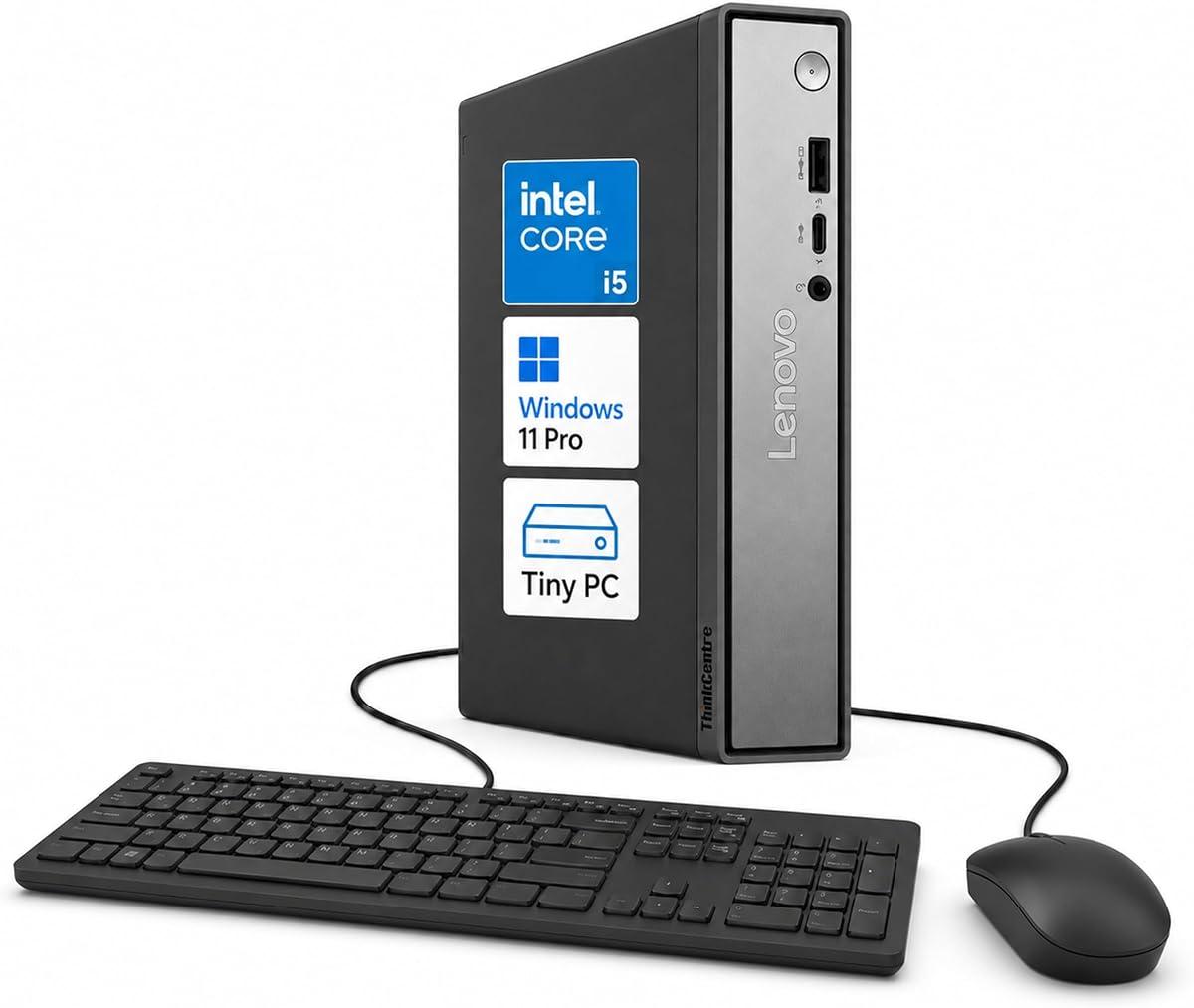
Lenovo ThinkCentre Neo 50q Gen 5 delivers responsive performance tailored for office applications and AI tools. It uses the 13th Gen Core i5-13420H processor which is well optimized for modern multitasking. The 1L chassis is perfect for shared workspaces where desk space is limited.
We may earn a commission when you buy through this link, at no additional cost to you.
Memory flexibility is a key advantage here. The system supports DDR5 memory and multiple configurations allow you to match the setup to your business needs. Support for three displays lets you maximize productivity without a cluttered desk.
The Windows 11 Pro installation includes TPM 2.0 security which protects sensitive data. While the system performs well you may notice some fan noise during intensive tasks. The compact design sometimes makes internal upgrades slightly tricky.
Choose this model if you need a secure and versatile office machine. It suits classrooms retail counters and home offices perfectly. The AI assist features are a nice bonus for daily workflow optimization.
This mini PC supports AI assisted tools for writing and research. These features help streamline research and summarizing tasks.
With two DisplayPort outputs and one HDMI port you can connect up to three monitors. This setup expands your workspace significantly.
We may earn a commission when you buy through this link, at no additional cost to you.
The MINISFORUM NAB5R is a powerhouse for network tasks with dual 2.5G Ethernet ports. This makes it ideal for firewalls or network storage solutions. The 13th Gen i5-13500H processor handles office apps and video playback smoothly.
We may earn a commission when you buy through this link, at no additional cost to you.
Display flexibility is impressive since it supports up to four 4K monitors via two HDMI and two USB-C ports. This quad display capability boosts productivity for trading or creative work. It also comes with Windows IoT Enterprise for long term stability.
While the price is competitive you might find the lack of an included power supply inconvenient. The Wi-Fi performance is standard but not exceptional in large spaces. These are minor issues given the robust networking hardware.
Buy this if you need heavy connectivity and display options. It is great for specialized work environments. The build quality meets expectations for a budget friendly option.
Dual 2.5G Ethernet allows for link aggregation and faster file transfers. This is rare in mini PCs at this price point.
Windows IoT Enterprise provides extended lifecycle support for reliable long term operation. This is perfect for kiosks or digital signs.
We may earn a commission when you buy through this link, at no additional cost to you.
This HP Mini PC is designed for tight spaces with its 6.97 inch form factor. It uses a professional Q370 chipset that ensures enterprise level stability for mission critical workflows. The 16GB DDR4 RAM handles multiple browser tabs efficiently.
We may earn a commission when you buy through this link, at no additional cost to you.
Performance is responsive with a 256GB PCIe NVMe SSD that boots under 10 seconds. Dual DisplayPort outputs support multi-monitor setups for data analysis. It is perfect for desks where every inch matters.
The storage capacity is limited to 256GB which may fill up fast for large media files. Since it uses an older generation CPU it may not handle future intensive apps as well. These trade-offs are acceptable for small office needs.
Select this unit if you need a reliable compact workstation. It is ideal for reception areas or small cubicles. The build quality is solid for daily business use.
The PCIe NVMe SSD ensures lightning fast start up. You get to work almost immediately after turning it on.
Two DisplayPort 1.2 outputs let you extend your workspace across screens. This improves productivity significantly.
We may earn a commission when you buy through this link, at no additional cost to you.
The GMKtec M3 offers a massive 1TB SSD which is rare at this price. It runs on the 12th Gen Core i5-12450H which is power efficient for daily work. The Intel Iris Xe Graphics supports high quality 4K output.
We may earn a commission when you buy through this link, at no additional cost to you.
You get triple 4K screen support via HDMI and USB-C which is great for multitasking. The 2.5Gbps LAN ensures stable network performance. A VESA mount is included for flexible placement.
Thermal throttling can occur under heavy load due to the compact fan design. The build materials are mostly plastic which feels less premium. These issues are manageable for standard office usage.
This model is great for media libraries and large file storage. It suits home offices that need space and power. The included accessories make setup easy.
With 1TB of SSD space you can store extensive work files. This reduces the need for external drives.
The low power design runs on only 45W. This saves electricity and reduces heat generation.
We may earn a commission when you buy through this link, at no additional cost to you.
Lenovo ThinkCentre Tiny M70q features DDR5 RAM which offers faster speeds than DDR4. The 14th Gen Core i5-14400T delivers high efficiency for remote learning and Zoom meetings. It is designed for education and professional use.
We may earn a commission when you buy through this link, at no additional cost to you.
Windows 11 Pro enhances security with tools like BitLocker. The 512GB SSD provides quick access to data and applications. WiFi 6 connectivity ensures smooth wireless performance.
The warranty is a major benefit for peace of mind. However the price is higher and display options are limited to two. These are acceptable trade-offs for the reliability you get.
Choose this for schools or businesses wanting reliable support. It handles online classes well. The DDR5 RAM makes it future proof.
DDR5 memory improves responsiveness for data heavy tasks. This keeps your system fast even under load.
Enhanced tools like TPM protect your data from threats. This is vital for professional environments.
We may earn a commission when you buy through this link, at no additional cost to you.
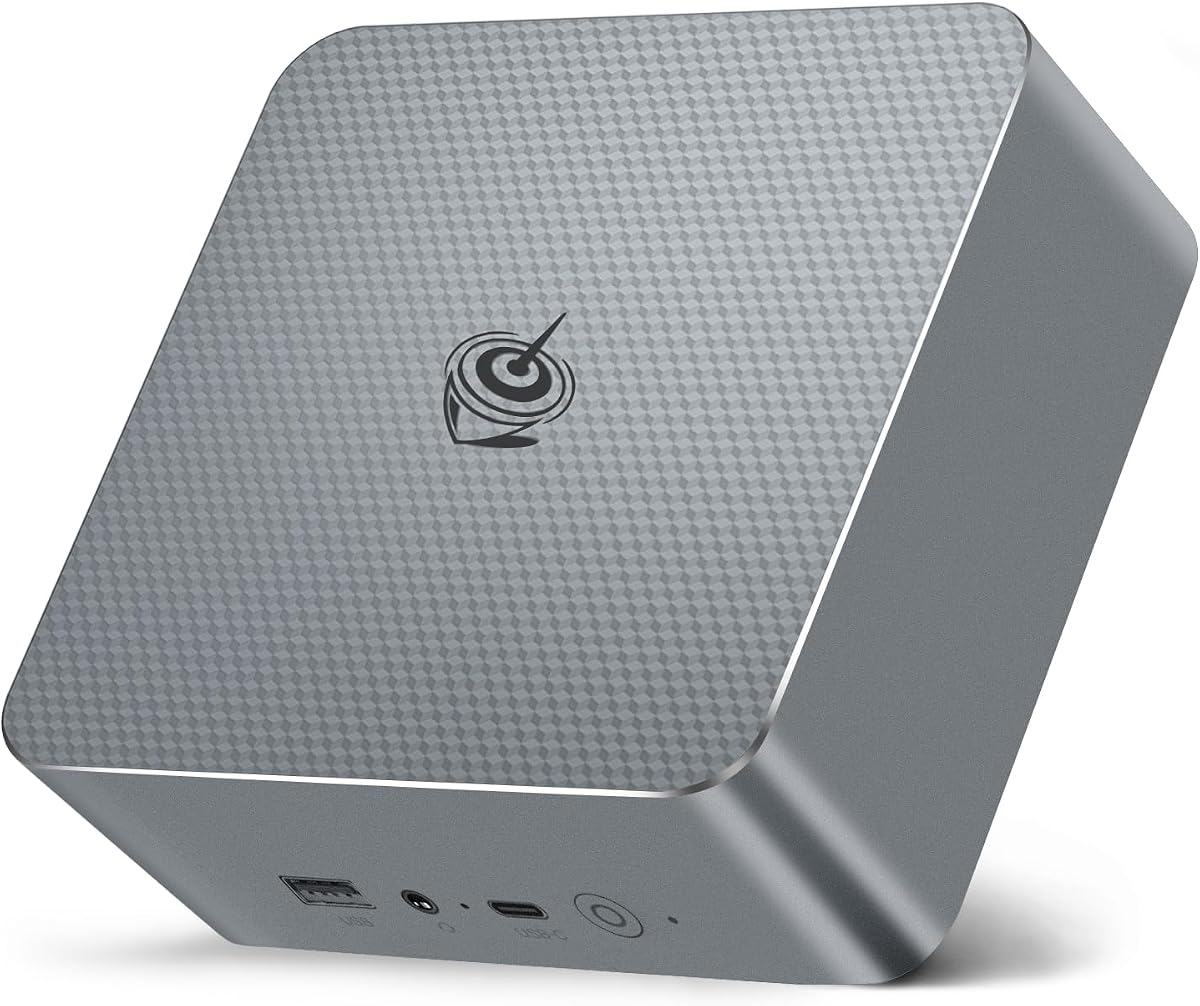
KAMRUI Hyper H2 brings desktop-class power to a mini PC with the Core i5-14500HX. It handles heavy business software and code compilation without lag. The 16GB RAM keeps multitasking smooth.
We may earn a commission when you buy through this link, at no additional cost to you.
It supports triple 4K displays for a wide workspace. The dual-fan cooling system prevents overheating during extended use. You get seven USB ports so no adapters are needed.
The performance is excellent but heat output is higher than low power models. The size is slightly larger to accommodate cooling. These issues are minor compared to the speed you get.
Buy this if you need maximum power in a compact box. It suits creative professionals and power users. The cooling system ensures reliability.
The 14th Gen HX CPU delivers 35% faster multitasking. This boosts productivity significantly.
Dual fans and heat pipes keep the system cool. This ensures steady performance.
We may earn a commission when you buy through this link, at no additional cost to you.
Intel NUC 13 Pro supports up to 8K video and four screens via Thunderbolt 4. It uses the 13th Gen Core i5-1340P for smooth multitasking. The hybrid architecture balances speed and efficiency well.
We may earn a commission when you buy through this link, at no additional cost to you.
You get two HDMI ports and two Thunderbolt 4 for connections. The size is tiny at 4.6 inches wide for clean setups. Windows 11 Pro runs smoothly on 16GB RAM.
The price is high and the fan can get noisy. However the graphics performance is superior. These trade-offs are worth it for creative work.
This is best for entertainment centers and creative pros. It handles video editing well. The visual quality is stunning.
You can view 8K content with vibrant colors. This is perfect for home theaters.
Mount it behind a monitor for a clean look. This saves desk space.
We may earn a commission when you buy through this link, at no additional cost to you.
Beelink EQI13 includes a built-in power supply which reduces cables on your desk. The 13th Gen Core i5-13420H handles office and gaming tasks well. It supports dual 4K screens for a wider view.
We may earn a commission when you buy through this link, at no additional cost to you.
The MSC2.0 cooling system keeps noise low during daily use. You get dual LAN ports for better network stability. Wake on LAN allows easy remote access.
The power design makes internal upgrades difficult. RAM is limited to 64GB max. These limits are minor for general users.
Choose this for clean desk setups. It works well for home offices. The quiet operation is a plus.
A single cable handles power and data. This keeps your desk tidy.
The silent fan runs at only 32dB. This ensures a quiet environment.
We may earn a commission when you buy through this link, at no additional cost to you.
HP EliteDesk 800 G4 offers solid business performance at a low price. It uses the i5-8500T which is reliable for multitasking. Windows 11 runs well on the 16GB RAM.
We may earn a commission when you buy through this link, at no additional cost to you.
It supports dual monitors for better productivity. The renewed quality ensures it works like new. This makes it great for tight budgets.
The CPU is older so it may not support the latest software. The 256GB SSD limits file storage. These are standard for refurbished units.
Pick this if you need a cheap reliable PC. It works for basic office tasks. The value is hard to beat.
This renewed unit saves money without sacrificing function. It is perfect for startups.
HP business PCs are known for durability. It handles daily tasks well.
We may earn a commission when you buy through this link, at no additional cost to you.
Selecting the right mini PC requires attention to specs. Here are key factors to consider for your needs.
Newer generations like 13th and 14th Gen offer better speed. Check for HX or P series chips for performance.
Focus on the generation number to ensure longevity.
16GB is standard but 32GB or more helps with heavy tasks. DDR5 is faster than DDR4.
Choose higher RAM for future proofing.
NVMe SSDs provide fast boot and file access. Ensure there is an M.2 slot for upgrades.
Prioritize SSDs with high speed ratings.
Check for Thunderbolt 4 or USB-C ports. Ethernet helps for stable networking.
Ensure ports match your peripherals.
Multi-monitor setups need HDMI and DisplayPort. Some models support up to four screens.
Match outputs to your workflow.
Dual-fan designs prevent overheating under load. Quiet fans are better for offices.
Look for thermal management features.
Windows 11 Pro adds security tools for business. Some models offer IoT versions.
Choose OS based on your needs.
Three-year warranties protect your investment. Manufacturer support helps with issues.
Always check warranty terms carefully.
Place the mini PC on a flat surface away from walls. This ensures proper airflow for cooling.
Connect essential peripherals like keyboards and monitors via USB ports. Ensure all cables are secure.
Keep the vents clean with compressed air. This prevents dust buildup that causes overheating.
It offers powerful processing in a compact design. This saves desk space while handling daily tasks.
Most models allow RAM upgrades. Check if the unit has open slots before buying.
Yes many models support 4K displays. They handle video editing and design tasks well.
Use HDMI and DisplayPort outputs. Some models support up to four screens.
Many business models come with Windows 11 Pro. Check the product specs before buying.
They usually have SSDs. Most models allow storage expansion via M.2 slots.
The ASUS NUC 13 pro and KAMRUI Hyper H2 stand out. They balance performance and value for most users.
Prioritize features like Thunderbolt 4 for future needs. Choose DDR5 RAM for better speed.
Always verify current prices and availability. Deals change often so check before purchasing.