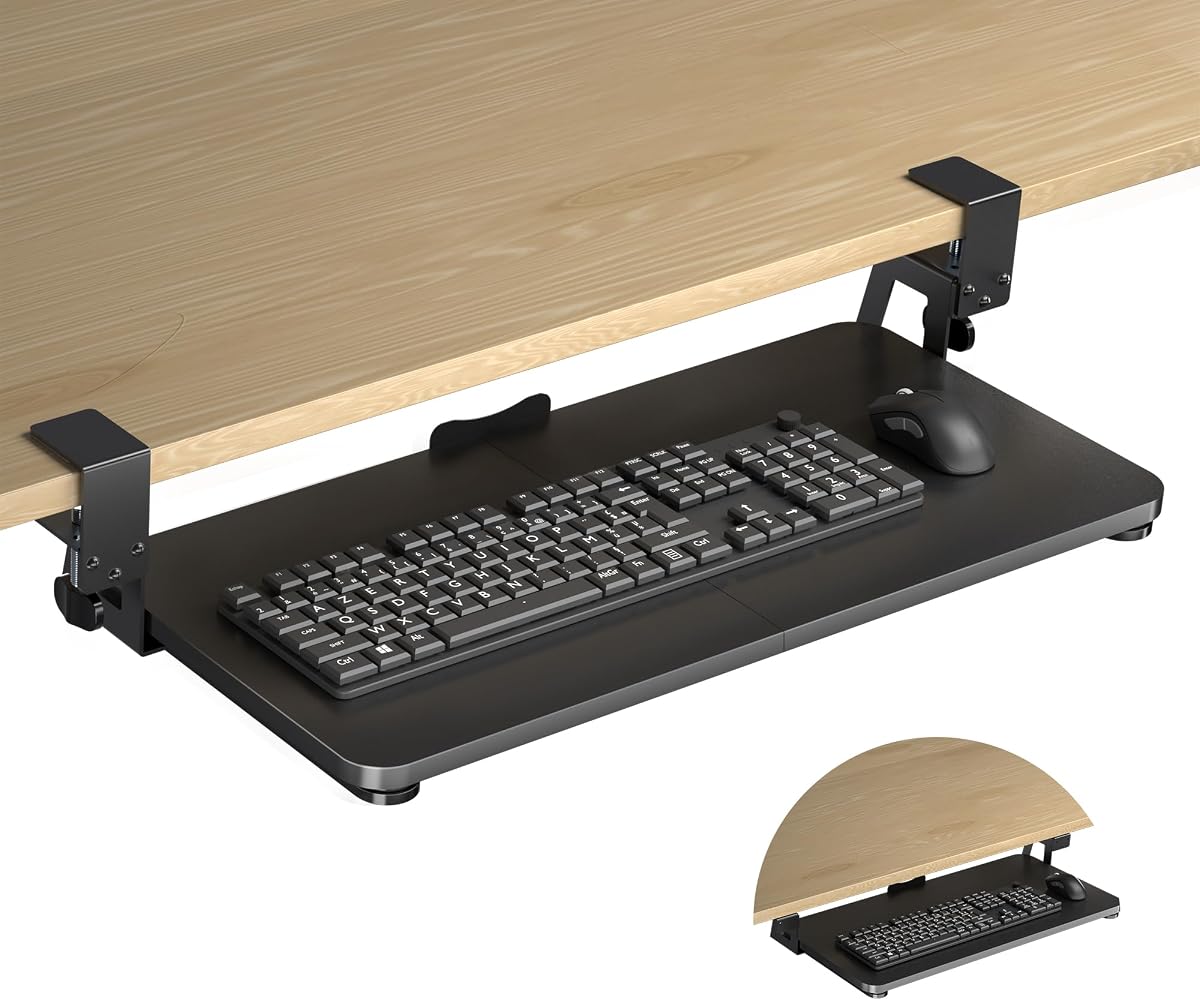
XINLEI Keyboard Tray Under Desk
4.4Editor score
Affordable price point
Smooth metal sliding rails
Sturdy C-clamp mounting
This guide compares the top keyboard trays for standing desks to help you find the best ergonomic solution for your workspace setup and comfort needs.
Finding the right keyboard tray for a standing desk is essential for maintaining proper posture and reducing strain during long work sessions. A well-designed tray keeps your typing surface at the correct height, allowing your elbows to stay close to your sides and your wrists to remain neutral while you type.
We evaluated ten leading models based on their adjustability, build quality, ease of installation, and compatibility with various desk types. Our comparison focuses on how each tray supports both sitting and standing positions, ensuring you can transition smoothly throughout the day without compromising comfort or productivity.
Each product in this list offers unique features tailored to different workspace needs, from budget-friendly clamp-on options to premium adjustable systems. Prices and availability can change frequently, so please check the current links for the most up-to-date information before making your final purchasing decision.
4.4Editor score

4.4Editor score

4.2Editor score
The following table provides a side-by-side comparison of all ten models included in this guide. Use these specs to quickly identify which tray matches your desk dimensions and ergonomic requirements before diving into the detailed reviews.
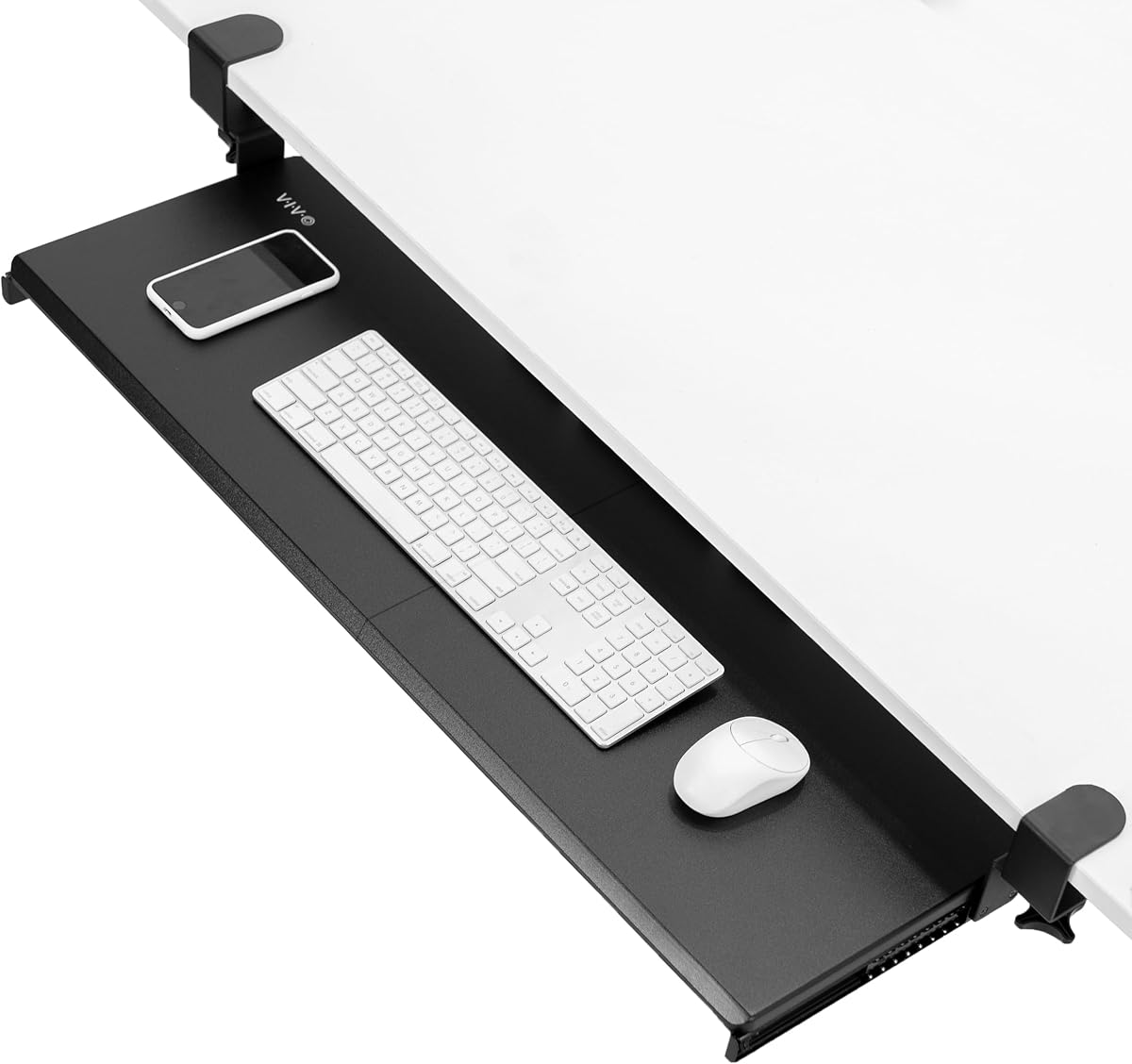


The Mount-It! Standing Keyboard Tray stands out as our top choice for its exceptional height range and hassle-free setup. Rated highly by users, it lowers to 1.7 inches for seated typing and rises to 15.6 inches for standing, making it ideal for sit-stand desks.
We may earn a commission when you buy through this link, at no additional cost to you.
Its wide footprint and rubber feet provide stability without needing to attach to your desk, which is perfect for rented spaces or shared workstations. The scissor-lift mechanism ensures smooth adjustments that stay locked in place during use.
While it does require some floor space under your desk, the trade-off is a completely damage-free installation. This design means you can move it between offices or classrooms without leaving marks on furniture.
If you need a versatile solution that adapts to both sitting and standing without permanent changes to your desk, this model is the best investment for long-term ergonomic comfort and flexibility.
Unlike many risers that only work when standing, this tray lowers low enough for comfortable seated typing, giving you full day flexibility.
Arriving ready to use right out of the box saves time and eliminates the need for tools or drilling into your existing workspace.
We may earn a commission when you buy through this link, at no additional cost to you.
The VIVO Black Extra Large Clamp-On Tray offers a generous 34-inch surface that comfortably fits full-size keyboards, mice, and accessories. With a 4.4 rating, users appreciate the stability and the added workspace it creates under the desktop.
We may earn a commission when you buy through this link, at no additional cost to you.
Its clamp-on design is straightforward and secure, holding up to 11 pounds without wobbling. The tray slides in and out smoothly, allowing you to retract it when not in use to clear your knee space.
One limitation is the maximum desk thickness of 1.25 inches, which may not fit thicker solid wood tops. Also, it requires flat edges, so beveled desks won't work with this model.
For those with standard office desks needing a reliable and spacious under-desk solution, this tray delivers excellent value and durability for everyday typing tasks.
The extra length accommodates not just your keyboard and mouse but also small organizers or documents without feeling cramped.
Adjustable clamps attach tightly in minutes, providing a solid mount that keeps the tray steady even during fast typing.
We may earn a commission when you buy through this link, at no additional cost to you.
The HUANUO Under Desk Keyboard Tray is uniquely designed to fit both flat-bottom desks and those with cross beams, solving a common compatibility issue. Its metal roller track ensures smooth sliding even after thousands of cycles of use.
We may earn a commission when you buy through this link, at no additional cost to you.
Users can adjust height by 6.3 inches and swivel 180 degrees, making it versatile for multi-tasking workstations. The included wrist rest adds comfort for long typing sessions.
Installation is simplified by a top plate system that avoids holding the whole tray while drilling. However, you need at least 35 inches of under-desk width for full swivel capability.
This tray is ideal if you have an electric standing desk with cross beams and need a durable solution that adapts to different ergonomic positions throughout your workday.
Special brackets included allow secure mounting on desks with cross beams where traditional clamps would fail.
High-quality metal rollers tested for longevity ensure the tray slides smoothly without catching or sticking over time.
We may earn a commission when you buy through this link, at no additional cost to you.
The XINLEI Keyboard Tray offers impressive value with a spacious platform and quiet metal rails at a budget-friendly price. It features two installation methods, giving you flexibility depending on your desk thickness and preferences.
We may earn a commission when you buy through this link, at no additional cost to you.
The back baffle design keeps your keyboard from sliding off unexpectedly, which is a thoughtful detail. Users report stable performance and comfortable typing angles that reduce wrist strain effectively.
While it handles up to 11 pounds well, thick desktops may reduce clearance due to the C-clamp height. Ensure your desk edge can support the hardware without interference.
If you need a reliable under-desk tray without spending a lot, this model balances cost and quality perfectly for home offices and casual workstations.
Choose between standard clamps or screw mounting based on your desk thickness and desired appearance for better customization.
High-quality metal rails allow silent sliding that feels smooth and responsive during daily use without jerky movements.
We may earn a commission when you buy through this link, at no additional cost to you.
The VIVO Black Clamp-on Adjustable Keyboard Tray offers unique width adjustability from 23 to 30 inches, fitting various desk sizes. It includes a wrist pad and mouse pad for immediate ergonomic comfort.
We may earn a commission when you buy through this link, at no additional cost to you.
With five height adjustment points, you can fine-tune the position to match your seated or standing posture needs easily. The split design allows for flexible placement of accessories.
The clamps are sturdy and hold well, but the tray may not suit those wanting a solid unified surface. Beveled desks are also incompatible with this clamp system.
This model is great for shared workspaces where different users may need varying tray positions, providing versatile adjustment without permanent modifications.
Adjust the tray width to match your specific desk depth, maximizing usable space while ensuring secure attachment.
Included wrist and mouse pads come built-in, saving extra purchases and providing immediate support for wrists.
We may earn a commission when you buy through this link, at no additional cost to you.
The BONTEC Under Desk Keyboard Tray is designed for easy no-drill installation with robust C-clamps that protect your desk surface. It supports desks up to 1.97 inches thick, which is more than many competitors.
We may earn a commission when you buy through this link, at no additional cost to you.
The platform is spacious enough for standard keyboards and mice, and the pull-out mechanism is smooth and reliable. Protective pads on the clamps prevent scratches and improve grip.
It requires a flat underside without crossbars, so check your desk structure before buying. Also, ensure you have at least 31.3 inches of width clearance for proper sliding.
For renters or those avoiding drilling, this tray offers a secure reversible setup that enhances ergonomics while keeping your desk intact.
Withstands thicker desktops up to 1.97 inches, expanding compatibility to heavier or solid wood work surfaces.
Protective pads on clamps safeguard desk finishes, ensuring secure mounting without visible damage or marks.
We may earn a commission when you buy through this link, at no additional cost to you.
The VIVO Black Under Desk 25 x 10 Keyboard Tray provides a compact solution for smaller workspaces. It rotates fully side to side and adjusts height by 5 inches for ergonomic comfort.
We may earn a commission when you buy through this link, at no additional cost to you.
Included rubber padding helps reduce wrist strain, and assembly is simple with all hardware provided. The tray slides forward and back on a track designed for smooth operation.
If your desk has a crossbar, you will need to purchase an adapter separately, which is a minor inconvenience. Minimum desktop thickness requirements should also be checked.
This tray suits those with limited desk depth who still want full ergonomic adjustability and rotation flexibility for efficient typing.
Swivel capabilities allow you to position the tray away when not in use, freeing up valuable desk space.
All necessary mounting pieces are included, making the installation process quick and straightforward for most users.
We may earn a commission when you buy through this link, at no additional cost to you.
The HUANUO Under Desk Keyboard Tray with 360 degree adjustable mouse platform lets you rotate the tray 180 degrees for flexible positioning. It offers 6.3 inches of height adjustment for sit-stand transitions.
We may earn a commission when you buy through this link, at no additional cost to you.
The included wrist rest adds comfort, and the slide mechanism is quiet and smooth. Installation requires minimal effort as long as your desk meets the clearance requirements.
Keep in mind that crossbars or legs on the side may obstruct rotation, so measure your desk carefully. The compact design is ideal for saving desktop space.
Choose this tray if you want dynamic positioning options and smooth height adjustability in a lightweight, easy-to-use under-desk system.
Swivel the tray left or right up to 180 degrees, letting you clear the desk when needed.
Adjust height easily to match seated or standing elbow levels, promoting better posture throughout the day.
We may earn a commission when you buy through this link, at no additional cost to you.
The Klearlook Upgraded Adjustable Keyboard Tray stands out for its dual above and under desk use capability. It includes an organizer drawer and headphone hanger, offering a complete workspace solution beyond just typing.
We may earn a commission when you buy through this link, at no additional cost to you.
Full 360 horizontal rotation and tilt adjustments let you find the perfect angle for any task. The built-in storage keeps small items tidy, enhancing productivity and cleanliness.
While it comes at a higher price, the added features justify the cost for those wanting an all-in-one ergonomic setup. Installation may involve more steps than simpler clamp models.
This premium tray is best for users who value organization and versatility alongside ergonomic typing comfort in a single system.
Built-in drawer and headphone hanger keep essentials close by, reducing clutter and improving workflow efficiency.
Switch between above and under desk setups easily, adapting the tray to your changing workspace needs daily.
We may earn a commission when you buy through this link, at no additional cost to you.
The Mount-It! Keyboard Tray Under Desk features a rare 30-inch wide surface that accommodates full keyboards plus accessories with room to spare. It supports desks up to 1.77 inches thick, offering broader compatibility.
We may earn a commission when you buy through this link, at no additional cost to you.
Premium steel rails ensure wobble-free sliding and the lifetime warranty provides peace of mind for long-term use. The no-drill clamp setup is simple and reversible.
Some users report lower satisfaction ratings due to assembly nuances, but the warranty support is robust. Ensure your desk edge is flat for proper clamp grip.
Select this tray if you need extra width and reliable support for heavy mechanical keyboards, backed by a strong manufacturer guarantee.
At 30 inches, this tray offers one of the widest surfaces available, ideal for large setups and accessories.
Lifetime warranty and US-based support ensure issues are resolved quickly, protecting your investment long term.
We may earn a commission when you buy through this link, at no additional cost to you.
Choosing the right keyboard tray requires understanding how it interacts with your desk and your ergonomic needs. This guide breaks down the key factors to consider.
Before purchasing, measure your desk's thickness, width, and underside structure. Some trays only work with flat bottoms while others fit cross beams. Ensure you have enough space for the tray to slide out fully without obstruction.
Always verify these dimensions against the product specs to avoid fitment issues after delivery.
Look for trays that offer sufficient height adjustment to suit both seated and standing positions. Models that lower low enough provide flexibility for sit-stand desks. The range should allow your elbows to stay close to your sides for neutral wrist posture.
Prioritize trays with smooth adjustment mechanisms that stay locked in place during typing.
Decide between clamp-on, screw-in, or freestanding options based on your desk type and preference. Clamp-ons are reversible and damage-free but require flat edges. Screw-ins are more permanent but secure. Freestanding options need no mounting but consume floor space.
Choose the method that best preserves your desk's integrity and matches your workspace rules.
Consider the tray's width and depth to ensure it fits your keyboard and mouse comfortably. Extra width is useful for mechanical keyboards or accessories. Some models have split trays while others are solid platforms. Select a layout that matches your input device needs.
Measure your gear to confirm it fits within the platform dimensions comfortably.
Metal rails and sturdy frames contribute to longevity and smooth operation. Look for reinforced steel or metal components that resist wobbling. A robust build ensures the tray remains stable even with frequent adjustments and heavy typing.
Check reviews for mentions of durability to ensure long-term reliability.
Some trays include wrist rests, drawers, or headphone hangers. These add-ons enhance comfort and organization but may increase price. Decide which extras are truly necessary for your workflow.
Focus on features that directly improve your ergonomic experience or workspace efficiency.
A strong warranty indicates manufacturer confidence in the product. Look for lifetime or multi-year coverage with accessible customer support. This can be crucial if parts fail or installation issues arise.
Always review the warranty terms before purchasing to understand what is covered.
Prices vary widely from basic models to premium options. Determine your budget and prioritize features that matter most. Sometimes a mid-range option offers the best balance of quality and price.
Compare specs across models to ensure you pay only for what you need.
Install the tray according to the manufacturer instructions ensuring all screws and clamps are tightened securely. Test the sliding mechanism before using it daily to confirm smooth motion.
Regularly clean the rails and surface with a damp cloth to prevent dust buildup that may cause sticking. Lubricate metal tracks occasionally if they become noisy or hard to move.
Adjust the height and angle as needed when switching between sitting and standing to maintain ergonomic posture. Retract the tray when not in use to preserve your desk space.
Some models like HUANUO include special brackets for cross beams while others require flat undersides. Always check compatibility before purchasing to ensure proper fit. If unsure, measure your desk structure carefully.
Yes, many trays use C-clamp systems that mount securely without drilling. These are ideal for renters or shared workspaces. Ensure your desk edge is flat to support the clamps properly.
For standing, the tray should allow elbows to be at or slightly below waist level with wrists straight. Adjustable trays help you find this position precisely. Comfort varies by height so customize to your needs.
It depends on the model. Some support up to 1.77 inches thick while others limit to 1.25 inches. Verify the maximum thickness spec before buying to avoid installation issues.
Many trays come with integrated wrist rests or padding for comfort. If not, adding a soft wrist rest helps maintain neutral wrist position. Evaluate your current setup to decide if extra padding is needed.
Typically you need at least 3 inches below the desktop for the rails. Also ensure side width matches the tray length plus extension. Measuring these dimensions prevents fitment problems after installation.
We highlighted ten excellent keyboard trays ranging from budget-friendly to premium options with unique features. The Mount-It! Standing Keyboard Tray offers unmatched versatility while budget picks like XINLEI provide solid value.
Focus on finding a tray that matches your desk dimensions and supports your specific ergonomic posture. Prioritize smooth adjustment and sturdy build quality for daily comfort and long-term reliability.
Prices and availability change often so verify current listings before buying. Taking time to choose the right tray will improve your workspace comfort significantly.