
UGREEN 8K@60Hz HDMI Displayport KVM Switch 3 Monitors 2 Computers, Aluminum
3.9Editor score
Supports Three Monitors Simultaneously
8K@60Hz Resolution Output
DisplayPort and HDMI Inputs
This guide compares ten top KVM switches for multi-monitor and multi-PC setups, highlighting resolution, USB speed, and switching methods.
KVM switches allow you to control multiple computers with a single set of peripherals and displays. They streamline workflows by reducing cable clutter and hardware redundancy across workstations.
We evaluated ten leading models based on video resolution support, USB transfer speeds, and switching flexibility. Our analysis focuses on real-world compatibility and build quality for professionals.
Each pick highlights key specifications and ideal use cases. Note that availability and pricing may vary over time, so check current listings before finalizing your purchase decision.
3.9Editor score

4.5Editor score

4.2Editor score
The following table presents a side-by-side comparison of ten selected KVM switches. Review each model's core capabilities to determine the best fit for your specific setup requirements.





The GL.iNet GL-RM10 Comet Pro stands out as a unique entry in the KVM space, focusing on remote access rather than just local switching. With a rating of 4.5 stars, it appeals to professionals managing distributed hardware.
We may earn a commission when you buy through this link, at no additional cost to you.
Its standout quality is the ability to control devices over Wi-Fi 6 while maintaining 4K passthrough. The built-in touchscreen simplifies configuration, and Tailscale support ensures secure connections without complex port forwarding.
While the price is higher than standard switches, the functionality it offers justifies the investment for specific use cases. It trades physical button switching for web-based control which adds a layer of dependency on network stability.
This unit is best suited for IT professionals or home lab enthusiasts who need to reboot or access BIOS remotely. If you prioritize accessibility over cost, this device delivers exceptional value.
The device supports remote access via a web cloud control or dedicated apps on iOS and Android.
Built-in Tailscale uses WireGuard encryption to secure data transfer between devices efficiently.
We may earn a commission when you buy through this link, at no additional cost to you.
The UGREEN 8K@60Hz KVM Switch is designed for power users needing triple monitor setups across two computers. It allows seamless switching between workstations while maintaining high fidelity visual output.
We may earn a commission when you buy through this link, at no additional cost to you.
Key strengths include its ability to handle 8K@60Hz resolution on DisplayPort and HDMI inputs. This makes it suitable for creative professionals who require accurate color and high refresh rates on multiple screens.
However, successful operation depends on your PCs supporting triple-monitor output via specific port combinations. The switch requires careful cable management due to the number of video and USB connections needed.
Buy this if you need to manage three displays from two different sources. The included desktop controller keeps your workspace tidy and offers a convenient alternative to panel buttons.
Supports up to 8K@60Hz and is backward compatible with 4K at high refresh rates like 240Hz.
Offers mirror and extend modes for flexible display management across your triple monitor setup.
We may earn a commission when you buy through this link, at no additional cost to you.
For those seeking a straightforward solution for two computers, this HDMI KVM Switch offers excellent value. It simplifies desktop organization by sharing a single monitor and keyboard mouse set.
We may earn a commission when you buy through this link, at no additional cost to you.
Its main advantage is cost-effectiveness while still delivering 4K video quality. The inclusion of a wired remote allows you to place the unit out of sight without sacrificing accessibility.
Trade-offs include USB 2.0 speeds which may slow down large file transfers between PCs. Additionally, it may not support all Mac configurations due to protocol limitations.
This is the ideal choice for home offices on a tight budget. If you need basic switching without advanced features, this unit gets the job done reliably.
The device is designed to be hot-swappable and does not require an external power supply.
Works best with Windows systems; users with Mac devices should verify compatibility before purchase.
We may earn a commission when you buy through this link, at no additional cost to you.
The Hearvo S7232H combines video switching with high-speed USB data transfer. It supports up to 4K@60Hz and includes four USB ports to share peripherals efficiently between two systems.
We may earn a commission when you buy through this link, at no additional cost to you.
Its Adaptive EDID feature helps maintain stable image transmission without constant reconfiguration. The switch also supports various input devices ranging from PCs to gaming consoles.
A minor limitation is that it handles only one monitor, which may not suit dual screen users. However, the included lifetime protection plan offers peace of mind for long term use.
Choose this if you need fast file transfers alongside video switching. It balances price and performance well for standard home office setups.
Features four USB 3.0 ports providing transfer speeds up to 5Gbps for connected devices.
Includes a wired remote switch to place the KVM unit out of sight for a clean desk.
We may earn a commission when you buy through this link, at no additional cost to you.
This Displayport KVM Switch is tailored for users needing high refresh rates across two monitors. It supports 4K@144Hz which makes it a strong contender for gaming or demanding visual workflows.
We may earn a commission when you buy through this link, at no additional cost to you.
Key strengths include high bandwidth capabilities and support for extended or copy modes. The external power adapter ensures USB devices receive stable power even under heavy load.
Users must provide their own DisplayPort cables which may add to the initial cost. Also note that both computers must have two DisplayPort outputs to utilize all screens.
Buy this unit if you require high frame rates and dual display support. It is a specialized tool for performance focused environments.
Immersive visual enjoyment with support up to 3840×2160 resolution at 144Hz refresh rates.
Requires each connected computer to have two DP ports to enable dual screen display properly.
We may earn a commission when you buy through this link, at no additional cost to you.
The Unitek KVM Switch is flexible regarding input types, accepting both HDMI and DisplayPort signals. This hybrid approach makes it useful when computers have different video output standards.
We may earn a commission when you buy through this link, at no additional cost to you.
It supports up to 4K@60Hz and includes a reliable power adapter to maintain stable USB performance. The device also integrates mic and headset ports for enhanced multimedia functionality.
Note that this model is designed strictly for desktop hosts and does not support laptops. This limitation is important for users relying on laptop hardware in dual PC setups.
Select this KVM if your PCs have mixed video outputs. It offers solid versatility for office setups needing audio and video integration.
The included DC 5V 2A power adapter ensures stable performance when using multiple USB devices.
Compatible with PCs and consoles like PS4 but explicitly excludes laptop connections.
We may earn a commission when you buy through this link, at no additional cost to you.
This HDMI KVM Switch allows two computers to share three displays simultaneously. It supports 4K@60Hz resolution and provides four USB 3.0 ports for peripheral sharing.
We may earn a commission when you buy through this link, at no additional cost to you.
Key strengths include extended and duplicate display modes controlled via keyboard shortcuts. The LED indicators help identify active devices reducing confusion during switches.
Trade-offs include the requirement for PCs to have three HDMI output ports. The unit also mandates a 12V power supply to ensure stability with connected hard drives or webcams.
Ideal for users with multiple HDMI capable monitors. It simplifies workflow for content creators needing extensive screen real estate.
Use Windows P keyboard shortcut to toggle between duplicate and extend modes as needed.
Each computer must connect three HDMI cables to the KVM to ensure normal video output.
We may earn a commission when you buy through this link, at no additional cost to you.
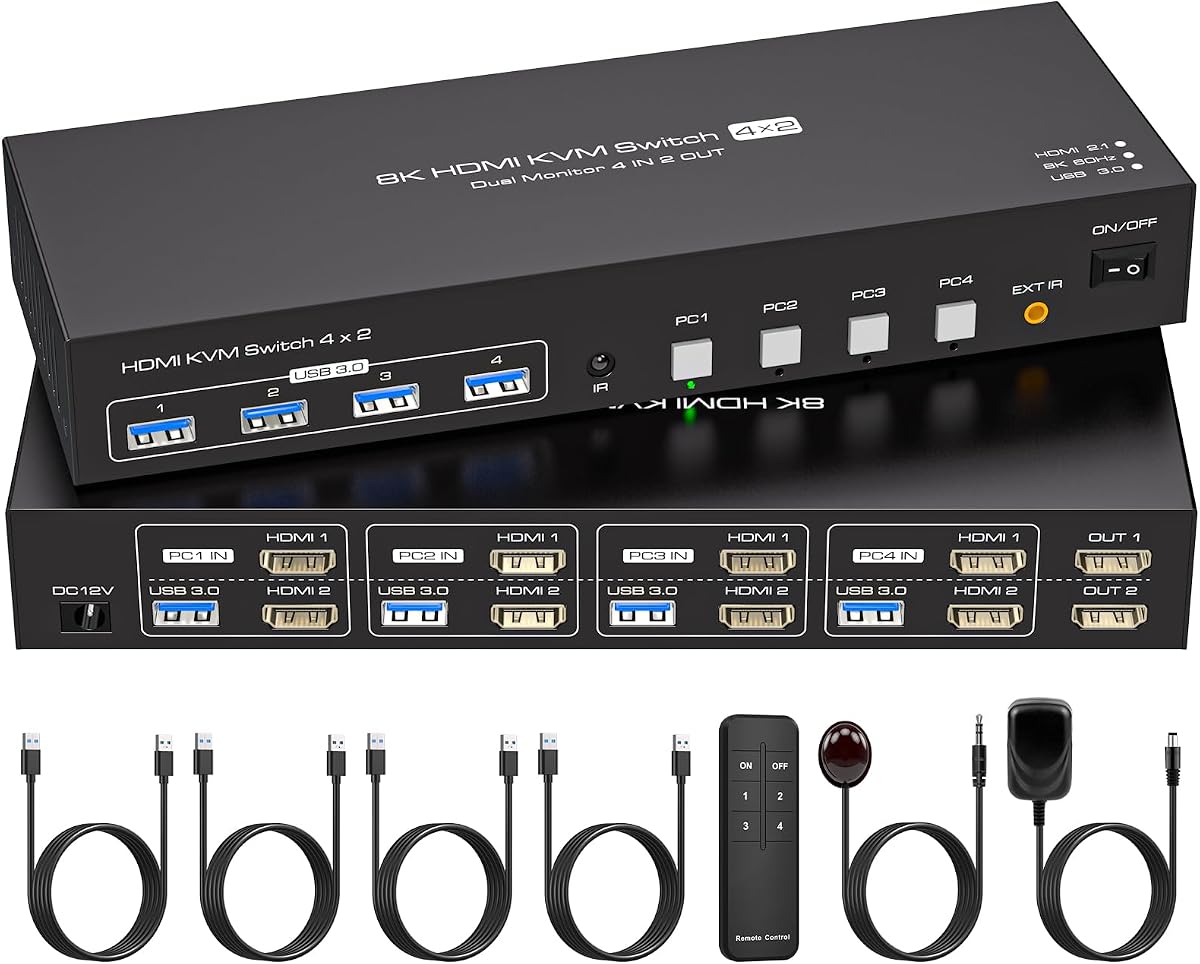
This KVM Switch supports four computers sharing two monitors, making it ideal for server testing or multi OS development. It includes EDID emulation to maintain window layouts during switches.
We may earn a commission when you buy through this link, at no additional cost to you.
Key strengths include support for up to 8K resolution and compatibility with high refresh rates. The built-in EDID feature ensures system recognition without constant reconfiguration.
Users must ensure each PC has two HDMI ports. The external power supply is mandatory to support USB devices reliably across all four computers.
Choose this for complex setups requiring multiple system access. It handles intricate configurations effectively with minimal software intervention.
Accurate EDID recognition prevents windows from rearranging each time you switch computers.
Equipped with an infrared remote control to directly select the computer to be used.
We may earn a commission when you buy through this link, at no additional cost to you.
UGREEN's HDMI KVM Switch provides robust dual monitor capabilities with four USB 3.0 ports. It supports up to 4K@60Hz and maintains compatibility with modern gaming consoles.
We may earn a commission when you buy through this link, at no additional cost to you.
The unit includes a desktop controller for convenient switching. Multiple power adapters ensure compatibility with different voltage standards in various regions.
Lack of EDID emulation might require users to adjust display settings when switching PCs. HDMI only inputs restrict compatibility with DisplayPort setups.
Select this for balanced performance in dual monitor offices. It offers high connectivity options with solid build quality.
Supports HDMI 2.0 with HDR10+ for precise color and dynamic image display.
Desktop controller allows placement outside your work area for a cleaner workspace.
We may earn a commission when you buy through this link, at no additional cost to you.
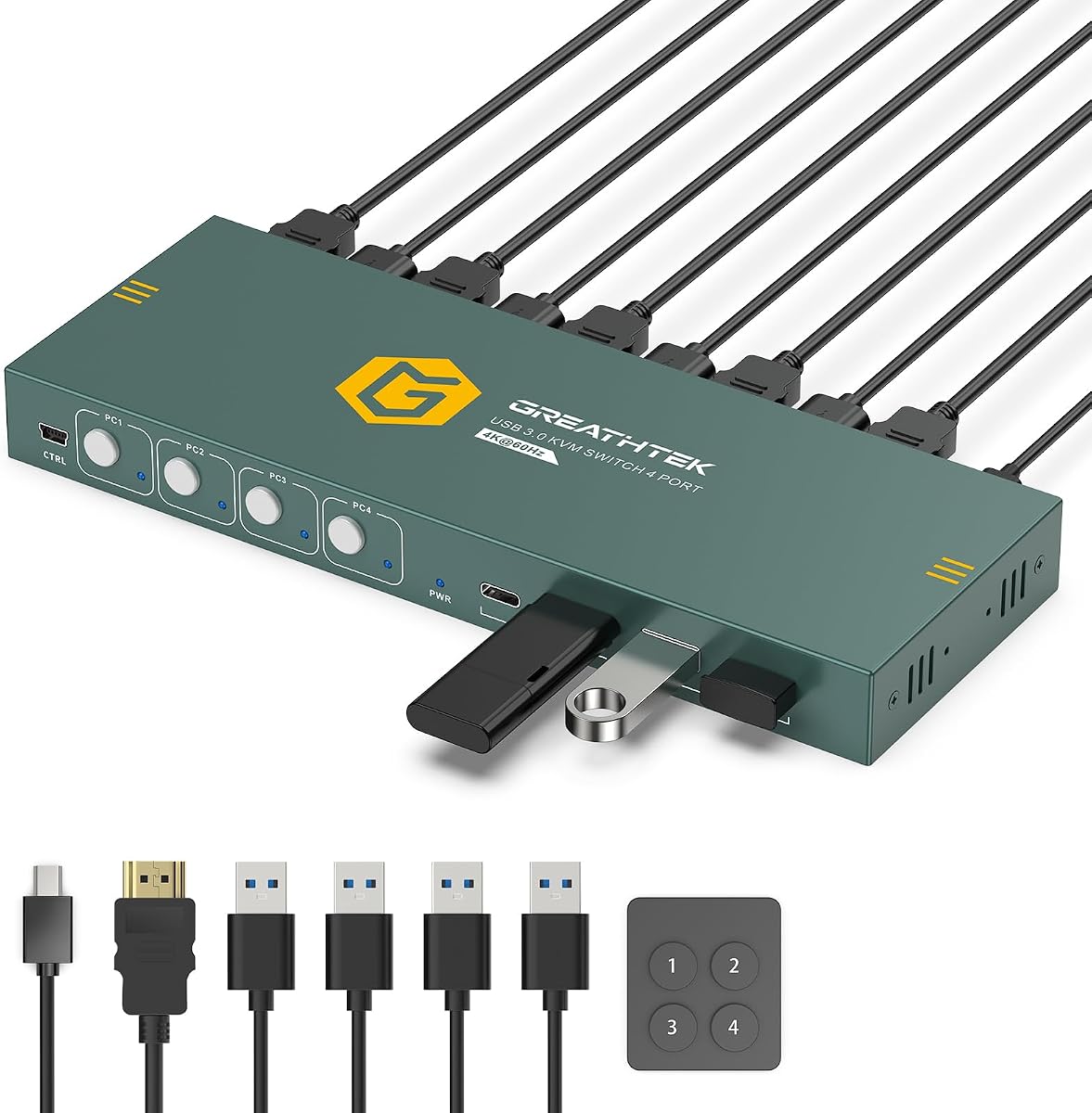
This 4 Port HDMI KVM Switch is designed for environments requiring access to four separate systems on one display. It ensures smooth video output up to 4K@60Hz.
We may earn a commission when you buy through this link, at no additional cost to you.
Its Adaptive EDID technology matches resolution settings automatically when switching computers. The unit includes a complete setup kit with mounting brackets and cables.
Users with dual monitor needs should consider other models. This device is optimized for compact testing or administrative workstations.
Perfect for IT test benches needing efficient switching. It simplifies access to multiple systems with minimal hardware footprint.
Includes under-desk mounting brackets and screws for secure installation in workspaces.
Numbered front-panel buttons and wired remote provide one-touch access to each computer.
We may earn a commission when you buy through this link, at no additional cost to you.
Selecting the right KVM switch depends on your specific hardware configuration and workflow needs. We break down the critical factors to ensure compatibility.
Ensure the KVM switch matches the video ports on your computers such as HDMI or DisplayPort. Check that the resolution and refresh rate support meets your monitor capabilities.
Always verify the switch supports at least your maximum required resolution and refresh rate for smooth visuals.
Determine how many computers and monitors you need to connect. Some switches support 2 PCs on 1 monitor while others handle 2 PCs on 2 or more monitors.
Choose a model that aligns with your total display and computer count to avoid connectivity issues.
Check the number and speed of USB ports on the KVM. USB 3.0 offers faster data transfer for drives compared to USB 2.0.
Ensure the USB port count matches your peripheral needs including keyboard mouse and external drives.
KVM switches offer various switching methods like buttons remotes or hotkeys. Remotes allow hidden placement for a cleaner desk.
Select a switching method that fits your desk layout and preference for convenience.
EDID emulation or adaptive EDID helps maintain display settings when switching computers. This prevents window rearranging and display reconfiguration.
Prioritize models with EDID features if you use complex display setups.
Some KVM switches require external power adapters for stable operation especially when powering USB devices. Others draw power directly from the PCs.
Verify power needs to ensure reliable performance with high power peripherals.
Metal or aluminum enclosures often provide better heat dissipation and durability than plastic. Check build quality for longevity.
Invest in sturdy builds if the switch will be used frequently in demanding environments.
Most KVM switches are plug and play but some may have specific OS limitations like Mac compatibility issues.
Confirm the device supports your operating system to avoid driver or recognition problems.
Connect your computers to the KVM switch inputs using the provided cables ensuring video and USB connections are secure. Connect your peripherals to the output ports.
Use the panel buttons or included remote to switch between computers. Adjust display settings on each PC to match the KVM output configuration.
Keep the device ventilated and avoid overloading USB ports with too many high power devices without external power. Clean dust regularly to maintain performance.
Most KVM switches support laptops provided they have compatible HDMI or DisplayPort outputs. However some models like Unitek restrict use to desktop hosts only.
Many modern KVM switches support 4K@60Hz resolution but check the specific model specs. Higher resolutions like 8K require premium models with appropriate bandwidth.
EDID emulation allows the KVM switch to mimic the monitor to connected computers. This ensures stable settings and prevents display issues when switching.
It depends on the model. Basic units may draw power from PCs while higher end ones often require external adapters for USB stability.
Hybrid KVM switches support both HDMI and DisplayPort inputs but standard models usually require matching ports on all inputs.
Most switches are plug and play without resets. If issues occur unplug all cables wait thirty seconds then reconnect in the correct order.
Most USB and HDMI KVM switches support hot plugging allowing devices to be connected without rebooting computers. Always verify compatibility first.
Standard models support 2 or 4 computers. Advanced units can support more depending on the design and input configurations available.
We reviewed ten top KVM switches ranging from budget HDMI units to premium remote access models. Each option addresses specific needs from dual monitors to remote labs.
Prioritize video resolution and USB speed based on your workflow. Consider EDID support and switching methods to ensure seamless daily operation.
Remember to verify compatibility with your current hardware before purchasing. Always check current availability and prices to finalize your choice.