
DYMO LetraTag Bundle, Handheld 100T Printer
4.6Editor score
Portable handheld design with keyboard
Includes black on clear labels
Auto-off feature for power saving
Discover the top label printers with clear tape for organizing your home and office. We compare features, durability, and ease of use to help you choose.
Finding a reliable label printer with clear tape can transform how you organize your space. These devices offer versatility for home, office, and creative projects.
We evaluated ten top models based on printing quality, ease of use, and compatibility with clear tape. Our goal is to help you find the perfect tool for your needs.
Each pick highlights key features and ideal use cases. Remember that availability and pricing may vary over time, so check current listings before purchasing your device.
4.6Editor score

4.5Editor score

4.5Editor score
This side-by-side comparison highlights the key specifications of each label printer with clear tape. Use this table to quickly identify which model fits your specific organizational requirements.





The SUPVAN E11 stands out as a top choice for those seeking flexibility in labeling. It combines a physical keyboard with a smart app for Bluetooth printing.
We may earn a commission when you buy through this link, at no additional cost to you.
Its ability to print with minimal margins makes it efficient for saving tape while still providing clear, readable text. The rechargeable battery ensures you are not tied to wall outlets.
While the app offers extensive customization, some users may find it slightly complex at first. However, the time saved on detailed labels is worth the initial learning period.
This model is ideal for anyone who needs to label diverse items quickly and accurately. Whether for home or office, it delivers reliable performance and professional results.
Use the built-in keyboard for quick tasks or connect to the app for complex designs with icons and frames.
The minimal margin printing feature reduces waste, allowing you to get more labels from each roll of tape.
We may earn a commission when you buy through this link, at no additional cost to you.
For those on a budget, the DYMO LetraTag Bundle offers exceptional value. It comes ready to use with both white and clear tape included.
We may earn a commission when you buy through this link, at no additional cost to you.
The straightforward interface allows for quick labeling without needing a smartphone connection. Its portable nature means you can carry it to any room effortlessly.
The reliance on AA batteries might be a minor inconvenience compared to rechargeable options, but it ensures you can keep working even when batteries run low.
This device is perfect for casual users who need to organize shelves or craft supplies. It provides a straightforward solution to labeling without unnecessary complications.
Included rolls of black on clear and white tape mean you can start labeling immediately without additional purchases.
The QWERTY keyboard makes typing labels intuitive, requiring minimal setup or technical knowledge to operate effectively.
We may earn a commission when you buy through this link, at no additional cost to you.
The Brother P-Touch PTD220 is a robust option for those needing durable and professional-looking labels. It prints on laminated TZe tapes that resist wear and tear.
We may earn a commission when you buy through this link, at no additional cost to you.
With a large memory capacity, you can save frequently used labels for quick reprinting. The pre-set templates help streamline the design process for consistent results.
The need for six AAA batteries can be a cost consideration, but the device performs reliably over long periods. Its size is manageable for a desktop or workspace.
Ideal for small offices or serious home organizers, this model delivers high-quality output. It is a solid investment for anyone who values longevity in their labels.
Laminated tapes ensure your labels stay intact in various environments, including kitchens or garages where moisture or dust may be present.
Saving up to thirty labels in memory allows you to reuse common tags like recycling bins or file folders without retyping.
We may earn a commission when you buy through this link, at no additional cost to you.
The DYMO 100H LetraTag is a great starter option that includes three types of tapes right out of the box. It is lightweight and easy to handle for various tasks.
We may earn a commission when you buy through this link, at no additional cost to you.
Its graphical display allows you to see exactly how your label will look before printing. This feature reduces waste by ensuring accuracy on the first try.
While it lacks some advanced features of newer models, its simplicity is a strength for basic organization tasks. The auto-off feature helps conserve battery life effectively.
This unit is well-suited for home users who want a no-fuss approach to labeling. It provides the essential tools needed for keeping spaces tidy without complexity.
The graphical display shows fonts and effects clearly, ensuring you approve the look before the printer cuts and prints the label.
Receiving paper and clear plastic tapes allows you to test different surfaces immediately to find what works best for your items.
We may earn a commission when you buy through this link, at no additional cost to you.
The SUPVAN T50M Pro is designed for those who want to add images to their labels easily. The companion app allows for precise image processing and clear output.
We may earn a commission when you buy through this link, at no additional cost to you.
It supports a wide variety of label shapes and sizes, making it versatile for different projects. The app is free and requires no registration, adding to the value.
While it depends on a smartphone for the design process, this allows for greater creativity than a standalone keyboard. The high-resolution output ensures professional quality for business or home use.
This model is recommended for small businesses or hobbyists needing branded labels. It balances functionality with cost, offering advanced features without a high price tag.
Enhanced image processing in the app ensures logos and graphics print sharply, making labels look professional and polished.
Support for square, round, and specialized file labels allows you to fit the label perfectly to the item being identified.
We may earn a commission when you buy through this link, at no additional cost to you.
The Brother P-Touch PT-N20 is unique for its use of Btag tapes that come in various colors. This makes it ideal for personalizing spaces with vibrant labels.
We may earn a commission when you buy through this link, at no additional cost to you.
It includes a built-in cutter for smooth edges, ensuring a clean finish every time. The easy peel backing makes application simple without damaging the item.
While it is limited to specific tape types, the creative freedom it offers is significant for personal projects. It is small enough to sit on a desk without taking up much space.
This printer is perfect for creative individuals or students who want to make their space stand out. It adds a fun element to organization with its colorful tape options.
Use the seventeen colorful tape options to code different items by color, adding a visual layer to your organizational system.
The built-in cutter ensures every label is cut smoothly, preventing jagged edges that can look messy when applied.
We may earn a commission when you buy through this link, at no additional cost to you.
The Dymo LetraTag LT-100H Starter Kit offers a straightforward solution for basic labeling needs. It comes with paper and clear plastic tape to get you started.
We may earn a commission when you buy through this link, at no additional cost to you.
Thermal printing technology means you do not need to buy ink or toner, keeping maintenance low. The device is lightweight and easy to handle for extended periods.
Its memory is somewhat limited compared to larger models, but for common labels, it is sufficient. The date stamp feature adds utility for tracking expiration or storage times.
This unit is a practical choice for those who want to organize without technical hassle. It balances simplicity with enough features to handle everyday home tasks.
Thermal printing eliminates the need for cartridges, so you never run out of ink in the middle of a labeling session.
Add dates to your labels easily, which is useful for pantry items or stored boxes to ensure timely organization.
We may earn a commission when you buy through this link, at no additional cost to you.
The Phomemo D30 is a compact thermal printer that fits easily in a pocket. It includes a clear tape roll alongside white and gold options.
We may earn a commission when you buy through this link, at no additional cost to you.
Its direct thermal technology keeps costs low and makes it easy to use without ink. The rechargeable battery ensures you can use it for long periods on a single charge.
While it is monochrome, the app offers numerous templates and symbols to make your labels interesting. It is a great tool for travel or temporary labeling needs.
This device is perfect for students or travelers who need to label items on the go. Its portability and ease of use make it a convenient choice for quick tasks.
The mini size allows you to carry the printer anywhere, enabling labeling tasks in locations without power access.
Thermal tape is affordable and long-lasting, making this an economical choice for those who label frequently.
We may earn a commission when you buy through this link, at no additional cost to you.
This Dymo Starter Kit is comprehensive, including paper, plastic, and clear tape. It provides everything you need for different labeling surfaces in one package.
We may earn a commission when you buy through this link, at no additional cost to you.
The graphical display helps you visualize your label before printing, reducing errors. It uses thermal technology which is efficient and requires no ink refills.
The memory slots allow for quick recall of frequently used labels. Its design is ergonomic and fits well in hand, making it comfortable to use for hours.
This is an excellent choice for new labelers who want a complete set of tools. The included tapes offer versatility to tackle a wide range of projects.
Having paper, plastic, and clear tapes included ensures you can label any surface without buying additional rolls immediately.
The graphical display lets you see font effects clearly, ensuring your label looks exactly as intended before printing.
We may earn a commission when you buy through this link, at no additional cost to you.
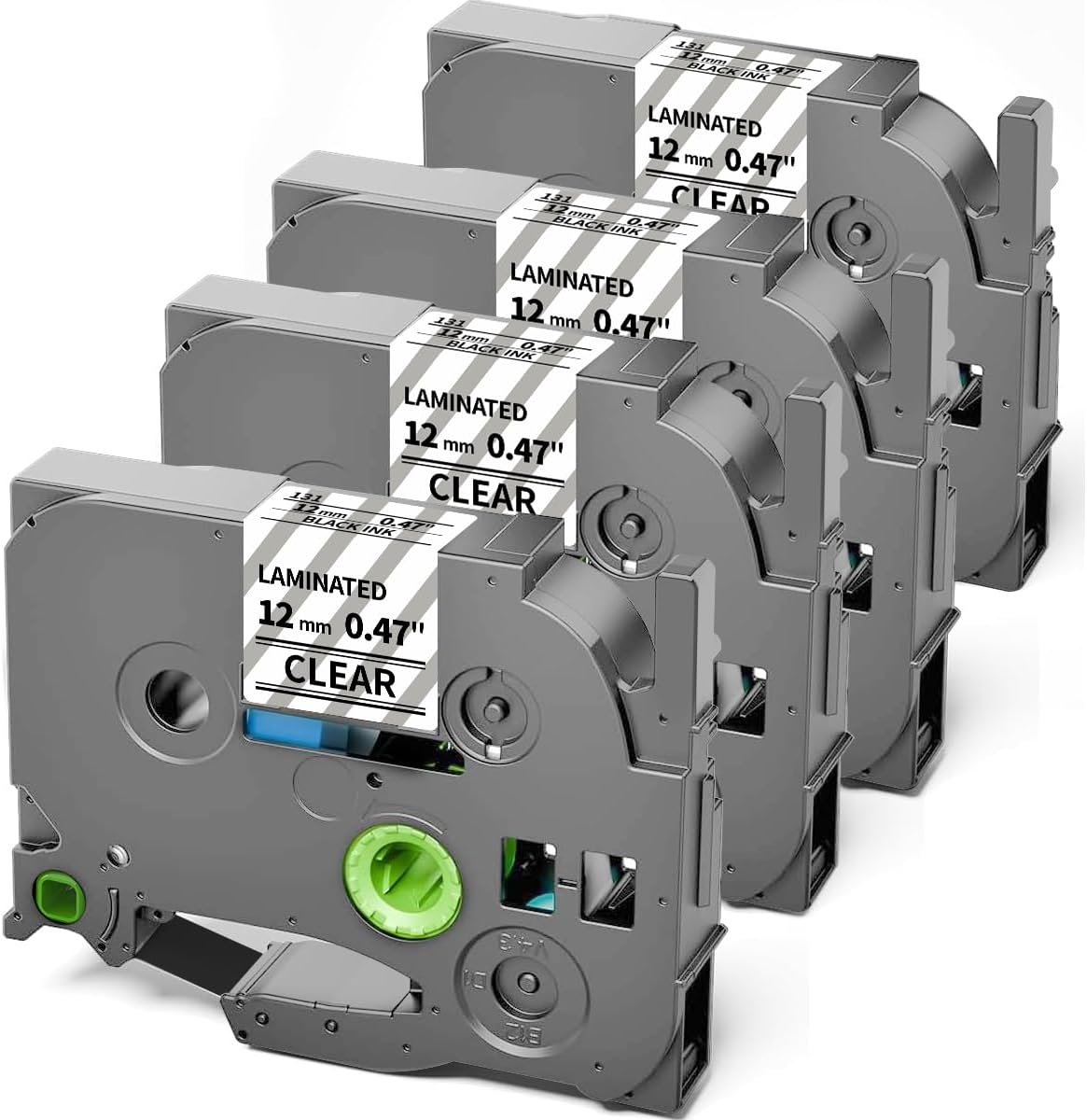
The TZe TZ Tape is a reliable refill option for Brother P-Touch users. Its laminated clear surface ensures that text remains legible over time.
We may earn a commission when you buy through this link, at no additional cost to you.
The tape withstands abrasions and temperature changes, making it suitable for various environments. The split backing allows for easy application without hassle.
As a refill, it is a cost-effective way to keep labeling projects going. It fits a wide range of Brother models, offering flexibility for users.
This tape is essential for anyone who relies on clear labels for professional or durable organization. It ensures your labels stay intact and clear for long periods.
Lamination protects the printed text from smudging or fading, ensuring your labels remain clear and useful for a long time.
This tape works with many Brother P-Touch models, allowing you to continue your workflow without switching devices.
We may earn a commission when you buy through this link, at no additional cost to you.
Selecting the right label printer with clear tape involves considering several key factors. This guide outlines what to look for to ensure you get a device that meets your needs.
Ensure the printer you choose is compatible with clear tape rolls. Some devices are designed for specific tape types, so check the specifications before purchasing.
Look for models that explicitly mention support for clear labels to avoid compatibility issues later.
Thermal printers are common for labels as they do not require ink or toner. This makes them cost-effective and easier to maintain over time.
Consider whether you prefer direct thermal or transfer printing based on your need for durability and color.
Modern printers often offer Bluetooth connectivity for app control. This allows for more creative designs and easier editing from a smartphone.
If you prefer simplicity, a standalone keyboard may be more suitable for quick and straightforward labeling tasks.
Check the power source of the device. Rechargeable batteries offer convenience, while AA batteries ensure you can keep working without charging downtime.
Consider how long you intend to use the device before choosing between rechargeable and disposable power options.
Different printers support various label widths. Ensure the model you choose can print on tape sizes that suit your projects, such as 1/2 inch or wider.
Versatility in label width allows for more applications across different surfaces and items.
Laminated tapes are more durable than paper ones. If your labels need to withstand moisture or abrasion, look for printers that support laminated clear tape.
Durable labels are essential for items stored in garages or kitchens.
An intuitive interface will make labeling easier. Devices with graphical displays allow you to preview labels before printing, reducing waste.
Choose a device with features that match your comfort level with technology.
Compare the initial cost against the cost of replacement tapes. Sometimes a higher upfront cost saves money in the long run with cheaper supplies.
Look for bundles that include tapes to get immediate value from your purchase.
Begin by loading the clear tape into the printer according to the manual. Ensure it is aligned correctly to prevent jams and ensure smooth printing.
Use the display or app to type your text and preview the label. Adjust font size and style as needed to fit the label space.
Store the printer and spare tape in a cool, dry place to avoid damage. Clean the printer heads regularly with a soft cloth to maintain print quality.
Not all printers support clear tape. You need a device that is explicitly compatible with clear labels. Check the product specifications to confirm support before purchasing.
Clear labels adhere well to many surfaces if they are designed for it. Ensure the label material is suitable for your intended surface to achieve a strong bond.
Use a soft, dry cloth to wipe the print heads regularly. Avoid using harsh chemicals that could damage the internal components of the device.
Clear tape can be clear and clear, but laminated tape has a protective layer. This layer makes it more durable and resistant to wear and tear.
Many clear labels are waterproof, especially if they are laminated. Check the specific product details to confirm if a tape is water-resistant or fully waterproof.
Peel the backing slowly and apply the label from one end to the other. Use a flat tool to smooth out any air bubbles as you go.
We reviewed ten excellent label printers with clear tape to help you find the right one for your needs. Each model offers unique features suited for different tasks.
Consider your priority needs such as portability, durability, or connectivity when making your decision. The right tool can significantly improve your organization efforts.
Always check current listings for availability and details before purchasing. Prices and stock may vary, so verifying the latest information is recommended.