
Apple 2025 MacBook Pro
4.7Editor score
Apple M5 Chip
14.2-inch XDR Display
All-Day Battery Life
Finding the right laptop for Adobe Premiere Pro requires balancing processing power, graphics capability, and display quality. Professional editors need machines that can handle complex timelines without lag or rendering delays.
We analyzed ten real products available in the market to identify the best options for different needs and budgets. Each selection is based on verified specifications and user feedback regarding video editing performance.
Every pick highlights key strengths and potential trade-offs to help you make an informed decision. Please note that prices and availability may change frequently, so check the links for the latest updates.
4.7Editor score

4.4Editor score
4.7Editor score
As an Amazon Associate we earn from qualifying purchases.
This table provides a side-by-side comparison of all ten selected laptops, highlighting their core specifications and key strengths for video editing tasks.




The Dell Precision 7680 stands out as a top-tier workstation for professional video editing. It is highly rated for its robust performance and reliability in demanding environments like Adobe Premiere Pro.
We may earn a commission when you buy through this link, at no additional cost to you.
Its powerful Intel Core i9-13950HX processor ensures smooth playback and rapid rendering of high-resolution footage. The 32GB DDR5 RAM and fast 1TB SSD allow for seamless multitasking and quick project access.
While it is quite heavy and the price is high, the durability and enterprise-grade support justify the cost for professionals. The ISV certification ensures dependable compatibility with professional applications.
This laptop is ideal for architects, engineers, and creative professionals handling complex projects. It provides the power and versatility needed for video editing and content creation on the go.
The i9 processor and DDR5 RAM handle 4K editing and complex effects without lagging during playback or rendering.
Thunderbolt 4 and HDMI ports allow connection to multiple monitors and fast external storage devices easily.
We may earn a commission when you buy through this link, at no additional cost to you.
The Apple 2025 MacBook Pro features the new M5 chip, delivering next-generation speed and powerful on-device AI for creative tasks. It is praised for its exceptional battery life and high-quality Liquid Retina XDR display.
We may earn a commission when you buy through this link, at no additional cost to you.
Creative professionals love how all favorites run lightning fast in macOS. The M5 chip brings faster AI performance and improved GPU capabilities for demanding workloads like video editing.
The unified memory architecture is highly efficient but cannot be upgraded later, so initial configuration matters. The lack of many legacy ports means dongles or a hub may be needed for some peripherals.
This laptop is perfect for those deeply integrated into the Apple ecosystem. It works like magic with other Apple devices, allowing for seamless content transfer and control across platforms.
The M5 chip features Neural Accelerators built into each core, boosting AI tasks and creative application speeds.
With 1600 nits peak brightness, the display offers incredible color accuracy and detail for grading and editing.
We may earn a commission when you buy through this link, at no additional cost to you.
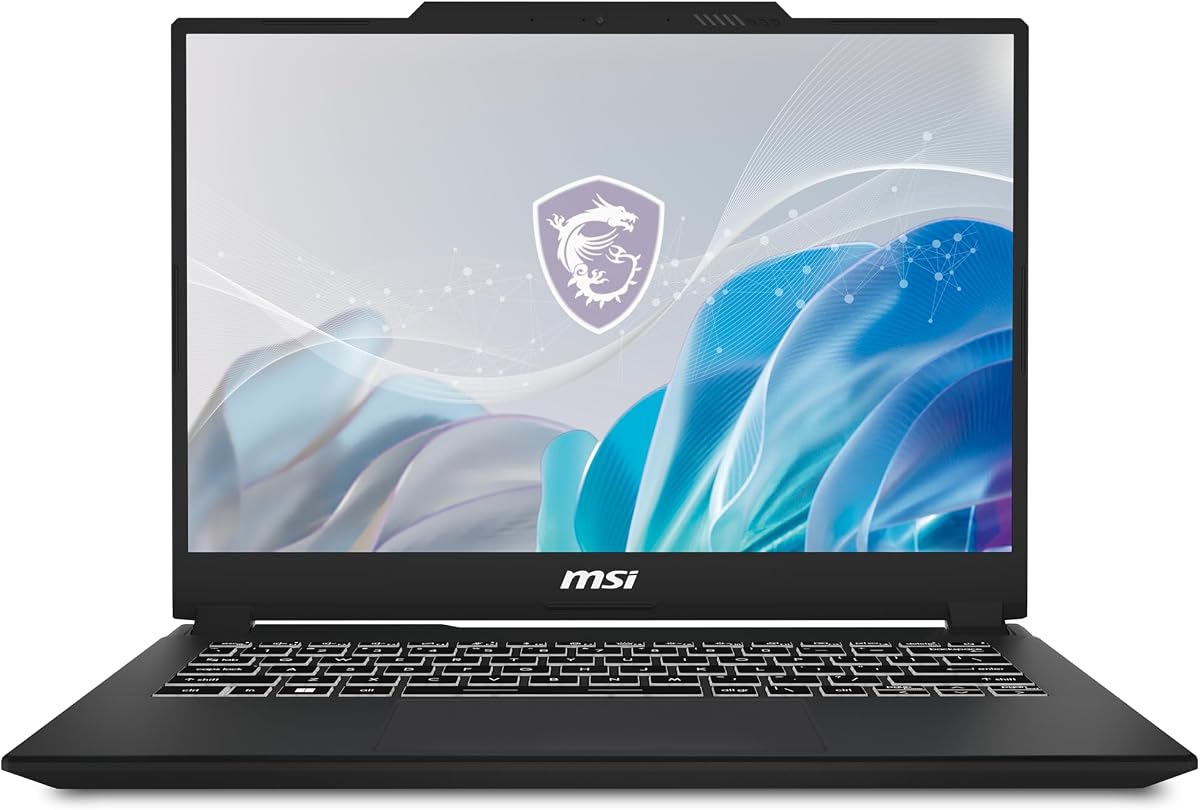
The MSI Creator M14 offers a compelling balance of performance and portability for creators on a budget. It features a stunning 2.8K display and a powerful RTX 4050 GPU for smooth editing workflows.
We may earn a commission when you buy through this link, at no additional cost to you.
Its 13th Gen Intel Core i7 processor delivers immersive multi-tasking and productivity. The exclusive login experience supports Windows Hello facial unlock for secure access.
The 16GB DDR5 RAM is fast but fixed, so users should plan their memory needs upfront. The cooling system is designed to handle intense workloads without overheating.
This laptop is great for students or independent creators needing a high-quality screen and solid performance. It is highly recommended for its value proposition in the creator laptop market.
The 14-inch 2.8K display provides vibrant colors and sharp details essential for accurate video grading and design.
Cooler Boost technology ensures sustained performance during long rendering sessions by managing heat effectively.
We may earn a commission when you buy through this link, at no additional cost to you.
The Dell Precision 3581 is a solid workstation option released in 2023. It features a 14-core i7 processor and 32GB of DDR5 RAM for exceptional multitasking capabilities.
We may earn a commission when you buy through this link, at no additional cost to you.
Its dedicated RTX A500 graphics card is great for photo and video editing tasks. The 1TB PCIe NVMe SSD provides fast data transfers and large file storage capacity.
As a renewed product, buyers should be aware of potential cosmetic variations. The non-touch FHD screen is clear but may not be ideal for color-critical work.
This laptop is suitable for users needing a balance of power and affordability. The 2-year warranty adds peace of mind for professional use in office environments.
The 14-core processor and 32GB RAM allow smooth running of multiple applications and browser tabs simultaneously.
Integrated webcam and Wi-Fi ensure you are ready to communicate and collaborate without extra peripherals.
We may earn a commission when you buy through this link, at no additional cost to you.
The Dell Precision 7780 is designed for the most demanding professional applications. Its 128GB RAM and RTX 3500 Ada GPU with 12GB VRAM provide incredible power for intensive content creation.
We may earn a commission when you buy through this link, at no additional cost to you.
This laptop is optimized for design, engineering, and data science workflows. The large 17.3-inch display offers more workspace for editing timelines and tool panels.
The high cost and weight make it less portable, but it offers workstation-class computing. ISV certification ensures stability with professional software applications.
Ideal for users who need maximum performance and memory without compromise. It is a powerful tool for complex projects requiring high stability and raw processing power.
128GB RAM allows handling of massive projects and virtual machines without memory bottlenecks or slowdowns.
The RTX 3500 Ada delivers stability and power for advanced engineering and intensive content creation tasks.
We may earn a commission when you buy through this link, at no additional cost to you.
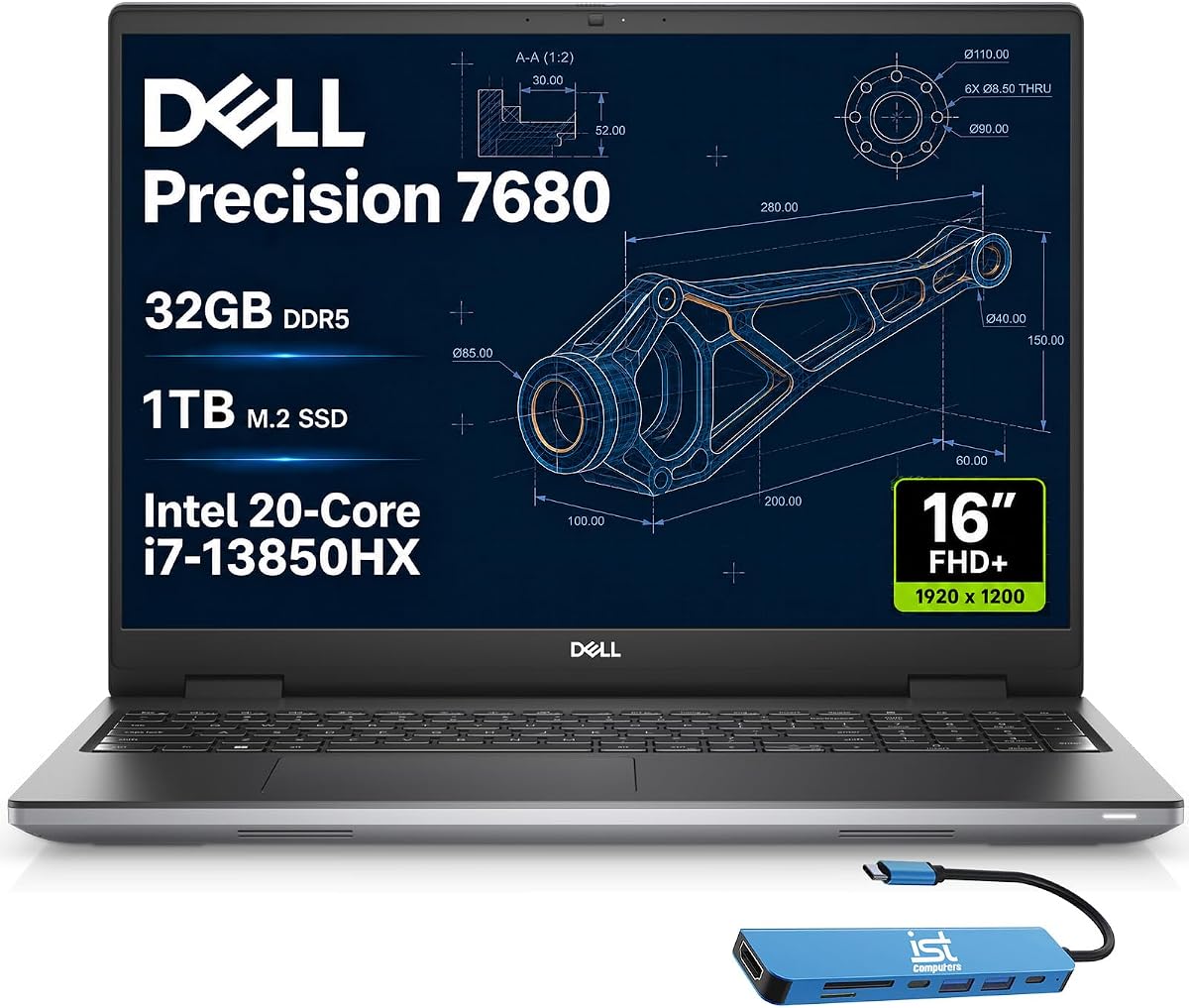
This variant of the Dell Precision 7680 features an Intel 20-Core i7 processor for superior efficiency and speed. It is built for design and intensive workflows with high performance capabilities.
We may earn a commission when you buy through this link, at no additional cost to you.
The 32GB DDR5 CAMM RAM and 1TB SSD ensure seamless multitasking and fast storage access. The CAMM design allows for faster RAM and thinner profiles compared to older models.
Weighing performance against cost, this model offers excellent value for heavy users. The anti-glare display delivers sharp visuals for professional work and creative tasks.
Suitable for architects and creative professionals needing robust workstation-class computing. The backlit keyboard facilitates comfortable typing even in low-light environments.
The 20-core processor balances power with efficiency, ideal for complex CAD design and software development tasks.
With multiple USB and HDMI ports, connecting peripherals and external displays is straightforward and flexible.
We may earn a commission when you buy through this link, at no additional cost to you.
This configuration emphasizes expanded memory and storage with 64GB RAM and a 2TB NVMe SSD. It includes Dell ProSupport Plus warranty through October 2026 for enterprise-level support.
We may earn a commission when you buy through this link, at no additional cost to you.
The RTX 1000 with 6GB VRAM provides reliable performance for engineering and content creation. The FHD+ display offers crisp details and vivid colors ideal for design.
The focus here is on business needs and reliability rather than raw GPU power. Windows 11 Pro with AI Copilot enhances productivity and security for professional workflows.
Best for users needing significant storage capacity and RAM for large datasets. The ISV certification ensures dependable compatibility with professional software applications.
64GB RAM and 2TB SSD handle large video projects and extensive file storage without bottlenecks.
ProSupport Plus offers onsite technician service and advanced diagnostics to minimize downtime.
We may earn a commission when you buy through this link, at no additional cost to you.
The Dell Precision 5550 is a renewed workstation offering solid performance at a lower entry price. It features a Core i7-10850H processor with 32GB RAM and 1TB SSD storage.
We may earn a commission when you buy through this link, at no additional cost to you.
While it uses an older CPU generation, it is still capable of handling 1080p video editing tasks efficiently. The workstation design ensures stability and durability for professional use.
As a renewed unit, it may show signs of wear but should be tested before use. The price point makes it accessible for students or small studios.
It is a practical option for those needing a reliable machine without the latest specs. The Windows 11 Pro upgrade ensures compatibility with modern software and features.
Designed as a workstation, it offers robust build quality suitable for daily professional use and transport.
Renewed pricing offers significant savings compared to new models while retaining essential specs for editing.
We may earn a commission when you buy through this link, at no additional cost to you.
The HP 17 laptop features a stunning 17.3-inch Full HD display with a narrow-bezel design. It is powered by an AMD Ryzen 5 7520U processor that beats i7-1165G7 in benchmarks.
We may earn a commission when you buy through this link, at no additional cost to you.
The 8GB DDR5 RAM ensures zero-lag performance for basic tasks, though it may struggle with heavy editing. The 256GB SSD provides rapid boot-ups but limited space for large video files.
It includes accessories like a mouse and tablet stand, making it a ready-to-deploy solution. The physical shutter on the webcam ensures secure video conferencing.
Best for students or home users doing light editing. The large screen provides ample real estate for timelines, but external storage may be needed.
The 17.3-inch HD display provides an expansive viewing area perfect for detailed spreadsheets and video editing.
Ryzen 5 delivers high-efficiency multitasking with up to 9 hours of battery life for all-day productivity.
We may earn a commission when you buy through this link, at no additional cost to you.
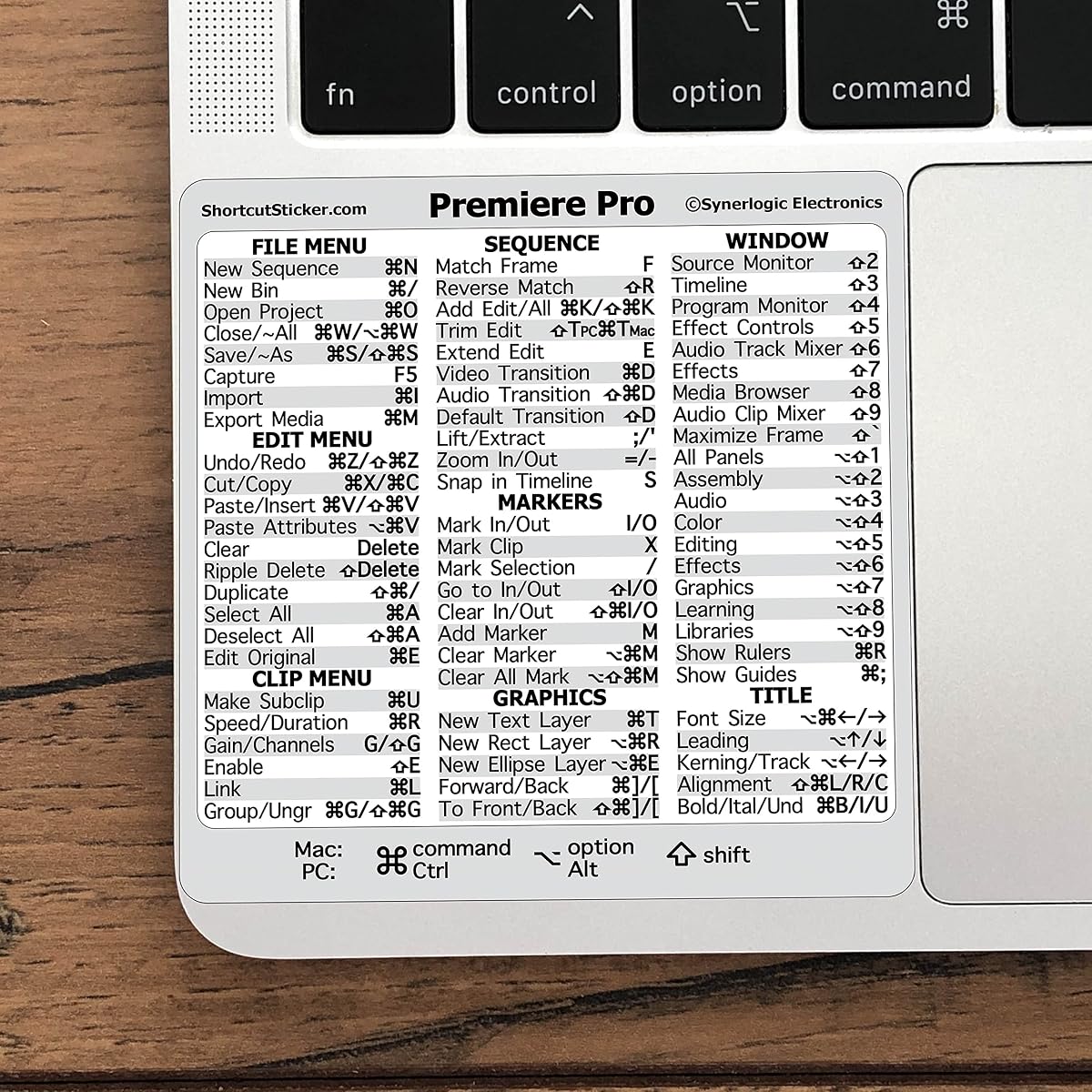
This sticker helps you learn new shortcuts and quickly lookup commands without needing to Google them. It places essential keyboard commands conveniently right in front of you.
We may earn a commission when you buy through this link, at no additional cost to you.
Made with durable military-grade vinyl, it ensures OEM appearance and long-lasting use. It is perfect for any age or skill level, whether students or seniors.
The sticker works for both PC and Mac computer keyboards, ensuring broad compatibility. Responsive customer service is available to resolve any issues promptly.
Ideal for anyone looking to speed up their editing workflow. It is a simple, affordable tool that saves time and frustration for beginners and pros.
Quick tips at your fingertips increase workflow exponentially, allowing you to work faster and smarter.
Outstanding material quality and responsive service ensure you have everything you need for a better experience.
We may earn a commission when you buy through this link, at no additional cost to you.
Selecting the right laptop for Adobe Premiere Pro involves evaluating several critical factors to ensure smooth editing, rendering, and playback performance.
Adobe Premiere Pro relies heavily on CPU performance for timeline playback and rendering. Look for multi-core processors like Intel Core i7 or i9, or AMD Ryzen 7 or 9, to handle complex edits without lag.
A high-core count allows smoother multitasking and faster export times for high-resolution footage.
Sufficient RAM is crucial for smooth performance with multiple applications and large timelines. Aim for at least 16GB of RAM, though 32GB is recommended for 4K projects and heavier effects.
Higher capacity prevents bottlenecks during playback and allows efficient management of multiple browser tabs and apps.
GPU acceleration significantly speeds up rendering and effects processing in Premiere Pro. Dedicated NVIDIA GeForce RTX or RTX A-series GPUs are essential for professional video editing tasks.
Ensure the GPU has enough VRAM to handle textures and effects smoothly without system slowdowns.
Accurate color representation is vital for professional video grading and editing work. Look for displays with high resolution, wide color gamut coverage, and high brightness for better visibility.
Anti-glare coatings and IPS panels improve viewing angles and reduce eye strain during long editing sessions.
Fast storage ensures quick project loading and smooth video file access during editing. NVMe SSDs are preferred over traditional hard drives for their speed and reliability in handling large media files.
Having a separate drive for media cache and active projects helps maintain system performance and organization.
Versatile ports like USB-C, Thunderbolt, and HDMI are necessary for connecting external drives, monitors, and audio interfaces. Ensure enough ports for your workflow to avoid relying on hubs.
Fast data transfer speeds via Thunderbolt or USB 3.2 are essential for moving large video files efficiently.
While high performance often consumes more power, good battery life allows mobility for editing on the go. Consider models with efficient processors and power management features.
Balancing performance needs with battery requirements helps ensure you can work away from a power outlet for longer.
Professional workflows often involve frequent travel and use in various environments. A sturdy build quality and certifications for ruggedness ensure the laptop withstands daily wear and tear.
A reliable chassis protects internal components and reduces the risk of damage during transport between sites.
Keep your laptop in a cool environment and ensure ventilation slots remain unblocked to prevent overheating during intensive rendering sessions. Consider using a cooling pad for sustained high-performance tasks.
Regularly update your operating system and drivers to maintain compatibility with Adobe software and other creative tools. Use cloud storage or external drives to back up your projects automatically.
Clean the display and keyboard gently with a microfiber cloth and appropriate cleaner to remove dust and smudges. Avoid placing heavy objects on the laptop when closed to protect the hinge and screen.
For smooth 4K editing in Premiere Pro, a modern Intel Core i7 or i9 processor with multiple cores is recommended. Higher core counts help with rendering and effects processing without lag.
16GB RAM is a good starting point for 1080p editing, but 32GB is recommended for 4K projects. More RAM helps with smoother playback when working with complex timelines.
Yes, a dedicated GPU like NVIDIA RTX helps accelerate rendering and effects in Premiere Pro. Integrated graphics can struggle with high-resolution footage and complex edits.
Look for accurate color reproduction, wide color gamut coverage, and high resolution. Anti-glare coatings and IPS panels also improve viewing experience during long editing sessions.
SSD speed is crucial for quick project loading and smooth video file access. NVMe SSDs provide significantly faster performance than traditional hard drives for editing workflows.
Yes, most laptops support external monitors via HDMI, USB-C, or Thunderbolt ports. Connecting a larger display can provide more workspace for your editing timeline and tools.
We have explored ten diverse laptops ranging from premium workstations to budget-friendly options suitable for video editors. Each model offers unique strengths in processing power, display quality, and portability.
When choosing, prioritize the processor and RAM capacity to ensure your laptop handles your specific editing workload without performance issues. Consider your budget and portability needs when making the final decision.
Prices and availability change frequently, so always verify current details before purchase. Use these insights to invest wisely in a machine that will support your creative video editing projects.