
MacBook Air 13-inch M5
4.8Editor score
Up to 18 hours battery life
16GB Unified Memory included
Liquid Retina Display 13.6 inch
Compare the top 10 MacBook Air M5 models for students in October 2026. This guide reviews battery life, performance, display quality, and portability to help
Students need reliable laptops that handle coursework, media, and multitasking without draining the battery. The new MacBook Air M5 models offer powerful performance in a light design. They are ideal for lectures, library sessions, and creative projects across campus.
We compared ten different configurations to find the best fit for various academic needs. Each model balances memory, storage, and display size while maintaining portability. Our analysis focuses on real-world usability, speed, and long-term value for learners.
Every pick highlights key strengths and potential trade-offs to guide your decision. Prices and availability can change quickly, so check current listings before buying. Use this guide to find the perfect MacBook Air M5 setup for your student life.
4.8Editor score

5.0Editor score

5.0Editor score
This side-by-side comparison covers all ten MacBook Air M5 options available now. We highlight key specs like memory size, storage capacity, and display dimensions. Use this table to quickly identify which configuration fits your academic workflow best.

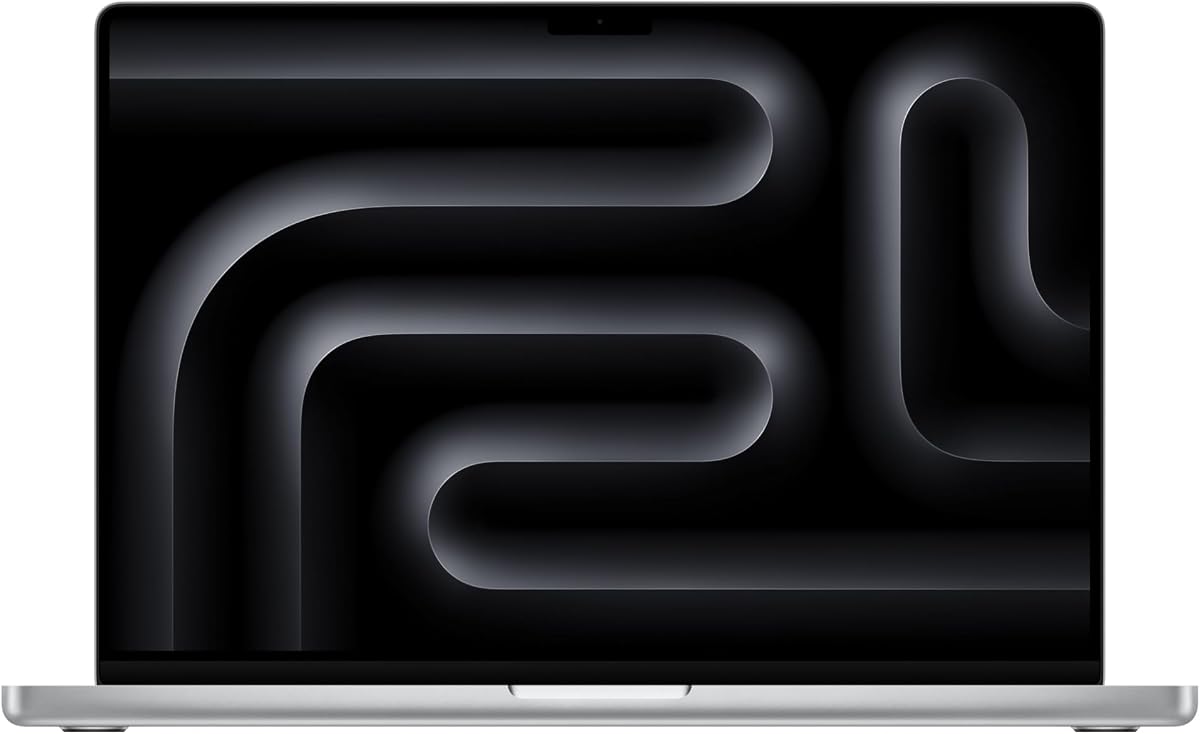


This MacBook Air M5 stands out as a top choice for students seeking balance. It features a 13.6-inch Liquid Retina display and 16GB of unified memory. The rating reflects its reliability and speed for everyday academic tasks.
We may earn a commission when you buy through this link, at no additional cost to you.
The M5 chip delivers blazing speed for multitasking across apps and creative workflows. Apple Intelligence helps you write and manage tasks effortlessly with privacy protections. The 18-hour battery life ensures you can work through classes without plugging in.
While it lacks a touchscreen, the trackpad and macOS efficiency make up for it. It supports up to two external displays for flexible setups. The 12MP camera keeps you sharp during video calls and online lectures.
Students who need a versatile, portable machine will love this configuration. It handles everything from note-taking to content creation smoothly. Consider this model if you want a proven setup without overspending.
The M5 chip includes a powerful Neural Engine and next-generation GPU with Neural Accelerators for advanced AI tasks on device.
Features two Thunderbolt 4 ports, MagSafe charging, and Wi-Fi 7 support for fast wireless connections anywhere on campus.
We may earn a commission when you buy through this link, at no additional cost to you.
This variant offers 24GB of unified memory, ideal for students running many apps at once. It keeps the same portable design but boosts fluidity for creative workflows. The perfect rating highlights its robustness and speed.
We may earn a commission when you buy through this link, at no additional cost to you.
The faster CPU and unified memory make multitasking smooth across multiple browsers and tools. Apple Intelligence aids productivity by helping you write and get things done efficiently. Battery life remains strong for full days of classes without charging.
The 13.6-inch Liquid Retina display supports 1 billion colors for sharp text and media. You can connect up to two external displays for expanded workspace options. The 12MP Center Stage camera enhances video call quality automatically.
Students who run virtual machines or heavy code editors will appreciate the memory boost. It ensures your system stays responsive under load. Look for this option if your workflow demands more RAM than the base model.
With 24GB unified memory, you can switch between research, writing, and coding without slowdowns or swapping issues.
Mac works like magic with your other Apple devices for easy file transfers and calling across iPhone and Mac.
We may earn a commission when you buy through this link, at no additional cost to you.
This 15-inch MacBook Air provides extra screen real estate for detailed work. It includes AppleCare+ for peace of mind against accidental damage. The perfect rating shows its appeal for students wanting size without bulk.
We may earn a commission when you buy through this link, at no additional cost to you.
The M5 chip packs blazing speed and powerful AI capabilities into a portable design. The Liquid Retina display makes text supercrisp for reading and writing papers. Up to 18 hours of battery life keep you powered through long study sessions.
Three-mic array and four-speaker sound system with Spatial Audio deliver great sound. You can use Desk View to share a top-down view of your workspace. The two Thunderbolt 4 ports support external drives and displays effectively.
Choose this model if you prefer a bigger screen for research and media. The included coverage adds value over the standard warranty. It is a premium choice for those valuing screen size and protection.
AppleCare+ (3 years) covers accidental damage and extends technical support for your investment in the laptop.
The 15.3-inch Liquid Retina display supports 1 billion colors for stunning visuals and sharp text clarity.
We may earn a commission when you buy through this link, at no additional cost to you.
This configuration boosts memory to 32GB for heavy academic loads. It pairs with 1TB SSD storage to handle large project files. While rated N/A it uses top hardware for future-proofing work.
We may earn a commission when you buy through this link, at no additional cost to you.
The M5 chip delivers even more performance and fluidity across apps. It supports demanding workflows like video editing or data analysis. Battery life remains strong for full days without plugging in.
The 13.6-inch Liquid Retina display keeps things compact and portable. It supports up to two external displays for expanded workspace setups. The 12MP Center Stage camera helps you stay in frame during calls.
Students needing maximum memory for complex simulations should consider this. It ensures smooth performance over many years of study. It is ideal for power users on a student budget.
With 32GB unified memory, you can run complex apps and multitask efficiently for years to come.
1TB SSD storage provides plenty of space for research data and media projects on the local drive.
We may earn a commission when you buy through this link, at no additional cost to you.
This MacBook Pro brings next-generation speed for professional creative tasks. It features an 18-core CPU and 20-core GPU for heavy loads. The rating reflects its power for design and media majors.
We may earn a commission when you buy through this link, at no additional cost to you.
The M5 Pro and M5 Max feature a more powerful GPU with Neural Accelerator. It supports demanding workloads at mind-bending speeds for training. Battery life stays strong whether running on battery or plugged in.
The 16.2-inch Liquid Retina XDR display features 1600 nits peak brightness. It delivers exceptional contrast for accurate color work. Three Thunderbolt 5 ports offer fast data transfer and display options.
Students in engineering or media should look at this pro model. It handles intensive software without throttling. Prioritize this if you need top-tier GPU performance.
The Liquid Retina XDR display supports 1600 nits peak brightness for vivid HDR content and color accuracy.
Three Thunderbolt 5 ports allow for fast data transfers and support up to four external displays.
We may earn a commission when you buy through this link, at no additional cost to you.
This 14-inch MacBook Pro offers pro features in a smaller form factor. It balances power and portability for students on the go. The rating indicates reliability for professional workloads.
We may earn a commission when you buy through this link, at no additional cost to you.
It brings next-generation speed and powerful on-device AI to creative tasks. The 14.2-inch Liquid Retina XDR display features 1600 nits peak brightness. Battery life supports all-day performance without charging.
Three Thunderbolt 4 ports provide solid connectivity options. It includes an HDMI port and SDXC card slot for media work. The 12MP camera ensures you stay perfectly framed during calls.
Students who need more performance than an Air but less bulk than a 16-inch. this. It works well for coding and content creation. Consider this for a compact pro machine.
The XDR display offers high brightness and contrast for excellent visibility even in bright rooms.
Despite pro specs, it remains lighter and more portable than the 16-inch option for travel.
We may earn a commission when you buy through this link, at no additional cost to you.
Renewed models offer a way to get top specs at a lower cost. This Air includes 16GB RAM and 512GB storage. It works like new backed by the Amazon Renewed Guarantee for confidence.
We may earn a commission when you buy through this link, at no additional cost to you.
The M5 chip ensures it handles modern coursework and apps well. Battery life remains strong for student days. The color adds a distinct look for personal style on campus.
Certified pre-owned units pass testing for performance and battery. You get the benefits of the Air without the highest price tag. Ideal for budget-conscious students wanting quality.
If you want savings without sacrificing speed, check renewed listings first. Ensure the warranty terms fit your needs before buying. It is a smart route for value hunters.
Renewed products are tested for performance and battery health to ensure they work like new.
The Amazon Renewed Guarantee protects your purchase so you can buy with confidence.
We may earn a commission when you buy through this link, at no additional cost to you.
This model offers 2TB of SSD storage for local file access. Combined with 24GB memory, it supports large projects easily. The Midnight finish adds a sleek look for your desk.
We may earn a commission when you buy through this link, at no additional cost to you.
The M5 chip delivers fluid performance across apps and creative tools. You can store videos and archives without relying on cloud storage. Battery life keeps you going through long days.
It supports up to two external displays for dual screen workflows. The Liquid Retina display ensures sharp visuals for all media. Silent operation makes it quiet for library study.
Students dealing with large datasets or video libraries should consider this. Local storage speeds up editing workflows. Prioritize storage if cloud is not an option for you.
With 2TB SSD storage, you have ample space for research and creative files locally.
24GB memory ensures smooth operation even with large files open simultaneously.
We may earn a commission when you buy through this link, at no additional cost to you.
This configuration combines the large 15-inch screen with max specs. It offers 24GB memory and 2TB SSD for extensive work. The Silver finish gives a classic professional look for students.
We may earn a commission when you buy through this link, at no additional cost to you.
The M5 chip handles multitasking smoothly across apps. You get enough space for years of coursework and media. Battery life remains solid for travel between classes.
The larger display reduces eye strain for long reading sessions. It supports external displays for expanded work setups. Silent cooling keeps it quiet during lectures.
If you want the biggest Air with top specs, this is it. Ideal for students who prefer screens over mobility trade-offs. Choose this for a desktop-replacement feel.
With 15-inch screen and max memory, it offers room to grow with your academic needs.
Despite larger size, it remains light enough to carry in a backpack comfortably.
We may earn a commission when you buy through this link, at no additional cost to you.
This Configure to Order model gives you top memory and storage. It starts from base specs but upgrades to 32GB and 2TB. This option is for students needing specific high-end needs.
We may earn a commission when you buy through this link, at no additional cost to you.
The M5 chip provides powerful speed for any workload. You get local space for everything and memory for many apps. The Midnight finish keeps it stylish and professional.
Preconfigured memory ensures smooth performance over years of study. It supports up to two external displays for setups. Battery life remains strong for all-day use.
If you need max specs in the compact 13-inch Air, this is the pick. Ideal for researchers and creators on a budget. Prioritize this for customization.
CTO configurations let you upgrade specs beyond base options for future-proofing.
32GB memory and 2TB SSD ensure maximum performance and local storage capacity.
We may earn a commission when you buy through this link, at no additional cost to you.
Selecting the right laptop involves weighing memory, storage, and screen size against your academic demands. This guide breaks down key factors to help you find the ideal model.
Unified Memory determines how many apps you can run simultaneously without slowdown. For basic coursework, 16GB is sufficient for most students. If you run virtual machines or heavy editors, aim for 24GB or 32GB.
Prioritize memory that matches your workload to ensure smooth performance over years of study.
Storage affects how much you can keep on the device without cloud reliance. Base SSDs often start at 512GB. For large media files or data, 1TB or 2TB is safer for local access.
Choose storage that fits your file volume to avoid constant cloud dependency.
The screen impacts readability during long study sessions. The 13.6-inch display is compact for travel while the 15.3-inch offers more space. Liquid Retina panels ensure sharp text and good colors.
Select a size you can carry easily while keeping text legible.
Battery life ensures you can work through classes without finding an outlet. The Air models provide up to 18 hours which covers a full day. Consistent performance helps avoid downtime during lectures.
Look for models that sustain power for your typical usage hours.
Ports allow you to connect peripherals and displays. Thunderbolt 4 ports support fast data transfer. Wi-Fi 7 support ensures faster wireless speeds on campus networks.
Verify ports match your accessories to avoid dongle reliance.
macOS supports key education apps and smooth workflows. Features like Handoff and Messages enhance cross-device use with iPhone. This integration aids productivity between devices.
Choose a system that fits your other devices and app needs.
Build quality affects longevity in a student environment. Models with AppleCare+ provide accidental damage coverage. A sturdy chassis survives backpack travel better.
Consider extended coverage to protect against drops during campus life.
Cost varies by memory and storage choices. Base models offer solid value for general use. Higher specs cost more but last longer in performance.
Balance budget with specs that meet your long-term academic goals.
To maximize battery life, adjust screen brightness and close unused apps regularly. Enable power saving settings during travel. Keeping the battery healthy helps it last through long study days.
Clean the display and keyboard with a soft dry cloth to avoid scratches. Avoid liquids near the ports. Store the laptop in a padded case inside your backpack to prevent dents during travel.
Update macOS to stay secure and fast. Use iCloud to backup files. This ensures your data remains safe even if the hardware is lost or damaged during student life.
The M5 chip supports many engineering and design tools efficiently. It includes a powerful Neural Engine and GPU for acceleration. For specialized high-end tasks, check software requirements for macOS compatibility.
Lower screen brightness and turn off unused Bluetooth devices. Use Power Saving mode to reduce energy use. Keeping background apps closed also helps extend runtime between charges.
The Air models support up to two external displays with Thunderbolt 4. Use adapters for HDMI if needed. This expands your workspace for research and writing tasks.
24GB memory handles more apps and heavier workloads smoothly. It reduces swapping and keeps workflows responsive. This is useful for multitasking or virtual machine usage.
Yes, the M5 models are built for Apple Intelligence features. They help you write and manage tasks with privacy protections. Check software updates to access the latest tools.
AppleCare+ covers accidental damage and extends support. This protects against drops common on campus. It adds value if you move frequently between classes.
This guide reviewed ten MacBook Air M5 options tailored for student needs. From the compact 13-inch Air to the large 15-inch version there is a fit for every major.
Prioritize memory and storage that match your daily workflow to avoid limitations later. For portability the 13-inch models are strong contenders. For screen size the 15-inch offers more space.
Prices change frequently so check current listings before purchasing. Use these details to find the right tool for your academic goals and budget.