
Power Failure Alarm WiFi
4.3Editor score
Smart Life and Tuya support
110 dB loud alarm
Extended socket design
This guide compares the best power outage notification device options to help you protect your home appliances and stay informed during unexpected electrical
Power outages can happen unexpectedly, leaving you vulnerable to spoiled food, security risks, and equipment damage. A reliable notification device ensures you know immediately when electricity fails, allowing you to take action even when you are away from home.
We evaluated ten top-rated models based on alert speed, connectivity options, and ease of use. Our analysis focuses on devices that provide instant SMS, email, or app notifications to keep you informed during critical power interruptions without requiring complex smart home setups.
Each pick includes detailed specifications, pros, and cons to help you find the right fit for your needs. Keep in mind that prices and availability may change over time, so verify the current details before making your final purchasing decision.
4.3Editor score

4.4Editor score

4.5Editor score
The following table provides a side-by-side comparison of all ten selected models. Review the key specifications to determine which device offers the features you need for reliable power monitoring and alerting.
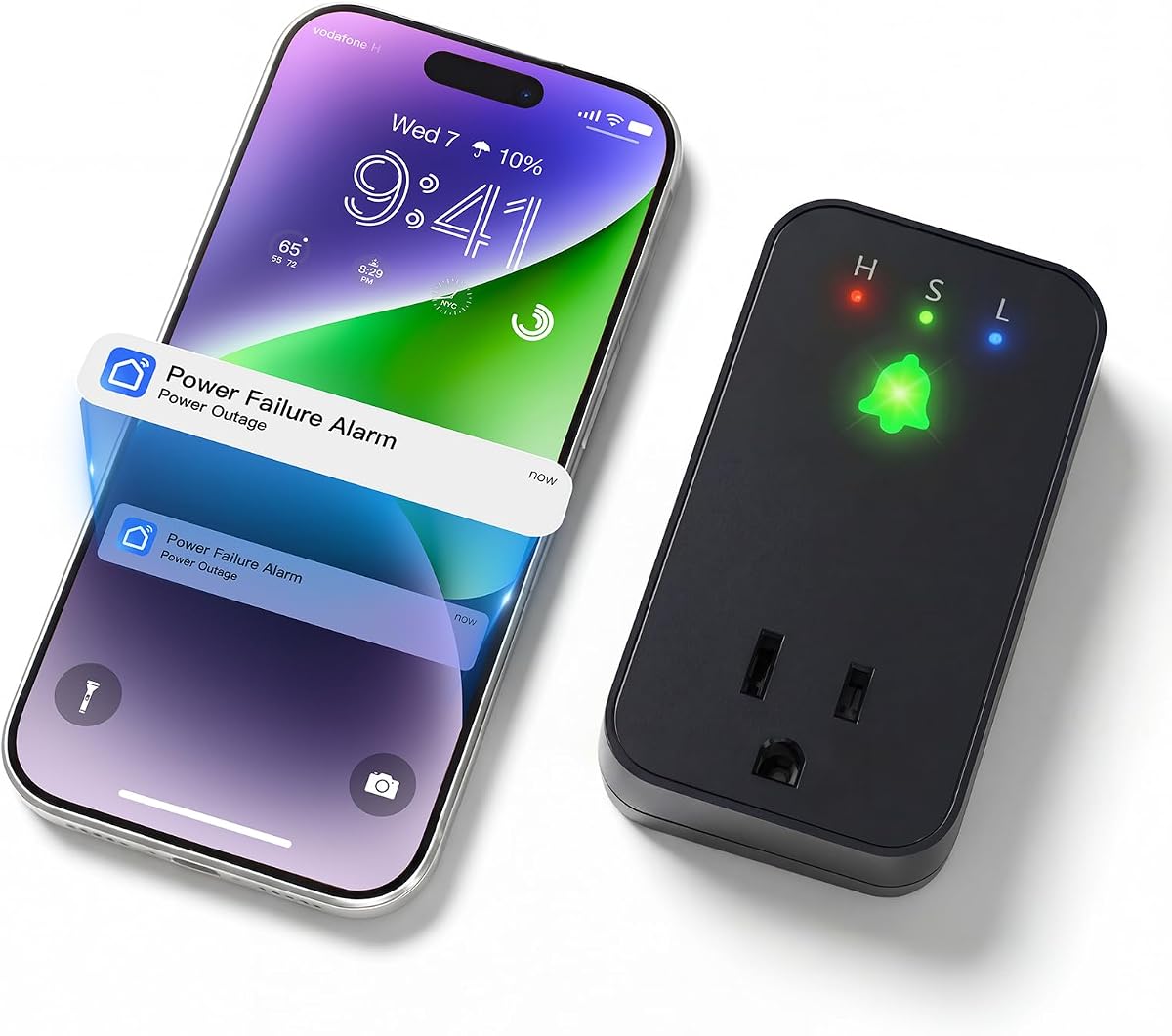

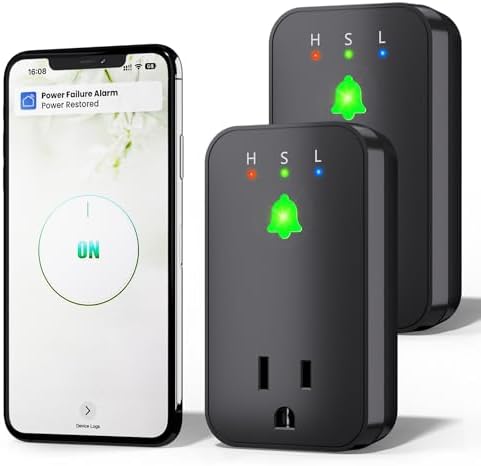
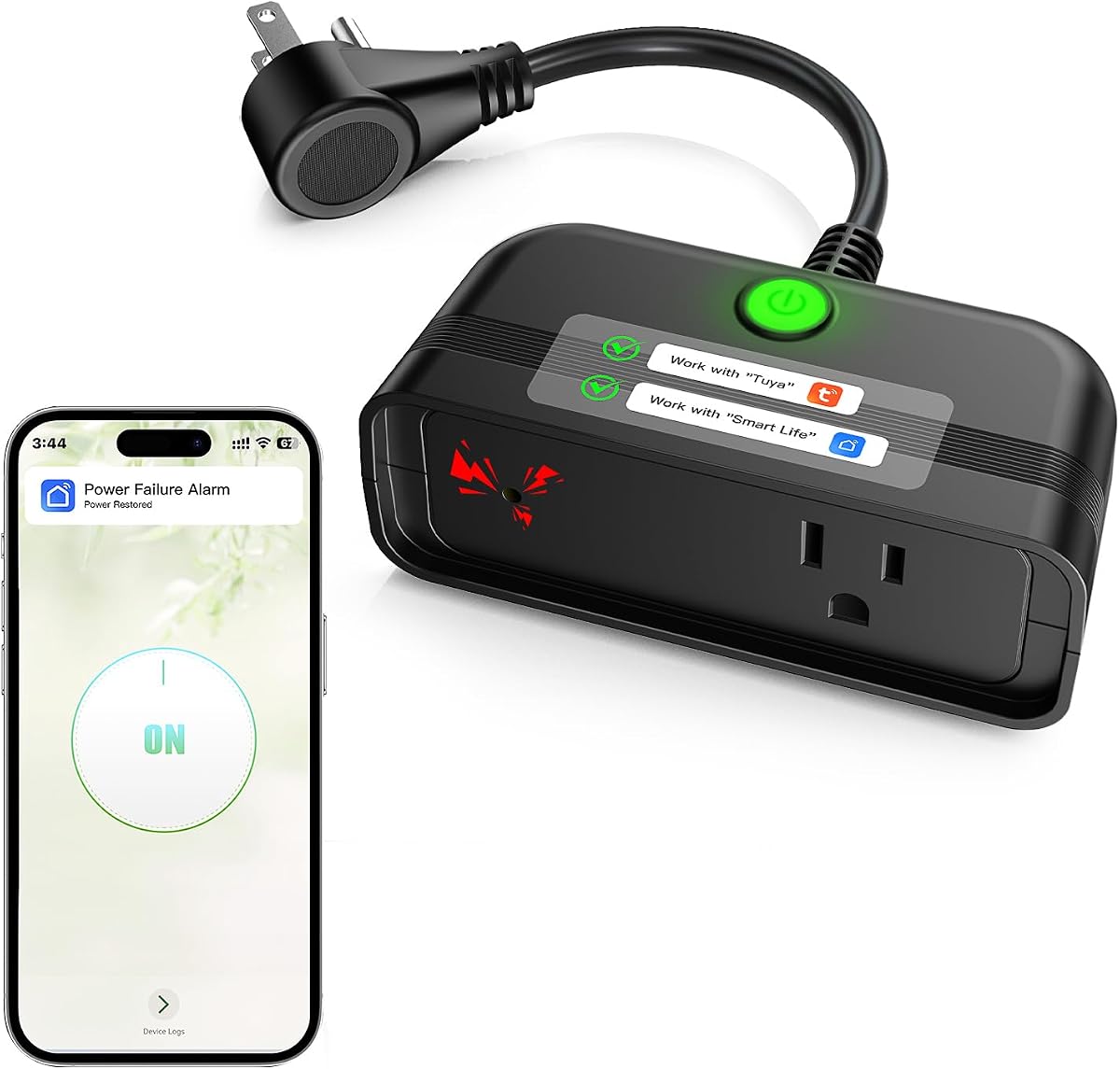


This device stands out as the top choice for those seeking reliable SMS notifications without subscription fees. It offers comprehensive monitoring with instant alerts sent directly to your phone via text message.
We may earn a commission when you buy through this link, at no additional cost to you.
Its standout feature is the ability to send direct SMS text alerts, ensuring you receive critical notifications even if you are not logged into an app. The device also supports email notifications and sends alerts when power is restored.
While it does not support 5GHz networks, most routers offer 2.4GHz compatibility. The setup is straightforward and does not require a smart home hub, making it accessible for anyone.
Homeowners needing a simple, reliable solution should choose this model. It provides peace of mind with long battery life and immediate alert capabilities during power outages.
This device sends text messages directly to your phone number, bypassing the need for app-based push notifications that might be missed.
The pre-installed backup battery is designed to last over five years, ensuring continuous monitoring without frequent replacements.
We may earn a commission when you buy through this link, at no additional cost to you.
This model offers excellent value for those on a budget who still want smart app notifications. It connects easily to the Smart Life app for real-time alerts.
We may earn a commission when you buy through this link, at no additional cost to you.
Its compact design includes an extended socket, allowing you to plug in an appliance without blocking the outlet. This feature saves space while keeping power monitoring active.
The alarm volume can be adjusted to 110 dB, ensuring you hear the alert locally if Wi-Fi is unavailable. However, some features like SMS require a subscription fee.
For budget-conscious shoppers who use the Tuya ecosystem, this device is a practical choice. It delivers essential protection without a high initial cost.
This device integrates seamlessly with the Smart Life and Tuya apps, allowing you to manage alerts from your smartphone.
The extended socket allows you to plug multiple devices into one outlet, maximizing the use of limited power sources.
We may earn a commission when you buy through this link, at no additional cost to you.
This model is specifically marketed for freezer and fridge monitoring, making it ideal for protecting perishable food. It sends alerts through the Smart Life app immediately.
We may earn a commission when you buy through this link, at no additional cost to you.
Its primary benefit is focused functionality for appliances like freezers. You can rely on it to notify you if your freezer loses power, preventing costly food loss.
The alarm includes an adjustable volume and can run for up to 12 hours. It also features a built-in battery that avoids the need for frequent replacements.
Families with expensive freezers will appreciate this dedicated monitoring tool. It offers targeted protection for your most valuable kitchen appliances.
Designed specifically to monitor freezers, this device helps prevent spoilage by alerting you to power loss instantly.
The alarm continues to sound for up to 12 hours on battery power, giving you ample time to respond to an outage.
We may earn a commission when you buy through this link, at no additional cost to you.
This device adds the convenience of remote cancelation, allowing you to stop the alarm from your phone. It also offers three different alarm sounds for variety.
We may earn a commission when you buy through this link, at no additional cost to you.
Its unique selling point is the ability to cancel alerts remotely. This feature is useful if you want to silence the alarm without returning home to check the device.
The alarm has a 10-hour backup battery and two sockets to plug in devices. While the battery life is shorter than some competitors, the remote functionality makes up for it.
Users who value flexibility and control over their alerts will like this model. It provides a higher level of customization for smart home monitoring.
You can remotely cancel the alarm via the app, providing flexibility when you are away from home during an outage.
The device includes two sockets, allowing you to power two separate appliances while monitoring both for outages.
We may earn a commission when you buy through this link, at no additional cost to you.
Buying this pack provides two devices, making it ideal for monitoring multiple areas like a freezer and a sump pump. It saves money compared to buying individual units.
We may earn a commission when you buy through this link, at no additional cost to you.
Its main benefit is value for multiple locations. You can monitor a refrigerator in the kitchen and a pump in the basement simultaneously using the same app.
Each unit features a loud alarm and extended socket. The pack ensures you have enough coverage for your critical appliances without exceeding your budget.
Households needing to monitor more than one appliance should consider this pack. It offers a convenient way to scale your protection across the home.
With two units included, you can monitor multiple appliances in different parts of your home effectively.
This 2-pack offers better value per unit than buying single devices, saving you money for comprehensive home coverage.
We may earn a commission when you buy through this link, at no additional cost to you.
This device features a weatherproof design, allowing you to monitor outdoor power supplies. It is ideal for checking drip irrigation or courtyard lighting systems.
We may earn a commission when you buy through this link, at no additional cost to you.
Its standout feature is outdoor readiness. You can mount it in a covered area to ensure your garden or outdoor lighting stays on without issues.
The alarm includes a mounting hole for wall installation, which keeps the device safe from ground moisture. It connects via the Smart Life app for remote alerts.
Outdoor enthusiasts and gardeners will find this useful for maintaining automated systems. It protects your outdoor investments from unexpected power loss.
The weatherproof design allows you to use this device outdoors to monitor irrigation or lighting systems safely.
A built-in mounting hole lets you hang the device securely on a wall, protecting it from ground-level hazards.
We may earn a commission when you buy through this link, at no additional cost to you.
The Power Pal offers direct text or email notifications without requiring a specific app setup. It monitors the power in your location directly.
We may earn a commission when you buy through this link, at no additional cost to you.
Its simplicity is a major advantage for those who prefer basic alerts. You can plug it in and receive updates via email or text without logging into an account.
Although it has fewer smart features than other models, it provides essential monitoring. However, user feedback suggests it may have some connectivity limitations compared to newer apps.
Simple users who want text alerts without complex apps should consider this device. It offers straightforward monitoring for essential power locations.
You can set this device up without an app, using simple plug-and-play methods for immediate notifications.
Receive updates via both text and email, giving you options on how to be notified during an outage.
We may earn a commission when you buy through this link, at no additional cost to you.
This model has a high user rating and is designed to protect large appliances like freezers. It provides immediate notifications via the Smart Life app.
We may earn a commission when you buy through this link, at no additional cost to you.
Its high rating reflects reliability in protecting food. The device uses a loud 110 dB alarm to alert you locally if the network connection fails.
The alarm offers three different sounds, allowing you to choose one that stands out. It includes a 12-hour battery backup to keep alerting during extended outages.
For freezer protection, this device delivers strong performance. It is a trusted choice for families relying on large kitchen appliances for long-term storage.
Users report high satisfaction with this device, indicating it reliably alerts them to power failures affecting their appliances.
Choose from three different siren sounds to customize the alert to your preference and environment.
We may earn a commission when you buy through this link, at no additional cost to you.
This device stands out for its manual hard reset requirement, which prevents the alarm from being silently ignored. It ensures every alert is acknowledged.
We may earn a commission when you buy through this link, at no additional cost to you.
Its security-focused design guarantees that alarms cannot be dismissed without human interaction. This feature is valuable for monitoring critical assets like home security systems.
The alarm includes a bright flashing LED alongside the sound. The 12-hour battery life ensures the device can notify you locally even if the Wi-Fi is down.
Users prioritizing security and reliability should choose this model. It ensures that no alert goes unnoticed, providing extra peace of mind.
A manual hard reset is required to silence the alarm, ensuring you do not miss any critical outage warnings.
Bright flashing LEDs accompany the sound, providing a visual alert for those who may not hear the siren.
We may earn a commission when you buy through this link, at no additional cost to you.
This model supports high-power devices like oxygen concentrators, making it vital for medical equipment monitoring. It connects via 2.4GHz Wi-Fi for remote updates.
We may earn a commission when you buy through this link, at no additional cost to you.
Its ability to handle up to 15A current is key for medical users. You can rely on it to monitor devices that are critical for health and safety.
The device includes a rechargeable lithium battery that avoids replacement costs. It also features an LED flash to provide visual alerts when power is lost.
People needing to monitor medical or high-power equipment should consider this unit. It ensures critical devices are tracked effectively during power failures.
This alarm is suitable for monitoring high-power medical devices like oxygen concentrators that need constant power.
Supporting up to 15A, this device can handle heavy appliances without overloading the connection.
We may earn a commission when you buy through this link, at no additional cost to you.
Selecting the right device depends on your connectivity needs, the appliances you monitor, and your budget.
Consider whether you prefer SMS, email, or app notifications. SMS alerts are the most reliable if your app is closed or logged out.
SMS and email alerts are generally more reliable than app notifications for immediate awareness.
Check if the device supports 2.4GHz or 5GHz Wi-Fi. Most budget models support 2.4GHz only, which is common in many homes.
Ensure your router offers 2.4GHz Wi-Fi compatibility before purchasing a smart device.
Some models require a monthly subscription for advanced features like SMS. Look for devices that include all features for free if you want to avoid recurring costs.
Free devices with included SMS or email are more cost-effective over time.
Battery backup duration varies from hours to years. Longer battery life ensures the device can alert you during extended outages.
Choose a model with a long battery backup to stay protected during severe weather.
A loud local alarm is essential if you are at home during an outage. Look for 100dB or higher to ensure you hear the alert.
High volume alarms guarantee local alerts are heard even without Wi-Fi.
Extended sockets allow you to plug in appliances without blocking power. This design keeps your outlets accessible while monitoring power.
Devices with extended sockets help you maximize outlet usage.
Simple plug-and-play setups are preferred. Devices requiring complex hubs or apps may be frustrating to install.
Prioritize models with easy installation to avoid technical hurdles.
Consider specific needs like freezer protection or outdoor monitoring. Some models are built for weatherproofing or medical equipment.
Choose a device that matches the specific appliance you need to monitor.
Plug the device into a standard outlet and connect your router to the Wi-Fi network. Follow the app instructions to pair the device securely.
Test the alarm by simulating a power outage or unplugging the device. Ensure you receive a notification to confirm it is working correctly.
Regularly check the battery status in the app to prevent unexpected failures. Keep the device clean from dust to maintain optimal performance.
Most devices need Wi-Fi to send remote alerts. However, they all feature a local alarm that sounds without Wi-Fi to alert anyone at home.
Some models like the Risinglink device offer free SMS. Others require a subscription for SMS but allow free app notifications.
Battery life varies. Some have 12-hour backup for the alarm, while others have batteries lasting years for monitoring.
Most devices do not require a hub. They connect directly to your Wi-Fi network for alerts.
You can monitor refrigerators, freezers, sump pumps, aquariums, and even oxygen concentrators depending on the model.
If the router loses power, remote alerts will fail. Use a UPS to keep the router on during outages.
The top three picks offer the best balance of features and reliability for most users. The Editor's Choice stands out for its direct SMS capabilities without extra fees.
Prioritize models that support your specific needs, whether it is medical equipment or freezer monitoring. Ensure the device supports your Wi-Fi frequency and offers enough battery backup.
Remember to check current prices and availability before buying. These devices provide peace of mind, protecting your home and health from unexpected power losses.