
2026 WiFi Extender Signal Booster for Home
5.0Editor score
Affordable price for wide coverage
1-Tap WPS setup included
Supports up to 70 devices
This guide compares the top 10 distance WiFi extender models for 2026, evaluating range, speed, features, and value to help you choose the right network
Finding a reliable distance WiFi extender is essential for modern homes with large layouts or challenging layouts. These devices help eliminate dead zones by repeating your existing wireless signal to reach remote corners, ensuring every room stays connected without dropping a single packet.
We have carefully selected and analyzed ten leading models based on real-world performance, user feedback, and technical specifications. Our comparison covers everything from budget-friendly repeaters to high-end outdoor bridges, helping you understand which features truly matter for your specific connectivity needs and home size.
Each product pick below highlights key strengths, potential trade-offs, and ideal use cases to guide your decision. Please note that availability and pricing fluctuate frequently, so verify current details before purchasing to ensure you get the best value for your investment today.
5.0Editor score

4.1Editor score
4.5Editor score
The following table provides a side-by-side comparison of all ten selected products, highlighting their core specifications and unique attributes to simplify your research process.


The TP-Link AX3000 stands out as a top-tier distance WiFi extender, combining modern Wi-Fi 6 capabilities with robust signal boosting technology. It offers a total bandwidth of 3 Gbps, ensuring that your network can handle multiple high-demand tasks simultaneously without significant lag.
We may earn a commission when you buy through this link, at no additional cost to you.
This device uses two high-gain directional antennas with beamforming to focus the signal directly toward your devices rather than broadcasting it uniformly. This targeted approach significantly improves reliability and extends range, making it ideal for homes with complex layouts or multiple dead zones.
While it is a powerful tool for coverage, users should remember that extenders improve signal strength rather than increasing your internet plan speed. Actual throughput may drop by up to half compared to your direct router connection, though the stability gained usually outweighs this trade-off.
For households needing seamless mesh-like expansion without replacing their entire router setup, the AX3000 is a solid investment. Its compatibility with EasyMesh routers and security-first design make it a reliable choice for tech-savvy users prioritizing safety and coverage.
The beamforming technology ensures that the wireless signal is concentrated where needed most, reducing interference and improving connection stability for devices far from the main router.
TP-Link adheres to the Secure-by-Design pledge, ensuring this device is built with advanced security requirements to protect your network from potential vulnerabilities and unauthorized access.
We may earn a commission when you buy through this link, at no additional cost to you.
This 2026 model offers exceptional value for users seeking a budget-friendly solution to extend their home network. Despite its low cost, it claims to cover up to 15000 square feet, making it suitable for large living spaces that suffer from consistent connectivity issues.
We may earn a commission when you buy through this link, at no additional cost to you.
The setup process is incredibly streamlined, requiring only a single press of the WPS button on both the router and the extender. This simplicity makes it accessible for users who might find traditional configuration web interfaces daunting or overly complicated to navigate.
While it lacks premium features found in higher-end models, its ability to support up to 70 connected devices ensures it can handle busy households with multiple smartphones, tablets, and smart home gadgets running simultaneously without crashing the network.
For those looking to quickly resolve dead zones without spending much money, this extender is a compelling option. It serves as a practical bridge for basic connectivity needs, though it may not offer the same level of performance stability as top-tier brands.
The 1-Tap WPS setup removes technical barriers, allowing anyone to get their network extended in seconds without needing to log into a configuration page or input complex settings manually.
Designed to handle modern demands, it can connect more than 70 devices at once, ensuring that every family member can use the network without experiencing slowdowns due to device congestion.
We may earn a commission when you buy through this link, at no additional cost to you.
The TP-Link RE550 is a reliable AC1900 extender that delivers consistent performance for homes using older AC routers. With speeds up to 1300 Mbps on the 5 GHz band, it ensures high-speed data transfer for streaming and gaming throughout your expanded coverage area.
We may earn a commission when you buy through this link, at no additional cost to you.
Its design includes three adjustable external antennas that allow you to optimize signal direction based on your home layout. This flexibility helps in maximizing coverage and ensuring that the signal reaches even the most difficult corners where standard routers struggle to penetrate.
While it lacks the latest Wi-Fi 6 technology, it still provides robust connectivity for most household needs. Users should note that it does not increase raw speed but improves coverage reliability, which often translates to better real-world performance during heavy usage times.
This model is an excellent choice for upgrading existing AC networks without the expense of a full router replacement. It balances performance and price effectively, offering features like beamforming to maintain stable connections across various devices in the home.
Three external antennas can be positioned in different angles to optimize signal propagation, allowing users to tailor the coverage pattern to their specific room shapes and obstacles.
With combined speeds up to 1900 Mbps, this extender handles high-bandwidth activities like HD streaming and large file transfers efficiently without significant lag or buffering during peak hours.
We may earn a commission when you buy through this link, at no additional cost to you.
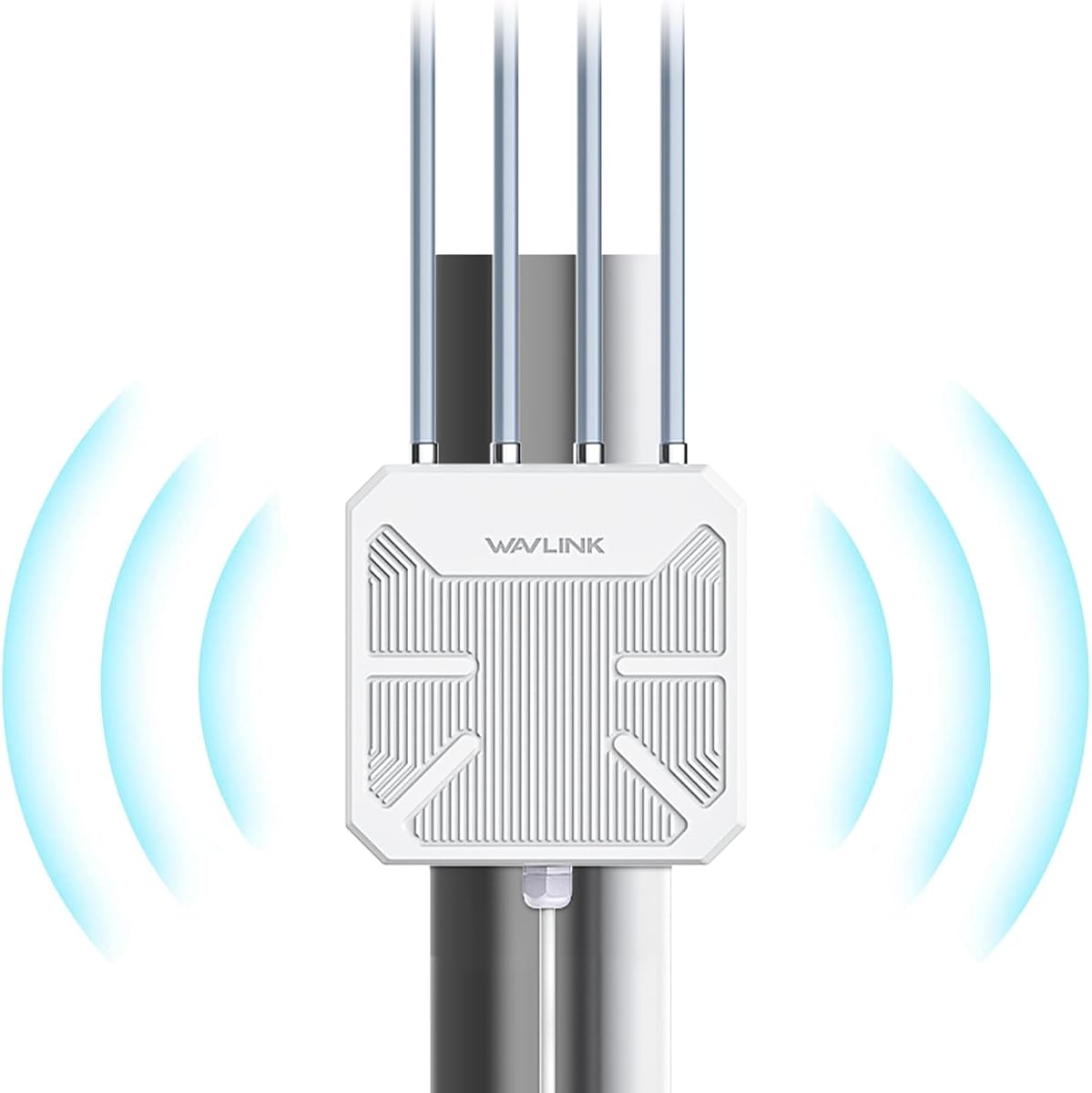
The WAVLINK AX1800 is a specialized outdoor extender designed for extreme durability and long-range connectivity. Its IP67 rating ensures it can withstand rain, dust, and temperature extremes, making it perfect for extending networks to barns, garages, or large yards.
We may earn a commission when you buy through this link, at no additional cost to you.
Equipped with high-gain omni-directional antennas, it offers a coverage radius of up to 300 meters in line-of-sight environments. This range is significant for rural properties or large estates where standard indoor routers cannot reach distant structures effectively.
The device supports Power over Ethernet (PoE), allowing installation in locations without nearby power outlets. However, users must install the included non-weatherproof adapter indoors to protect it from moisture while running a cable to the outdoor unit.
For those needing reliable connectivity in harsh outdoor conditions, this extender is a standout choice. Its compatibility with Starlink adds value for remote users looking to expand their satellite internet coverage efficiently without expensive trenching or cabling.
Built with a heat-resistant IP67 casing, the unit operates reliably between -20C and 50C, resisting moisture and dust to maintain a stable connection even in severe weather conditions.
Supporting both active and passive PoE allows you to power the unit through the Ethernet cable alone, simplifying installation in hard-to-reach spots like rooftops or distant sheds without extra power cables.
We may earn a commission when you buy through this link, at no additional cost to you.
The TP-Link BE3200 brings next-generation Wi-Fi 7 technology to the extender market, offering advanced performance when paired with a compatible router. Its Multi-Link Operation allows devices to transmit data over multiple frequency bands simultaneously for reduced latency.
We may earn a commission when you buy through this link, at no additional cost to you.
Designed for high-performance households, it supports speeds up to 3282 Mbps total, catering to 4K/8K streaming and competitive gaming. The four optimally positioned antennas ensure strong signal strength across up to 3200 square feet of living space.
Users should be aware that this device does not support the 6 GHz band, limiting it to dual-band operation on 2.4 GHz and 5 GHz. However, for those with Wi-Fi 7 routers, it still offers significant improvements over older Wi-Fi 6 extenders.
Ideal for early adopters looking to future-proof their network, this extender integrates seamlessly into existing setups. It provides a powerful solution for maintaining high-speed connectivity across multiple devices without needing to upgrade the entire home infrastructure immediately.
MLO combines different frequency bands to increase throughput and reduce latency, ensuring a smoother and more stable connection experience for demanding applications like VR gaming or high-definition streaming.
With combined speeds up to 3282 Mbps, it delivers fast data rates suitable for heavy usage scenarios, ensuring that multiple users can engage in bandwidth-intensive activities without experiencing network congestion.
We may earn a commission when you buy through this link, at no additional cost to you.
This 10000 sq ft booster offers a balance of coverage and device capacity for growing smart homes. With four external antennas, it aims to penetrate walls and floors effectively to provide consistent connectivity across different floors or rooms.
We may earn a commission when you buy through this link, at no additional cost to you.
The device supports up to 65 simultaneous connections, which is crucial for modern households where dozens of devices like smart lights, phones, and TVs are online at once. Its stable performance ensures these devices stay connected without random dropouts.
Setup is designed to be user-friendly, utilizing WPS for quick pairing. It also offers five smart modes, allowing flexibility to use it as a repeater, access point, or bridge depending on your specific network configuration and requirements.
For those needing a dependable middle-ground solution, this extender provides solid performance without the complexity of enterprise gear. While branding is generic, the functional specifications suggest it can handle typical residential Wi-Fi extension needs effectively.
Supporting more than 65 devices simultaneously means you can connect every smart home gadget and personal device in your household without causing the network to bottleneck or slow down during peak hours.
With five different operational modes, you can adapt the extender to various scenarios, such as turning a wired connection into wireless or extending an existing network with minimal technical configuration.
We may earn a commission when you buy through this link, at no additional cost to you.
The Hyzom booster is engineered to cover up to 15000 square feet, making it suitable for expansive homes where signal loss is common. It utilizes a Bionic Chip and four high-gain antennas to maintain stability and reduce buffering during high-demand tasks.
We may earn a commission when you buy through this link, at no additional cost to you.
It emphasizes security with WPA2-PSK encryption to protect your data from unauthorized access. This feature ensures that as you expand your network to remote corners, your personal and financial information remains safe from potential threats.
Setup is simplified through WPS, allowing you to press a button on the router and the extender for an instant connection. This quick process reduces the time spent on configuration, letting you enjoy a stable connection almost immediately.
For families with extensive coverage needs, this device offers a practical solution to eliminate dead zones. Its ability to support more than 65 devices ensures that all members of the household stay connected smoothly during streaming or gaming.
The advanced processor handles high-speed data transmission efficiently, ensuring that the network can support multiple active connections without latency spikes or performance drops during usage.
Advanced WPA2 encryption provides a secure environment for browsing and banking, ensuring that your extended network maintains the same level of privacy and protection as your main router.
We may earn a commission when you buy through this link, at no additional cost to you.
This 2026 model claims to provide six times faster speeds, focusing on performance for 4K streaming and gaming. With a massive coverage area of 15000 square feet, it is designed to handle the demands of large households with multiple users.
We may earn a commission when you buy through this link, at no additional cost to you.
It features bank-grade WEP/WPA/WPA2 encryption to protect your data, ensuring that extended network access remains secure. This level of security is vital for protecting smart home devices from cyber threats while maintaining connectivity throughout your property.
The device supports up to 65 devices simultaneously, ensuring that your entire network stays stable even when everyone is online. This high capacity is a significant advantage for smart homes filled with gadgets and personal electronics.
For users seeking high speed and coverage without brand premiums, this extender offers a compelling value. Its straightforward setup and robust features make it a solid choice for those looking to upgrade their home network capabilities affordably.
Claiming six times faster speeds, this repeater aims to deliver smooth connectivity for streaming and gaming, reducing the frustration of slow loading times during peak usage hours.
With advanced encryption protocols, it keeps your network private and secure, protecting sensitive information from unauthorized access while extending your internet reach to remote areas.
We may earn a commission when you buy through this link, at no additional cost to you.
The RE615X is a compact yet powerful extender that brings Wi-Fi 6 benefits to homes needing extra range. With speeds up to 1775 Mbps, it offers improved performance over older AC models while maintaining a small footprint suitable for tight spaces.
We may earn a commission when you buy through this link, at no additional cost to you.
Its beamforming technology focuses the signal on connected devices, enhancing reliability and coverage area. This ensures that even distant rooms receive a strong connection, reducing buffering during video calls or streaming sessions.
While it does not support the 6 GHz band, it works well for most existing networks needing an upgrade. Users can manage settings easily through the Tether app, making firmware updates and optimization straightforward for non-technical users.
Ideal for apartments or homes with limited space, this extender delivers solid performance without clutter. Its security features and easy setup make it a reliable choice for those wanting to extend their network efficiently.
Despite its small size, it delivers modern Wi-Fi 6 speeds and efficiency, making it a practical upgrade for households looking to improve network performance without replacing major hardware components.
The Tether app simplifies control, allowing you to find the best spot for installation and manage firmware updates easily, ensuring your extender remains optimized for peak performance at all times.
We may earn a commission when you buy through this link, at no additional cost to you.
The AdaLov CPE660 is a specialized bridge designed for connecting buildings across large distances without physical cabling. It supports up to 3KM range with clear line of sight, making it ideal for farms, estates, or warehouses with separated buildings.
We may earn a commission when you buy through this link, at no additional cost to you.
Operating on the 5.8GHz band, it provides stable speeds up to 300Mbps. This speed is sufficient for transferring data, connecting security cameras, or providing internet access to remote structures where running Ethernet is impractical.
It includes dual Ethernet ports and supports both 24V and 48V PoE, allowing flexible power options. Users must ensure proper voltage is used to avoid damaging the unit, as mismatched voltage can cause permanent failure during installation.
For those needing to bridge networks between buildings, this unit offers a cost-effective and reliable solution. Its durability and ease of setup make it a valuable tool for extending connectivity across large properties without expensive construction work.
Designed specifically for connecting separate buildings, it eliminates the need for trenching cables while maintaining a stable connection up to 3KM, ideal for farms and large estates with remote structures.
With dual Ethernet ports supporting different voltage ranges, you can power the bridge through the Ethernet cable alone, simplifying installation in hard-to-reach locations without dedicated power sources nearby.
We may earn a commission when you buy through this link, at no additional cost to you.
Selecting the right WiFi extender involves considering various technical factors that impact performance and usability. Below are key aspects to evaluate before making your purchase.
The coverage area indicates how much space the extender can effectively cover. Look for models that match your home size to avoid weak spots in remote rooms. Ensure the specified square footage aligns with your actual layout requirements.
Choose an extender with sufficient coverage to reach all desired areas without leaving any dead zones in your home.
Modern extenders support Wi-Fi 6 or even Wi-Fi 7, which offer better speed and efficiency. If your router is older, an AC model may suffice, but newer standards ensure better performance with modern devices. Check your router's compatibility before buying.
Prioritize Wi-Fi 6 or newer standards for future-proofing and better network efficiency in your home.
Dual-band extenders support both 2.4GHz and 5GHz frequencies. The 5GHz band offers faster speeds over shorter distances, while 2.4GHz provides wider range. Ensure your extender supports the bands your devices need most.
Dual-band support provides the flexibility to balance speed and range depending on your device location and usage needs.
External antennas often provide better range and signal penetration than internal ones. Adjustable antennas let you optimize signal direction toward specific areas. Look for models with high-gain antennas for better performance.
External adjustable antennas allow you to direct the signal more effectively to eliminate specific dead zones in your home.
Some extenders include Ethernet ports, enabling wired connections for devices like TVs or gaming consoles. This hybrid approach ensures stable connectivity for bandwidth-heavy tasks without relying solely on wireless signals.
An Ethernet port adds versatility by allowing wired connections for devices requiring stable high-speed internet access.
Easy setup is crucial for user satisfaction. Look for WPS buttons or mobile apps that simplify installation and ongoing management. Features like intelligent signal indicators help find the best placement spot quickly.
User-friendly setup options like WPS or apps reduce installation time and make maintenance easier for all users.
Security should never be overlooked when extending your network. Ensure the extender supports WPA2 or WPA3 encryption to protect your data from unauthorized access. Secure devices are less vulnerable to cyber threats.
Choose an extender with strong encryption standards to maintain network security and protect your personal data effectively.
Prices vary widely depending on features and brand. Determine your budget early to narrow down options. Sometimes higher-priced models offer better support and longevity, while budget options provide basic functionality.
Balance your budget with necessary features to ensure you get a quality device that meets your specific coverage needs.
To maximize performance, place your extender halfway between your router and the area needing coverage. Use signal indicator lights or apps to confirm the best position before securing the unit.
Keep the extender's firmware updated via the manufacturer's app or website. Regular updates ensure security patches and performance improvements are applied to your device.
Periodically check antenna alignment and reset the device if you notice connectivity issues. Cleaning dust off the vents helps prevent overheating and maintains optimal operation over time.
No, a WiFi extender does not increase your internet plan speed. It extends the range of your existing signal to eliminate dead zones. While actual speeds may drop by half due to signal relay, the improved coverage typically results in better real-world performance.
Distance varies by model and environment. Indoor models typically cover 1000 to 3000 feet, while outdoor extenders can reach much further. Physical obstacles like walls reduce range, so placement is critical for optimal reach.
Wi-Fi 6 extenders are newer and offer higher speeds and better efficiency with multiple devices. AC extenders are older but still functional for basic needs. Choose Wi-Fi 6 if you have newer devices and need better performance.
Most extenders work with any standard WiFi router regardless of brand. However, mesh-specific systems may have limited compatibility. Check product descriptions to ensure compatibility with your current router model before purchasing.
Mesh systems offer seamless roaming and unified networks, while extenders use separate networks. Extenders are cheaper and simpler. Choose a mesh system for large homes needing whole-home seamless coverage and performance.
Most indoor extenders need a standard power outlet nearby for operation. Outdoor models may support Power over Ethernet (PoE) allowing power through the network cable. Check product specs to determine power requirements for your model.
Ensure your extender uses strong encryption like WPA2 or WPA3. Change default admin passwords and keep firmware updated regularly. These steps prevent unauthorized access and maintain network security across all connected devices.
Moving an extender too far from the router may result in weak signal relay. Always test signal strength at the new location before finalizing placement to maintain a stable and effective connection across your home.
The top picks highlighted in this guide cover a range of needs from budget-friendly indoor boosters to specialized outdoor bridges. Whether you need to cover a large yard or simply reach a distant room, there is a model suited for your home.
Prioritize key factors like coverage area, wireless standards, and security when making your choice. A well-placed extender can dramatically improve your online experience by eliminating frustrating dead zones throughout your house.
Prices and availability change frequently, so check current listings before buying to get the best deal. Invest in a reliable device that matches your specific requirements to enjoy seamless connectivity across your entire living space.