
ASUS ProArt PA248QV 24 Inch WUXGA 16:10 Professional Monitor
4.6Editor score
100% sRGB and Rec.709
WUXGA resolution display
Anti-glare screen technology
Choosing the right display is crucial for creative professionals who rely on precise color and sharp details. The ASUS Proart series offers a range of monitors designed specifically for demanding tasks like photo editing and video production.
We evaluated ten models based on their color gamut coverage, resolution, connectivity options, and ergonomic features. Each selection aims to balance performance with usability for various workstation setups and budget considerations.
Each pick highlights key strengths and ideal use cases to help you find the best fit for your needs. Please note that pricing and availability may change frequently, so verify details before purchasing.
4.6Editor score

4.2Editor score

As an Amazon Associate we earn from qualifying purchases.
The following table provides a side-by-side overview of key specifications for each model to help you compare options quickly and make an informed decision.




This monitor stands out as a top choice for professionals seeking high resolution and color fidelity. It boasts a 4K IPS panel with extensive color gamut coverage that meets industry standards for creative work.
We may earn a commission when you buy through this link, at no additional cost to you.
The factory calibration ensures Delta E values remain under two, which is critical for accurate image editing. Connectivity is robust with USB-C supporting high power delivery, allowing you to charge laptops while displaying video.
While it lacks advanced HDR features found in OLED models, the consistent brightness and viewing angles are reliable for long editing sessions. The stand allows for pivot and height adjustments to suit various workspace needs.
It is an excellent option for graphic designers and photographers who need a balance of performance and usability. The inclusion of a Creative Cloud subscription adds immediate value to your creative workflow setup.
The factory calibration and wide gamut coverage ensure that what you see on screen matches printed output or other calibrated displays.
USB-C with Power Delivery reduces cable clutter by providing video, data, and power through a single connection to your laptop.
We may earn a commission when you buy through this link, at no additional cost to you.
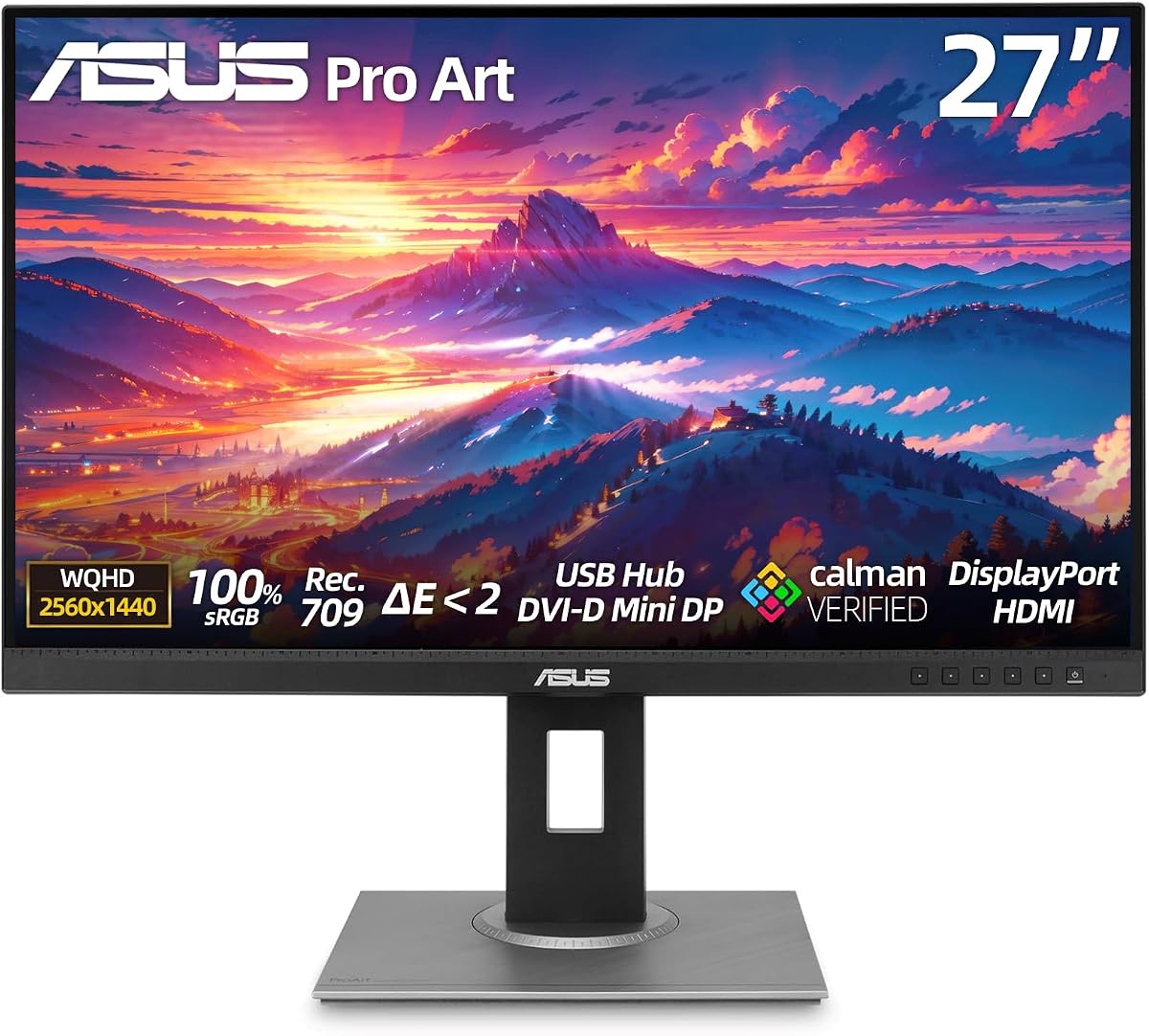
This model offers exceptional value for those who need professional color accuracy without the premium price tag. It features a WUXGA resolution with full sRGB coverage, making it suitable for web design and general content creation.
We may earn a commission when you buy through this link, at no additional cost to you.
The anti-glare coating helps reduce eye strain during long hours of work, which is a common complaint among users. Its Calman Verified status ensures that colors remain consistent across different media and outputs.
While it does not support the highest resolutions available today, the clarity is sharp enough for most daily tasks. The stand is ergonomically sound, allowing you to position the screen to reduce neck strain.
It is ideal for students, freelancers, or small businesses looking for a reliable entry-level professional monitor. The five-year warranty provides peace of mind for long-term investment in your workspace.
Despite the lower cost, this monitor maintains high color standards and build quality that rivals more expensive alternatives.
The anti-glare technology is designed to minimize reflections and fatigue, supporting healthier work habits over extended periods.
We may earn a commission when you buy through this link, at no additional cost to you.
This monitor represents the pinnacle of display technology for professional video and color grading work. Its QD-OLED panel delivers deep blacks and vibrant colors that standard LCD panels cannot match.
We may earn a commission when you buy through this link, at no additional cost to you.
With world-leading color accuracy metrics and support for multiple HDR formats, it is built for demanding post-production environments. The SDI inputs ensure compatibility with professional broadcast equipment and workflows.
Users should be aware of the investment required and the care needed to avoid potential burn-in with static elements. However, for color grading and high-end video editing, the visual performance is unmatched in its class.
It is best suited for studios or individuals who need the absolute best color fidelity and contrast. The included accessories and robust connectivity options make it a complete package for high-end production setups.
The OLED technology provides perfect blacks and infinite contrast ratios, making it ideal for HDR content and dark room editing.
Dual 12G-SDI ports allow for uncompressed video transmission, which is essential for professional broadcast and post-production standards.
We may earn a commission when you buy through this link, at no additional cost to you.
This monitor is a solid mid-range option for professionals who prioritize connectivity and color accuracy. It offers a QHD resolution that balances clarity with performance on a 27-inch panel effectively.
We may earn a commission when you buy through this link, at no additional cost to you.
The USB-C port with power delivery simplifies your desk setup significantly by reducing the need for separate power bricks for laptops. Color accuracy is ensured through factory calibration and full Rec.709 coverage.
While it lacks the latest Thunderbolt connectivity, it is sufficient for most standard creative workflows. The stand allows for full adjustability which helps in creating a comfortable viewing position.
It is a great choice for those building a multi-monitor setup or needing a reliable main display. The balance of features and cost makes it a versatile addition to many home offices.
The USB-C hub allows you to connect multiple devices and charge your laptop simultaneously with a single cable run.
Daisy-chain support means you can connect multiple monitors in a sequence, reducing cable clutter and improving organization.
We may earn a commission when you buy through this link, at no additional cost to you.
This model is highly rated for its comfort features and solid color performance in daily use. It includes Eye Care technology that reduces flicker and blue light to protect your vision during long work sessions.
We may earn a commission when you buy through this link, at no additional cost to you.
The IPS panel delivers accurate colors suitable for photo and video editing without requiring expensive external calibration tools. The stand offers full height and tilt adjustments which are essential for ergonomic setups.
It lacks USB-C which might be a drawback for modern laptop users but still offers standard ports for connectivity. The build quality is reliable and fits well into professional and home environments.
It is recommended for users who prioritize eye comfort and value over the latest connectivity standards. The high rating reflects its reliability and performance in practical everyday workflows.
Flicker-free and low blue light technologies are integrated to reduce strain and headaches during extended periods of screen use.
Multiple standard ports ensure compatibility with a wide range of older and newer devices without needing adapters.
We may earn a commission when you buy through this link, at no additional cost to you.
This larger monitor is designed for professionals who need significant screen real estate and compliance with trade agreements. It features a 4K panel with high color accuracy and strong connectivity options including USB-C.
We may earn a commission when you buy through this link, at no additional cost to you.
The TAA compliance makes it a suitable choice for government procurement and specific business contracts. The high power delivery via USB-C allows for charging high-performance laptops directly through the monitor.
The stand design includes a quick release mechanism which aids in mounting or moving the unit with ease. Color performance is consistent with other ProArt models ensuring reliable output for creative tasks.
It is ideal for enterprises and professionals requiring a large workspace and specific compliance standards. The combination of size and performance makes it a powerful tool for modern workflows.
The 32-inch panel provides ample space for multitasking and detailed editing without sacrificing pixel density or clarity.
Meeting Trade Agreements Act requirements ensures that this monitor can be easily purchased by eligible government entities.
We may earn a commission when you buy through this link, at no additional cost to you.
This model brings Mini LED technology to the ProArt line for enhanced brightness and contrast in HDR content. It offers a large screen that supports wide color gamuts and comes with a calibration tool included.
We may earn a commission when you buy through this link, at no additional cost to you.
The delta E accuracy is excellent which ensures that colors match industry standards closely. USB-C connectivity makes it easy to connect to Mac systems for seamless operation and high resolution display.
While the brightness is impressive there can be some blooming effects in very high contrast scenarios typical of local dimming. The included calibrator adds value for users who need precise setup right out of the box.
It is a strong contender for video editors needing HDR capabilities and large viewing areas. The inclusion of hardware calibration supports long-term accuracy maintenance without extra cost.
Mini LED backlighting provides higher peak brightness compared to standard IPS panels enhancing HDR visual impact and detail.
Having the X-rite tool included ensures you can maintain high color accuracy without needing to buy separate calibration devices.
We may earn a commission when you buy through this link, at no additional cost to you.
This monitor blends professional color needs with higher refresh rates for smoother motion rendering. It offers a QHD panel with solid color coverage and strong connectivity options for creative and casual work.
We may earn a commission when you buy through this link, at no additional cost to you.
The 144Hz refresh rate provides a smoother experience for general use and light gaming alongside productivity tasks. USB-C with high power delivery helps keep your workspace clean and functional with minimal cables.
While it excels in connectivity and motion clarity it may not match the absolute peak contrast of OLED options. The design and adjustability support healthy viewing habits during long work periods.
It is a versatile choice for users who want a single screen for both creative work and dynamic content. The combination of color accuracy and speed makes it a flexible option for hybrid workflows.
Higher refresh rates reduce motion blur and make scrolling and animations look smoother which benefits general computing tasks.
Balancing wide color gamuts with fast refresh allows for both accurate design and responsive screen updates.
We may earn a commission when you buy through this link, at no additional cost to you.
This model pushes brightness limits with Mini LED zones designed for HDR workflows in various lighting conditions. It supports high refresh rates and includes a hardware calibrator for precise color management.
We may earn a commission when you buy through this link, at no additional cost to you.
Thunderbolt 3 connectivity ensures high bandwidth for data and video which is useful for heavy professional workloads. The 120Hz rate provides smooth visuals that are beneficial for video editing timelines and animation.
While the brightness is exceptional it may come with increased heat and power draw in typical office environments. Users should consider if the high brightness is necessary for their specific lighting setup.
It is a powerful tool for those working with HDR content in bright environments. The advanced features support high-end production tasks where performance and accuracy are critical.
Support for multiple HDR formats and high peak brightness ensures that high dynamic range content is displayed with detail and impact.
Thunderbolt 3 allows for fast transfer of large video files alongside display output improving workflow efficiency.
We may earn a commission when you buy through this link, at no additional cost to you.
This monitor offers the highest resolution in the lineup with a 6K panel suitable for high-end Mac systems. It includes Thunderbolt 4 for maximum bandwidth and connectivity options with professional workflow features.
We may earn a commission when you buy through this link, at no additional cost to you.
The Auto KVM switch allows you to control multiple computers with one set of peripherals which saves desk space. Color matching with Macbook displays ensures consistency across devices for creators working in the Apple ecosystem.
To drive a 6K display effectively you will need a computer capable of high resolution output at a decent frame rate. The screen real estate allows for detailed multi-window workflows common in software development and design.
It is best for power users with Mac systems needing extreme resolution and connectivity. The specialized features offer convenience and precision for professional environments demanding the best display performance available.
A 6K resolution provides massive pixel density for sharp text and image clarity that is unmatched by standard displays.
Auto KVM switching lets you manage multiple laptops or PCs effortlessly reducing physical clutter and improving workflow speed.
We may earn a commission when you buy through this link, at no additional cost to you.
Selecting the right Proart monitor depends on your specific workflow needs and technical requirements.
For professional content creation it is essential to choose a monitor with wide color gamut such as Adobe RGB or DCI-P3. This ensures that the colors you see are accurate and consistent across different devices.
Look for models that offer high percentages in these standards to avoid color shifts during editing and printing.
Resolution impacts the level of detail you can see on screen. Higher resolutions like 4K or 6K allow you to see finer details which is crucial for photo editing and video work.
Ensure your computer has enough graphics power to support high resolutions before making a purchase to avoid performance bottlenecks.
Connectivity determines how easily you can connect your devices to the monitor. USB-C with Power Delivery is increasingly common and helps reduce cable clutter on your desk.
Select ports that match your current and future needs such as Thunderbolt for Mac users or HDMI for multimedia setup.
Factory calibration ensures that the monitor is accurate from the moment you take it out of the box. This saves you time and money on external calibration tools.
Check for Delta E values and Calman Verified certifications to confirm that color accuracy meets your standards.
An ergonomic stand helps prevent strain during long work sessions. Look for features like height adjustment tilt and pivot to position your screen comfortably.
Good ergonomics are a health necessity for professionals who spend many hours looking at a display daily.
A higher refresh rate improves motion clarity which can be beneficial for video editing timelines or dynamic content work.
While not strictly necessary for static design work it adds value for mixed use cases including light gaming.
Different panel types like IPS and OLED offer different advantages in contrast and viewing angles. IPS offers reliable color while OLED provides deep blacks.
Choose a panel type that suits your environment and the type of content you produce most often.
Professional monitors often come with extended warranties which can be crucial for long term use. A good warranty covers defects and dead pixels that may appear over time.
Always check the warranty terms and registration process to maximize your coverage period for protection.
To maintain color accuracy run regular software calibration checks or use the included hardware tools periodically. This ensures that your display remains consistent over time with aging panels.
Clean the screen gently using a microfiber cloth to avoid scratching the surface. Avoid using harsh chemicals or excessive water which could damage the panel or the frame.
Adjust the brightness and blue light settings based on your working environment. Lowering brightness and enabling eye care modes can reduce strain during night time or dimly lit work sessions.
Yes most Proart monitors are designed to work seamlessly with Mac computers via USB-C or HDMI connections. Many models include specific color presets that match Macbook display performance for accurate workflows.
Most models come factory calibrated with Delta E values under two which is accurate enough for most users. However professional users might still use external hardware tools for periodic maintenance checks.
Many models support DisplayPort daisy-chaining which allows you to connect multiple displays in a sequence using a single cable. This reduces cable clutter and simplifies multi-monitor setups effectively.
OLED panels generally have a long lifespan but static images displayed for very long periods can potentially cause burn-in. Users should use screen savers and avoid static content to preserve the screen longevity.
Yes most Proart models include a five-year warranty which can be extended with online registration. This warranty covers manufacturing defects and dead pixels ensuring long-term reliability for professional use.
While designed for professional work some models offer high refresh rates and low response times suitable for casual gaming. However they are not specialized gaming monitors with features like aggressive RGB lighting.
For video editing look for models with wide color gamuts and high resolution like the 4K or 6K options. HDR support and high brightness are also valuable for matching high dynamic range footage content.
The stands typically allow for height tilt and pivot adjustments. You can loosen the knobs on the stand to adjust the angle to your preference before tightening them securely to hold the position.
The ASUS Proart lineup offers a wide range of monitors suitable for different levels of professional use and budgets. From affordable entry-level options to high-end OLED models there is something for every creative professional.
Prioritize color accuracy connectivity and ergonomics when selecting a monitor to ensure it meets your long-term workflow needs. Investing in the right display can significantly improve productivity and the quality of your work output.
Always verify current prices and availability before purchasing as these factors change frequently. By understanding your specific requirements you can choose the monitor that best supports your creative goals.