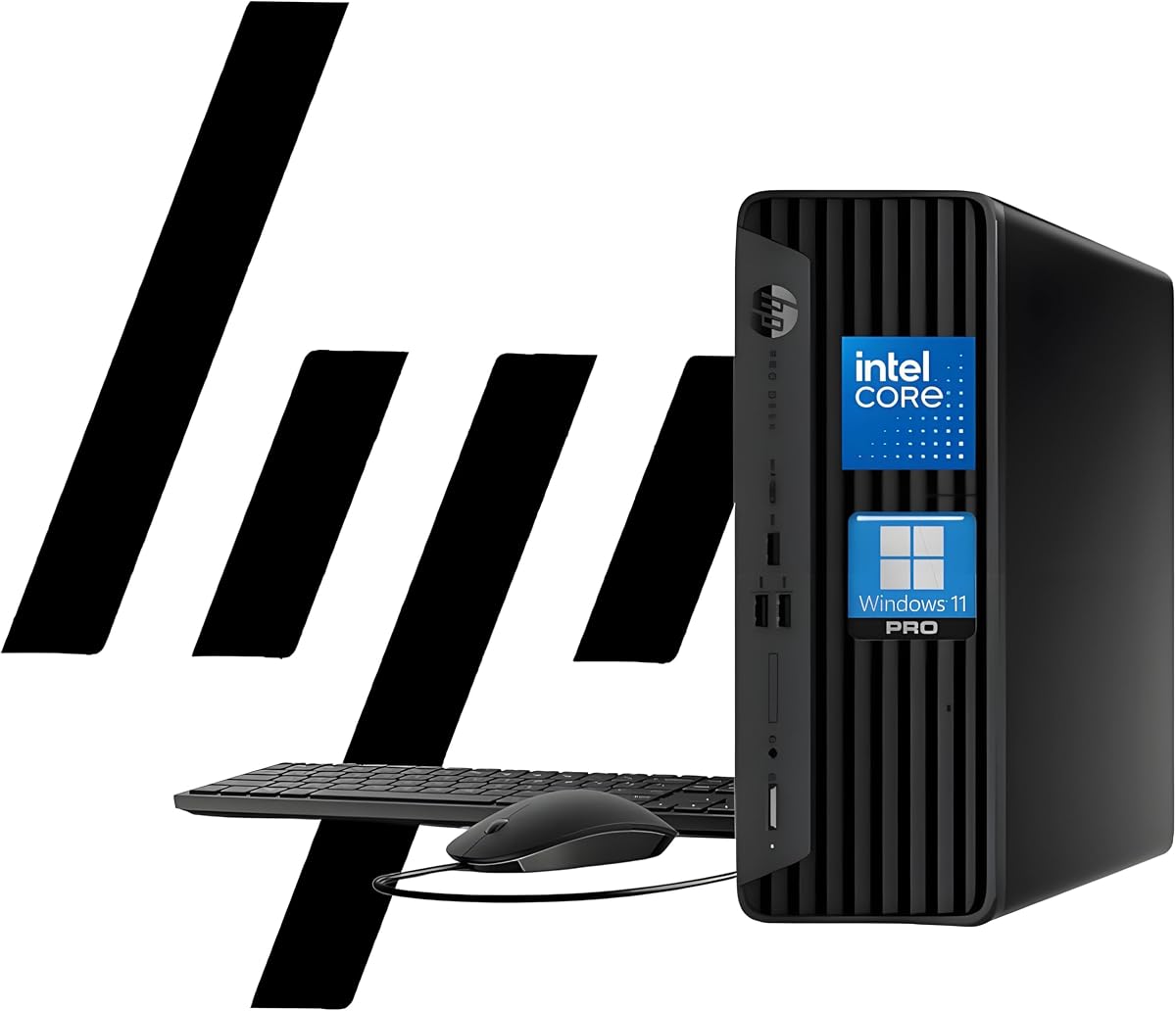
HP ProDesk 400 G9 SFF
4.4Editor score
Compact SFF design
Dual 4K display support
Windows 11 Pro included
Compare the best desktop PC with 32GB RAM for productivity, gaming, and business needs with detailed reviews and top picks for 2026.
Choosing a desktop PC with 32GB RAM ensures smooth multitasking for demanding workflows. Whether you handle data analysis, video editing, or intensive gaming, ample memory prevents bottlenecks and keeps applications running fluidly without lag during complex operations.
We evaluated ten top models based on processor power, storage speed, and build quality. Our comparison covers diverse options from compact office towers to powerful gaming rigs, ensuring you find a system that matches your specific performance requirements and budget constraints effectively.
Each pick highlights key strengths like AI capabilities, upgrade paths, or value. While prices fluctuate daily, these selections represent the best balance of specs and reliability available now. Always verify current availability and warranty terms before finalizing your purchase decision for long-term satisfaction.
4.4Editor score

5.0Editor score

4.5Editor score
This side-by-side comparison details the core specifications of each model to help you quickly identify the right fit for your workflow. We focus on processor generation, memory type, and storage capacity across all ten options.





This HP OmniDesk stands out with its cutting-edge Core Ultra processor and DDR5 memory, earning a perfect 5.0 rating. It offers seamless integration with Microsoft Copilot for AI tasks while delivering robust multitasking capabilities for business users.
We may earn a commission when you buy through this link, at no additional cost to you.
The 32GB DDR5 RAM ensures lightning-fast performance when running multiple heavy applications. The 1TB SSD provides ample storage for files, and Windows 11 Pro adds essential enterprise features like enhanced security and remote management tools.
While the integrated graphics may not suit hardcore gamers, they are sufficient for general office work and media playback. The premium pricing is justified by the advanced AI features and superior connectivity options available in this compact desktop tower.
Business professionals seeking a future-proof workstation will find this model ideal for long-term productivity. It balances power, efficiency, and smart features better than most competitors in the current market for desktop PCs with high RAM capacity.
The dedicated Copilot key allows quick access to AI assistance without interrupting workflow. This feature helps summarize documents and draft emails faster than traditional methods.
With multiple USB Type-C ports and Wi-Fi 6 support, connecting peripherals and transferring data happens at top speeds. This ensures your external drives and monitors perform without lag.
We may earn a commission when you buy through this link, at no additional cost to you.
The HP Pavilion delivers exceptional value with a dedicated i7 processor and plenty of memory for daily tasks. Its 5.0 rating reflects strong satisfaction among users looking for a dependable home office setup without unnecessary bloatware.
We may earn a commission when you buy through this link, at no additional cost to you.
With 32GB of RAM and a 1TB SSD, handling large spreadsheets and video calls simultaneously is smooth. The inclusion of a keyboard and mouse makes it ready to use immediately upon unboxing, saving time on setup.
Although the GT 610 graphics card is basic, it handles standard multimedia well. Users needing advanced gaming should plan for a future upgrade, but for productivity, this machine performs reliably without overheating issues.
Students and small business owners benefit most from this balanced configuration. It offers enough power for growth while keeping the price accessible for those who need reliable computing for education and work duties.
The system comes pre-configured for learning tasks with fast access to research tools. This makes it an excellent choice for universities or remote learning environments.
Boot times are significantly reduced thanks to the PCIe SSD drive. You can start work or school projects instantly rather than waiting for the system to load.
We may earn a commission when you buy through this link, at no additional cost to you.
This small form factor desktop proves you can get professional specs without a huge footprint. Rated 4.4 stars, it is perfect for offices needing space-saving PCs that still support high-resolution monitors and fast storage.
We may earn a commission when you buy through this link, at no additional cost to you.
The dual 4K display support is rare at this price point, allowing for efficient multitasking across screens. Windows 11 Pro ensures security and manageability, making it a smart pick for corporate environments with tight budgets.
While the Celeron processor is not meant for heavy lifting, it handles web browsing and documents easily. The compact size means it fits on any desk, though expansion slots are limited compared to full-sized towers.
Budget-conscious businesses looking to upgrade aging equipment will find this unit offers strong value. It strikes a practical balance between performance needs and physical space constraints for modern workspaces.
The sleek small form factor allows flexible placement on desks or shelves. This helps maintain a clean workspace while keeping essential computing power accessible.
Support for two 4K monitors lets you view detailed design work or complex data sets clearly. This improves workflow efficiency without requiring a larger tower unit.
We may earn a commission when you buy through this link, at no additional cost to you.
The HP OmniDesk offers impressive value with a Ryzen 7 processor and DDR5 RAM, making it great for multitasking. The Radeon 780M graphics are strong enough for light gaming and creative work without a dedicated card.
We may earn a commission when you buy through this link, at no additional cost to you.
With 32GB of DDR5 memory, the system handles multiple browser tabs and apps smoothly. The 1TB NVMe SSD ensures quick access to files, and the included peripherals make setup fast and convenient for users.
Casual gamers will appreciate the ability to play esports titles reasonably well. However, AAA titles might struggle on max settings due to the lack of a dedicated graphics card, though most daily tasks run perfectly.
Users wanting a versatile all-in-one PC without the bulk of a gaming tower should consider this model. It provides a solid foundation for both work and entertainment needs in a compact and efficient package.
The Radeon 780M graphics deliver smooth visuals for casual games and streaming. This saves space and power compared to systems needing a separate graphics card.
DDR5 memory speeds ensure applications launch quickly and system responsiveness stays high. This keeps your workflow efficient even when running many background processes.
We may earn a commission when you buy through this link, at no additional cost to you.
Dell's latest tower uses the newest Intel Core Ultra processors to bring AI acceleration to the desktop. With a 4.4 rating, it appeals to users who want a modern design and easy maintenance features.
We may earn a commission when you buy through this link, at no additional cost to you.
The 32GB RAM ensures plenty of headroom for complex software. The tool-less entry design allows quick access for storage upgrades, and the onsite service adds peace of mind for professional users.
The aesthetic focuses on sustainability with recycled materials, fitting well in modern offices. While specific drive sizes aren't detailed in the title, the base performance is high for daily enterprise tasks.
Businesses looking for longevity and support will value the onsite service included. It represents a forward-thinking choice for those wanting a system that evolves with new software updates and AI tools.
The tool-less entry and removable side panel let you upgrade components easily. This means future storage additions require no special skills or tools.
Crafted from recycled materials, this desktop reflects a commitment to green computing. The stylish look fits professional environments while reducing environmental impact.
We may earn a commission when you buy through this link, at no additional cost to you.
The renewed Optiplex 7060 offers a cost-effective way to get high-end specs. It receives a 4.0 rating for reliability, making it suitable for home offices that need robust performance without paying new premiums.
We may earn a commission when you buy through this link, at no additional cost to you.
The 6-core i7 processor handles standard office tasks with ease. While the 512GB SSD is smaller than some newer models, it provides fast boot times, and the 32GB RAM prevents slowdowns during heavy use.
Wireless peripherals included add convenience right out of the box. Users should note that it supports dual monitors, which is helpful for productivity, though the older CPU may struggle with modern 3D rendering.
Anyone needing a reliable machine for documents and browsing will find this great. The reduced price makes it accessible for small businesses or students who need stability over cutting-edge raw power.
Certified renewed units undergo testing to ensure they meet strict quality standards. This provides a budget-friendly way to access durable business-grade hardware.
With 32GB of RAM, switching between apps remains smooth. This prevents lag when running email, browsers, and productivity tools simultaneously.
We may earn a commission when you buy through this link, at no additional cost to you.
The KOTIN Gaming PC combines power and aesthetics with a dedicated GPU and DDR5 memory. Rated 4.5 stars, it stands out for those needing high-frame rate gaming alongside professional workloads on one machine.
We may earn a commission when you buy through this link, at no additional cost to you.
The RTX 5060 Ti handles AAA titles and creative rendering well. With 32GB DDR5 RAM, multitasking is seamless, and the cooling system ensures stability during long sessions without thermal throttling.
While expensive, the inclusion of modern features like WiFi 7 and Gen4 storage justifies the cost for enthusiasts. The design supports future upgrades, meaning you can add more storage or memory later if needed.
Gamers and video editors should prioritize this model for its raw power. It balances high-end performance with reasonable thermals, offering a complete solution for demanding users who want one powerful desktop PC.
The combination of Ryzen CPU and RTX GPU delivers smooth frame rates for competitive play. This is critical for esports titles where split-second timing matters.
Multiple fans and heat pipes maintain safe temperatures during intense usage. This keeps noise levels manageable and extends the life of internal components.
We may earn a commission when you buy through this link, at no additional cost to you.
This renewed Dell unit offers basic power for everyday tasks at an affordable price. While the 3.9 rating indicates mixed experiences, it remains a viable option for those needing a budget-friendly 32GB RAM system.
We may earn a commission when you buy through this link, at no additional cost to you.
The 1TB SSD provides plenty of storage for files and applications. Dual monitor support helps with productivity, though the older 7700 processor may not keep up with the newest software demands efficiently.
It is best suited for light office work or as a secondary computer. Users should expect reliable performance for web browsing but might notice slowness with heavy multitasking or complex applications.
If you need a simple machine for emails and basic spreadsheets, this fits well. The low cost and included keyboard and mouse make it a convenient plug-and-play solution for simple setups.
This model offers an accessible price point for those needing 32GB RAM without the new cost. It is a practical choice for secondary workstations or light use.
HDMI and display ports allow connecting two screens easily. This helps organize your workspace for better workflow efficiency.
We may earn a commission when you buy through this link, at no additional cost to you.
ASUS delivers a sleek desktop with strong 13th Gen performance and modern design. A 5.0 rating highlights its ability to blend aesthetic appeal with practical daily computing needs for home office users.
We may earn a commission when you buy through this link, at no additional cost to you.
The 32GB DDR5 RAM and fast storage ensure quick responsiveness. It comes with a keyboard and mouse, making it ready for work immediately. The compact tower saves space while maintaining a professional look.
While graphics are integrated, it handles standard media and light editing well. The Wi-Fi 6 support ensures stable internet connections, which is critical for remote work or streaming without interruptions or lag.
Students and professionals needing a neat, efficient workstation will love this unit. It balances performance and style better than generic office PCs, offering a reliable tool for daily tasks.
The clean look fits well in dorm rooms or home offices. It enhances your workspace without adding visual clutter or bulky hardware.
High-speed DDR5 RAM and NVMe SSD make system responses feel fast. This keeps your workflow efficient when launching apps or accessing data.
We may earn a commission when you buy through this link, at no additional cost to you.
This HP model offers a balance of performance and value for everyday tasks. The 4.5 rating reflects its ability to handle multitasking smoothly thanks to the generous 32GB memory allocation and fast storage.
We may earn a commission when you buy through this link, at no additional cost to you.
The i5-12500T provides sufficient power for spreadsheets and web browsing. It is a solid choice for families or small offices where multiple users need reliable access without needing high-end graphics capabilities.
With a full keyboard and mouse included, setup is straightforward. The 1TB drive ensures you have enough room for photos and files, making it a convenient all-in-one solution for basic needs.
Families looking for a shared PC or small businesses will appreciate its reliability. It offers consistent performance for standard applications, keeping costs low while providing necessary modern features and support.
The included accessories save time and money for home users. This makes it easy for anyone to start using the computer immediately.
The 12th gen architecture balances speed with energy efficiency. This helps keep running costs low while delivering reliable daily performance.
We may earn a commission when you buy through this link, at no additional cost to you.
Selecting the right desktop PC with 32GB RAM requires balancing processor power, storage speed, and specific use cases to match your workflow needs.
The CPU is the brain of your system, and newer generations like Intel Core Ultra or Ryzen 8000 series offer better AI capabilities and efficiency. Look for at least a mid-tier i5 or Ryzen 5 if you do general tasks, but opt for i7 or Ryzen 7 for heavy video editing.
Prioritize newer processors to ensure your system remains capable of handling future software updates and demanding applications for years to come without needing a full replacement.
While both 32GB configurations offer ample capacity, DDR5 memory provides faster data transfer rates and better power efficiency compared to DDR4. If your budget allows, DDR5 is highly recommended for future-proofing against bandwidth bottlenecks.
Choose DDR5 for high-performance tasks like 3D rendering to ensure smooth multitasking and faster application loading times during your daily workflow.
NVMe SSDs are essential for fast boot times and file access. Aim for at least 512GB of storage to avoid running out of space quickly when storing large project files or media libraries.
Always verify that the drive is PCIe Gen4 or higher to maximize speed, and consider if the system has extra slots for future expansion.
Integrated graphics save cost but lack power for gaming. If you plan on gaming or 3D design, ensure the system includes a dedicated GPU card to handle rendering loads effectively.
For standard office work, integrated chips are sufficient, but verify output ports match your monitor requirements before buying to avoid adapter needs.
Small Form Factor units save significant desk space while offering similar power to full towers. Measure your available surface area to decide between a compact desktop or a larger chassis.
Compact designs are ideal for home offices, but ensure the system includes adequate airflow to prevent overheating in tight spaces.
Modern ports like USB Type-C and HDMI 2.1 are necessary for connecting 4K monitors and fast peripherals. Count your devices to ensure enough ports exist on the front and rear panels.
A system with plenty of USB 3.0 ports makes it easier to connect drives, mice, and keyboards without needing extra hubs constantly.
Windows 11 Pro offers better security features and remote management tools compared to Home. Businesses should prefer Pro for encryption and domain management capabilities.
Always check that the license is genuine and pre-installed to avoid extra activation costs or security risks when setting up your new system.
A solid warranty ensures peace of mind against hardware failures. Onsite service is valuable for businesses to minimize downtime without shipping the machine away for repairs.
Look for models offering at least one year of coverage to protect your investment and ensure quick resolutions if technical issues arise.
Proper ventilation is critical to maintaining the longevity of your desktop PC. Ensure at least four inches of free space around the rear and side vents so airflow can dissipate heat generated by the processor during intensive workloads.
Keep your system updated with the latest BIOS and driver patches from the manufacturer. These updates often include security fixes and performance optimizations that help your 32GB RAM and CPU run efficiently without crashes.
Perform regular disk cleanups to delete temporary files that fill up your storage over time. Use built-in tools to clear caches every month to keep your SSD fast and free of unnecessary data clutter.
No, 32GB is ideal for professionals editing video or running virtual machines. While web browsing only needs less, heavy workflows require this capacity to avoid slowdowns during multitasking.
Most models allow RAM upgrades if they have available slots, though some SFF units may be soldered. Check the manual to confirm slot availability and max supported memory before buying.
An Intel Core i5 or AMD Ryzen 5 provides ample power for office work and offers better value than high-end chips that offer unnecessary speed for basic use.
Pro offers BitLocker encryption and remote desktop features useful for business security. For personal use, Home is sufficient and saves money if you do not need enterprise tools.
Certified renewed units undergo testing to ensure functionality. They are reliable for office tasks but may lack the full warranty of new units, so check the return policy first.
512GB works for documents, but 1TB is better for media. Larger storage prevents the need for external drives and keeps your system running smoothly without filling up.
We selected the HP OmniDesk Next Gen AI PC as the top pick for its future-proof AI features and powerful DDR5 memory. It delivers the best mix of modern tech and daily performance for business and professional needs.
If you are on a tight budget, the HP ProDesk 400 G9 SFF offers incredible value with professional specs. It proves you do not need to spend a fortune to get reliable power for multitasking and office work.
Remember that prices and stock levels change daily, so verify the final cost before ordering. Use this guide to compare specs like processor type and storage speed to find the right machine for your specific setup.