
Dell Precision 3581 Workstation
4.0Editor score
Core i7-13800H Processor
32GB DDR5 RAM
RTX A500 Graphics
Selecting the right laptop for CAD work requires balancing powerful processing with reliable graphics capabilities. Engineers and designers need machines that handle complex 3D models and rendering tasks without lagging during critical project phases.
We compared ten top workstation laptops based on processor speed, graphics certification, display accuracy, and overall build quality. Each model was evaluated for its ability to run industry-standard software like AutoCAD and SolidWorks efficiently.
Each pick highlights specific strengths for different workflow needs and budget levels. Keep in mind that hardware configurations and availability change frequently so always verify current specs before making your final purchasing decision today.
4.0Editor score

4.4Editor score

4.1Editor score
As an Amazon Associate we earn from qualifying purchases.
The following comparison table outlines key specifications for each laptop to help you quickly identify the best fit for your specific CAD workflows and performance requirements.



This Dell Precision 7680 stands out as a top choice for professionals needing reliable performance for complex CAD workflows. It combines a high-end processor with workstation-grade graphics to handle demanding 3D modeling tasks smoothly.
We may earn a commission when you buy through this link, at no additional cost to you.
The Intel Core i9-13950HX processor ensures that even large assemblies and simulations run without interruption. ISV certifications guarantee that industry software like AutoCAD and SolidWorks operate reliably on this hardware configuration.
While it is a powerful desktop replacement, users might find the weight slightly heavy for daily commuting. However, the durability and performance benefits outweigh this minor trade-off for most professional engineering environments.
If you require a robust machine for intensive design projects and value stability over portability, this laptop is a strong recommendation. It provides the necessary power to keep your productivity high during long work sessions.
Certifications ensure compatibility with major CAD tools so you avoid unexpected crashes or rendering errors during critical deadlines.
Multiple Thunderbolt and HDMI ports allow you to connect up to three external monitors for a spacious multi-screen workflow.
We may earn a commission when you buy through this link, at no additional cost to you.
This model offers a balanced entry point into professional CAD work with dedicated graphics capabilities at a more accessible price point. It is designed to handle moderate 3D tasks efficiently without compromising on essential workstation features.
We may earn a commission when you buy through this link, at no additional cost to you.
The NVIDIA RTX 1000 Ada GPU provides certified performance for design software ensuring that your renders and viewport navigation remain smooth. The 32GB of DDR5 RAM supports comfortable multitasking between design tools and reference materials.
Users with very heavy simulation needs might feel limited by the mid-range processor compared to higher-tier options. Still, for standard drafting and modeling work this configuration delivers reliable results without unnecessary cost overhead.
Ideal for professionals who need a dedicated CAD machine but do not require top-tier rendering power. It is a practical choice for firms looking to equip teams with consistent and supported workstation hardware.
The RTX 1000 Ada ensures professional drivers are in place for stable performance across Autodesk and Dassault Systèmes applications.
Support for up to four external monitors allows you to maximize screen real estate for complex project layouts.
We may earn a commission when you buy through this link, at no additional cost to you.
This HP ZBook combines strong processing power with a portable form factor ideal for engineers who work both onsite and in the office. The generous memory allocation supports complex projects without slowdowns.
We may earn a commission when you buy through this link, at no additional cost to you.
The inclusion of 64GB DDR5 RAM ensures that even when running multiple heavy applications simultaneously the system remains responsive. Wi-Fi 7 connectivity also future-proofs the machine for faster network speeds.
While it offers great mobility, the 16-inch screen may feel slightly compact for users who prefer expansive viewports for detailed schematics. A good external monitor setup can mitigate this when back at the desk.
For professionals who prioritize transportability alongside performance this workstation is an excellent fit. It offers the power needed for serious CAD tasks in a package that can easily fit into a backpack.
Wi-Fi 7 and Thunderbolt 4 ensure you can connect to the latest peripherals and networks without bottlenecks.
64GB RAM is ideal for large assemblies or when running virtual machines alongside your CAD software.
We may earn a commission when you buy through this link, at no additional cost to you.
This laptop brings professional-grade specifications to a more accessible price point making it a top contender for budget-conscious buyers. It features a powerful processor and dedicated graphics suitable for entry-level CAD professionals.
We may earn a commission when you buy through this link, at no additional cost to you.
The Intel Core i7-13800H provides enough headroom for standard drafting and moderate 3D modeling tasks. Combined with 32GB of RAM you can keep multiple design files open without performance degradation.
Since it is sold as renewed buyers should check the warranty terms carefully before purchasing. Also the Windows Home edition may lack some enterprise management features found in Pro versions though it still runs CAD software well.
If you need reliable performance without the high cost of a flagship model this is a practical choice. It serves well for students or freelancers looking to start professional CAD work with confidence.
You get 13th gen performance and dedicated graphics at a fraction of the cost of top-tier workstations.
The 1TB NVMe SSD ensures your project files load quickly and you have plenty of space for archives.
We may earn a commission when you buy through this link, at no additional cost to you.
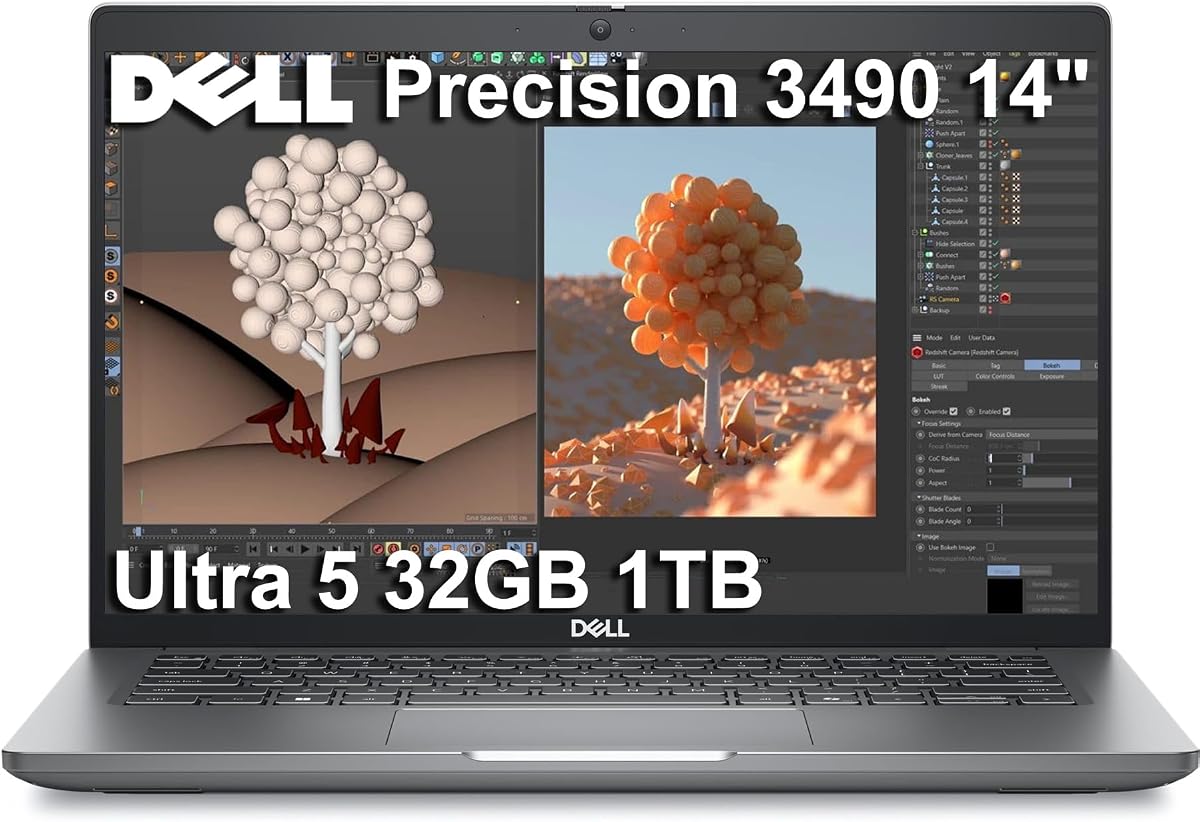
The Dell Precision 3490 is designed for professionals who need a workstation that travels easily without sacrificing too much power. It fits perfectly for consultants who often move between client sites and offices.
We may earn a commission when you buy through this link, at no additional cost to you.
Weighing just over three pounds it is easy to carry in a bag while still offering robust performance for daily design tasks. The inclusion of AI features helps streamline workflow processes automatically.
The smaller screen may require connecting an external monitor for detailed drafting work. Additionally integrated graphics mean it is better suited for 2D tasks or lighter 3D work rather than heavy rendering.
For those prioritizing portability this laptop delivers a solid experience. It ensures you stay productive on the go with enough power to handle standard CAD applications efficiently.
MIL-STD tested durability ensures the machine can withstand the rigors of travel while maintaining performance.
AI Copilot features assist with routine tasks freeing up time for more complex engineering challenges.
We may earn a commission when you buy through this link, at no additional cost to you.
This 17-inch powerhouse is built for professionals who demand maximum screen real estate and top-tier performance. It excels in environments where detailed visualization and complex simulations are daily requirements.
We may earn a commission when you buy through this link, at no additional cost to you.
The RTX 4000 Ada GPU provides significant horsepower for rendering large assemblies and running complex engineering simulations efficiently. The display offers high brightness and wide color gamut for accurate design work.
Due to its size and weight it is best suited for a fixed office or desktop replacement scenario. If you need to travel often this model might be too cumbersome for your bag.
For stationary workstations this laptop offers exceptional capability and reliability. It is a top choice for firms that need consistent high-performance hardware for their design teams.
The 17.3-inch display with 500 nits brightness makes working in various lighting conditions more comfortable.
The RTX 4000 Ada ensures smooth real-time rendering of even the most intricate 3D CAD models.
We may earn a commission when you buy through this link, at no additional cost to you.
This model strikes a balance between performance and cost making it suitable for teams with multiple users. It provides enough power for standard CAD workflows without breaking the budget like top-tier models.
We may earn a commission when you buy through this link, at no additional cost to you.
The RTX 2000 Ada GPU ensures compatibility with professional applications so your projects run smoothly. The display is adequate for most tasks though color accuracy is less precise than higher-end panels.
The 45% NTSC color gamut might be a limitation for projects requiring precise color matching. However for technical drawing and structural modeling this spec is generally acceptable and reliable.
Ideal for businesses that need consistent and certified hardware across a department. It offers a solid performance baseline for engineering tasks at a more approachable price point.
ISV certifications mean you can trust that software like AutoCAD will work without unexpected glitches.
Effective cooling keeps the system stable even under long rendering or simulation loads.
We may earn a commission when you buy through this link, at no additional cost to you.
This configuration represents the pinnacle of mobile workstation performance with memory and processing power that handles almost any CAD task. It is ideal for specialized industries where precision and speed are critical.
We may earn a commission when you buy through this link, at no additional cost to you.
The 128GB RAM allows for complex simulations and massive datasets to be handled locally without needing cloud offloading. The 24-core processor ensures that even multi-threaded rendering tasks finish quickly.
The 512GB SSD is fast but might fill up quickly with large project files so consider adding external storage if needed. The premium price reflects these high-end capabilities and is best for specialized users.
If your work involves heavy simulation or architectural visualization this laptop is unmatched. It provides the reliability and power required for the most demanding engineering workflows in the industry.
128GB DDR5 RAM ensures you never run out of memory during the most complex design assemblies.
Windows 11 Pro offers advanced security features like BitLocker for protecting sensitive project data.
We may earn a commission when you buy through this link, at no additional cost to you.
This model upgrades the memory to 64GB making it an excellent choice for users who run many virtual machines or large simulations. It offers a robust middle ground between standard and top-tier configurations.
We may earn a commission when you buy through this link, at no additional cost to you.
The 64GB of DDR5 RAM ensures smooth multitasking even when running heavy applications alongside standard office tools. The RTX 2000 Ada GPU provides certified performance for professional design software.
While the display is functional the color gamut is not ideal for projects requiring high visual fidelity. However for engineering and technical drawing the focus on performance and stability is more relevant.
For those who need extra memory without a full flagship price tag this is a strong option. It balances professional features with practical usability for daily engineering workflows.
64GB RAM is great for running multiple heavy applications simultaneously without slowdowns.
ISV certifications ensure that your critical design software remains stable during long work sessions.
We may earn a commission when you buy through this link, at no additional cost to you.
The ThinkPad P16s Gen 4 brings a large 16-inch workspace into a portable form factor that is easy to carry. It is designed for users who value screen size but still need to travel frequently.
We may earn a commission when you buy through this link, at no additional cost to you.
ISV certifications ensure that it runs professional software reliably while the Wi-Fi 7 connection keeps you updated with the latest speeds. The lightweight design makes it easy to work from different locations comfortably.
Integrated graphics mean it is better suited for 2D drafting and lighter 3D modeling rather than intensive rendering tasks. For most general engineering work this limitation is rarely a bottleneck.
If you want a balance of screen size and portability this is a solid choice. It offers the reliability of the ThinkPad brand in a package that supports everyday professional CAD tasks.
MIL-STD tested durability ensures the machine can handle travel and office use without issues.
Wi-Fi 7 and Thunderbolt 4 provide fast data transfer and network speeds for cloud work.
We may earn a commission when you buy through this link, at no additional cost to you.
Choosing the right laptop for CAD work involves understanding your specific needs and matching them with the right hardware specs.
A powerful processor is essential for handling complex calculations in 3D modeling. Look for Intel Core i7 or i9 series with multiple cores to ensure smooth multitasking.
Prioritize high clock speeds and multiple cores to keep your software responsive during large assembly work.
Workstation graphics cards like NVIDIA RTX Ada series are certified for CAD software to prevent crashes. Integrated graphics may struggle with detailed 3D views.
Ensure your GPU is ISV certified for the specific software you use to guarantee stability and performance.
RAM is critical for loading large files and keeping multiple applications open. 32GB is a standard baseline for serious CAD work today.
Opt for at least 32GB of RAM to avoid bottlenecks when running heavy simulations or large design files.
A bright and sharp screen helps reduce eye strain during long design sessions. Look for at least 1080p resolution and high brightness.
Choose a display with good color accuracy and brightness to ensure your work is clear and accurate.
If you travel often to job sites consider lighter 14 or 15-inch models over heavier desktop replacements. Weight impacts comfort over long travel times.
Balance your need for power with portability to ensure the laptop fits your daily commuting routine.
Fast SSD storage ensures quick boot times and rapid loading of design files. 1TB is a recommended starting capacity for project archives.
Select an SSD for speed and ensure you have enough space to store all your active and archived projects locally.
Multiple ports like Thunderbolt and HDMI allow you to connect to external monitors and peripherals easily. This is vital for multi-screen setups.
Check for enough ports to support your workflow without needing excessive dongles or adapters for your peripherals.
Workstations built to MIL-STD-810H standards are more resistant to shock and environmental hazards. This ensures longevity in tough work environments.
Look for military-grade durability ratings if you plan to use the laptop in field conditions regularly.
Keep your laptop on a hard flat surface to ensure proper airflow and prevent overheating during intensive rendering tasks. Avoid using it on soft surfaces like beds or sofas where vents might get blocked.
Regularly update your graphics drivers and operating system to maintain compatibility with the latest CAD software versions. This helps prevent crashes and ensures you have access to new features.
Use a surge protector to protect your hardware from power fluctuations which can damage sensitive components over time. This simple step extends the lifespan of your expensive workstation.
Most professional CAD software recommends at least 16GB of RAM for basic tasks. However for complex 3D modeling and rendering 32GB is highly recommended to ensure smooth performance.
Integrated graphics can handle basic 2D drafting but may struggle with complex 3D models. For professional work a dedicated graphics card like RTX or Quadro is recommended for better stability.
ISV certification guarantees that the hardware is tested and optimized for specific professional applications. This reduces the risk of crashes and ensures reliable performance during critical work.
A 15-inch model offers a good balance of screen space and portability. A 17-inch model provides a larger workspace but is heavier and less suitable for frequent travel.
While high refresh rates improve general smoothness standard 60Hz screens are often sufficient for CAD work. Color accuracy and resolution are more critical factors for design accuracy.
Many modern ultrabooks have soldered RAM that cannot be upgraded. Always check the specific laptop model details to see if RAM is upgradeable before purchasing.
Our top picks cover a range of needs from budget-friendly options to powerful desktop replacements. The Dell Precision 7680 remains a standout for its balance of performance and reliability.
Prioritize processing power and graphics certification when selecting a machine for engineering tasks. Ensure the RAM and storage are sufficient for your project sizes to avoid slowdowns.
Remember that prices and specs change so always check the latest product details before buying. Your ideal workstation should match your workflow demands and budget constraints.