
NETGEAR Nighthawk WiFi 7 Router RS700S
4.4Editor score
Up to 19 Gbps speeds
10 Gig WAN port ready
Covers 3500 sq ft
This guide compares the top high end WiFi router models of 2026 including Wi-Fi 7 options from TP-Link, NETGEAR, ASUS, and Eero to help you choose.
Choosing a high end WiFi router is essential for modern households demanding fast speeds and reliable coverage. As smart devices multiply and bandwidth hungry applications grow, your network hardware must evolve to keep pace with your digital lifestyle needs effectively.
We have evaluated ten top models based on performance, coverage, security features, and ease of setup. Our analysis focuses on real world capabilities including Wi-Fi 7 support, multi-gigabit ports, and advanced mesh compatibility for seamless whole home connectivity.
Each pick highlights specific strengths to help you match the right router to your unique home setup and internet plan. Please note that prices and availability change frequently so check current listings before making your final purchase decision today.
4.4Editor score

4.3Editor score

4.3Editor score
Here is a side-by-side comparison of the ten best high end WiFi router models available this month highlighting their key specifications and ideal use cases.






The TP-Link BE6500 stands out as the top choice for users seeking next-gen performance without breaking the bank. It earns a solid 4.3 star rating from verified buyers who praise its stability and speed in daily use.
We may earn a commission when you buy through this link, at no additional cost to you.
Its standout quality lies in the Wi-Fi 7 implementation featuring Multi-Link Operation to boost throughput and reduce latency significantly. The router supports devices like iPhone 16 Pro and Samsung Galaxy S24 Ultra ensuring optimized performance for cutting edge hardware.
While it lacks a dedicated tri-band setup the 4-stream design delivers robust speeds up to 5764 Mbps on the 5GHz band which handles 4K streaming and gaming effortlessly. The inclusion of a 2.5Gbps WAN port makes it future ready for high speed internet plans.
This router is ideal for tech savvy households wanting reliable coverage up to 2400 square feet for up to 90 devices. We recommend it as the best overall pick for balancing cost with advanced capabilities and strong security features.
MLO allows simultaneous data transfer across frequency bands improving reliability and reducing lag during critical tasks like video calls.
Built-in HomeShield provides real-time IoT protection and parental controls ensuring your network stays safe from online threats automatically.
We may earn a commission when you buy through this link, at no additional cost to you.
The TP-Link AXE5400 offers a compelling mix of performance and value especially for those not yet ready to jump to Wi-Fi 7. With a 4.3 star rating it remains a trusted option for busy homes needing reliable connectivity.
We may earn a commission when you buy through this link, at no additional cost to you.
Its key strength is the tri-band design incorporating the exclusive 6 GHz band which provides more bandwidth and near-zero latency. This setup enables smoother gaming and video chatting even when many devices are connected simultaneously.
While it may lack the latest Wi-Fi 7 standards the 5400 Mbps total speed and robust memory ensure it handles modern demands well. The unique housing design aids heat dissipation helping maintain consistent performance over long periods of heavy use.
We suggest this model for budget conscious users who still want high speed wireless capabilities and smart home integration. It serves as a solid intermediate step before upgrading to newer generations without compromising daily functionality.
The 6 GHz band reduces congestion by offering a dedicated lane for compatible devices resulting in faster speeds and less interference.
Support for both VPN server and client modes allows secure remote access and flexible security settings across your network easily.
We may earn a commission when you buy through this link, at no additional cost to you.
NETGEAR Nighthawk R7000 delivers excellent coverage for larger spaces making it a strong contender for expansive homes. It holds a 4.3 star rating reflecting satisfaction with its ability to handle multiple high bandwidth activities at once.
We may earn a commission when you buy through this link, at no additional cost to you.
The dedicated tri-band Wi-Fi 7 setup ensures the fastest devices get their own lane on the 6 GHz band reducing slowdowns. This design keeps up with growing connected homes supporting streaming video calls gaming and smart home devices effectively.
Walls and interference can reduce range so this model shines best in single story or open floor plan homes. The 2.5 Gig LAN ports allow wired connections for gaming rigs or NAS drives enhancing stability where it matters most.
We recommend this router for families needing reliable internet across 2500 square feet. Its balance of speed and ease of use via the Nighthawk app makes it a dependable choice for modern digital lifestyles.
While range is robust physical barriers can impact signal so placing the router centrally helps maximize reach throughout your home.
Built-in security features plus a trial for Armor ensure your data is protected from malware and hackers immediately upon setup.
We may earn a commission when you buy through this link, at no additional cost to you.
For those with the fastest internet plans and largest homes the NETGEAR Nighthawk RS700S offers unmatched performance. With a 4.4 star rating it satisfies power users who demand every bit of available bandwidth for their devices.
We may earn a commission when you buy through this link, at no additional cost to you.
Its standout feature is the 10 Gig WAN port unlocking premium fiber plans while the 19 Gbps wireless speed ensures no device gets bottlenecked. The 12 stream design provides stronger reach covering up to 3500 square feet effortlessly.
While this level of power may seem excessive for average setups it ensures future proofing for years to come. The trade off is the higher price point which might not be justifiable for users with modest internet plans.
We recommend this model for tech enthusiasts and large households needing premium connectivity. Its ability to maintain fast speeds across 200 devices makes it a top tier option for demanding network environments.
The 10 Gig WAN port prepares you for ultra-fast fiber connections ensuring your network keeps up with ISP upgrades.
Support for up to 200 devices means every smart home gadget can stay connected without slowing down your internet.
We may earn a commission when you buy through this link, at no additional cost to you.
The ASUS ROG Rapture GT-BE98 Pro is a powerhouse built specifically for competitive gaming and extreme bandwidth needs. It boasts a 4.3 star rating from users who appreciate its raw performance and specialized gaming features.
We may earn a commission when you buy through this link, at no additional cost to you.
Its key strength is the quad-band Wi-Fi 7 technology delivering up to 30 Gbps with unique 320MHz channels. The Triple-Level Game Acceleration boosts PC gaming traffic from port to server minimizing latency for seamless multiplayer experiences.
While the price is steep for most users the dual 10G ports offer maximum wired flexibility for NAS and workstations. The external antennas provide significant signal strength improvements ensuring stable connections even in crowded environments.
We suggest this router for serious gamers and professionals requiring top tier connectivity. Its specialized tools and unmatched speed make it the ultimate choice for those prioritizing performance above all else.
This feature prioritizes gaming traffic across the network ensuring low latency and smooth performance during online matches.
Dual 10G ports plus quad 2.5G ports allow multiple high speed wired connections for demanding devices simultaneously.
We may earn a commission when you buy through this link, at no additional cost to you.
The Synology RT6600ax stands out for users prioritizing privacy and network control over raw speed. It holds a 4.2 star rating reflecting satisfaction with its robust security tools and flexibility for custom network setups.
We may earn a commission when you buy through this link, at no additional cost to you.
Its unique selling point is the ability to define up to 5 separate networks to segregate vulnerable devices effectively. This segmentation ensures that IoT gadgets do not compromise the security of your main devices or personal data.
While it lacks Wi-Fi 7 features its support for high-speed 80 and 160 MHz channels ensures solid throughput for most tasks. The comprehensive VPN server solution adds remote access capabilities without needing external software or services.
We recommend this router for advanced users who want to maintain full control over their home network. Its emphasis on security and privacy makes it ideal for tech savvy households managing sensitive data daily.
VLAN features let you isolate guests or smart home devices protecting your main network from potential security breaches.
Flexible VPN server support allows secure remote desktop access and site-to-site tunneling for professional use.
We may earn a commission when you buy through this link, at no additional cost to you.
The ASUS ROG Strix GS offers a solid option for gamers needing reliable performance and modern specs. It holds a 4.1 star rating from users who value its design and connectivity options for demanding setups.
We may earn a commission when you buy through this link, at no additional cost to you.
Its primary focus lies on delivering strong wired performance through 2.5 Gig Ethernet alongside robust wireless capabilities. This ensures that gaming rigs and consoles stay connected with minimal interference regardless of signal conditions.
While specific details are fewer than other models the gaming focused design suggests optimized routing for latency sensitive tasks. The tri-band spectrum helps manage multiple devices effectively reducing congestion during peak usage times at home.
We suggest this router for gamers who prioritize wired stability and want a modern high-end aesthetic. It serves well for mid to high tier setups needing dependable performance without excessive complexity.
Optimized routing helps minimize lag ensuring smooth gameplay even when multiple devices share the network connection.
The 2.5 Gig Ethernet port supports high-speed wired connections for devices needing consistent and reliable performance.
We may earn a commission when you buy through this link, at no additional cost to you.
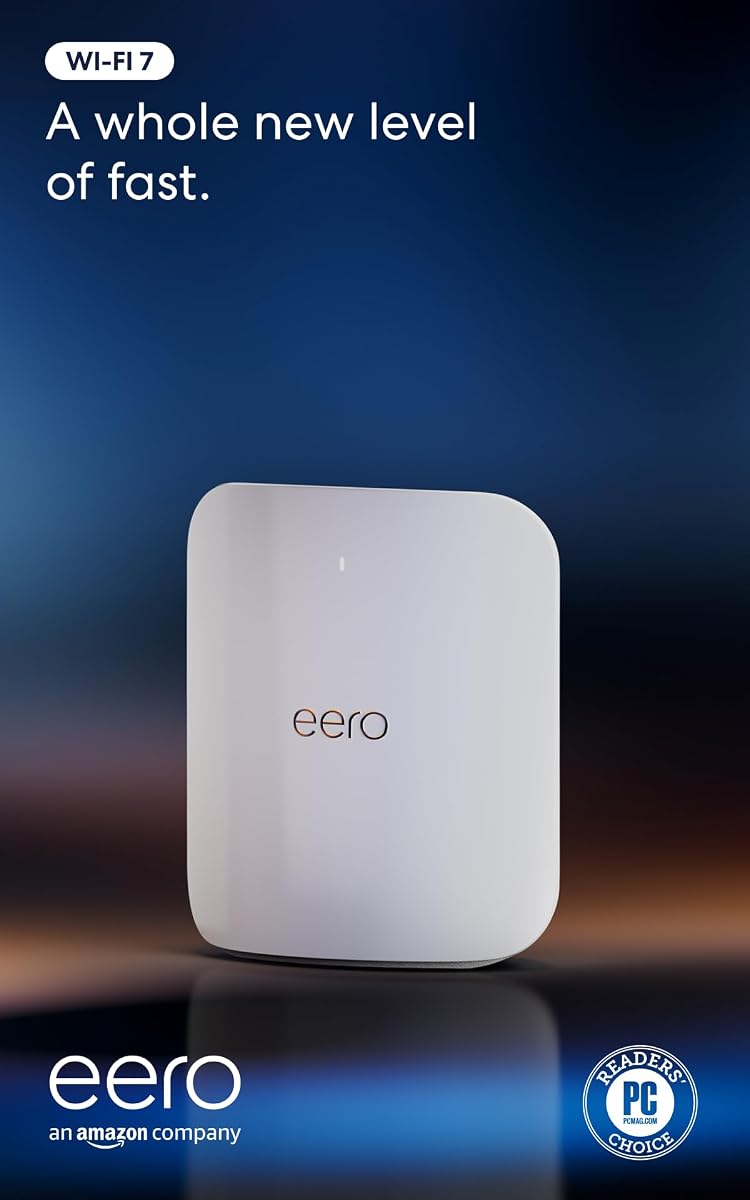
The eero Pro 7 brings simplicity and reliability to mesh networking for homes needing straightforward performance. It holds a 4.3 star rating reflecting satisfaction with its seamless connectivity and easy management features.
We may earn a commission when you buy through this link, at no additional cost to you.
Its key strength lies in the TrueMesh software which proactively optimizes your connection to eliminate dead zones. The setup supports internet plans up to 5 Gbps ensuring high bandwidth needs are met across your home effortlessly.
While it may lack advanced technical controls it makes up for it with ease of use and expandability. Adding more units is simple allowing you to extend coverage as your home grows without complex configuration steps.
We recommend this router for users prioritizing simplicity and reliability over granular technical tweaks. It is an excellent choice for families needing a hassle-free network experience that just works.
Patented algorithms dynamically find the best path for data ensuring fast and reliable internet throughout your home.
Adding nodes to the system is quick allowing you to extend Wi-Fi coverage with minimal effort or technical knowledge.
We may earn a commission when you buy through this link, at no additional cost to you.
The eero Max 7 is designed for those wanting the fastest speeds with maximum convenience in a single unit. It holds a 4.2 star rating reflecting satisfaction with its robust performance and ease of managing a modern smart home.
We may earn a commission when you buy through this link, at no additional cost to you.
Its standout feature is the support for internet plans up to 10 Gbps paired with two 10 Gigabit Ethernet ports. This ensures your wired devices can fully utilize the speed available without bottlenecks on any connection.
While the price is higher than other mesh systems it includes smart home hub capabilities for Thread Matter and Zigbee devices. The TrueMesh system dynamically optimizes connections ensuring high performance for gaming and applications needing low latency.
We suggest this router for households needing future proof speeds and a centralized smart home solution. It is ideal for users who value simplicity and speed above complex technical customization options.
The router acts as a controller for Thread Matter and Zigbee devices centralizing smart home management in one place.
Two 10 Gigabit ports enable wired speeds up to 9.4 Gbps ensuring your fastest devices get the bandwidth they need.
We may earn a commission when you buy through this link, at no additional cost to you.
The NETGEAR Nighthawk RS90 offers an accessible entry point into the world of Wi-Fi 7 technology for smaller homes. It holds a 4.3 star rating from users who appreciate its reliability and straightforward setup process.
We may earn a commission when you buy through this link, at no additional cost to you.
Its key strength is delivering next-gen wireless performance without a premium price tag. The 2.5 Gig WAN port allows for multi-gig internet plans while keeping the device compact and easy to manage via the Nighthawk app.
While it lacks the range of tri-band models its dual-band design covers up to 2000 square feet effectively. This makes it a practical choice for apartments or smaller houses where extreme range is not a priority.
We recommend this router for budget conscious buyers wanting modern speeds. It serves as an excellent value pick for those needing reliable connectivity for standard daily tasks without overspending.
This router brings Wi-Fi 7 features to a lower price point making next-gen tech accessible for average users.
The 2.5G WAN port ensures your router keeps up with faster internet plans delivering better speeds overall.
We may earn a commission when you buy through this link, at no additional cost to you.
Selecting the right high end WiFi router requires considering several factors to ensure your network meets your speed and coverage needs effectively.
Wi-Fi 7 offers the latest technology with faster speeds and lower latency. Ensure the router supports MLO if you have compatible devices for best performance.
Look for routers with Wi-Fi 7 support to future proof your network against emerging technology standards.
Dual-band routers are affordable but tri-band models reduce congestion for more devices. Consider your home size and number of connected devices before choosing.
Tri-band setups are best for busy households needing separate lanes for high bandwidth devices like gaming rigs.
Check the square footage coverage to ensure every room gets a strong signal. Larger homes may require mesh systems or extenders to avoid dead zones.
Choose a router with coverage exceeding your home's square footage for consistent connectivity in every room.
High speed gaming or NAS needs multi-gigabit Ethernet ports. Look for 2.5G or 10G ports to match your internet plan and wired device needs.
Ensure the router has enough high-speed LAN ports for your wired devices and gaming consoles.
Built-in security protects against malware and intruders. Look for features like firewall protection and parental controls included out of the box.
Prioritize routers with robust security features to keep your family and devices safe from online threats.
User-friendly apps simplify configuration and ongoing management. Look for intuitive interfaces that allow you to control your network from anywhere.
Choose a router with an easy setup app to avoid technical headaches during installation.
If your home is large check if the router supports mesh extenders. Compatibility ensures you can expand coverage without replacing your main unit.
Look for routers with Mesh compatibility to easily extend Wi-Fi to large or multi-story homes.
High-end routers range significantly in price based on features. Balance your needs with cost to find a model that offers the best value for your situation.
Determine your budget early to narrow down choices to models that offer the best performance for your specific needs.
Place your router in a central elevated location away from walls to maximize signal reach throughout your home.
Update the firmware regularly through the app to ensure security and performance improvements are always active.
Avoid placing the router near microwaves or cordless phones to reduce interference that may impact signal stability.
Yes most older routers cannot handle speeds over one gigabit. To fully utilize faster plans you need a router with multi-gigabit ports and modern Wi-Fi standards.
Wi-Fi 7 offers faster speeds wider channels and lower latency compared to Wi-Fi 6. It also supports MLO which allows simultaneous connections across bands for better performance.
If you experience dead zones or weak signals in certain rooms a mesh system can help. Single routers are usually sufficient for open homes under 2500 square feet.
Yes if you need high speeds multiple device support and reliable coverage. They reduce lag and buffering ensuring smooth streaming and gaming experiences.
Look for built-in firewalls regular firmware updates and parental controls. These features protect your network from external threats without needing extra software.
Most new routers work with existing modems via Ethernet. Just ensure the modem is not locked by your ISP and supports bridge mode if needed.
A quality router can last three to five years before performance drops. New standards like Wi-Fi 7 may make older units obsolete sooner.
No color is purely aesthetic. Focus on performance specs and port availability to ensure the router meets your technical requirements effectively.
Our top picks highlight the best balance of speed coverage and value available this month including the TP-Link BE6500 and NETGEAR Nighthawk RS700S.
Prioritize Wi-Fi 7 support and multi-gigabit ports if you plan to keep your hardware for several years without upgrades.
Prices change frequently so always check the latest listings on Amazon before finalizing your purchase to get the best deal available today.